Core guide · section 6 of 21
Make someone an administrator, or remove it
Decide who may manage users, roles and permissions for your company.
Before you start
- You are an administrator.
Steps
In the pictures, a numbered red box marks where to click or type. Where a picture has more than one box, the numbers give the order.
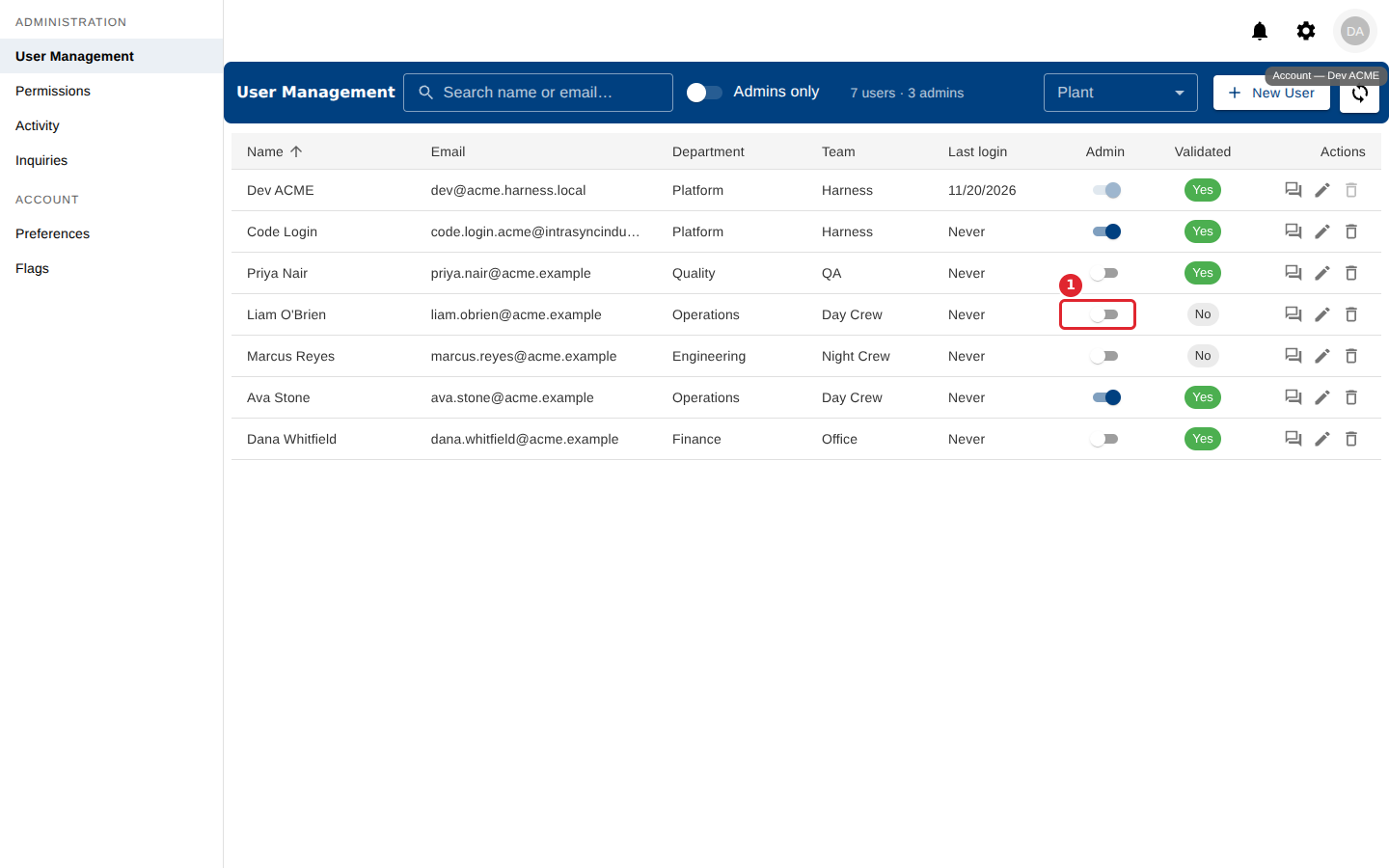
In User Management, use the switch in the Admin column.
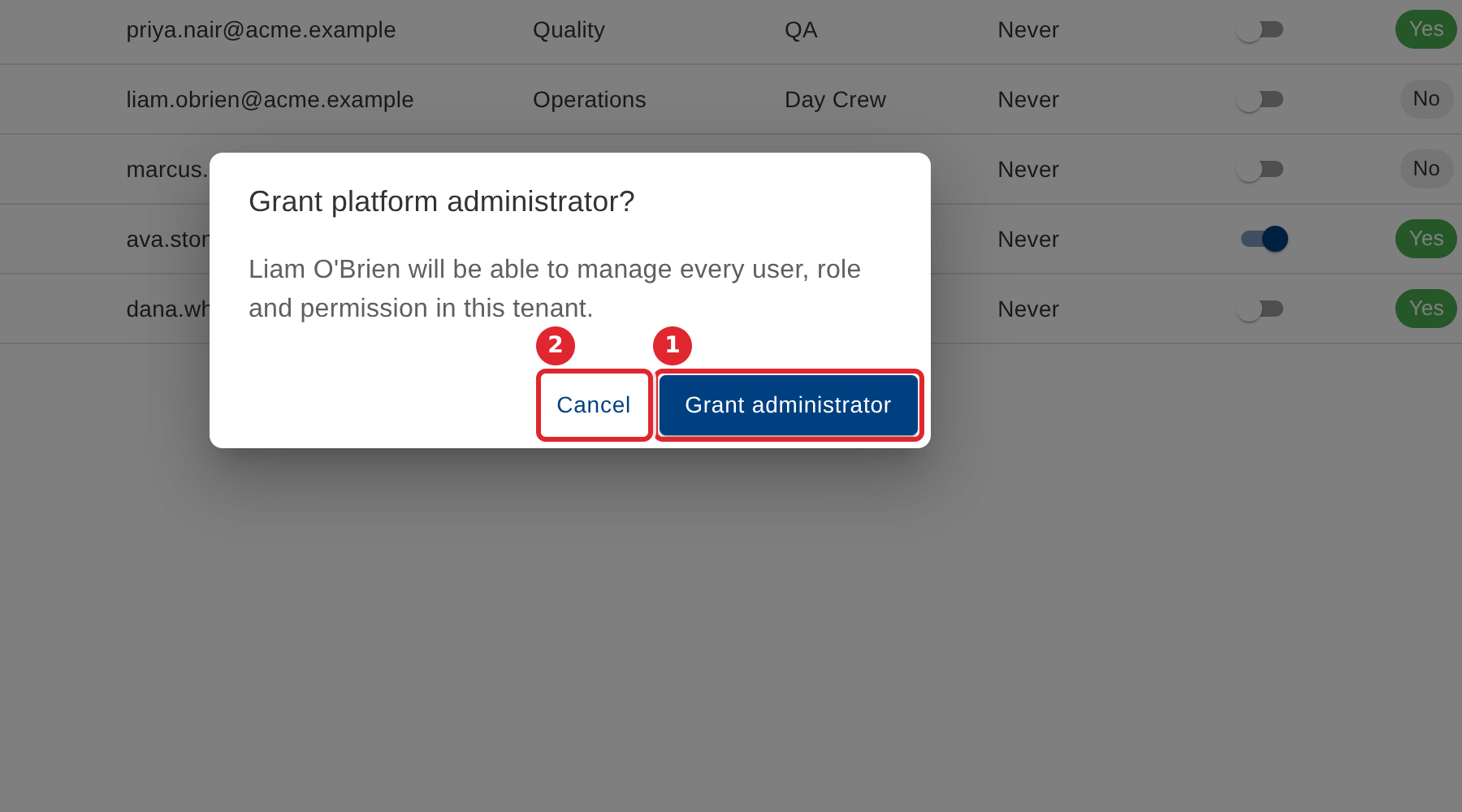
Confirm. An administrator can manage every user, role and permission in your company.
Tips
- Removing administrator access takes effect immediately.
- You cannot remove your own administrator access, and you cannot remove the last administrator your company has.