Core guide · section 7 of 21
Remove a person
Take away the sign-in of someone who has left.
Before you start
- You are an administrator.
Steps
In the pictures, a numbered red box marks where to click or type. Where a picture has more than one box, the numbers give the order.
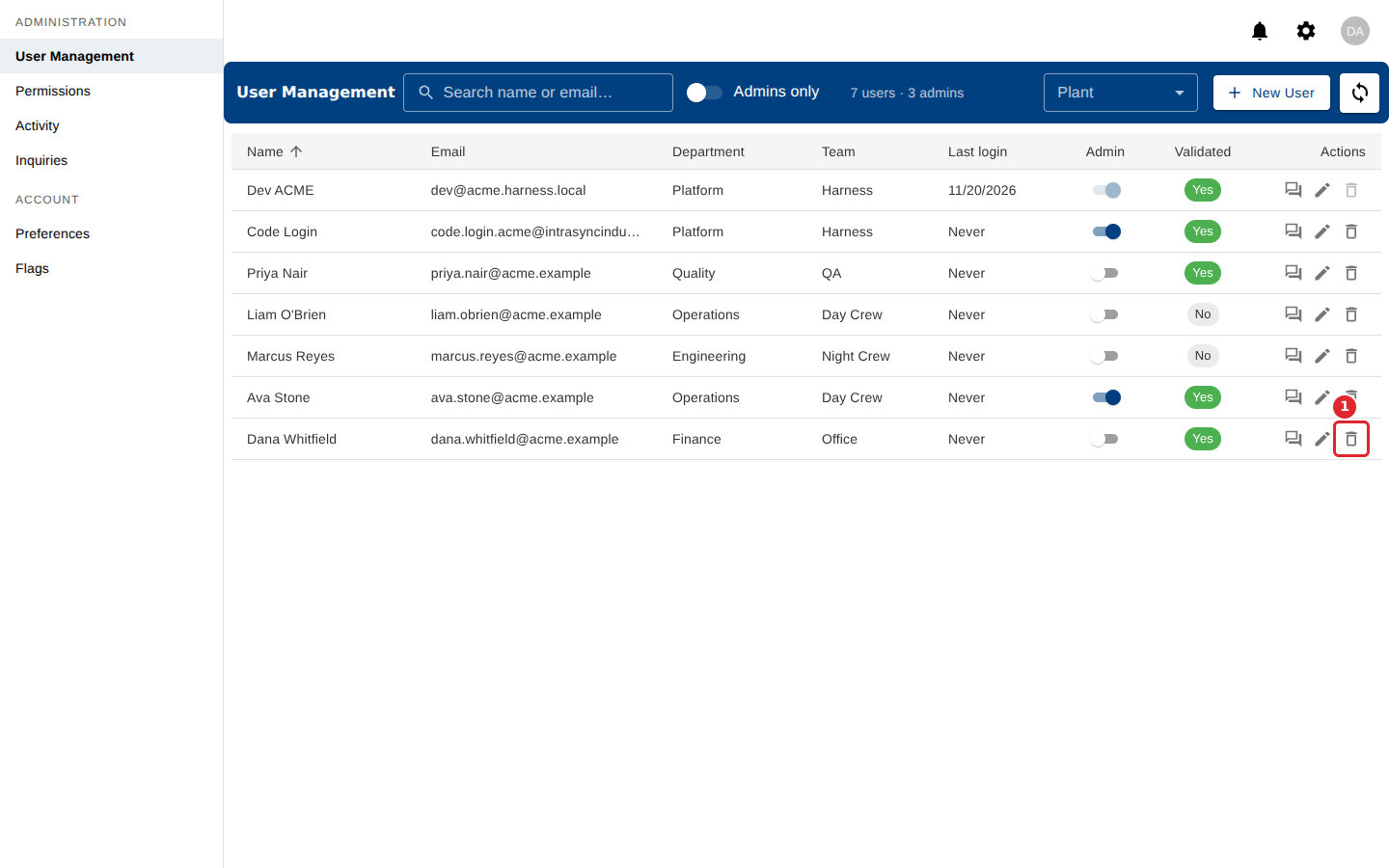
Select the bin icon in the person's row.
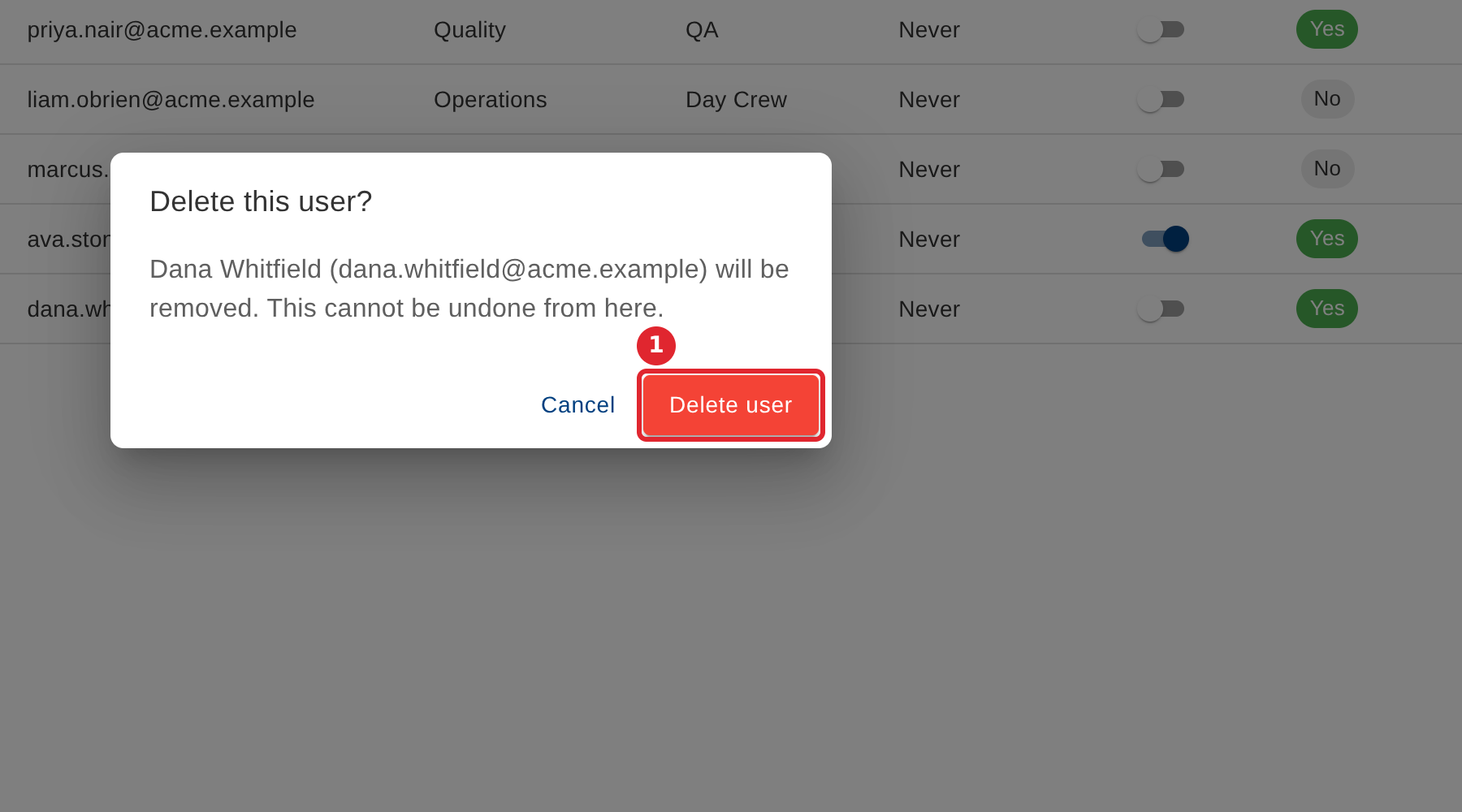
Select Delete user to confirm. This cannot be undone.
Tips
- You cannot delete yourself or your company's last administrator.
- Select Cancel if you opened the confirmation by mistake.