Open Dispatch and find your way around
Dispatch keeps the planning, dispatching and paperwork for every trailer load in one hub. Knowing where each part lives saves time every day.
Watch this in the video (0:14)
Steps
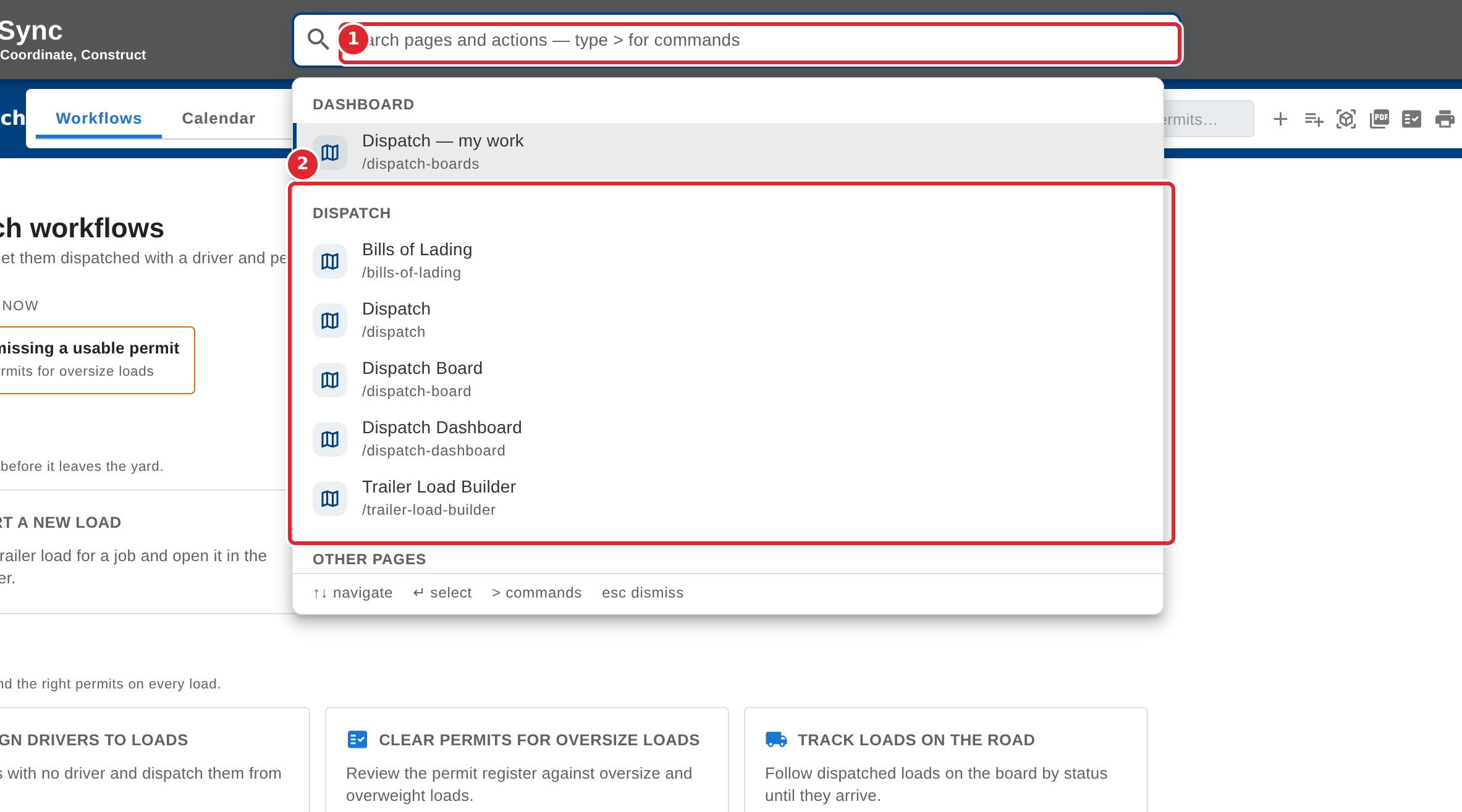
In the pictures, a numbered red box marks where to click or type. Where a picture has more than one box, the numbers give the order.
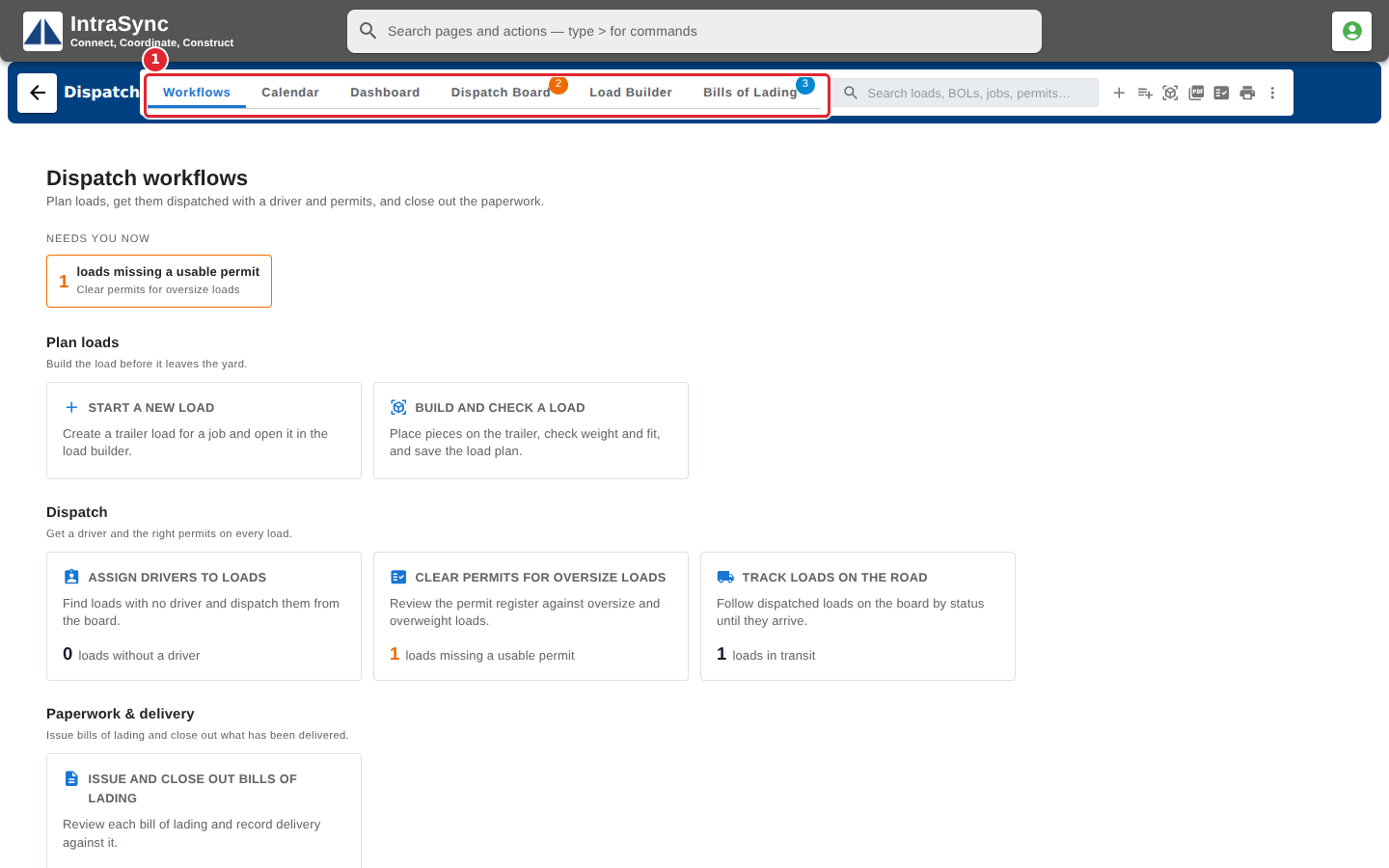
Open Dispatch. It opens on the Workflows tab of the Dispatch hub, and the tabs across the top lead to each part of dispatch.
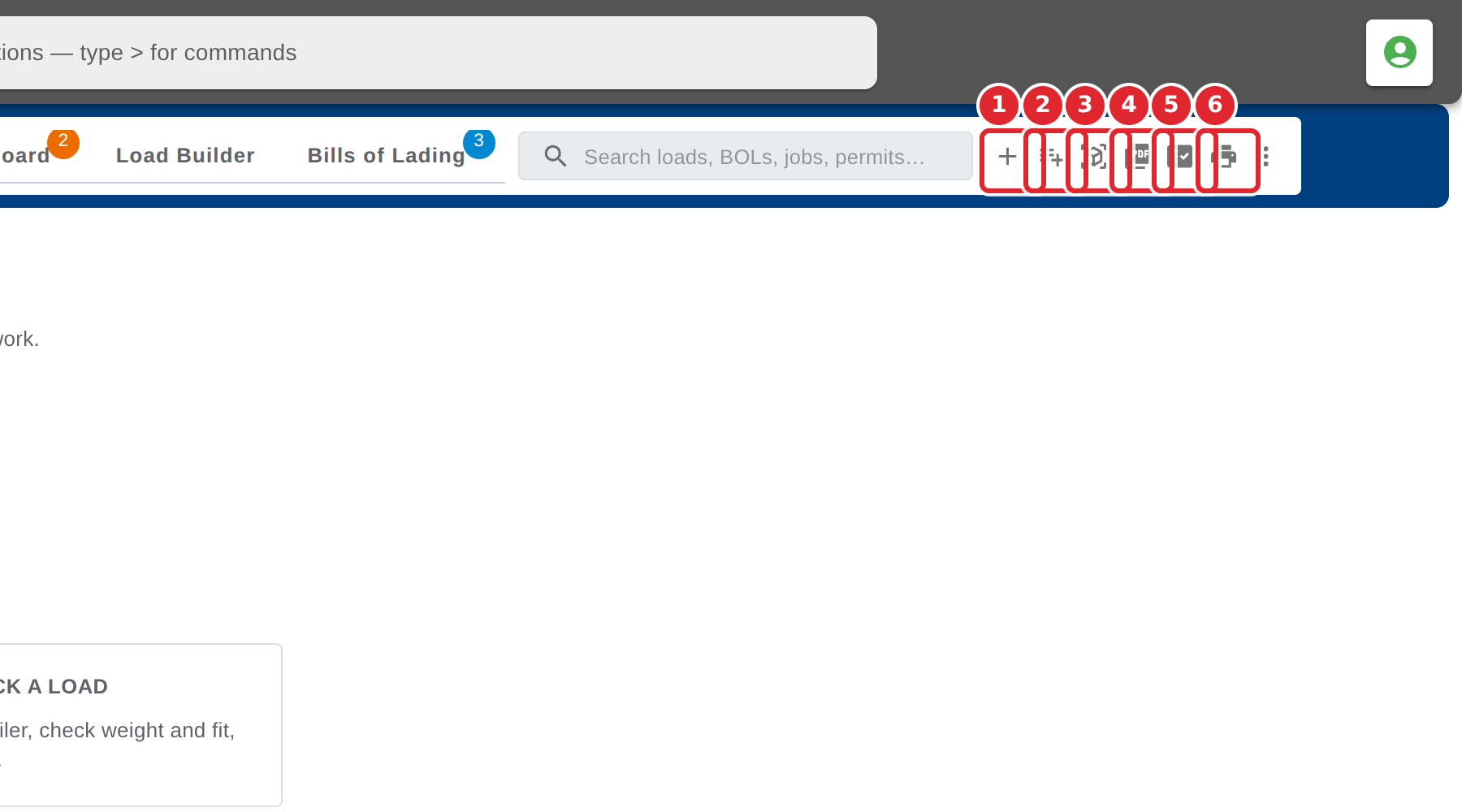
The buttons beside the search are the everyday actions: New load, Add pieces to load, 3D load preview, Load plan PDF, Permit register, and Print pick and delivery tickets.
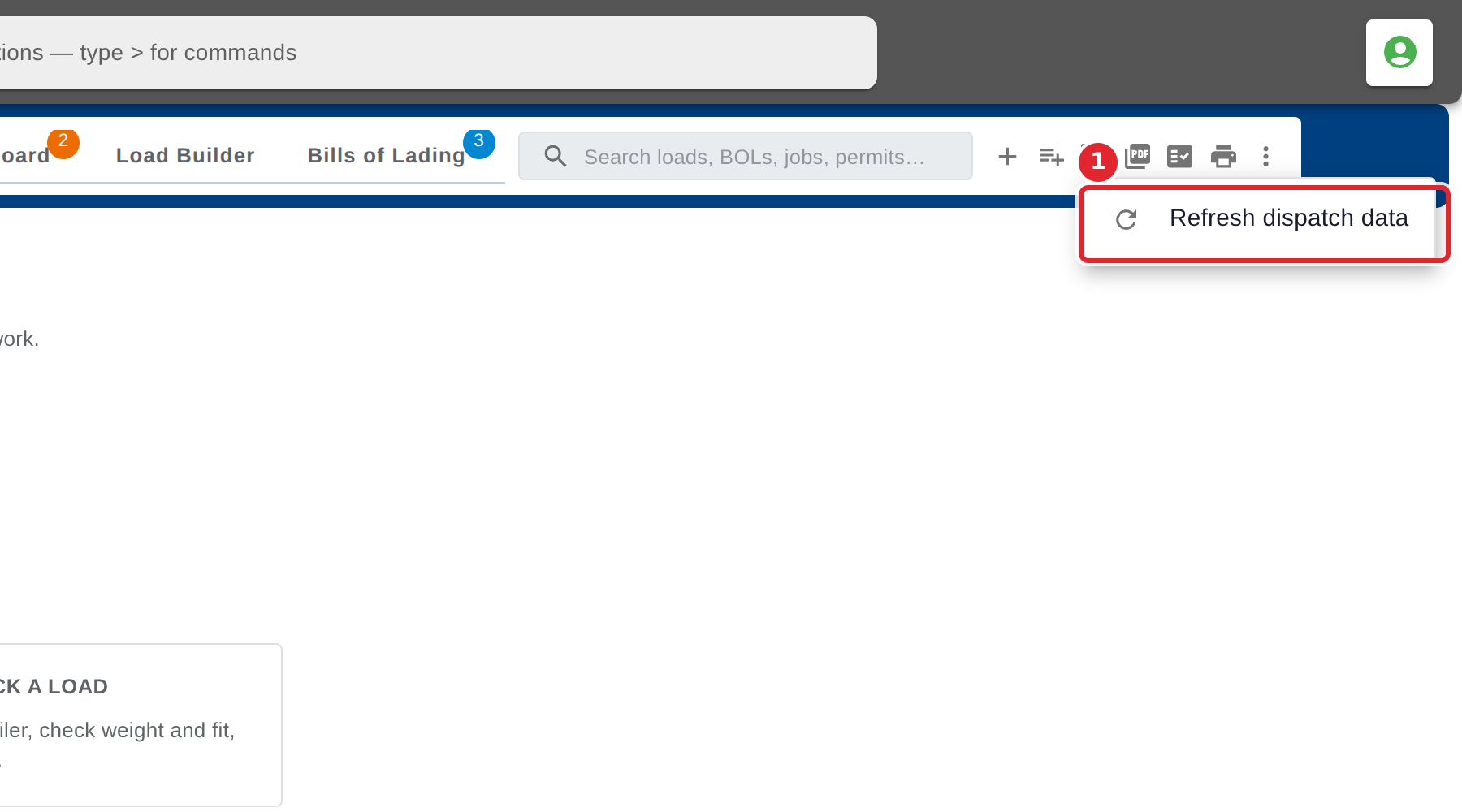
Select More actions, then Refresh dispatch data to reload every list from the server.
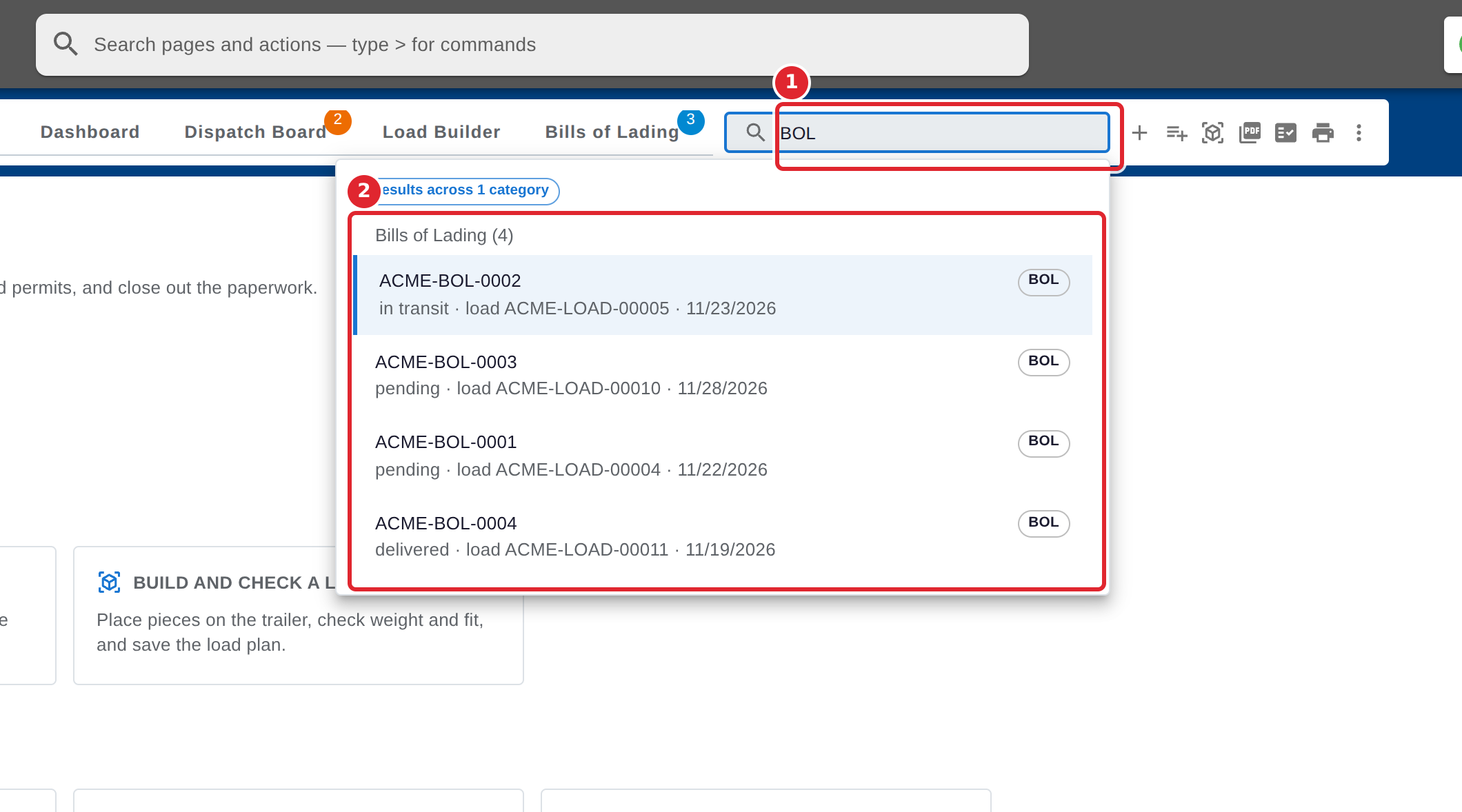
To find a load, bill of lading, job or permit, type in Search dispatch. Results are grouped by kind; use the arrow keys and Enter to open one, or Esc to close the list.
To reach a Dispatch screen from anywhere, select the search bar at the top of the page, then Browse all pages. The Dispatch screens are listed together.
Tips
- The badges on the Dispatch Board and Bills of Lading tabs count what needs attention: loads that need a permit, and bills that are still open.
- In the search bar at the top of the page, type > first to search for commands instead of pages.