Set up rate masters
Keep the company rate book that pricing worksheets build their costs from.
Before you start
- You must be an Estimating administrator: the Estimating admin button appears only for administrators.
Steps
In the pictures, a numbered red box marks where to click or type. Where a picture has more than one box, the numbers give the order.
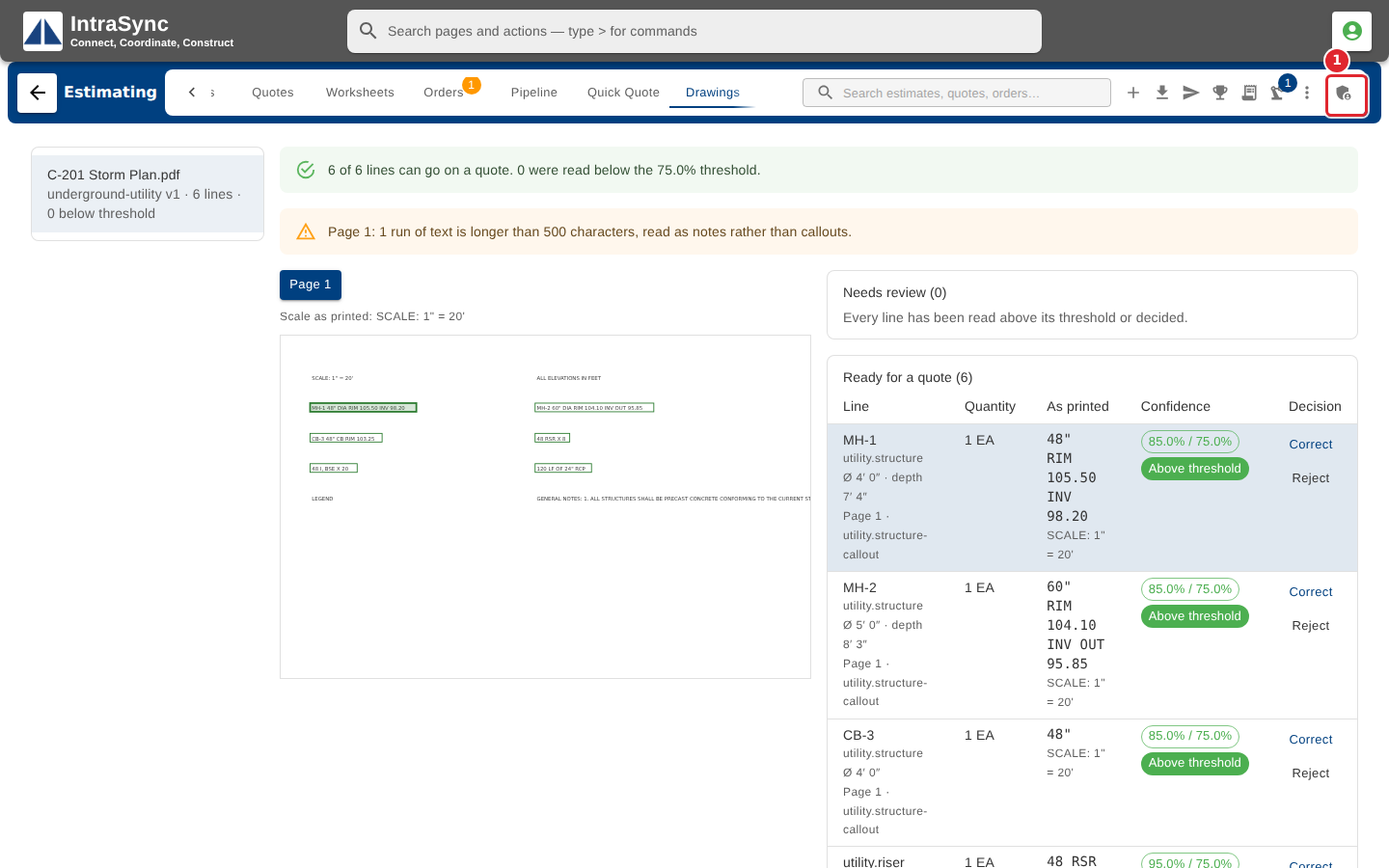
Administrators: select Estimating admin, the last button at the right end of the hub header.
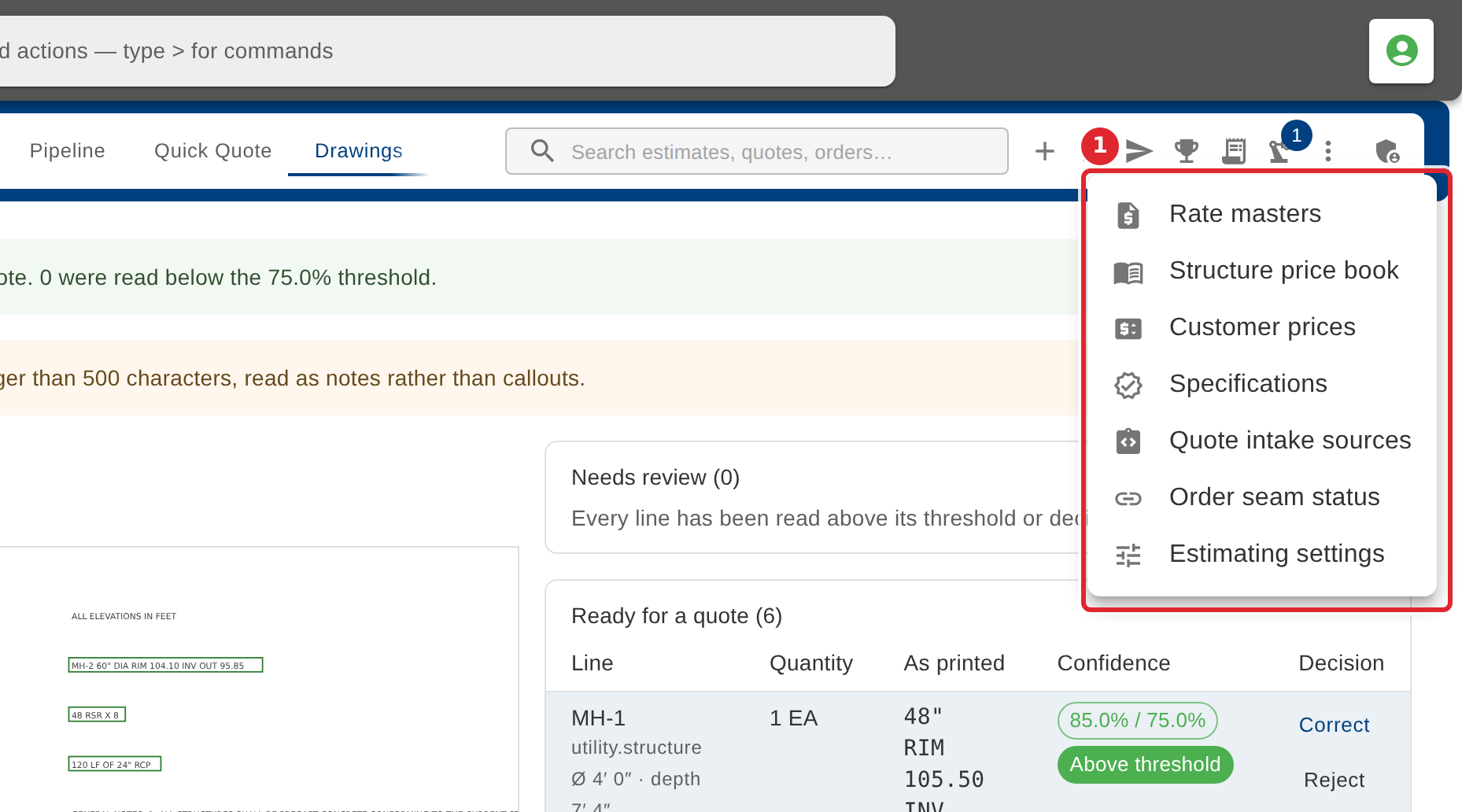
Its menu holds the company's set-up screens: Rate masters, Structure price book, Customer prices, Specifications, Quote intake sources, Order seam status and Estimating settings.
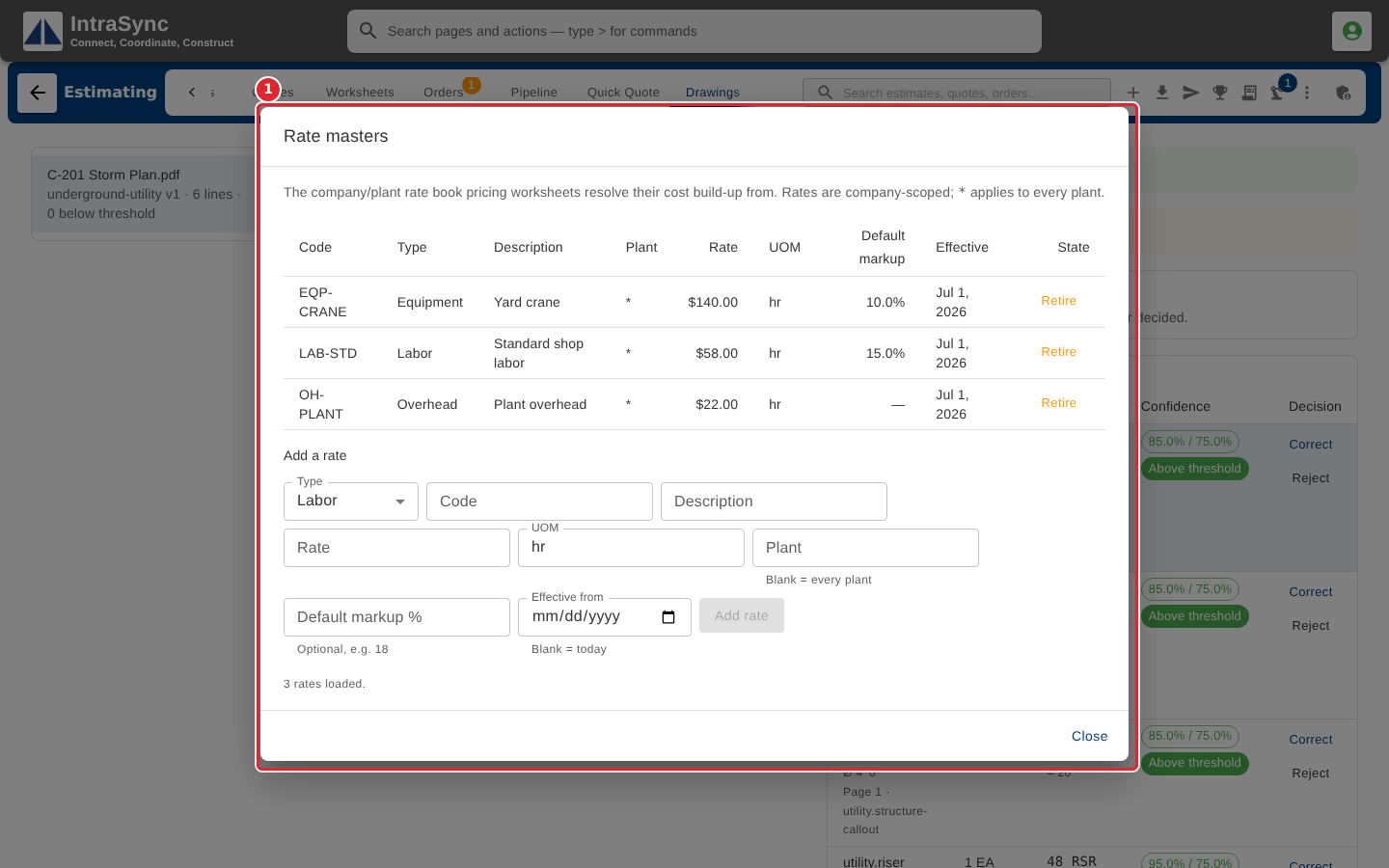
Rate masters is the rate book worksheets take their costs from: labor, equipment, material, overhead and freight rates, each with its unit, plant and default markup.
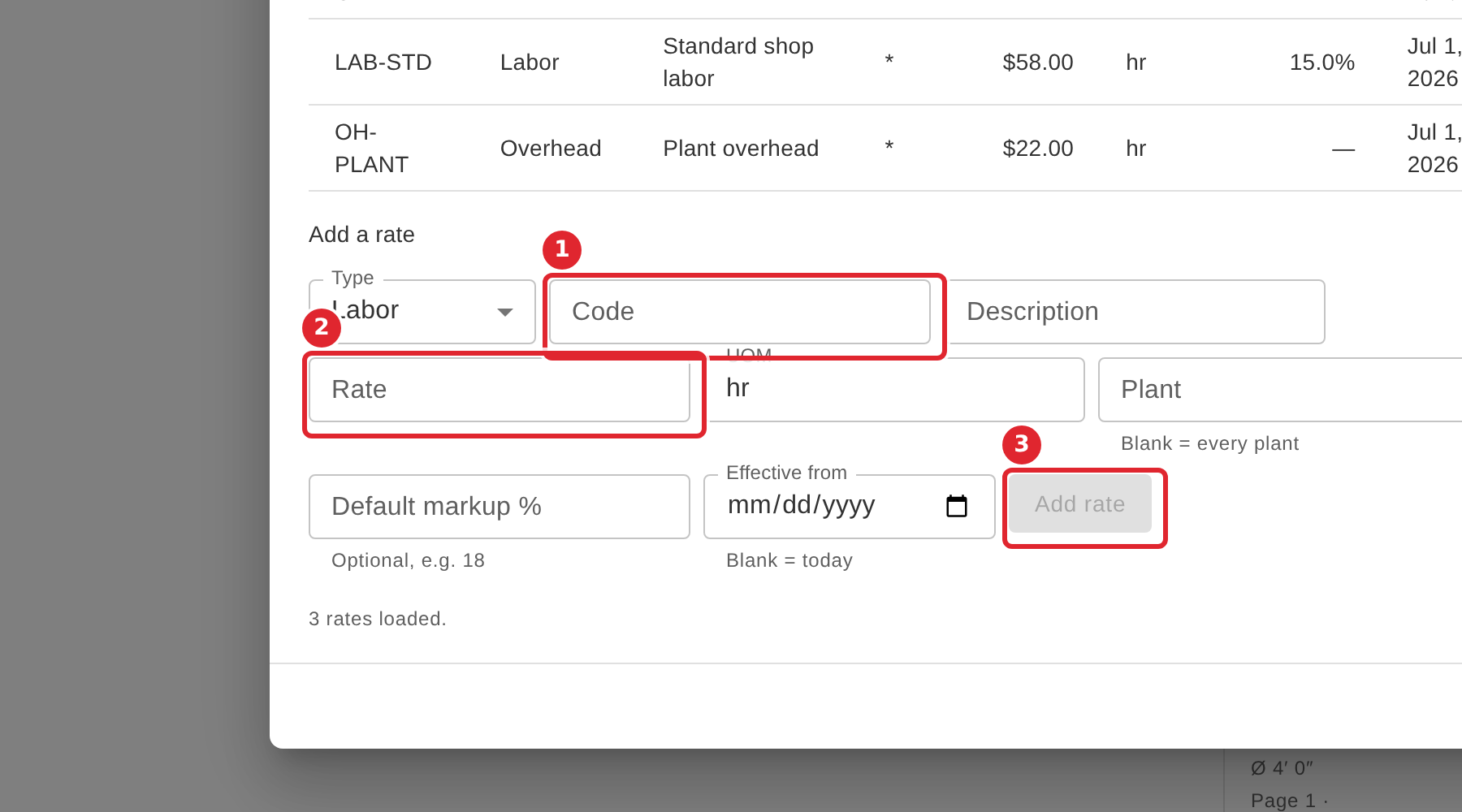
To add a rate, choose the type, then give the code, the rate and its unit. Leave Plant blank for every plant and Effective from blank for today. Select Add rate. Use Retire on a row to stop using a rate, and Re-activate to bring it back.
Tips
- Code and Rate are required, and Default markup takes a number only.
- Retiring a rate keeps it in the list; Re-activate brings it back.