Yard Management guide · section 32 of 44
See a piece's quality control state
Check whether a piece is cleared, held or graded second before you load it.
Before you start
- Your yard is connected to quality control. Without it, there is no QC column and no Quality control section.
Steps
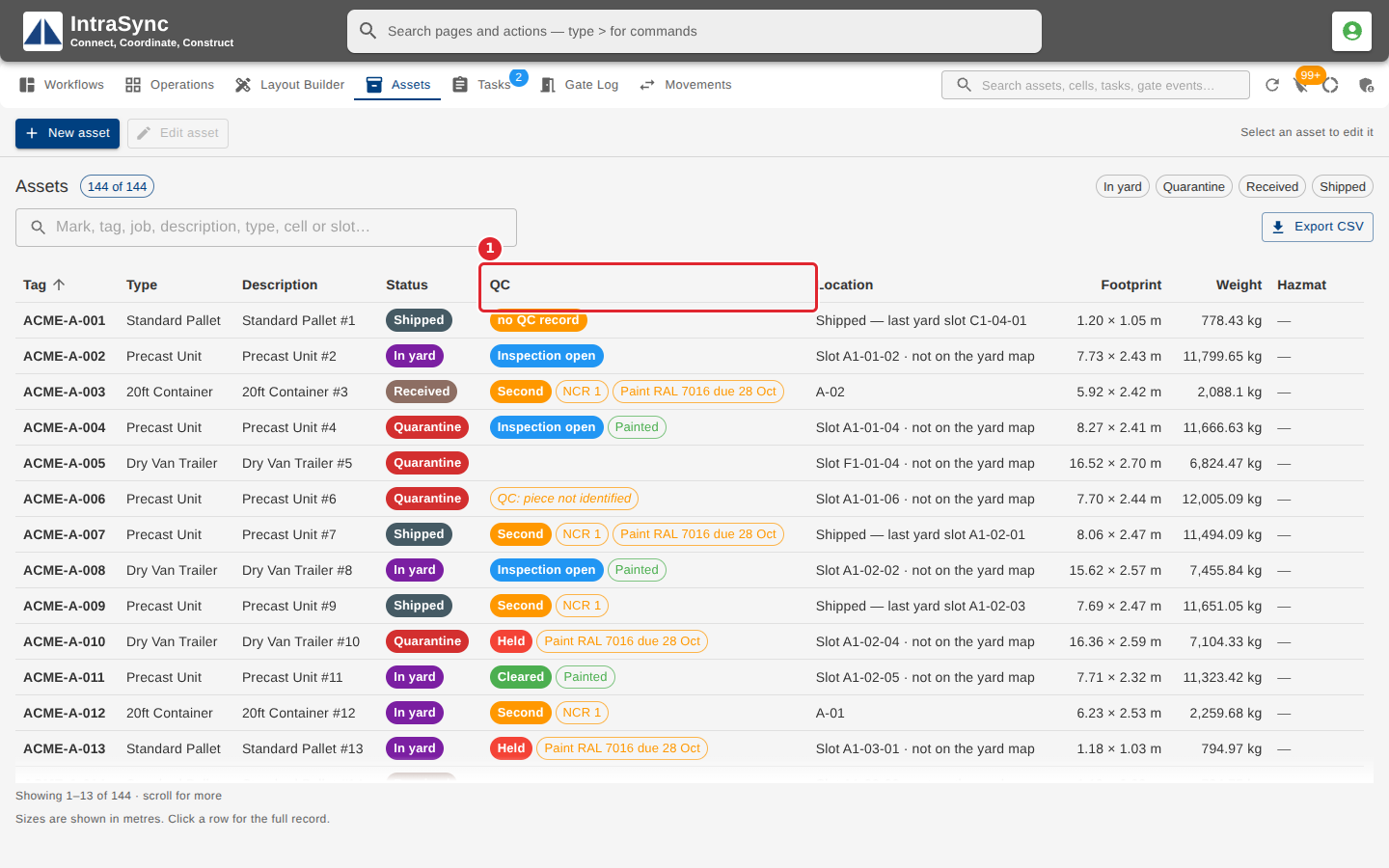
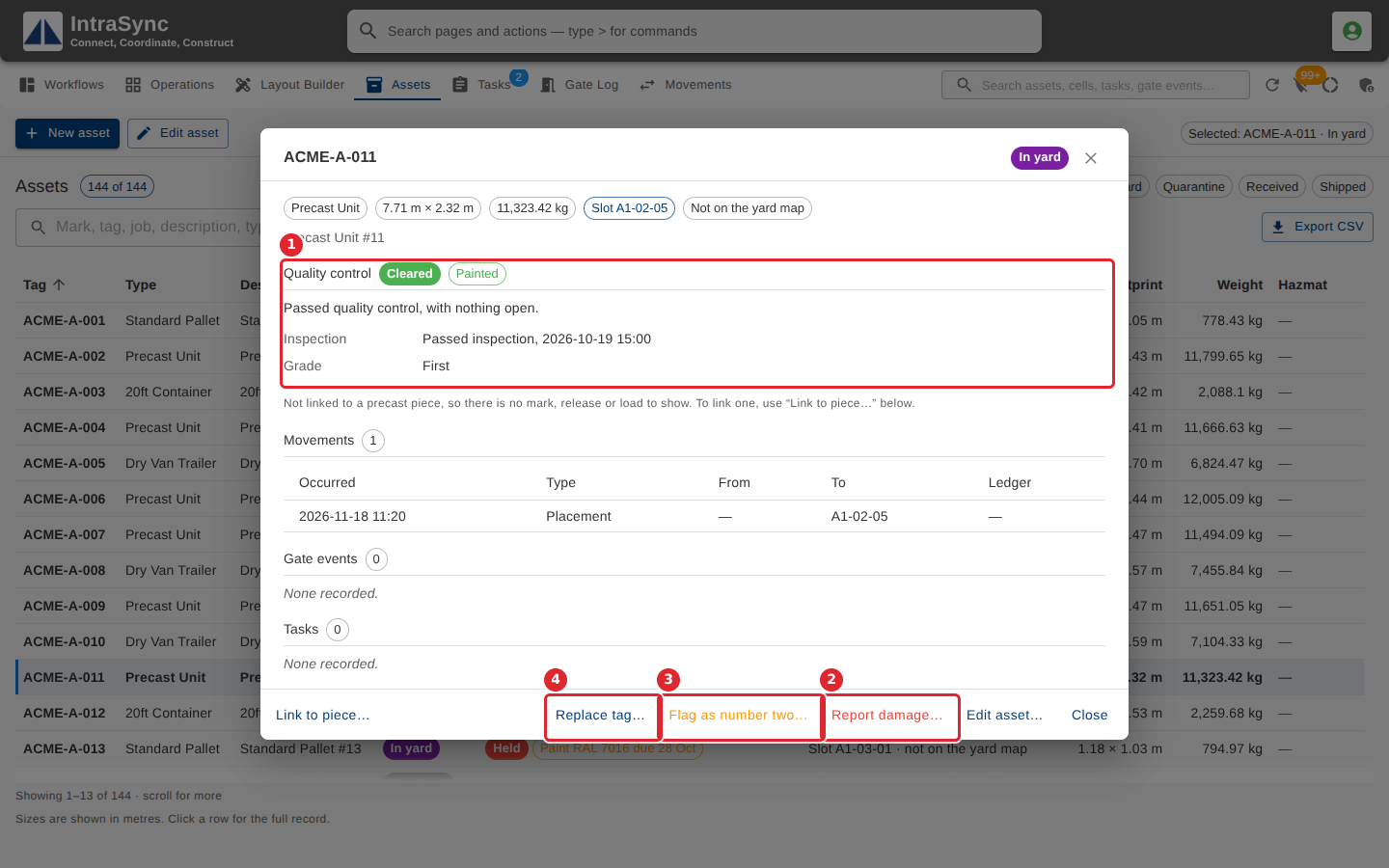
In the pictures, a numbered red box marks where to click or type. Where a picture has more than one box, the numbers give the order.
When your yard is connected to quality control, the Assets tab adds a QC column with each piece's quality control state.
Open a piece's row. Its Quality control section shows its state, and the buttons for what the yard can report: Report damage…, Flag as number two… and Replace tag….
Tips
- Which of the three buttons are shown depends on the piece's state in quality control.