Accounting guide · section 27 of 28
Choose how invoices are dated
Decide which day each invoice is dated, which sets when its payment terms start.
Before you start
- Your company has turned on Invoice-date rule (Settings > Invoicing) in Settings > Module Features, under Sales / AR.
- Only someone allowed to change settings can save it.
Steps
In the pictures, a numbered red box marks where to click or type. Where a picture has more than one box, the numbers give the order.
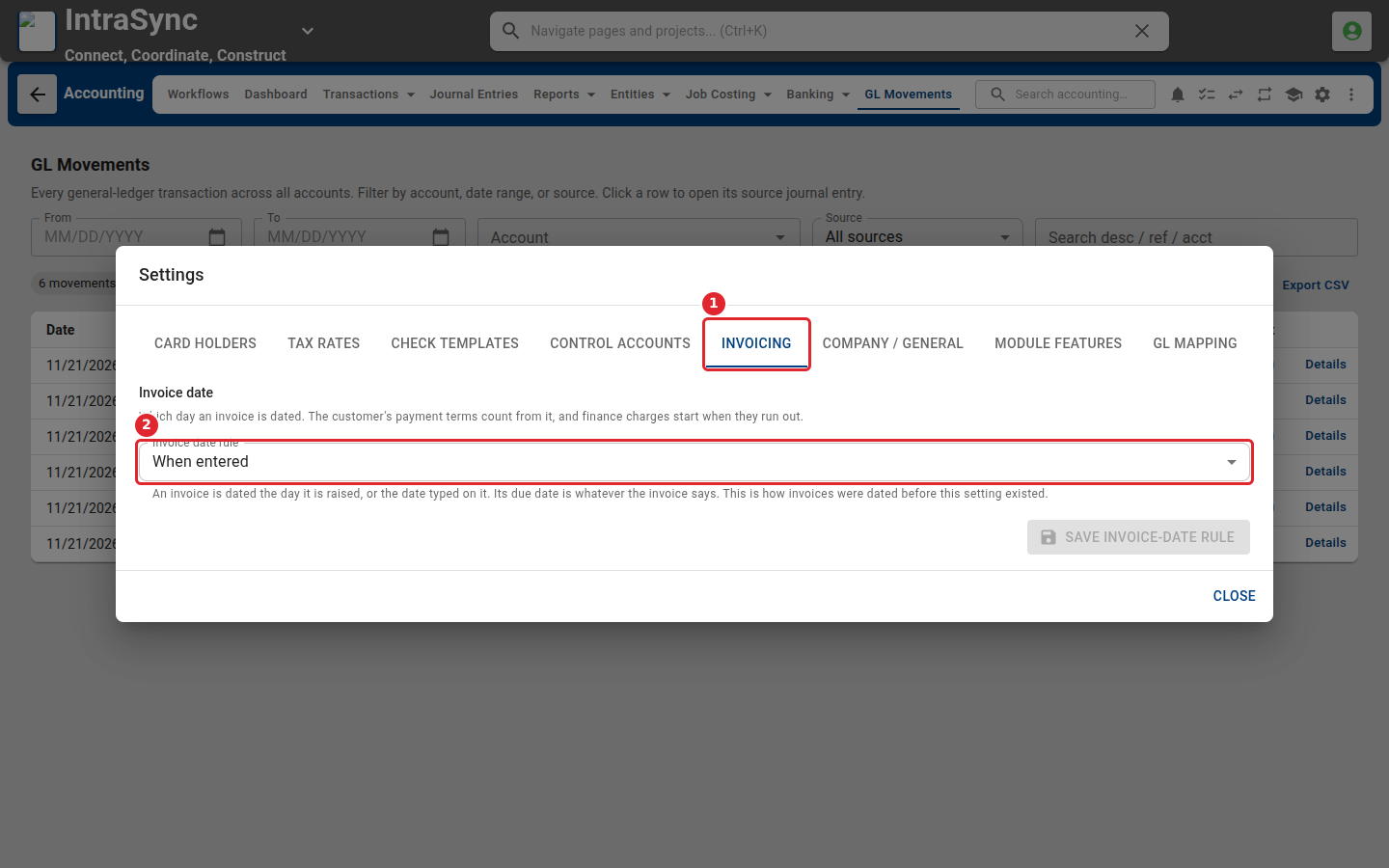
Open Settings from the header and select Invoicing. The invoice date rule sets which day an invoice is dated. Payment terms count from that date.
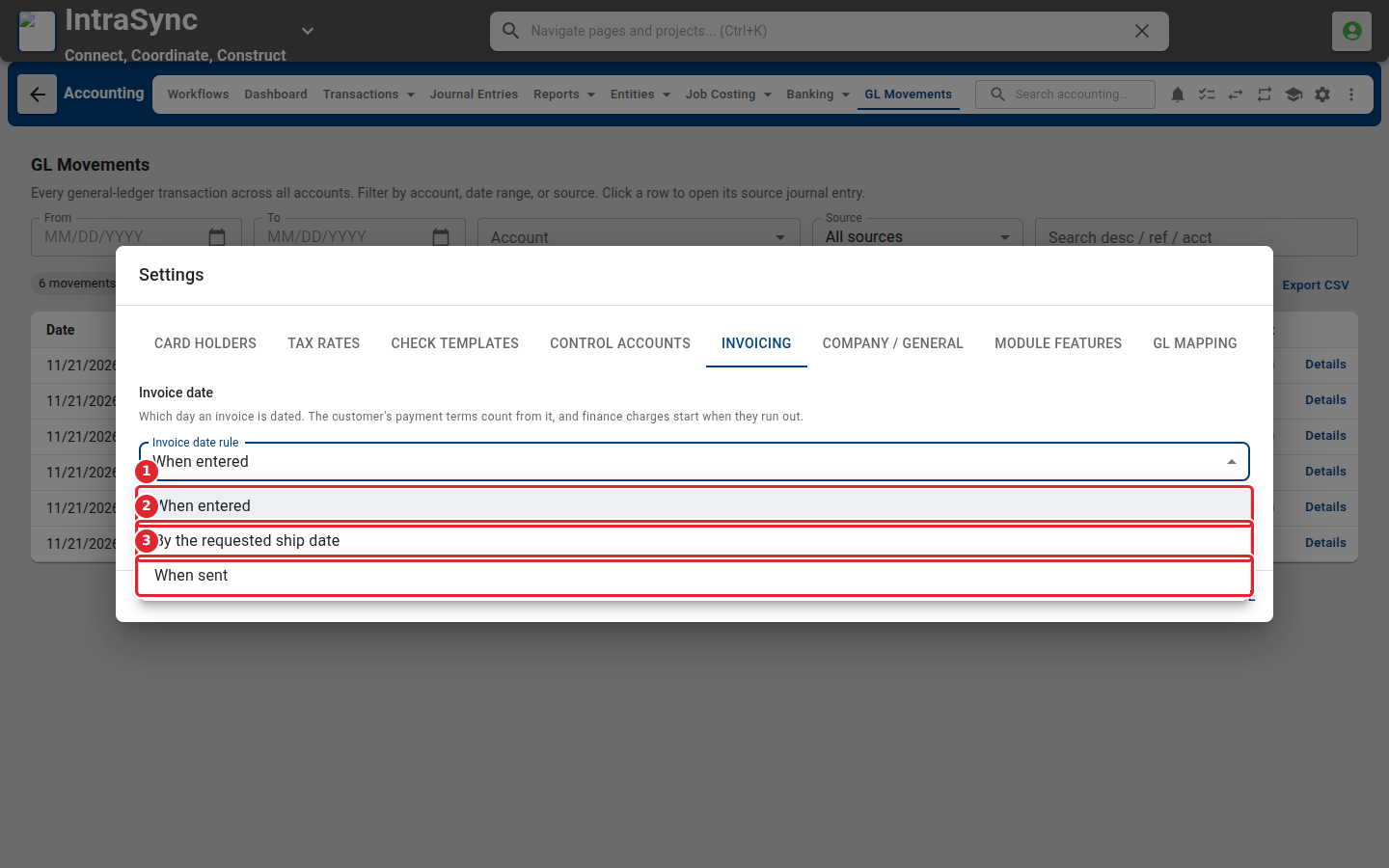
Choose When entered, By the requested ship date, or When sent.
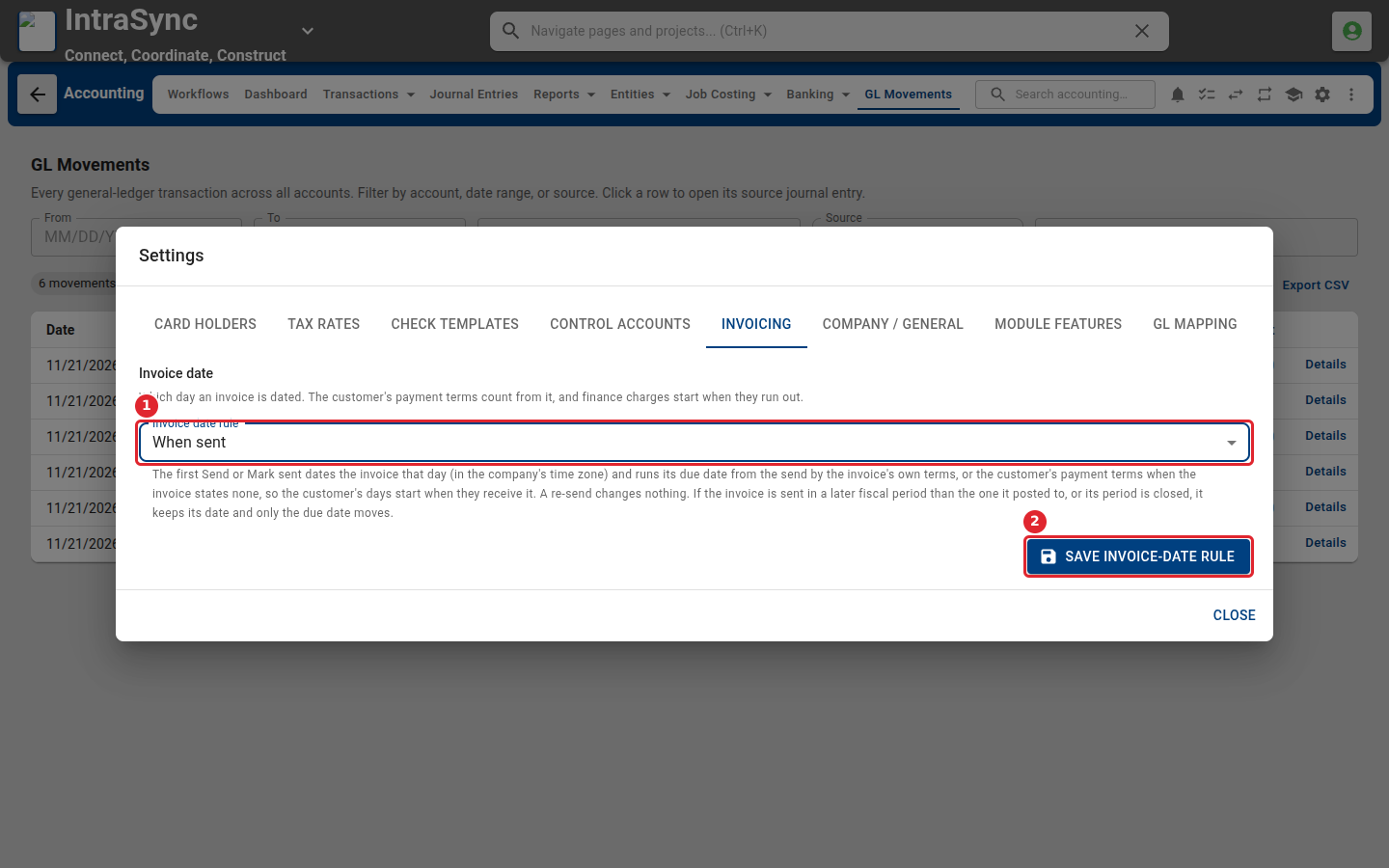
The text under the list explains what the chosen rule does to the invoice date and the due date. Select Save invoice-date rule to apply it.
Tips
- Payment terms count from the invoice date, and finance charges start when the terms run out.
- When entered is how invoices were dated before this setting existed.