Accounting guide · section 26 of 28
Set up company settings
Choose the defaults every document uses, and turn features on or off.
Watch this in the video (5:33)
Steps
In the pictures, a numbered red box marks where to click or type. Where a picture has more than one box, the numbers give the order.
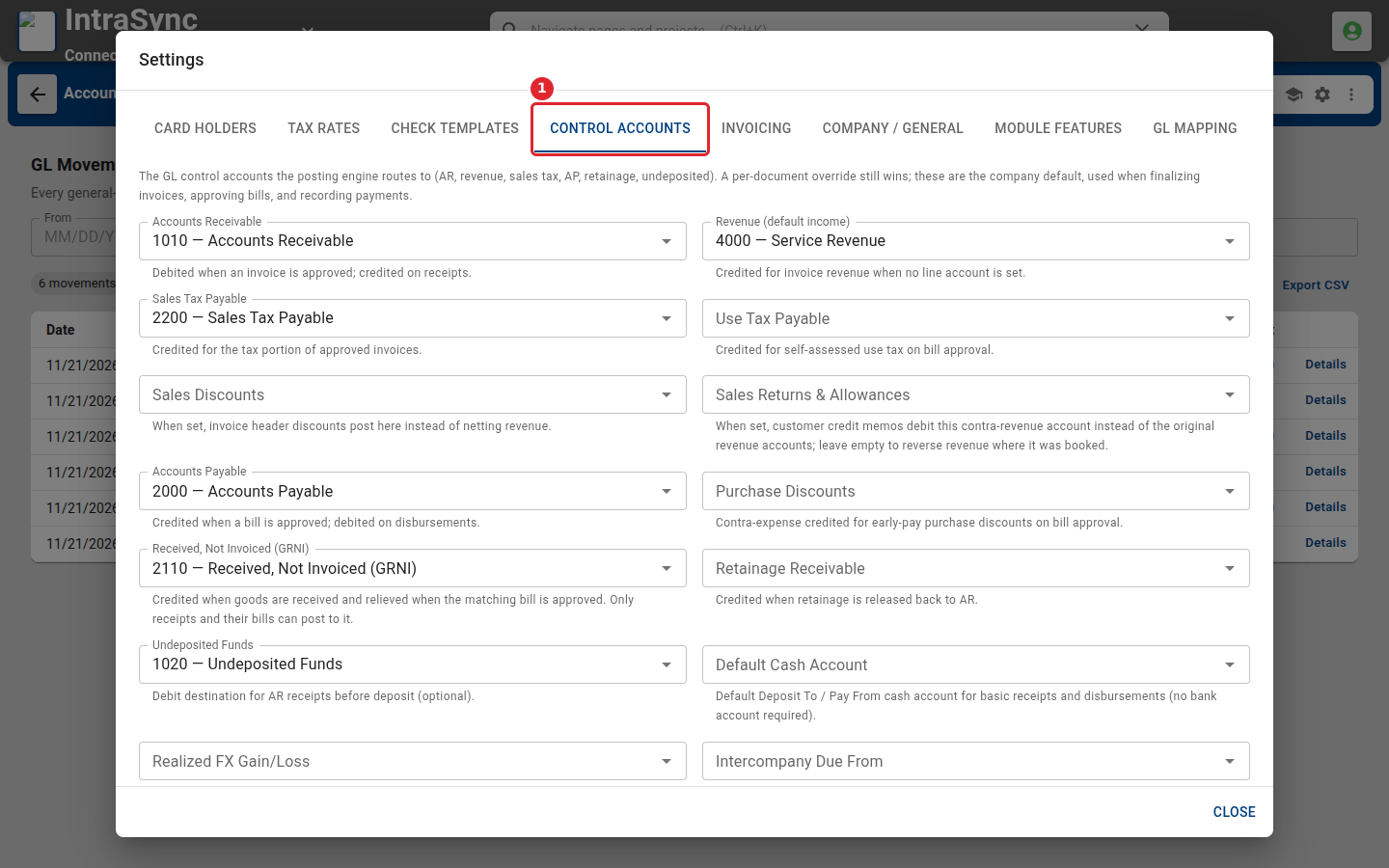
Open Settings from the header. Control Accounts sets the default accounts, such as receivables and payables, that new documents propose.
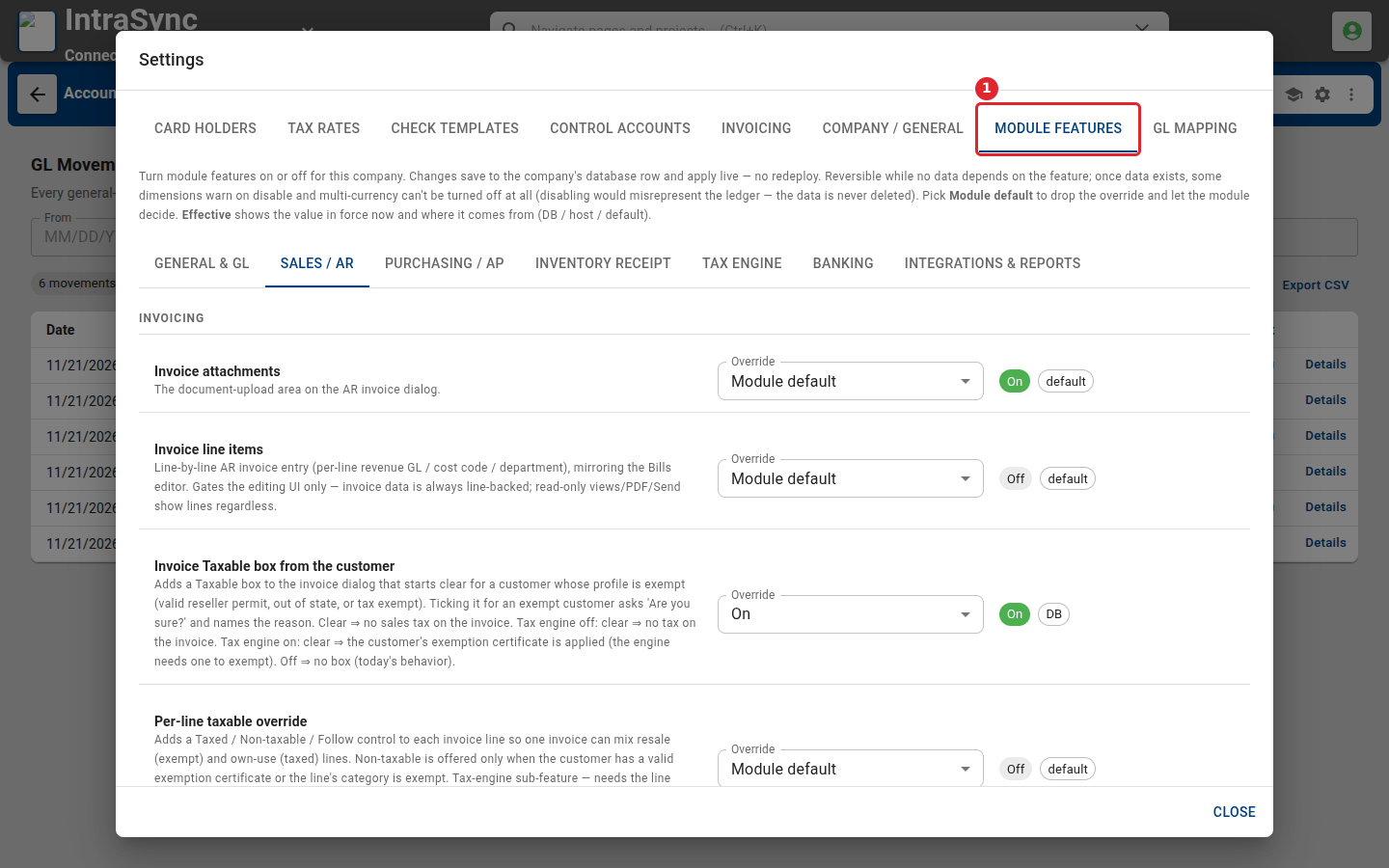
Module Features turns individual features on or off for your company.
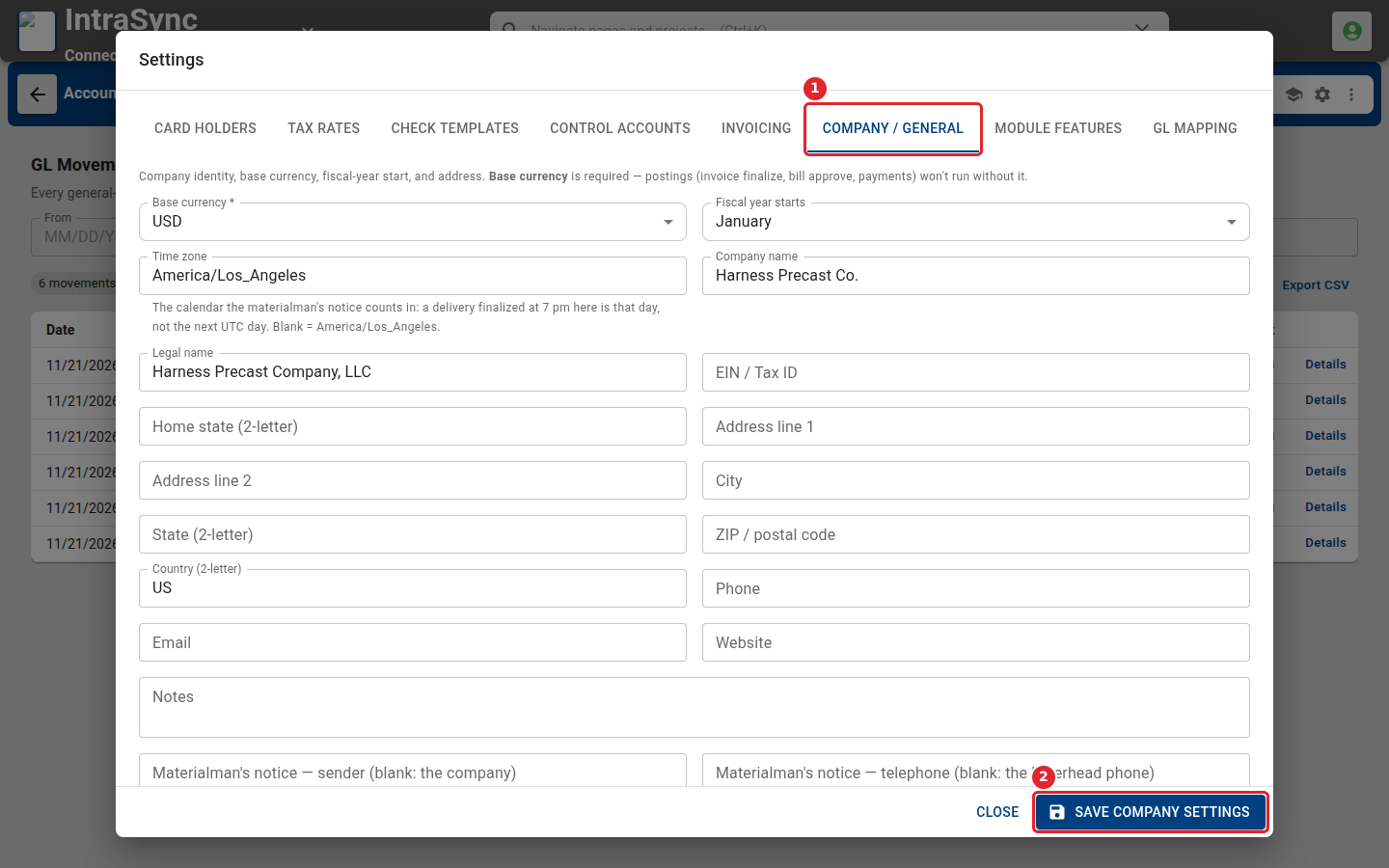
Company / General holds the base currency, the month the fiscal year starts, and the company's name and address. Select Save Company Settings when you change them.
Tips
- Changes under Module Features apply straight away for everyone in your company.