Accounting guide · section 22 of 28
Close a month and review the audit log
Lock a finished month so nothing posts into it by mistake, and see who changed what.
Watch this in the video (4:17)
Steps
In the pictures, a numbered red box marks where to click or type. Where a picture has more than one box, the numbers give the order.
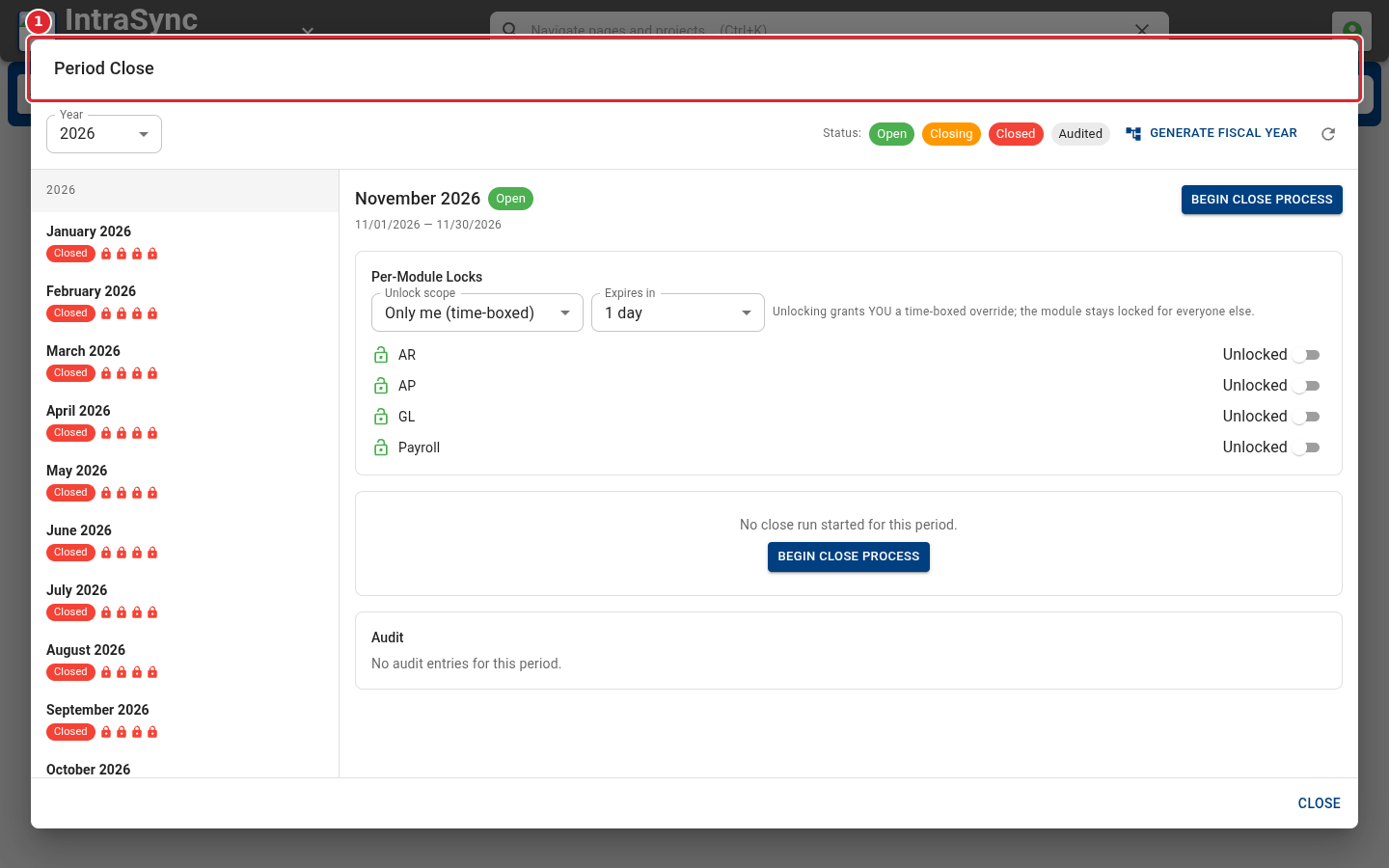
Open Period Close from the header's More actions menu. Choose a month on the left to see its status.
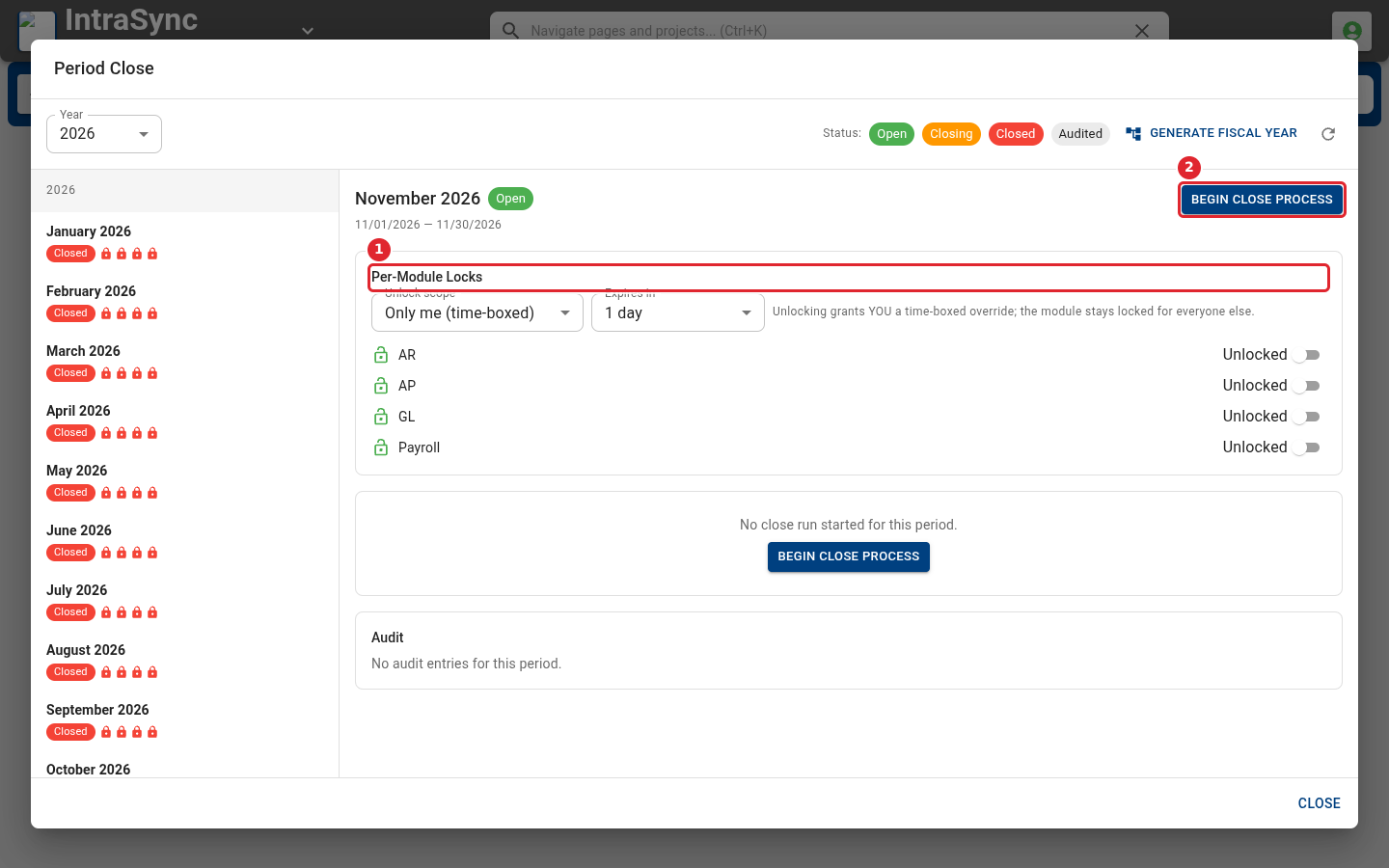
Per-Module Locks lock receivables, payables, the general ledger or payroll on their own. Select Begin Close Process to close the month.
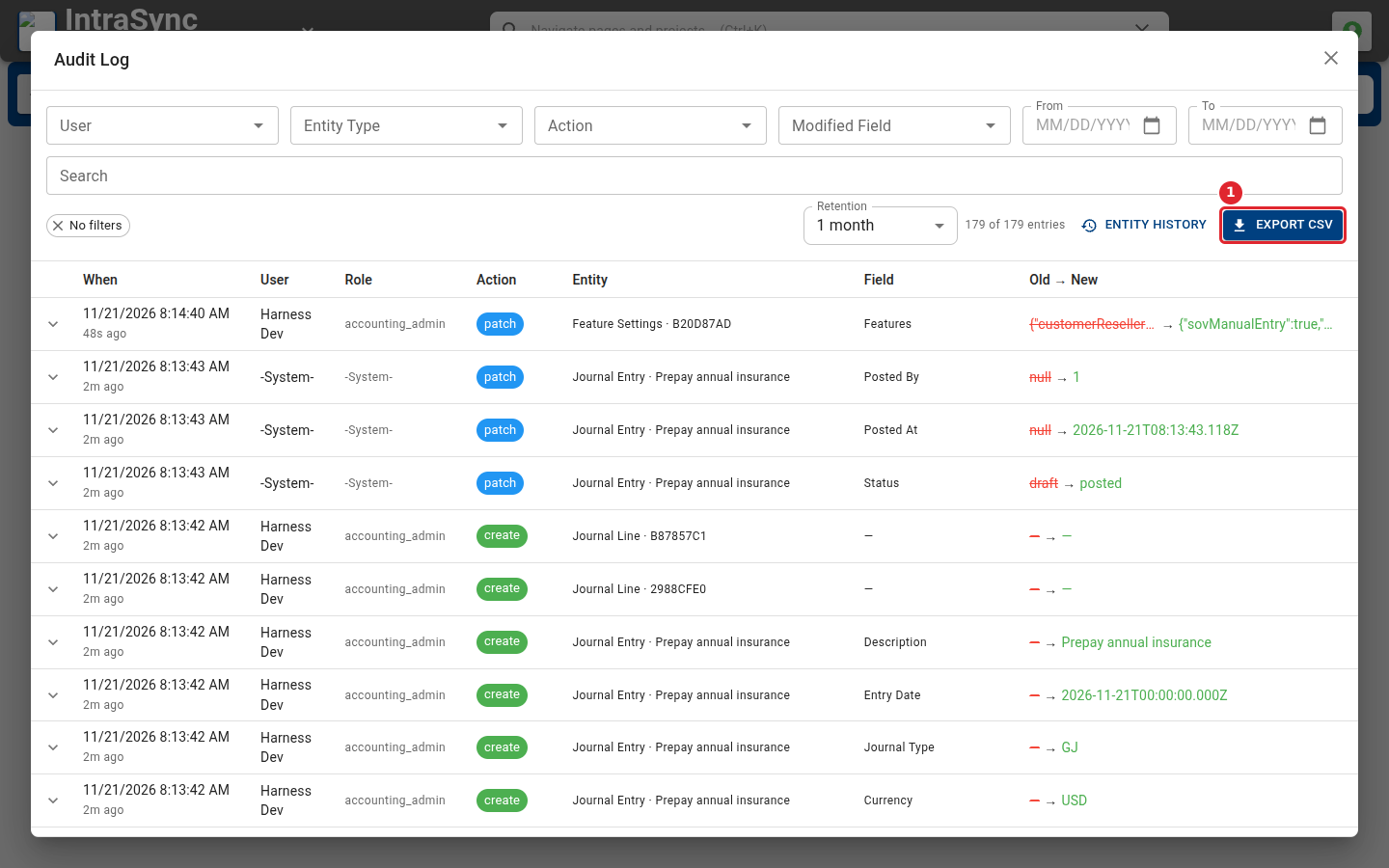
Open the Audit Log from the same menu to see who changed what, and when. Filter by user, record type or action, and select Export CSV to save it.
Tips
- A module can be unlocked for a limited time when a correction is needed. Choose the scope and how long the unlock lasts.