Keep sales tax off an out-of-state customer's invoices
Record on the customer that they are not charged sales tax, so each new invoice for them starts untaxed and asks before tax is added.
Before you start
- Only an administrator can change Settings > Module Features.
Steps
In the pictures, a numbered red box marks where to click or type. Where a picture has more than one box, the numbers give the order.
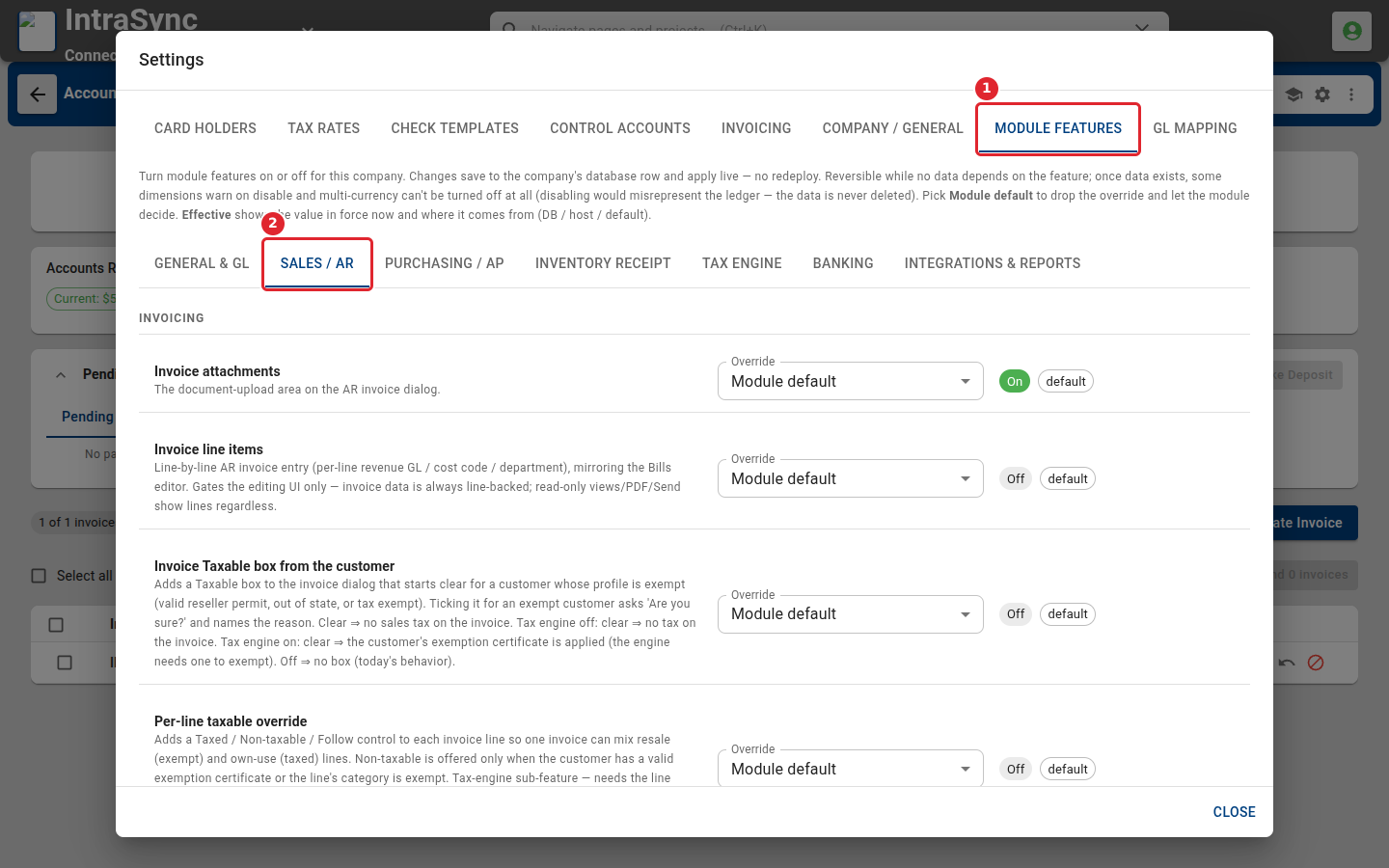
Open Settings from the header, then select Module Features and Sales / AR.
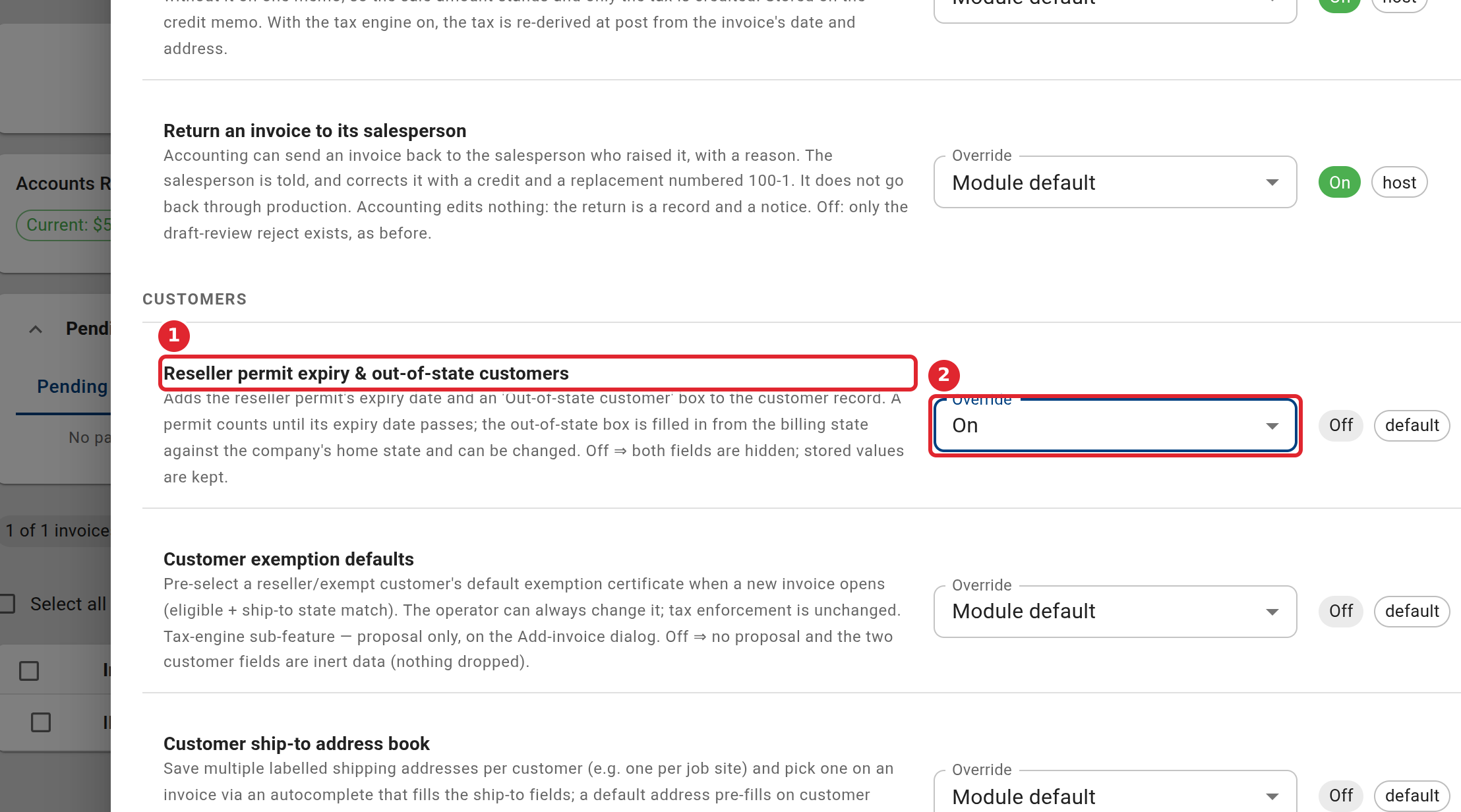
Set Reseller permit expiry & out-of-state customers to On.
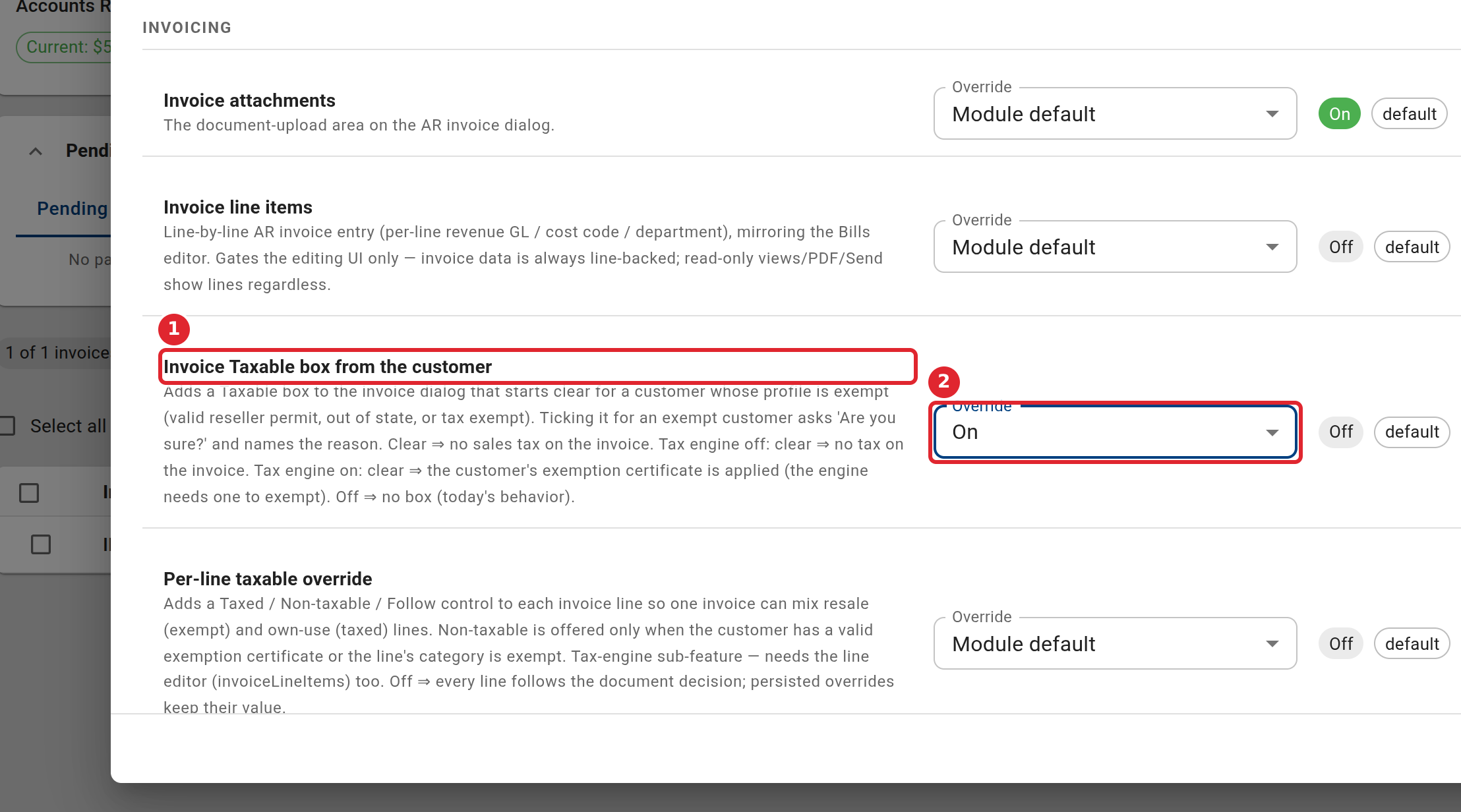
Set Invoice Taxable box from the customer to On.
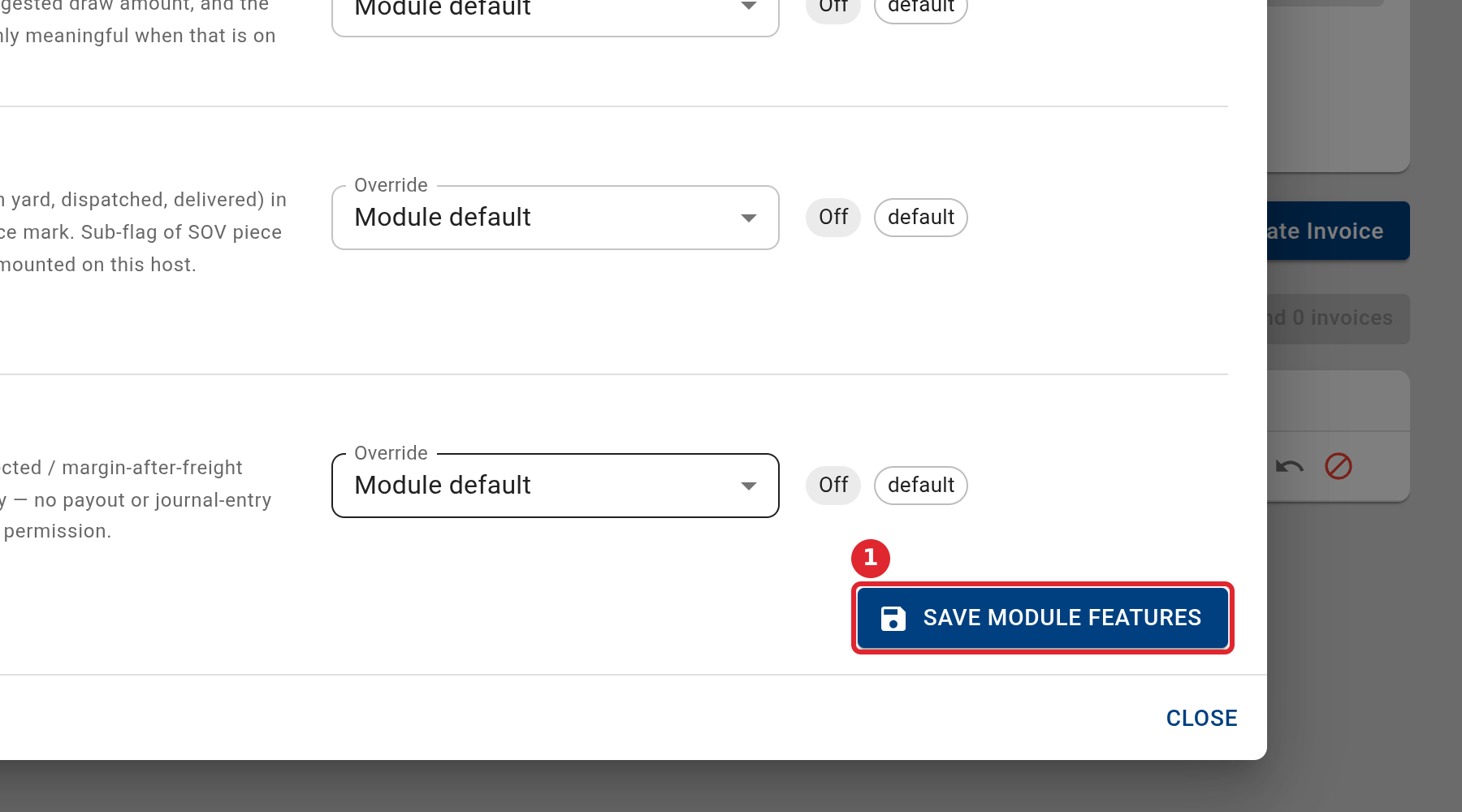
Select Save Module Features.
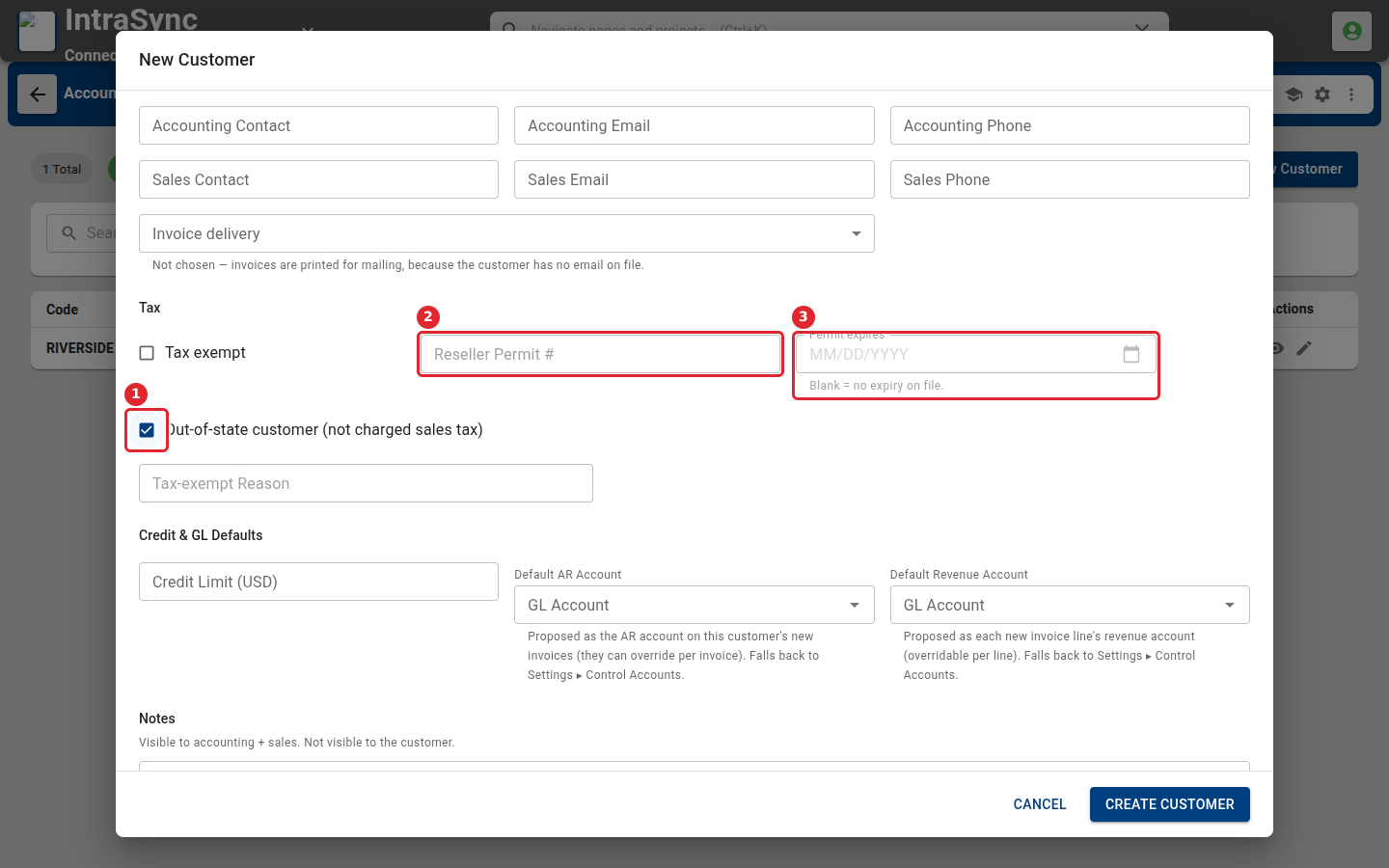
Select New Customer, as in Add a customer. Under Tax, tick Out-of-state customer (1) for a customer who is not charged sales tax. For a reseller, the reseller permit number (2) and the date the permit expires (3) can be filled in once Tax exempt is ticked.
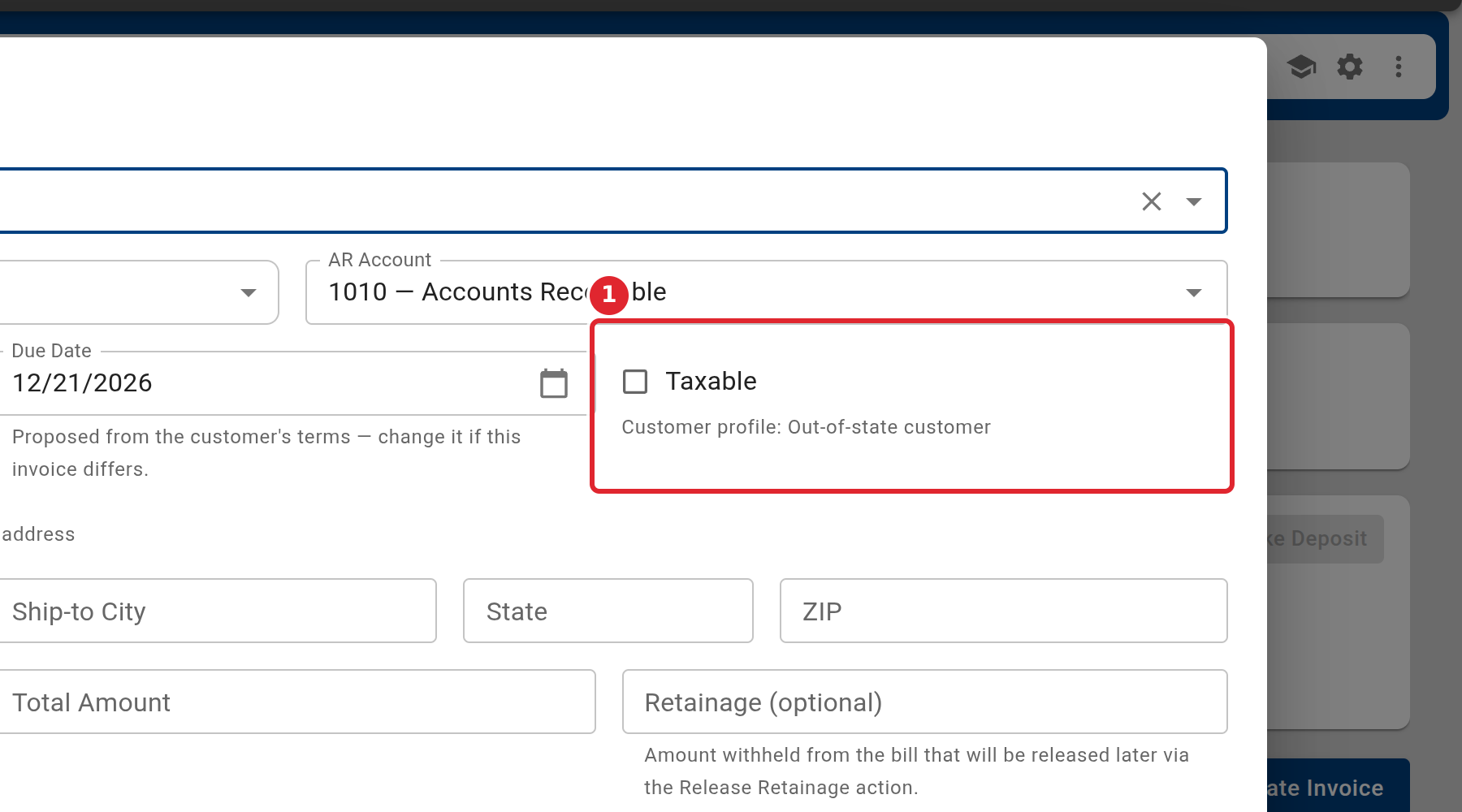
When you invoice that customer, the Taxable box starts clear, and the line under it says why.
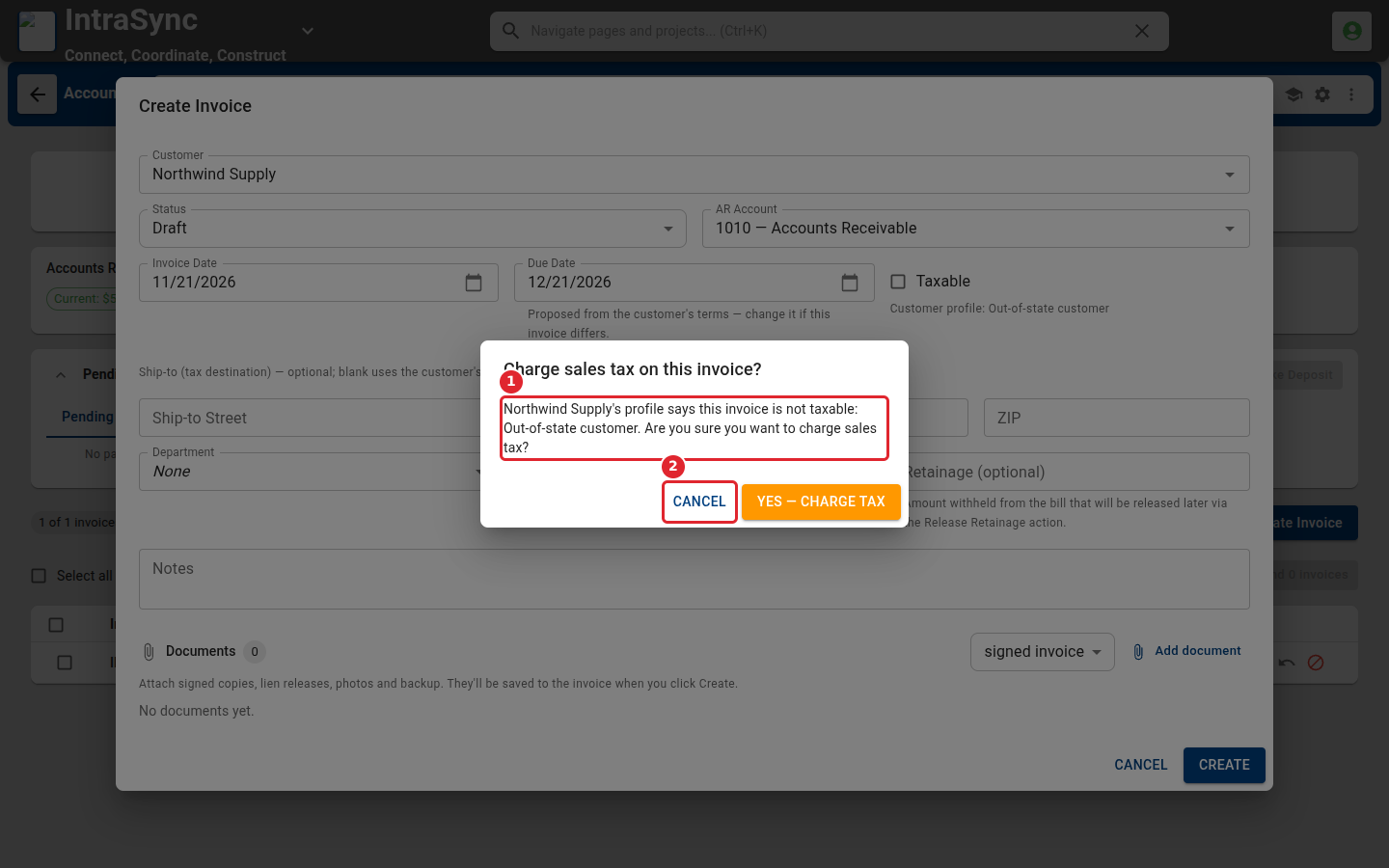
Ticking Taxable for that customer asks whether to charge sales tax, and names the reason on the customer's record. Select Cancel to leave the invoice untaxed.
Tips
- Both settings are off unless your company has turned them on. Turning the customer setting off hides its fields again and keeps what was saved.
- Permit expires can be filled in once Tax exempt is ticked and a reseller permit number is entered. Leave it blank when the permit has no expiry date.
- The Taxable box follows the customer's record each time an invoice is opened for them. You can still change it on each invoice.