Record money received without an invoice
Record money that comes in with no invoice behind it, such as a refund or recycling check or a vendor's rebate, and credit it to the account you choose.
Watch this in the video (4:38)
Before you start
- Your company has turned on Other receipts (no invoice) in Settings > Module Features, under Sales / AR.
- You need permission to manage payments.
Steps
In the pictures, a numbered red box marks where to click or type. Where a picture has more than one box, the numbers give the order.
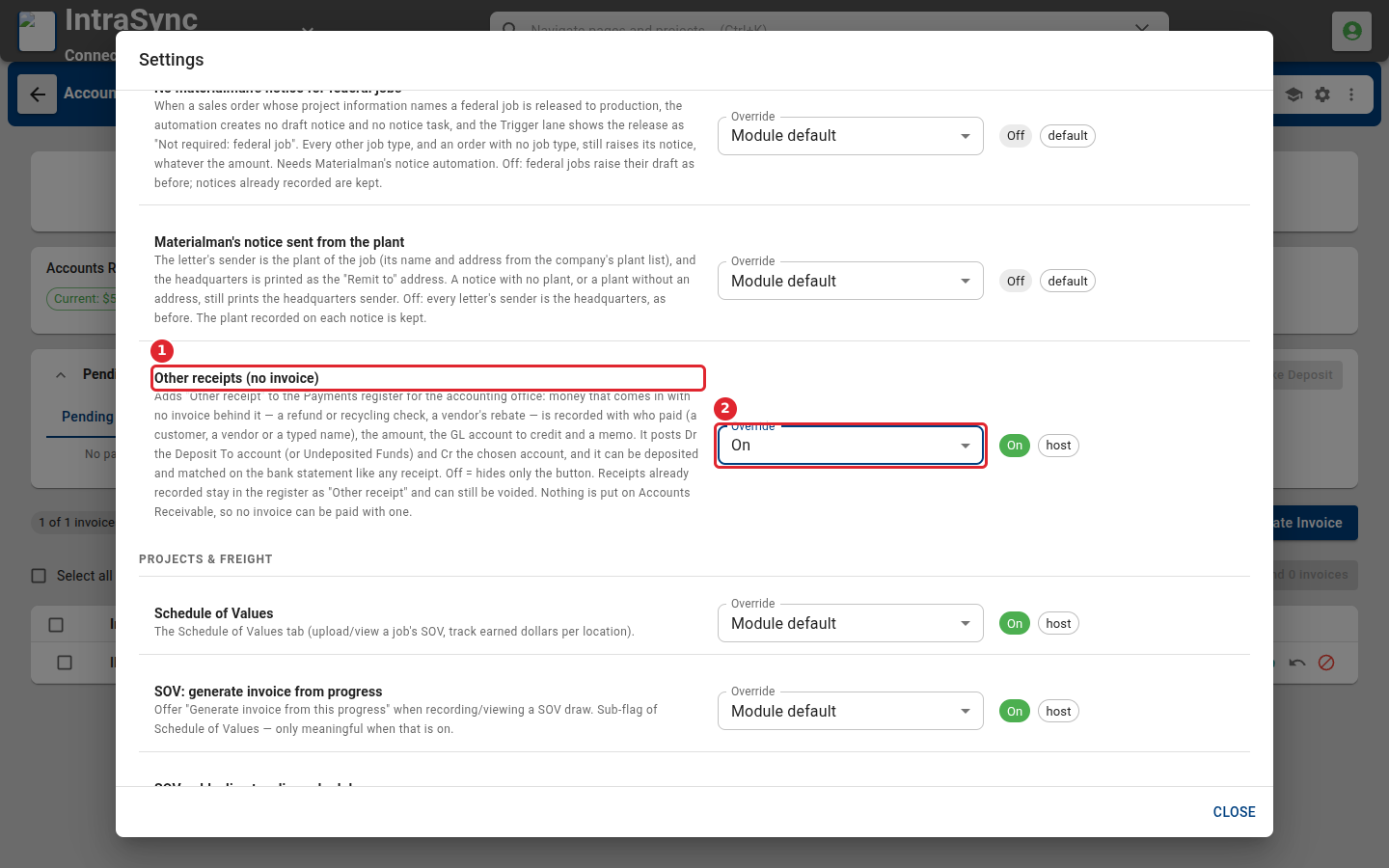
An administrator first turns this on: open Settings > Module Features, select Sales / AR, set Other receipts (no invoice) to On, and select Save Module Features.
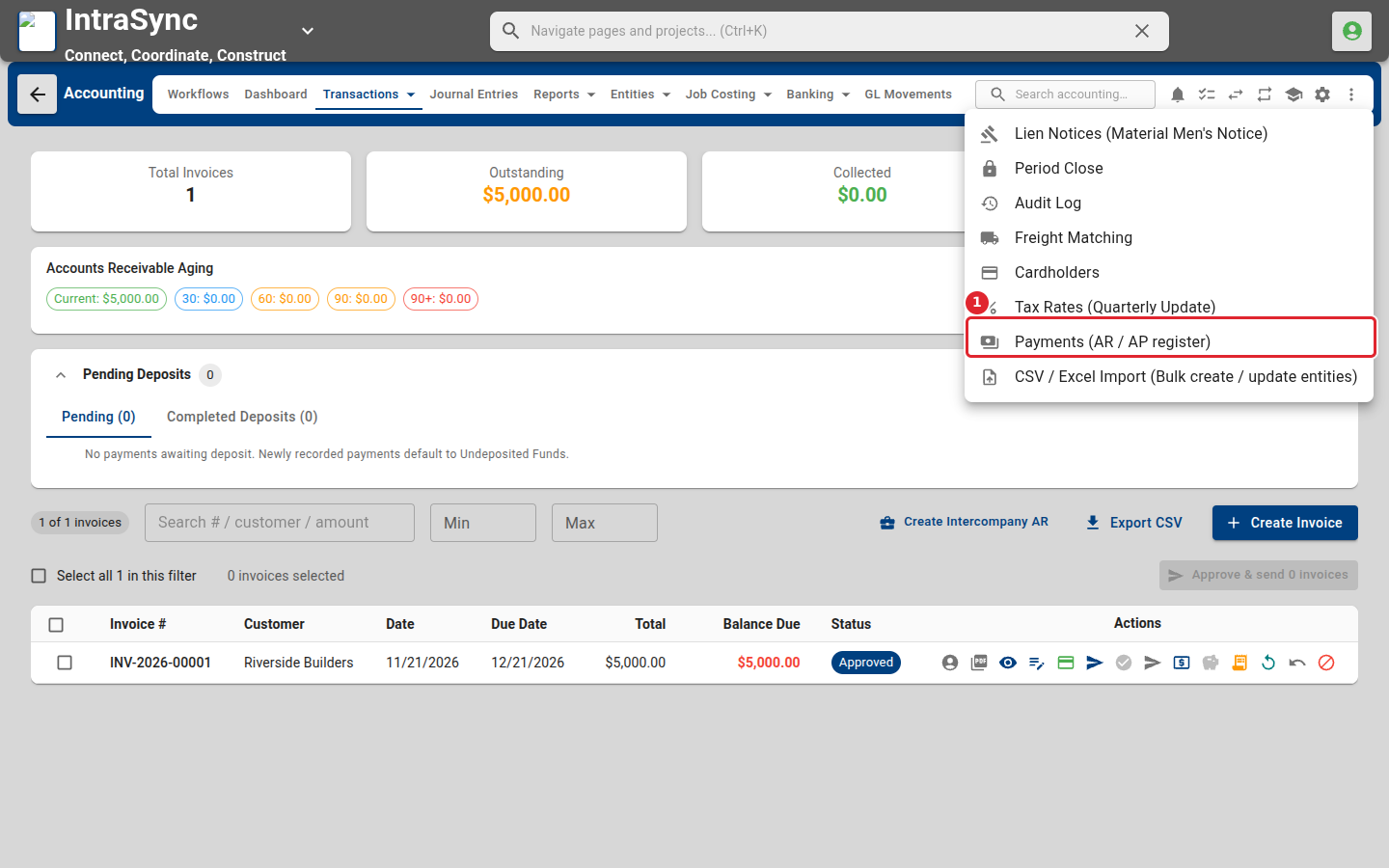
Open the More actions menu in the header and select Payments (AR / AP register).
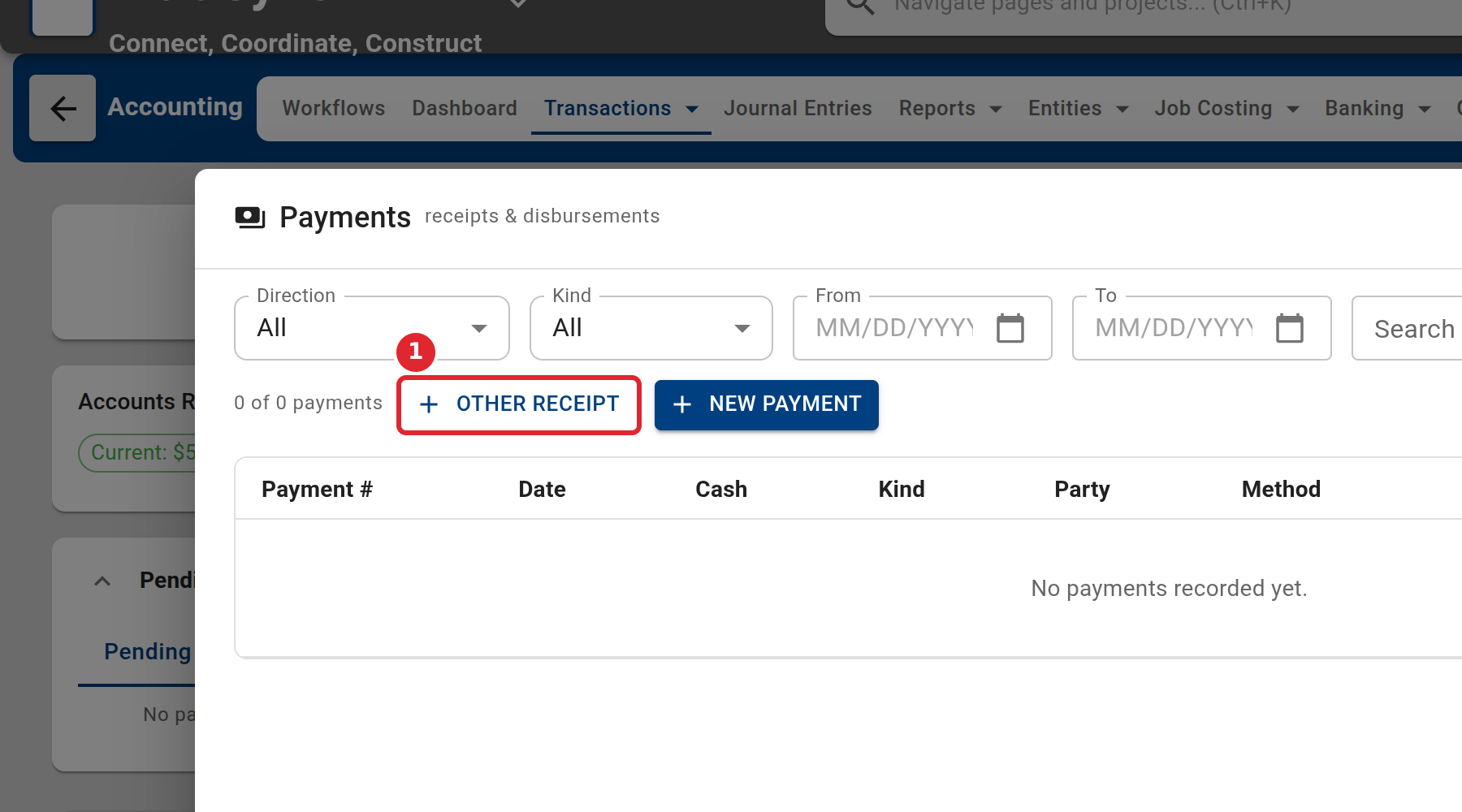
Select Other receipt.
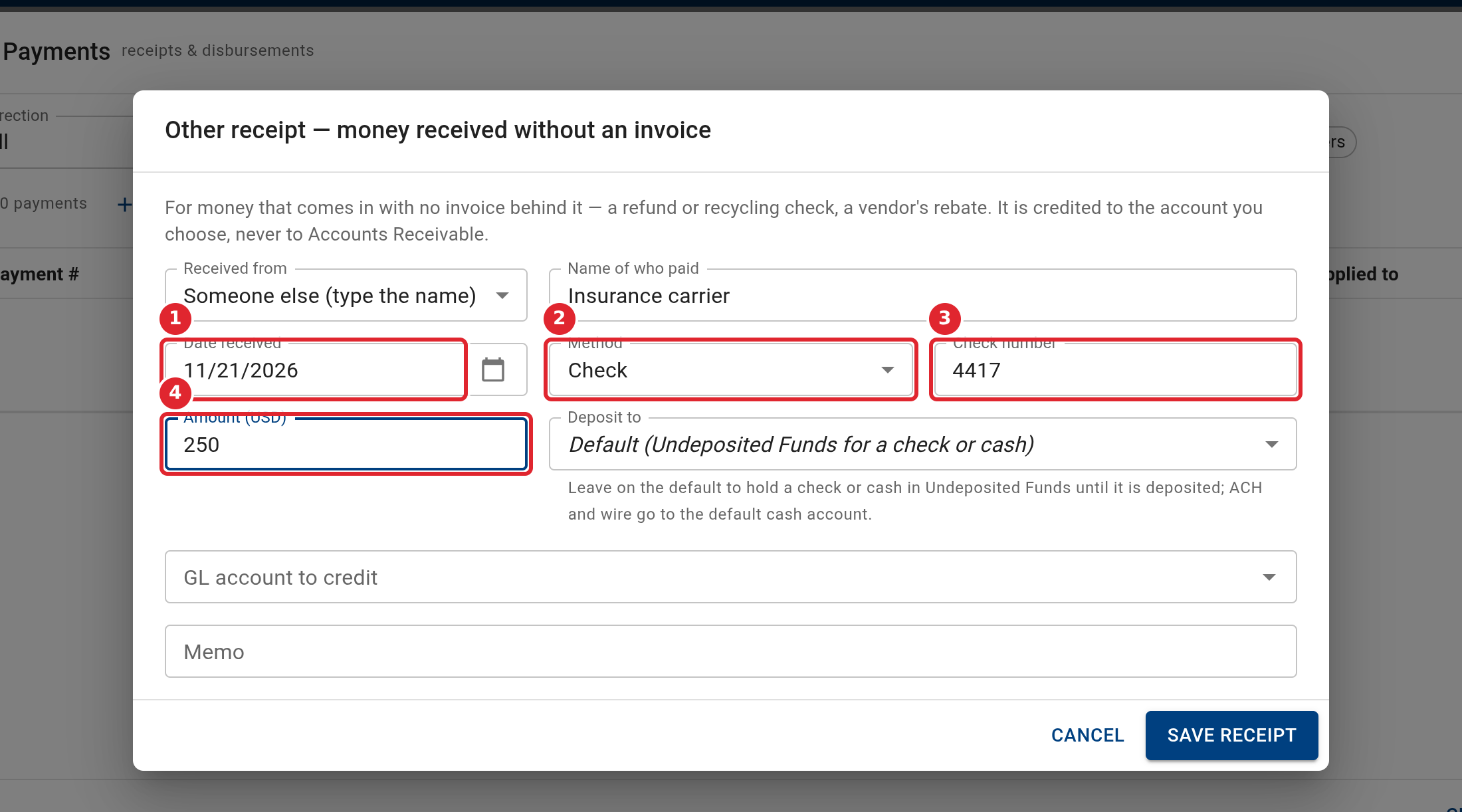
Under Received from, choose a customer, a vendor, or Someone else. For someone else, type the name of who paid.
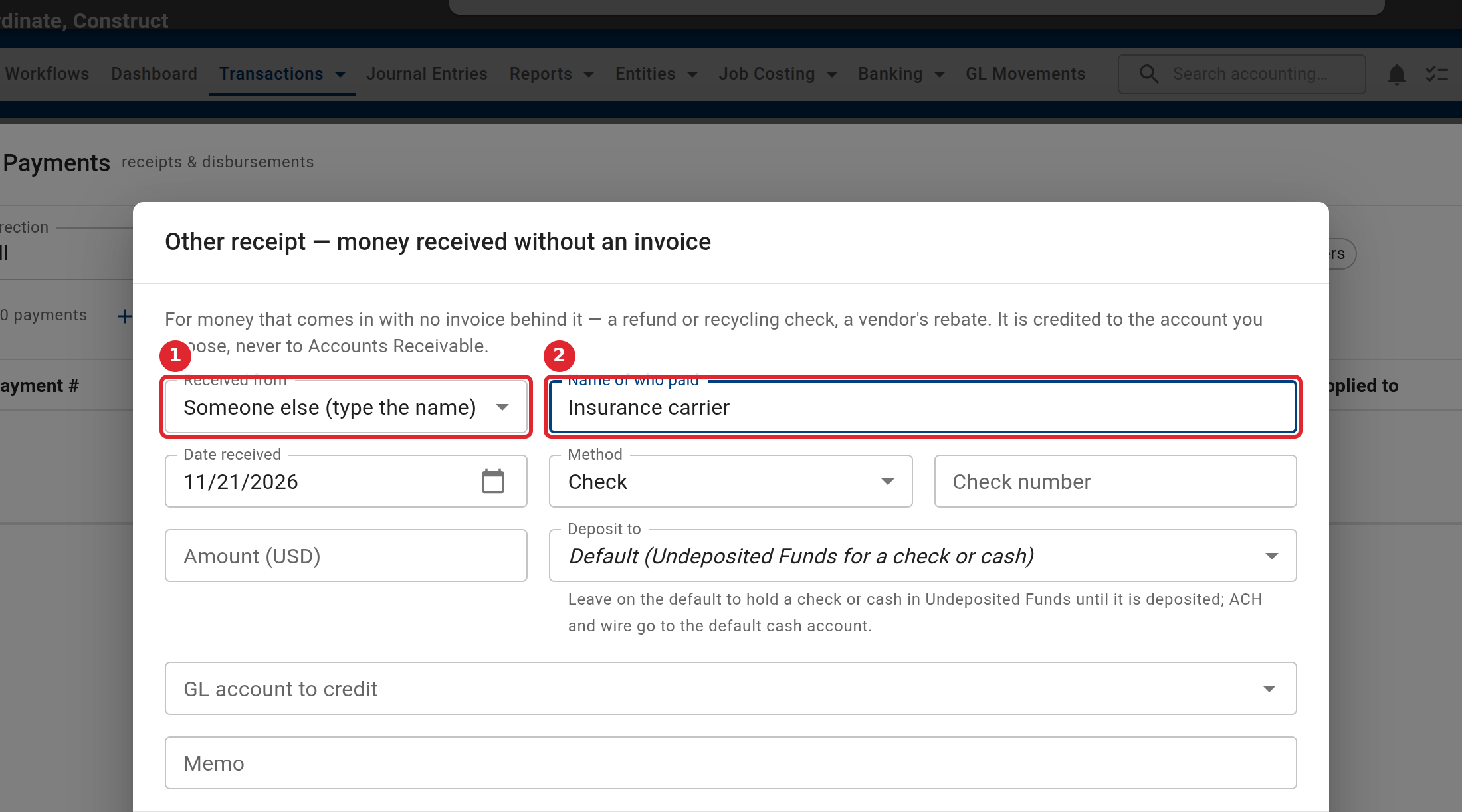
Check the date received, choose the method, and enter the check number (or a reference for other methods) and the amount.
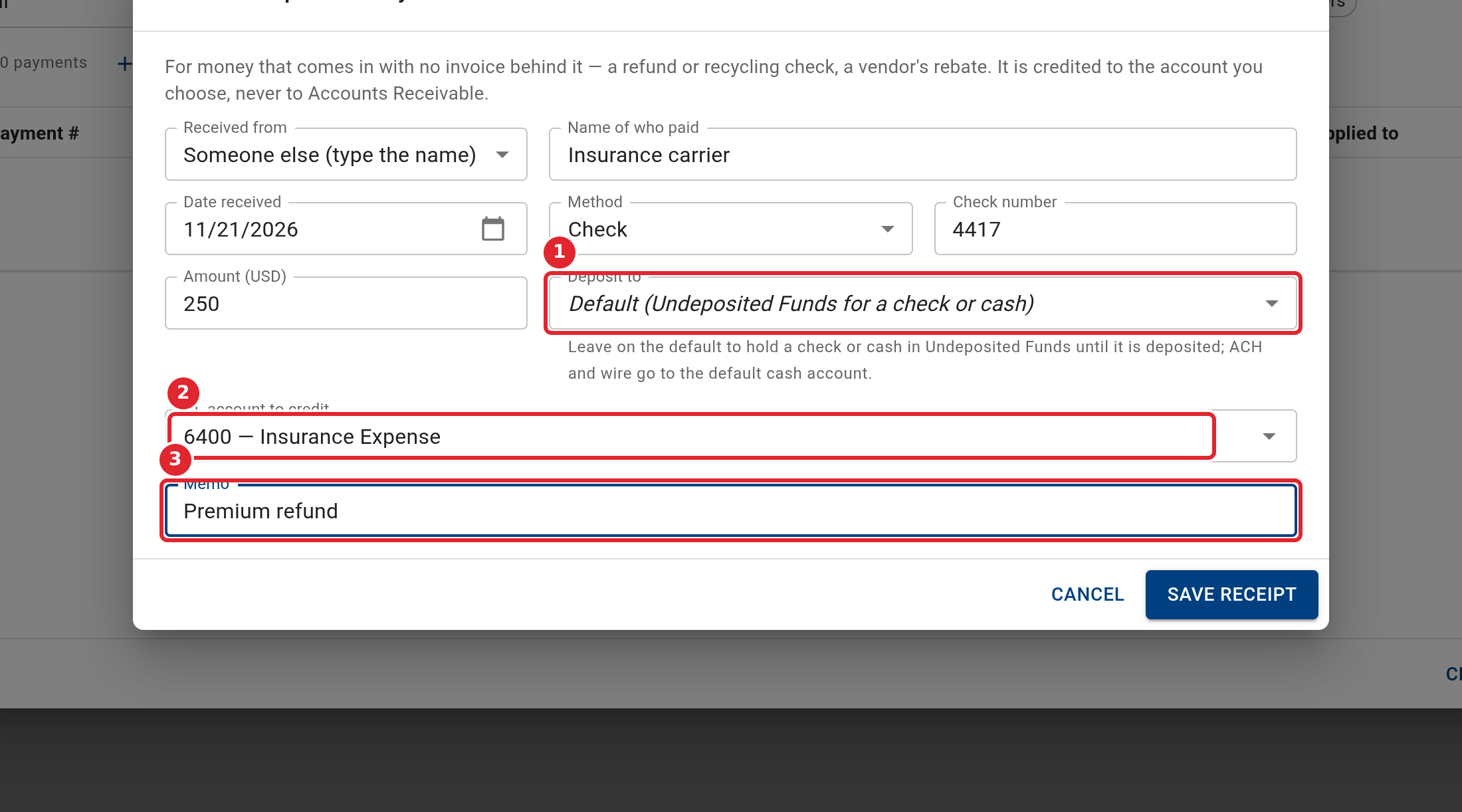
Leave Deposit to on its default to hold a check or cash in Undeposited Funds until you deposit it. Choose the GL account to credit, and add a memo.
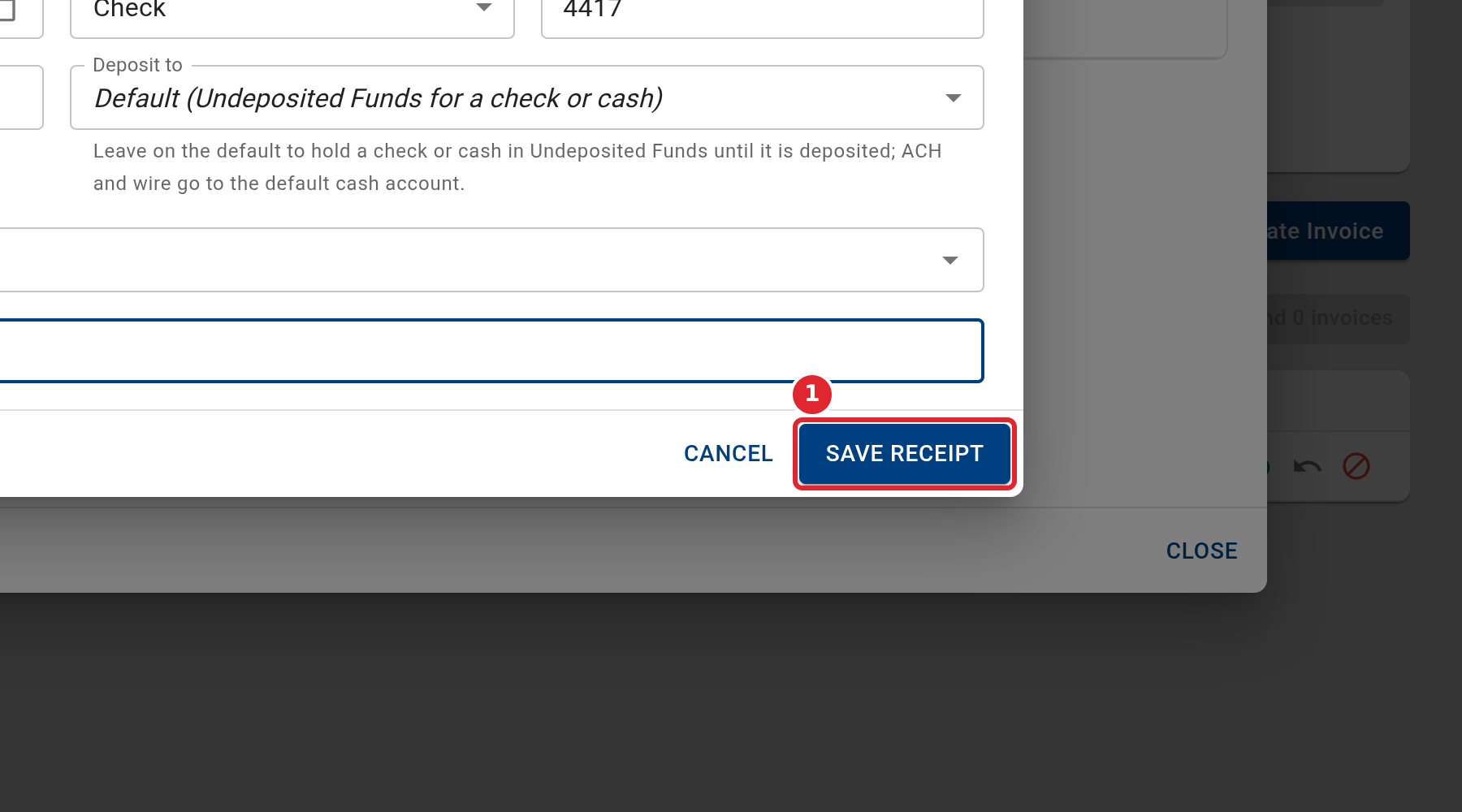
Select Save receipt.
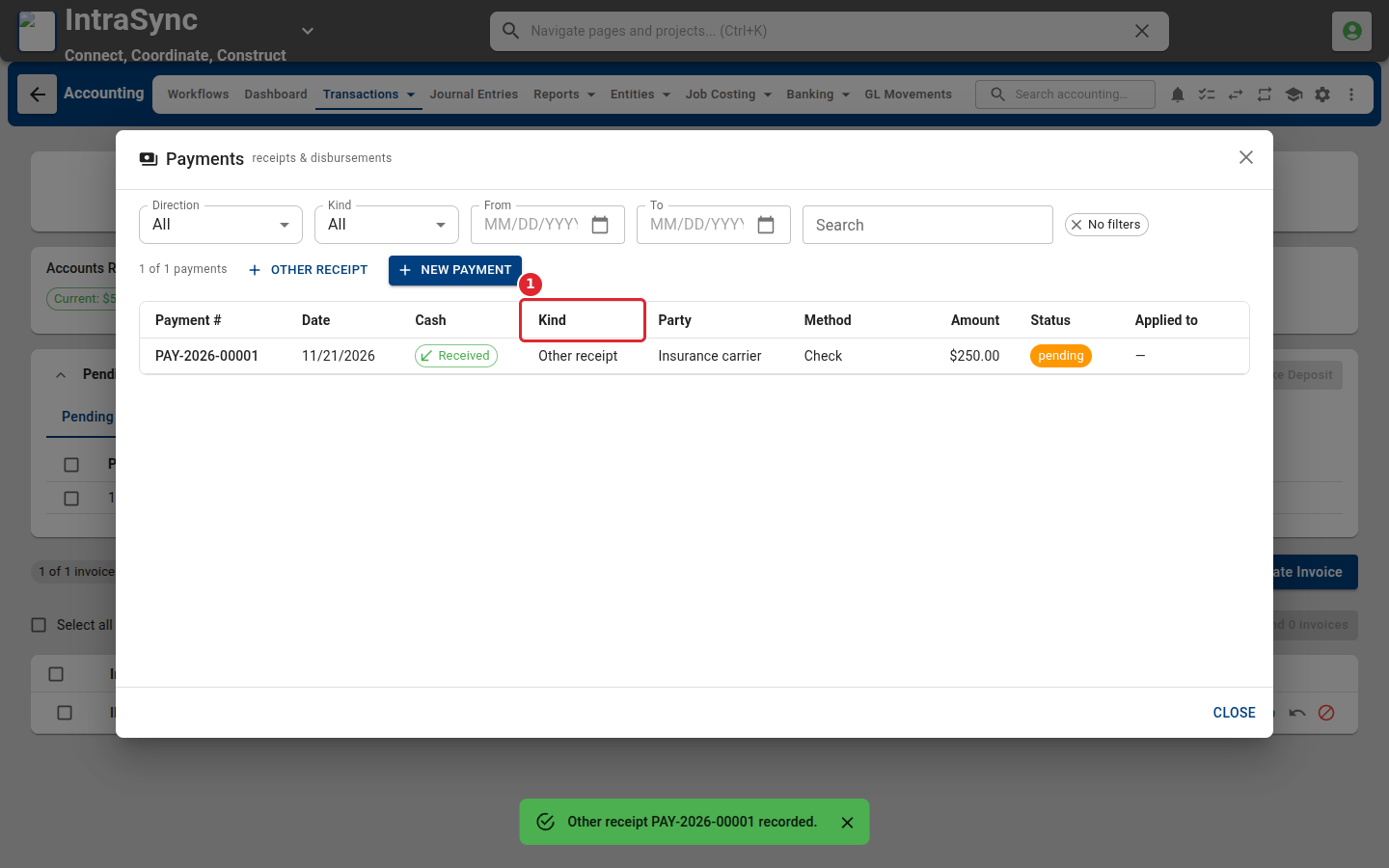
The receipt appears in the Payments register, with Other receipt as its kind.
Tips
- When you choose Someone else, the name of who paid is required.
- The amount must be greater than zero, and the GL account to credit is required.
- The account to credit cannot be the account the money is deposited to.
- An other receipt never goes to Accounts Receivable, so it cannot pay an invoice. To record a customer paying an invoice, use New Payment.