Accounting guide · section 13 of 28
Trace a posting and search for a document
Find where an amount in the ledger came from, or find any document quickly.
Watch this in the video (3:26)
Steps
In the pictures, a numbered red box marks where to click or type. Where a picture has more than one box, the numbers give the order.
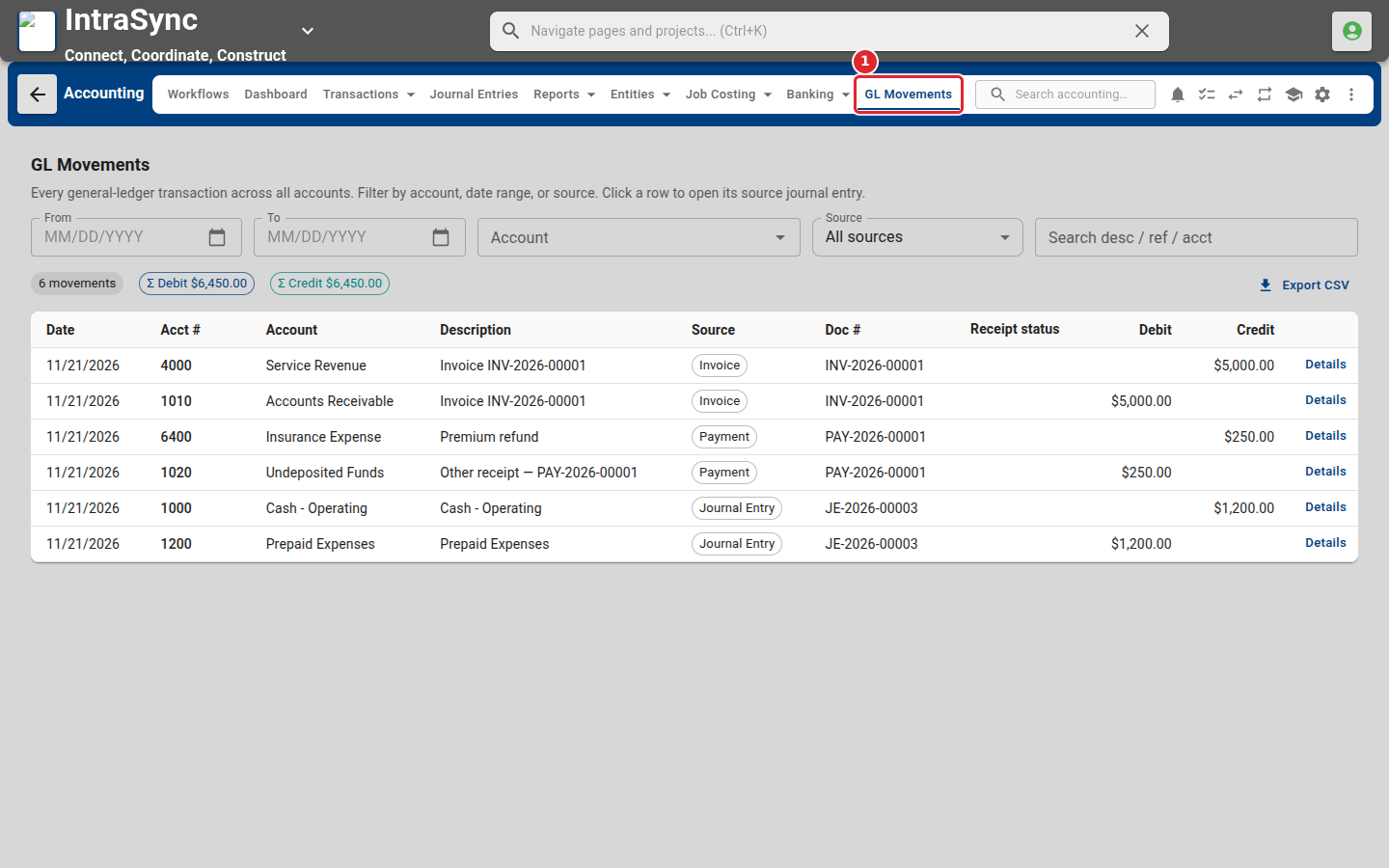
Select GL Movements to see every posting to the ledger. Filter by date, account or source, and select a row to open the document it came from.
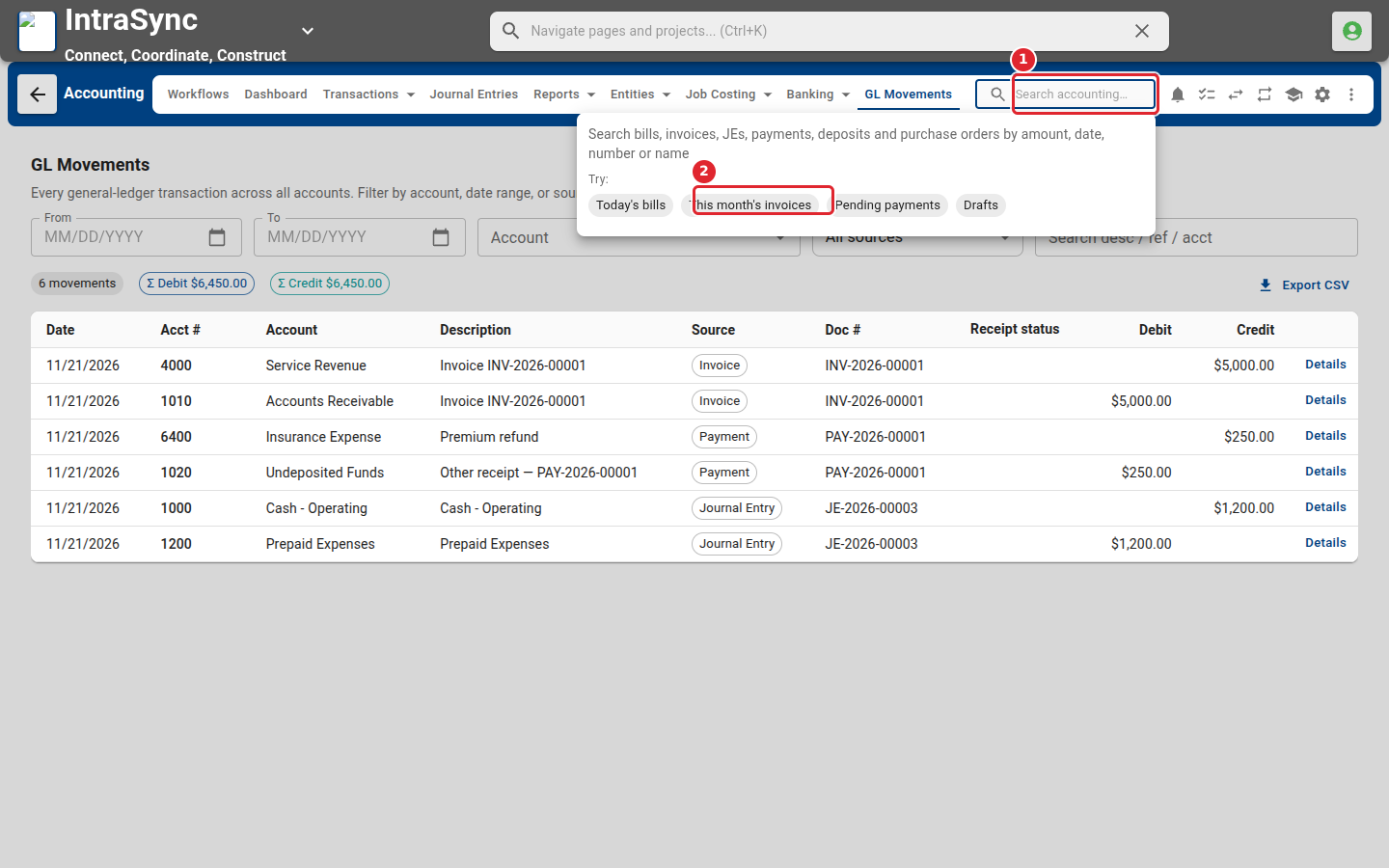
Select the search box in the header to find bills, invoices, journal entries and payments by amount, date, number or name. The suggestions under it are ready-made searches.
Tips
- Select a row in GL Movements to open the journal entry behind it.
- Export CSV saves the filtered list as a spreadsheet.