Core guide · section 10 of 21
Give a person a role
Grant someone the access of a job by assigning its role, rather than setting each permission by hand.
Watch this in the video (0:56)
Before you start
- You are an administrator.
- The role already exists (see Create a role).
Steps
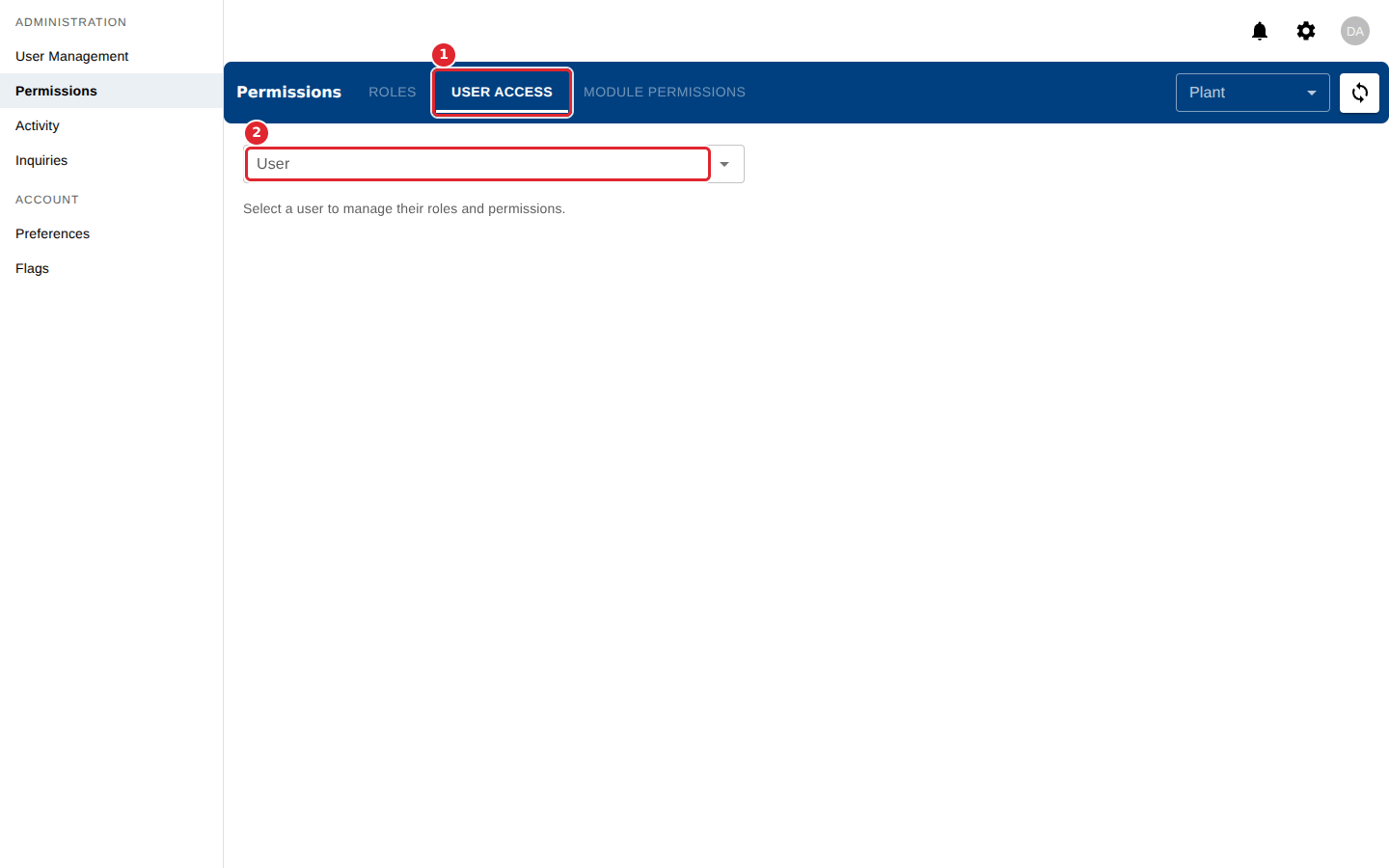
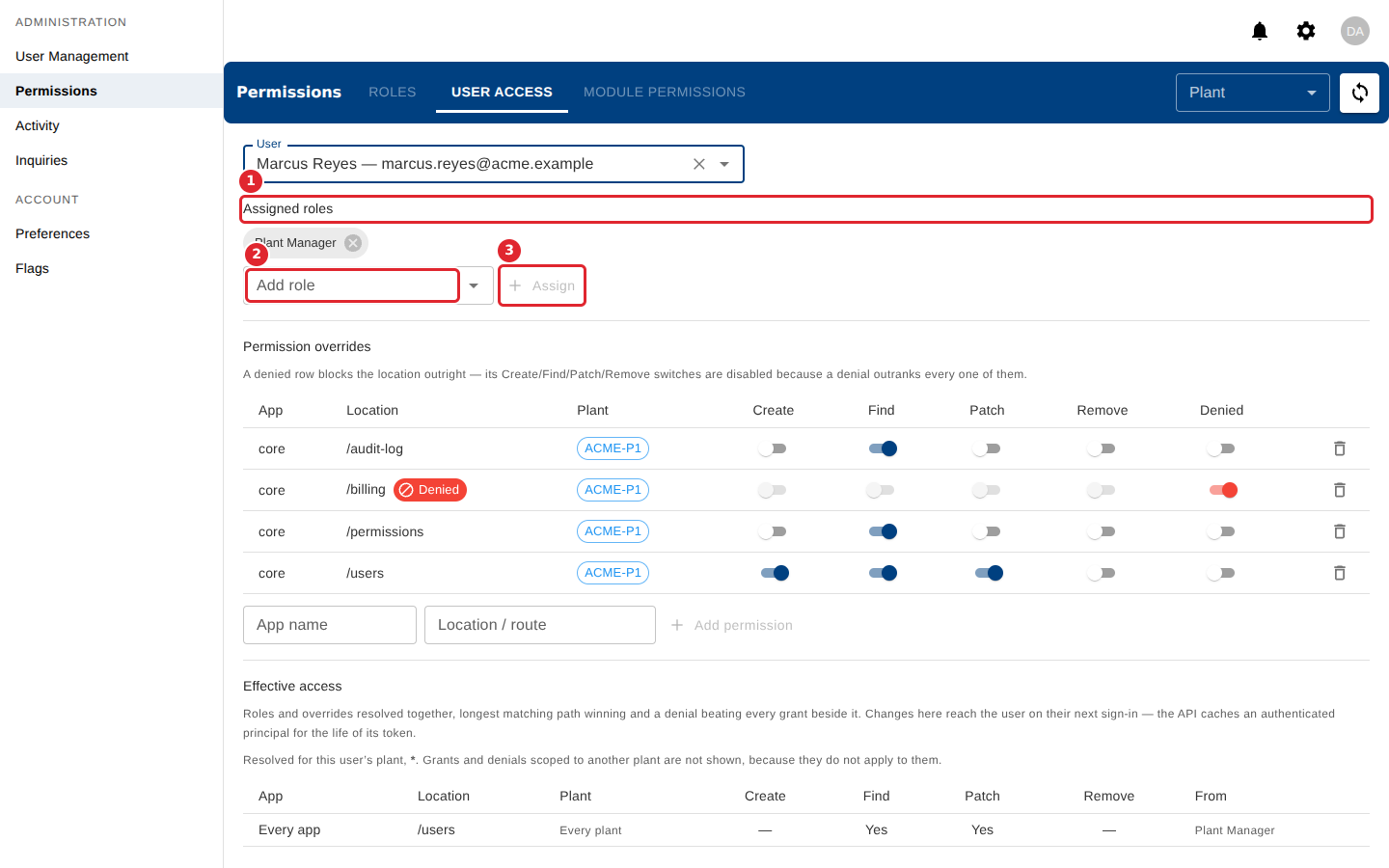
In the pictures, a numbered red box marks where to click or type. Where a picture has more than one box, the numbers give the order.
Select the User Access tab, then pick a person in the User box.
Assigned roles lists the person's roles. To add one, choose it in Add role and select Assign. Select the x on a role to unassign it.
Tips
- Unassigning a role asks you to confirm, and the access it granted is withdrawn immediately.
- If the User list is long, keep typing a name or email to narrow it.