Core guide · section 9 of 21
Change or delete a role
Adjust what a job may do as your processes change, or retire a role nobody uses.
Watch this in the video (0:44)
Before you start
- You are an administrator.
Steps
In the pictures, a numbered red box marks where to click or type. Where a picture has more than one box, the numbers give the order.
Select the pencil icon to change a role, or the bin icon to delete it.
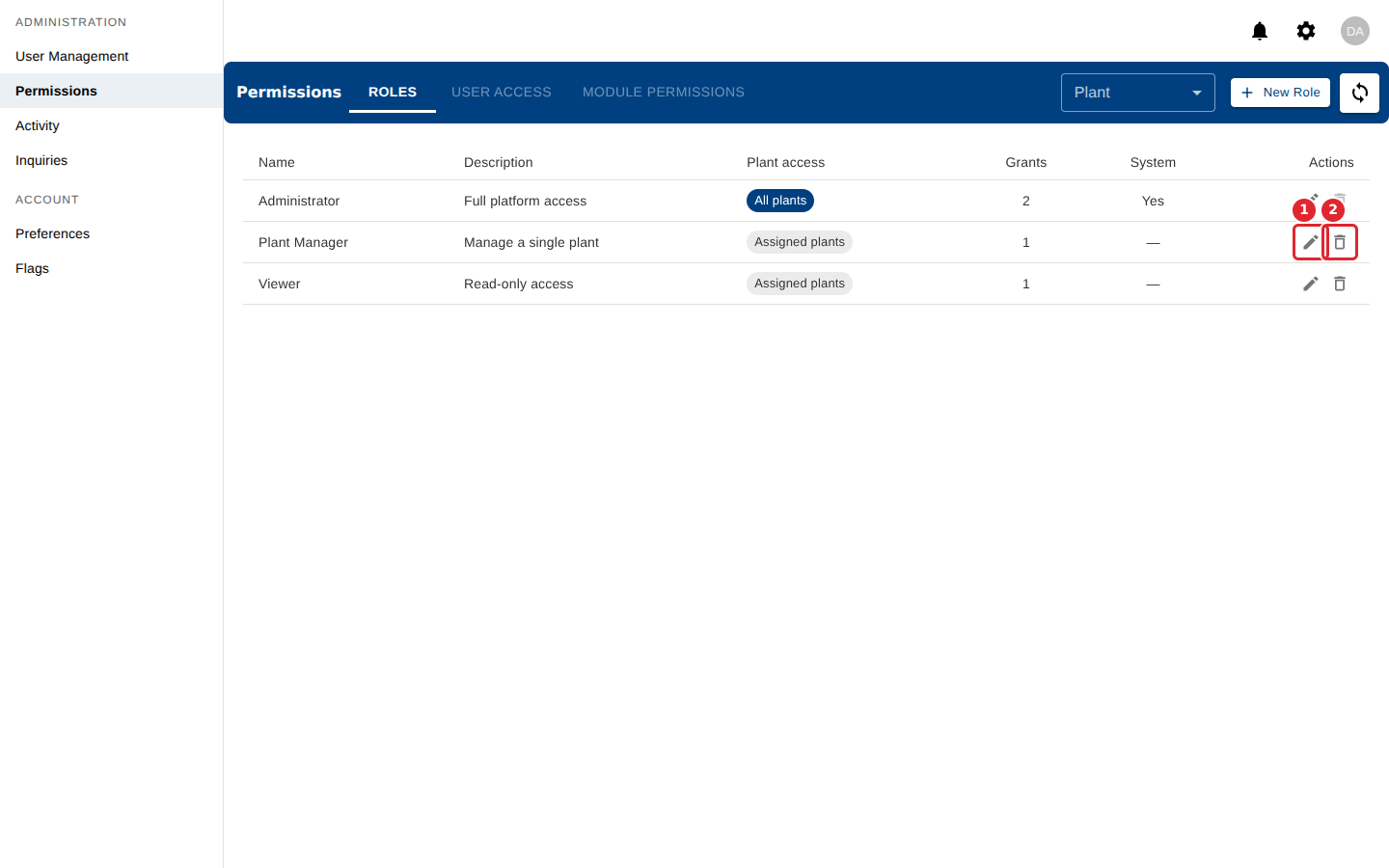
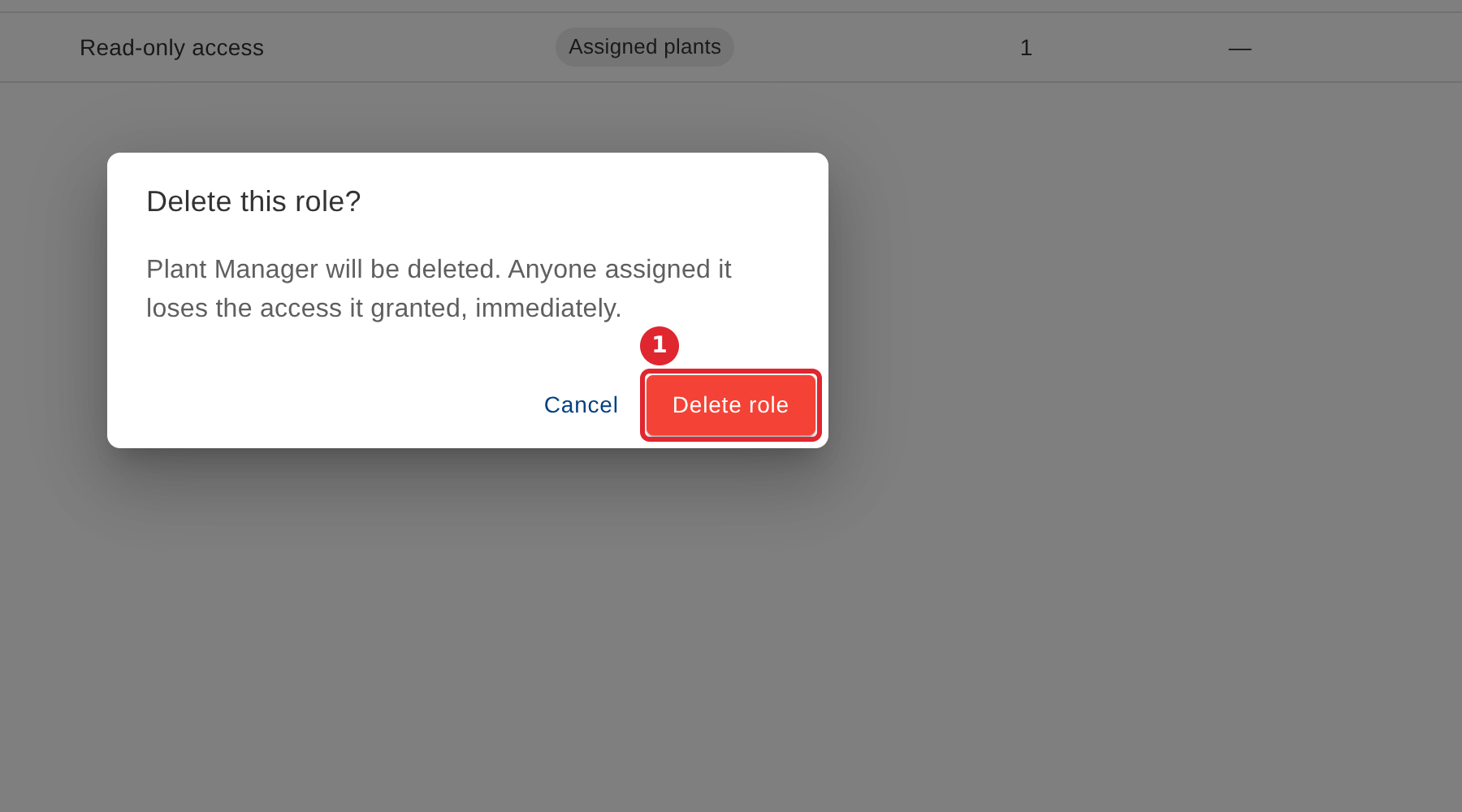
Deleting asks first. Everyone assigned the role loses its access at once.
Tips
- System roles are part of the platform and cannot be deleted. Their bin icon is unavailable.