Core guide · section 15 of 21
Send feedback to the IntraSync team
Report a problem, ask a question or suggest an improvement without leaving the app.
Watch this in the video (1:25)
Steps
In the pictures, a numbered red box marks where to click or type. Where a picture has more than one box, the numbers give the order.
On Preferences, scroll to Feedback. Choose what kind of feedback it is, give a rating if you like, and write your message.
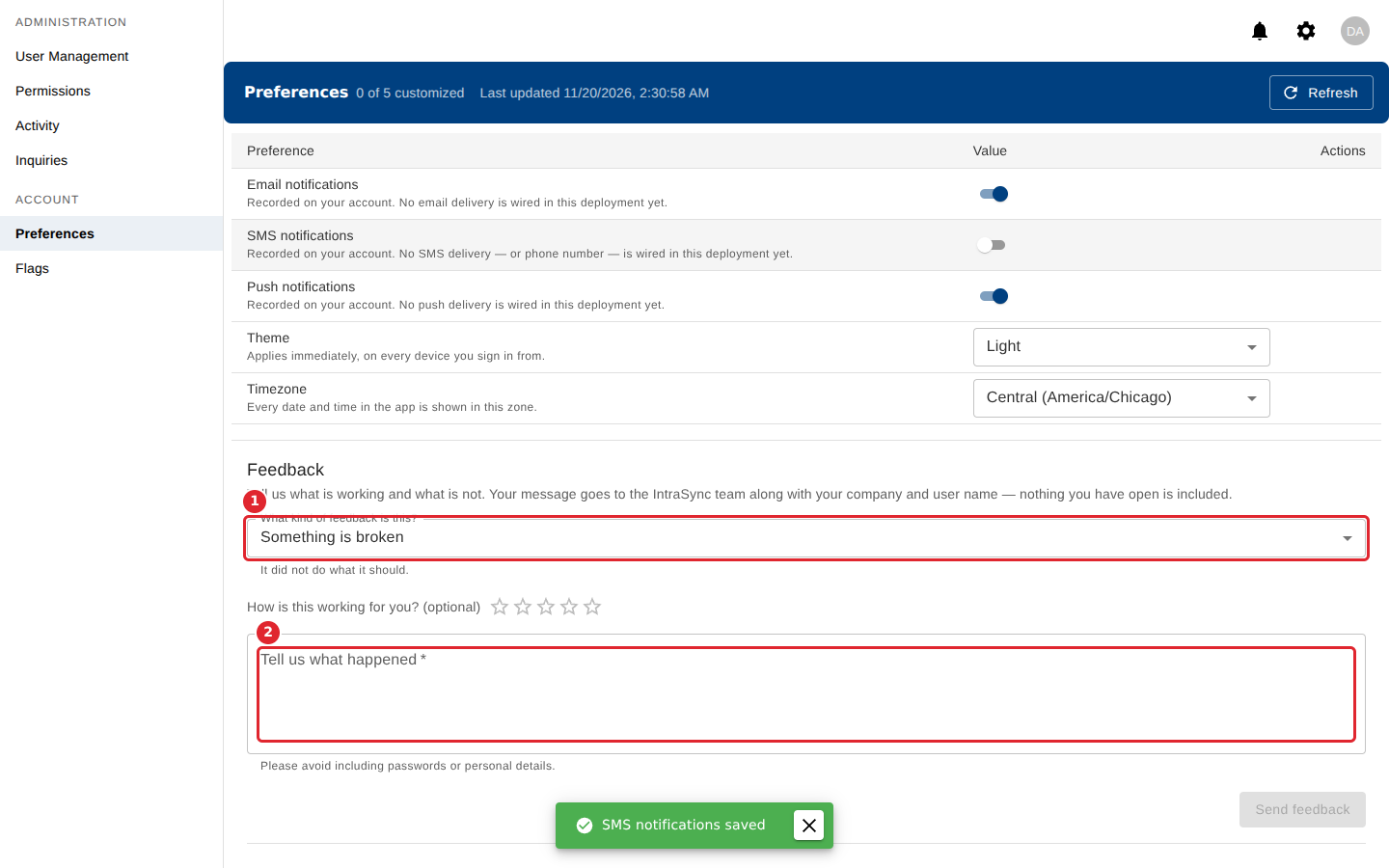
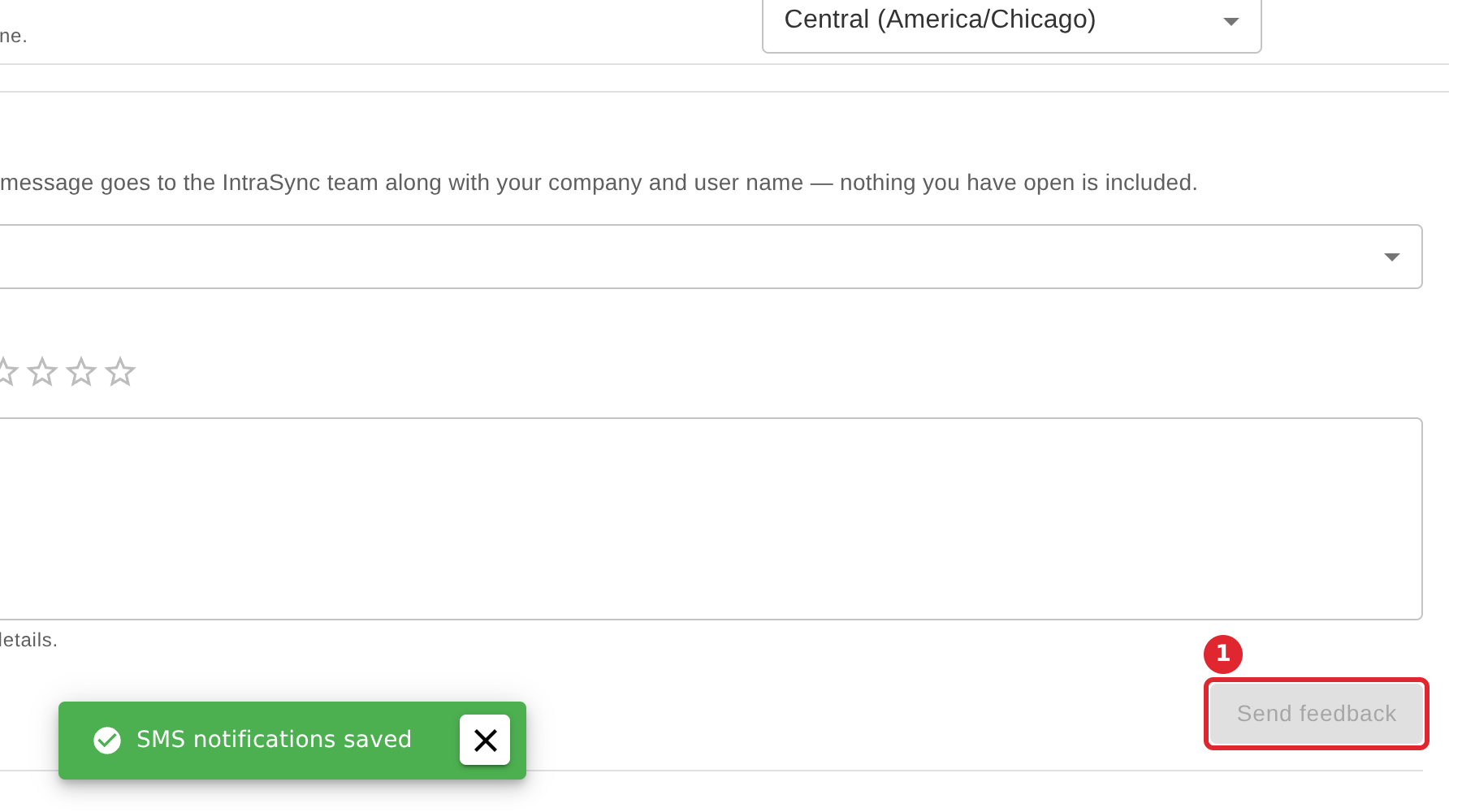
Select Send feedback. What you sent before is listed below the form.
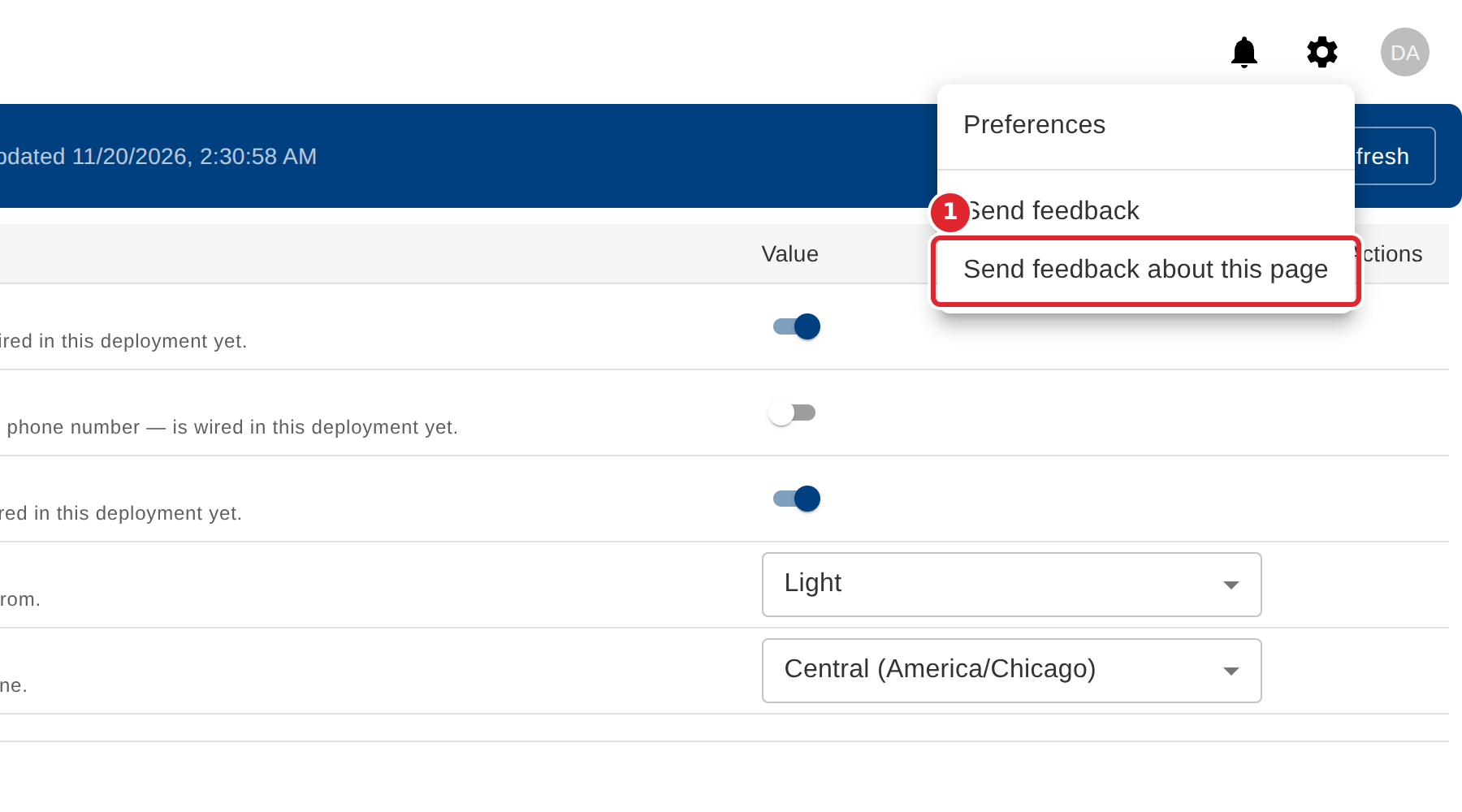
From any page, select the settings icon, then Send feedback about this page.
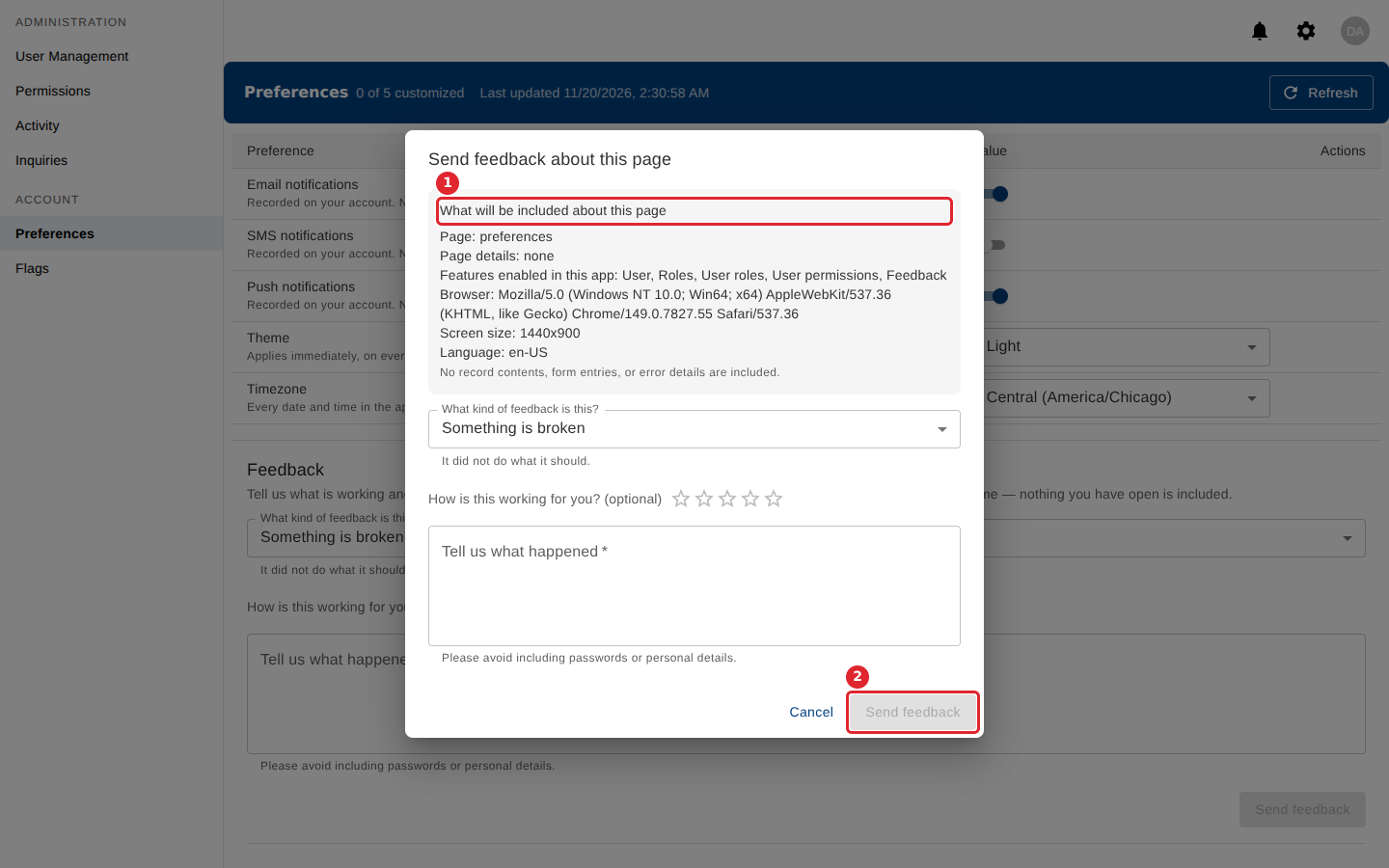
The form lists what will be sent about the page before you send anything. Write your message and select Send feedback.
Tips
- Tell us what happened is required. Please do not include passwords or personal details.
- Feedback sent from Preferences includes your company and user name, and nothing you have open.
- If you close the feedback form before sending, you are asked whether to discard it.