Dispatch guide · section 4 of 20
Assign a driver to several loads at once
When one driver takes several loads, assign them in one step instead of opening each load.
Steps
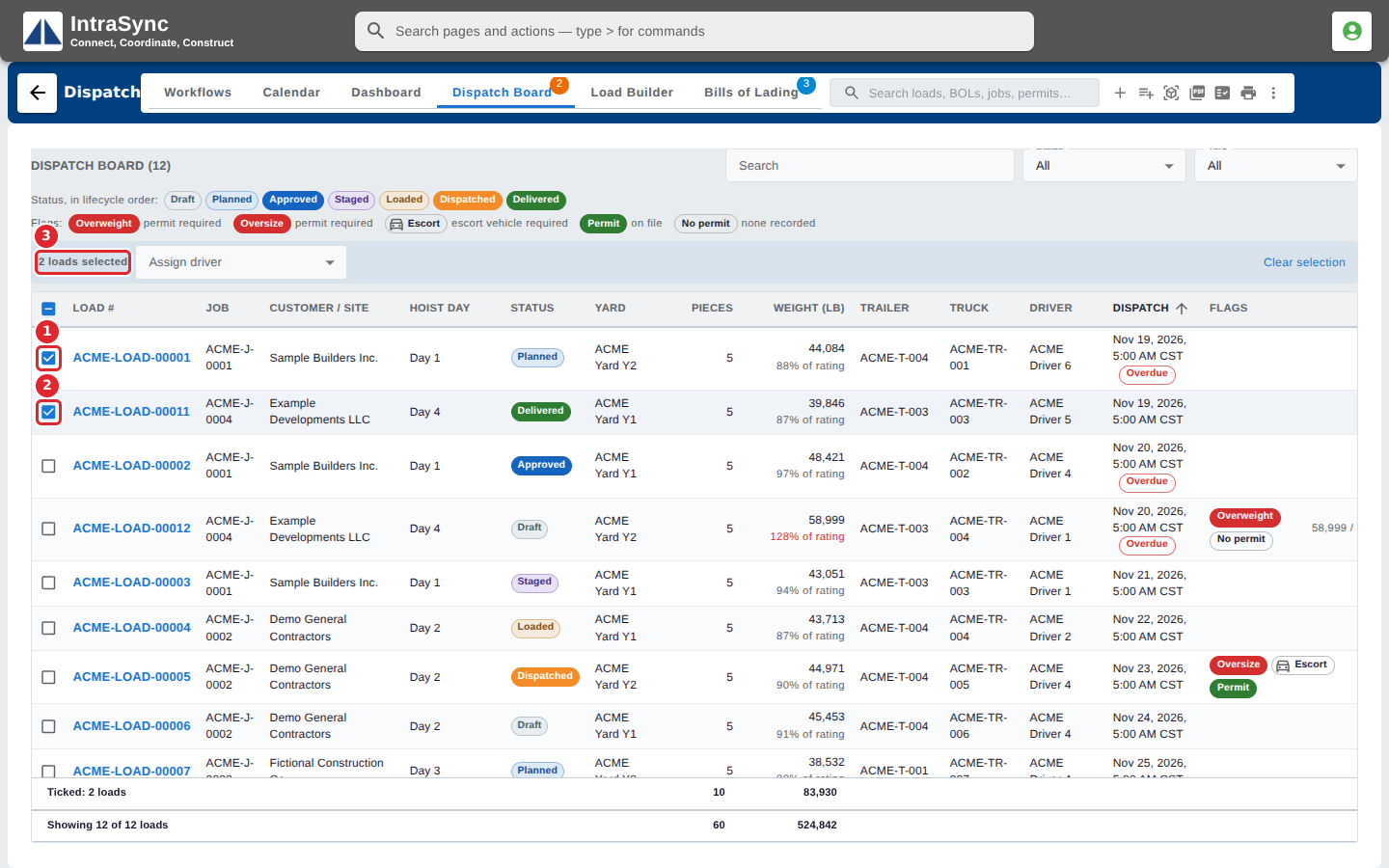
In the pictures, a numbered red box marks where to click or type. Where a picture has more than one box, the numbers give the order.
Tick the box at the start of each load that should get the same driver. A bar above the list counts the loads you ticked.
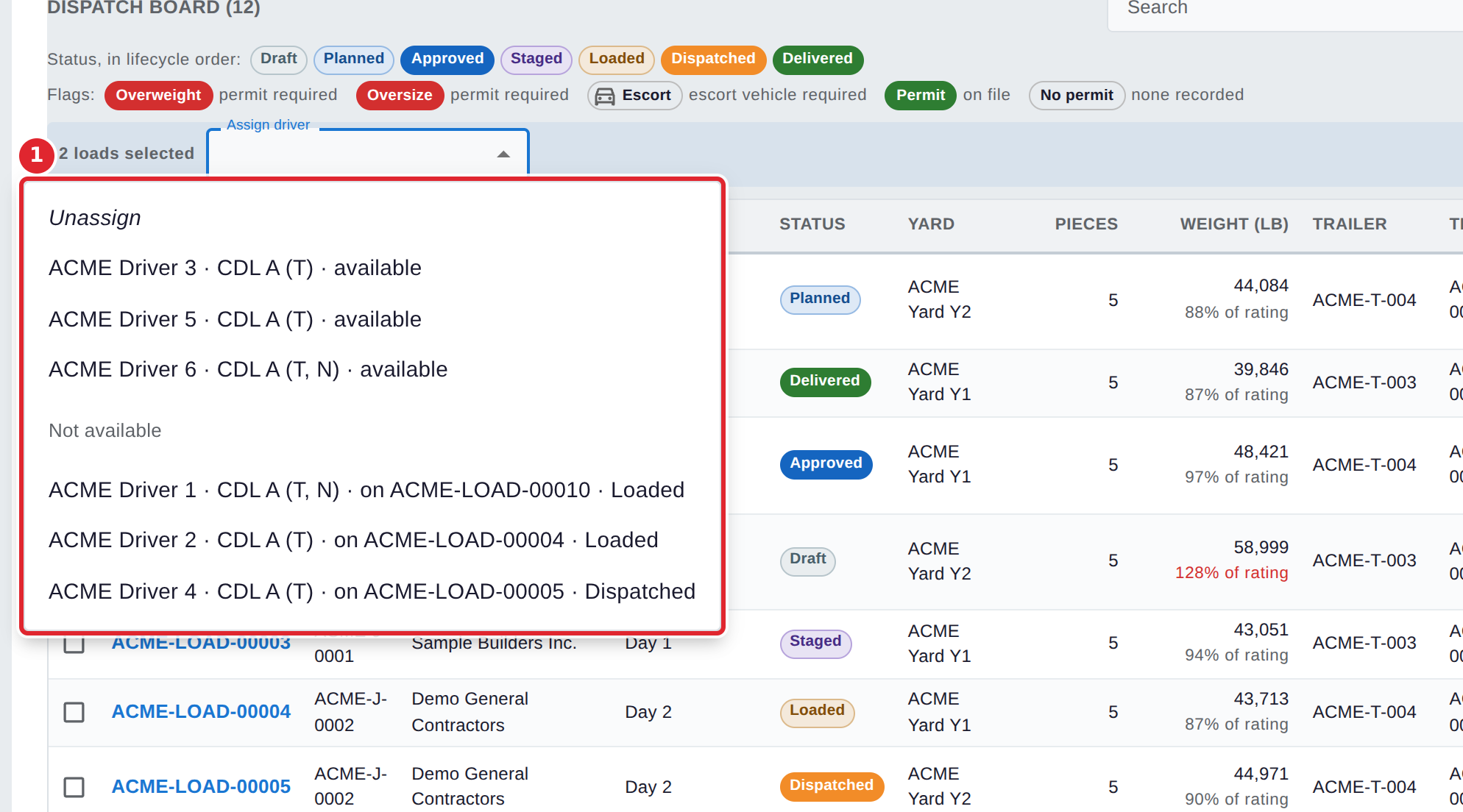
Open Assign driver and choose the driver for every ticked load. Choose Unassign to take the driver off them instead.
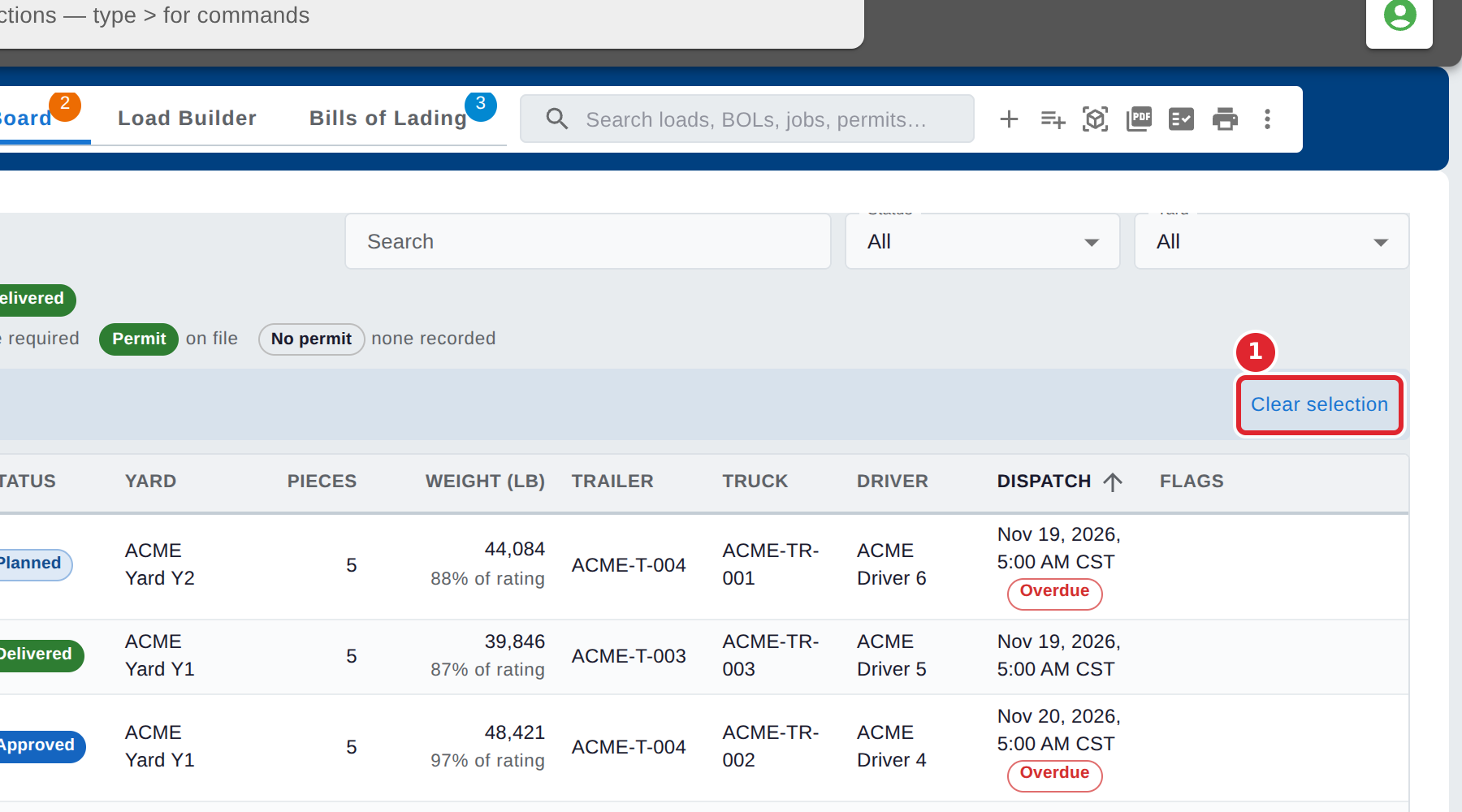
Select Clear selection to untick every load.
Tips
- If some of the ticked loads cannot be updated, Dispatch says how many and why. The rest keep the new driver.
- To assign a driver to one load, open the load in the Load Builder and choose the Driver there.