Dispatch guide · section 17 of 20
Find, download and print a bill of lading
Each load that leaves the yard has a bill of lading. Print it to go with the load, and use it to record the delivery.
Watch this in the video (2:29)
Steps
In the pictures, a numbered red box marks where to click or type. Where a picture has more than one box, the numbers give the order.
Select the Bills of Lading tab. The list shows each bill with its status. Type in Filter to find a bill by its number, truck, trailer or receiver.
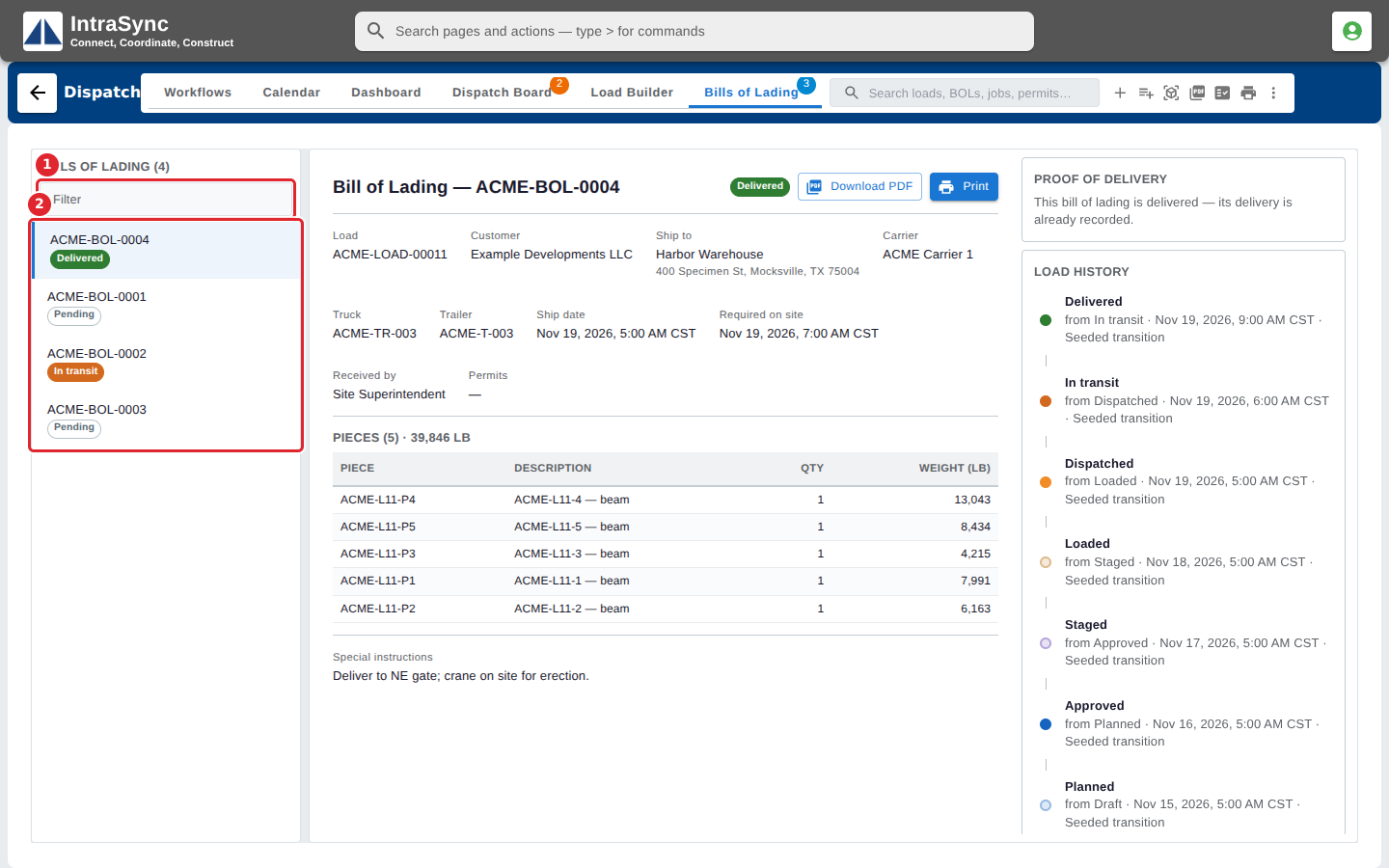
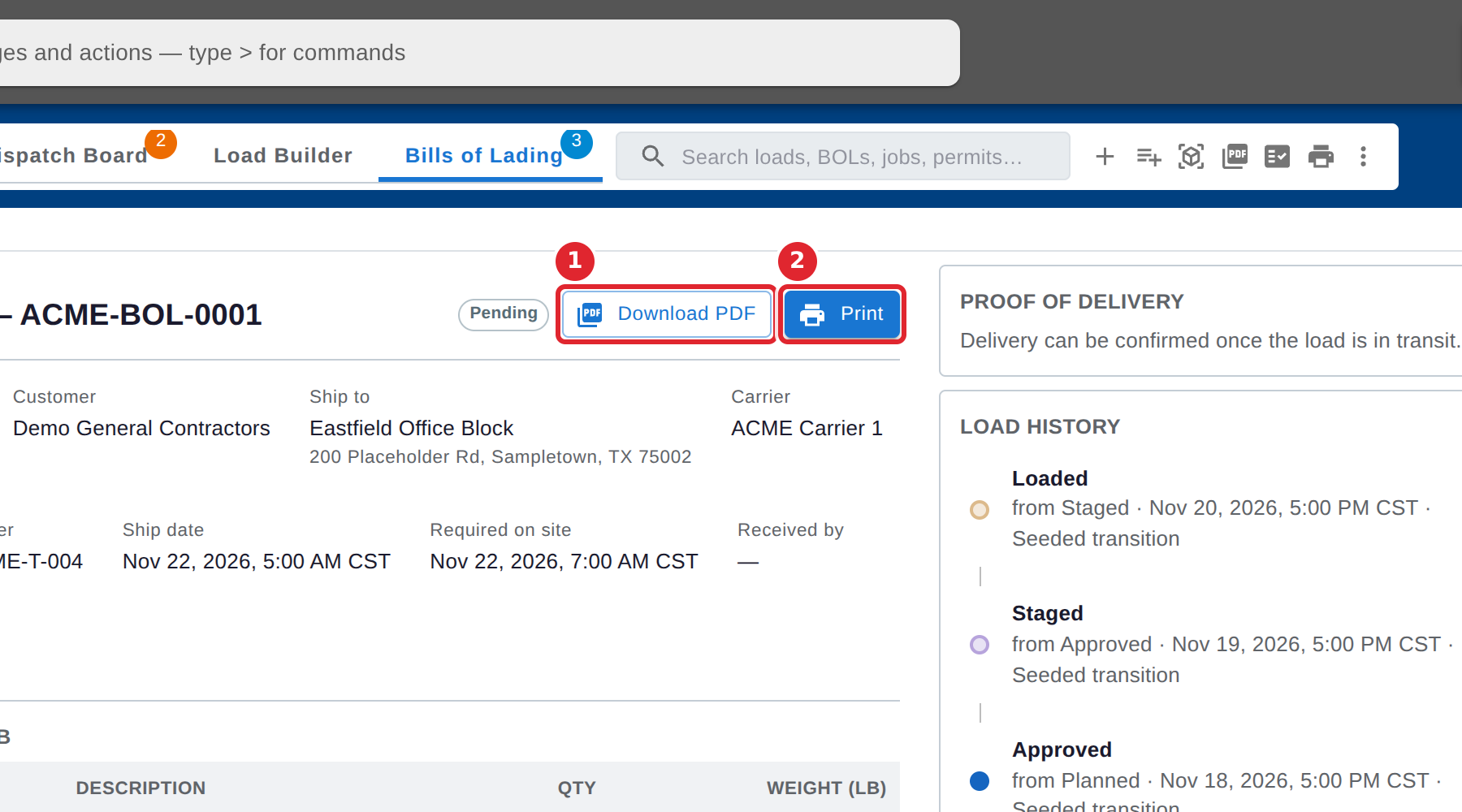
Select a bill to see it: the load, customer, ship-to address, carrier, truck, trailer, dates, permits and pieces. Select Download PDF to save it, or Print to print it.
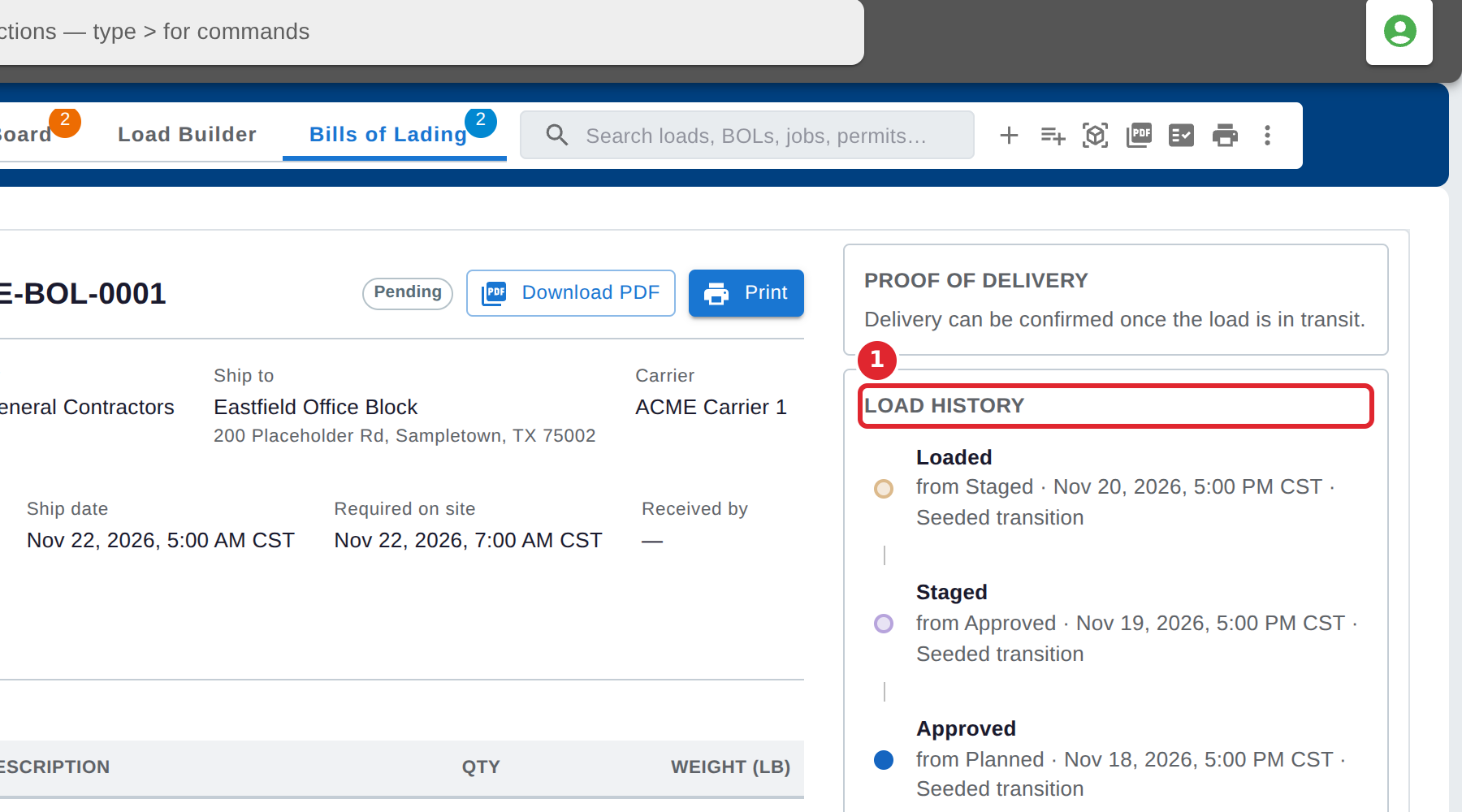
Load History, on the right, lists each status change the load has been through, newest first.
Tips
- A bill of lading is created when a load is marked loaded or dispatched.
- The badge on the Bills of Lading tab counts the bills that are still open.