Dispatch guide · section 18 of 20
Record proof of delivery
Recording who received the load, with a signature or a photo, closes out the delivery and moves the load to Delivered.
Watch this in the video (2:50)
Before you start
- The load must be in transit. Until then, Proof of Delivery says that delivery can be confirmed once the load is in transit.
Steps
In the pictures, a numbered red box marks where to click or type. Where a picture has more than one box, the numbers give the order.
Open the bill of a load that is in transit. Proof of Delivery, on the right, is where you record the delivery.
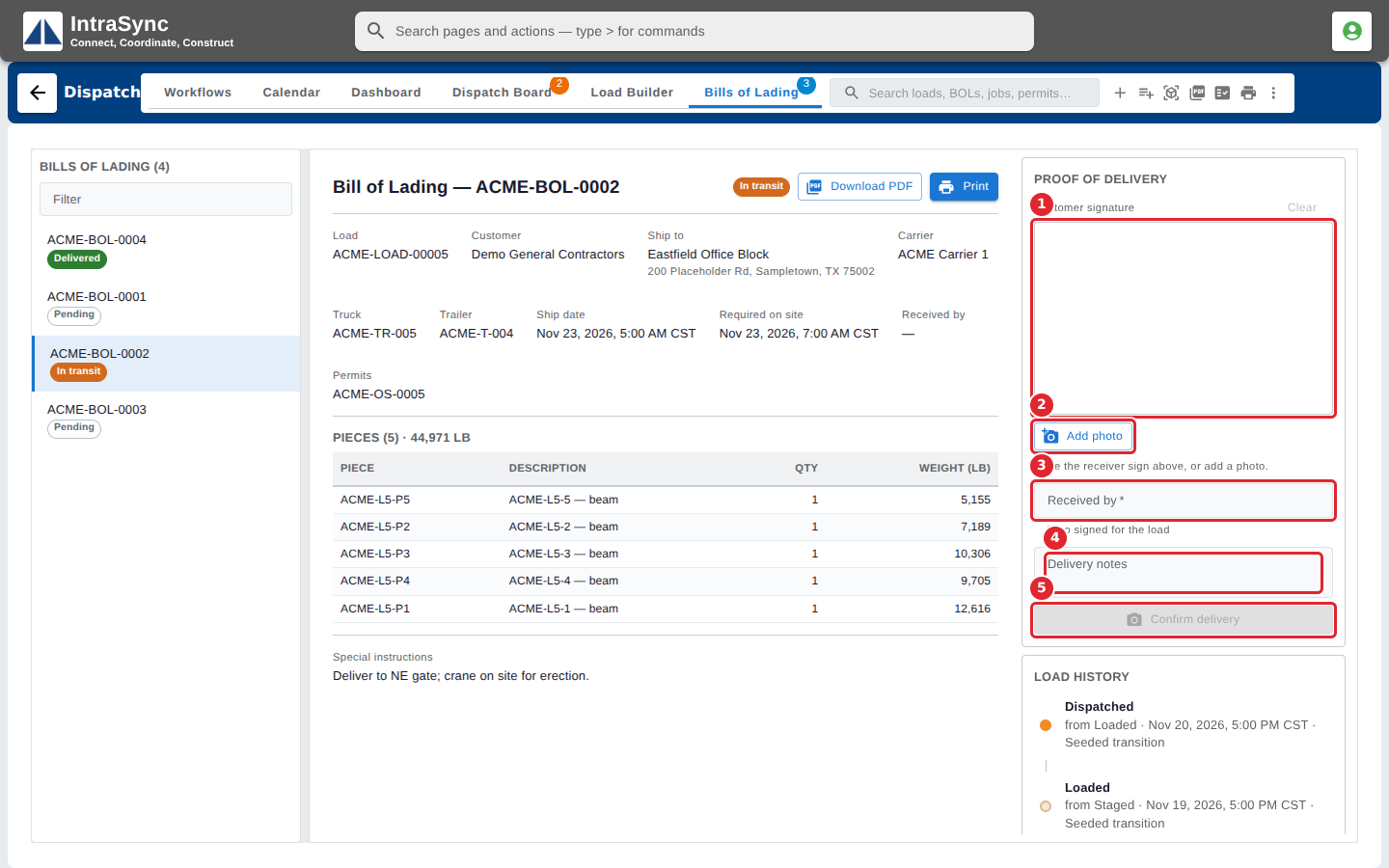
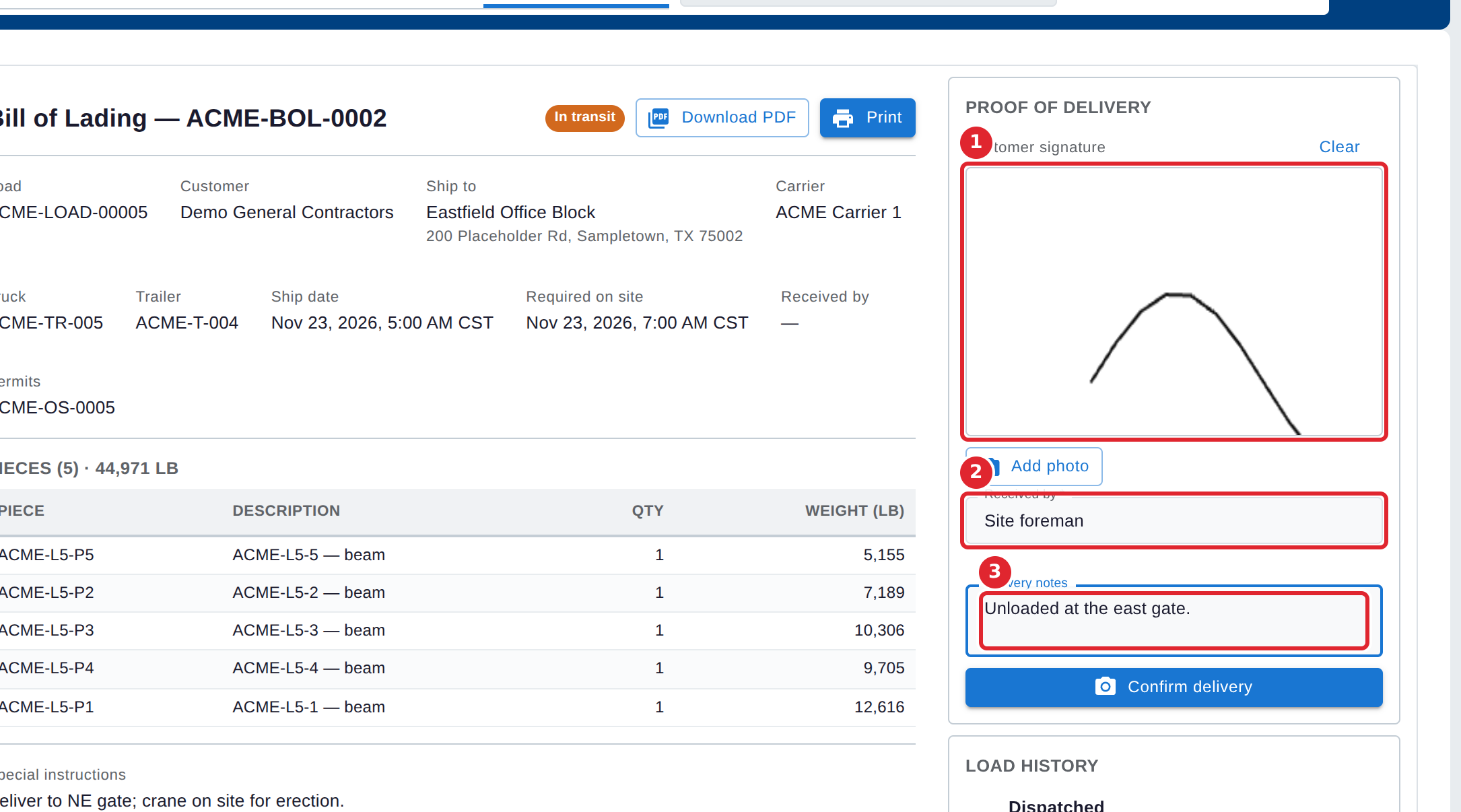
Have the receiver sign in the Customer signature box, or select Add photo to take a picture. Type who received the load in Received by, and add any Delivery notes.
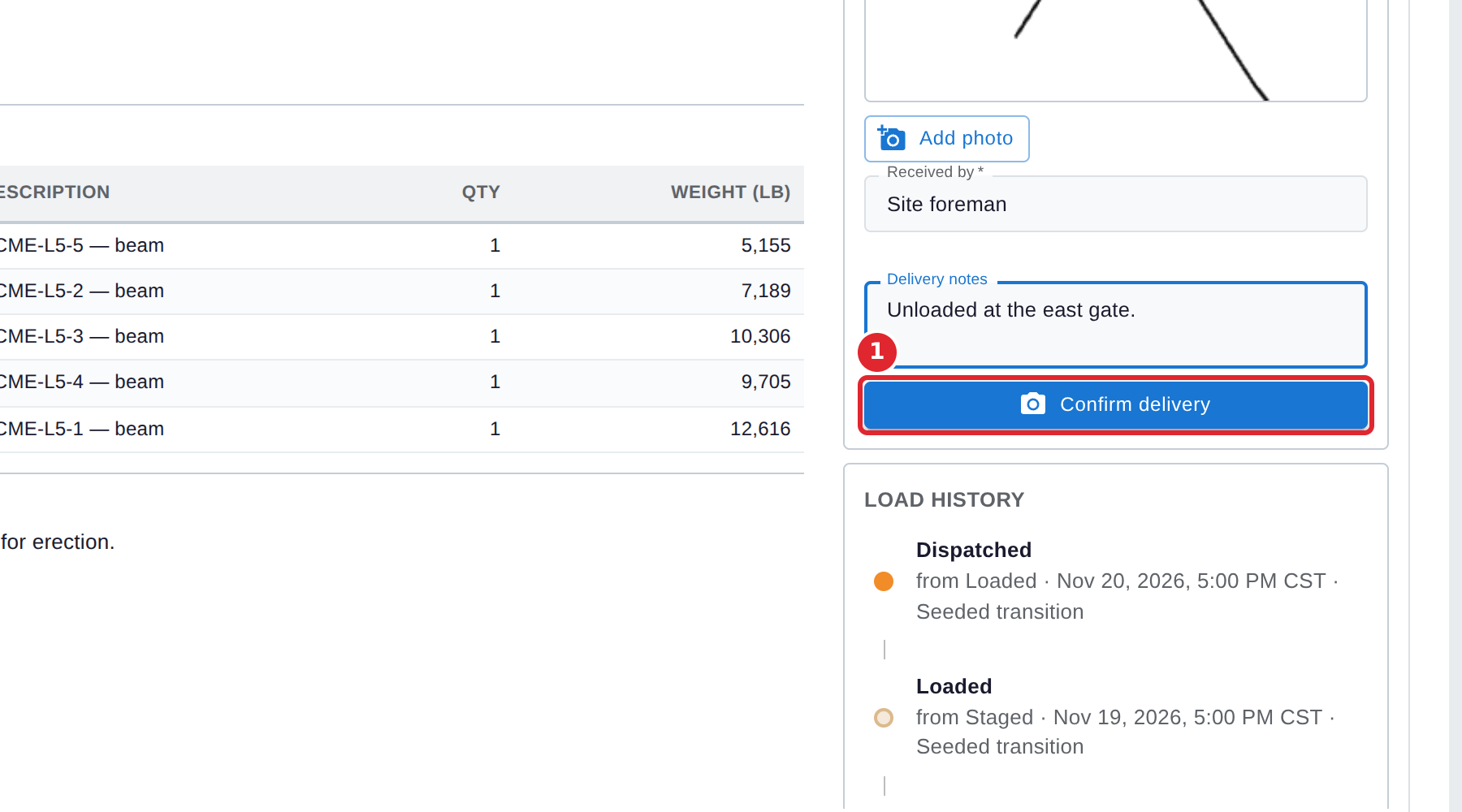
Select Confirm delivery.
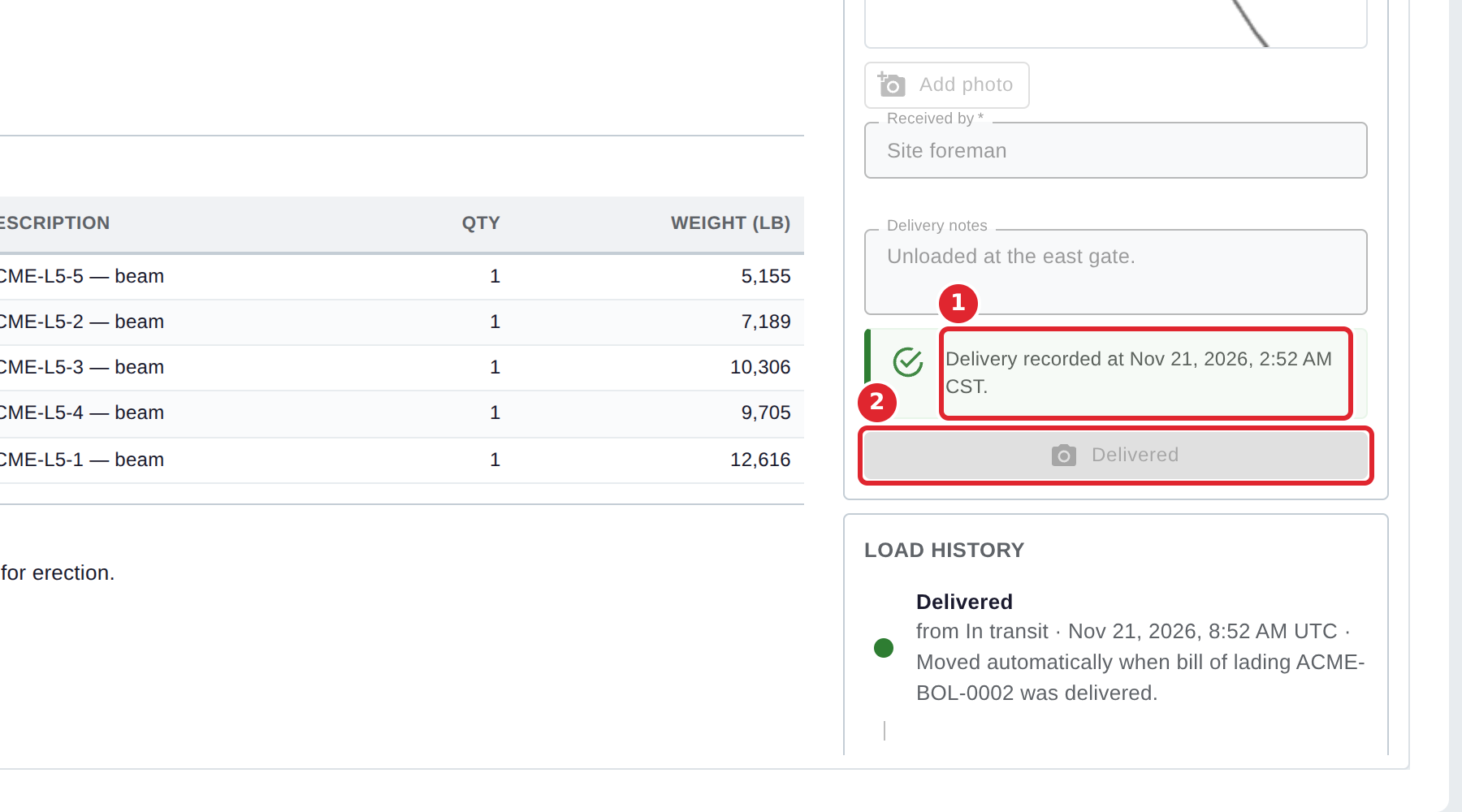
Dispatch confirms that the delivery is recorded, and the button reads Delivered. The load moves to Delivered on its own, as its Load History shows.
Tips
- Received by must be filled in.
- A signature or a photo is needed as proof. Without one, the delivery is not recorded and Dispatch says why.
- Select Clear above the signature box to start the signature again.