Dispatch guide · section 8 of 20
Check a load's weight, balance and permits
Before a load moves on, make sure it is within the trailer's rating, balanced, and covered by a permit if it needs one.
Watch this in the video (0:58)
Steps
In the pictures, a numbered red box marks where to click or type. Where a picture has more than one box, the numbers give the order.
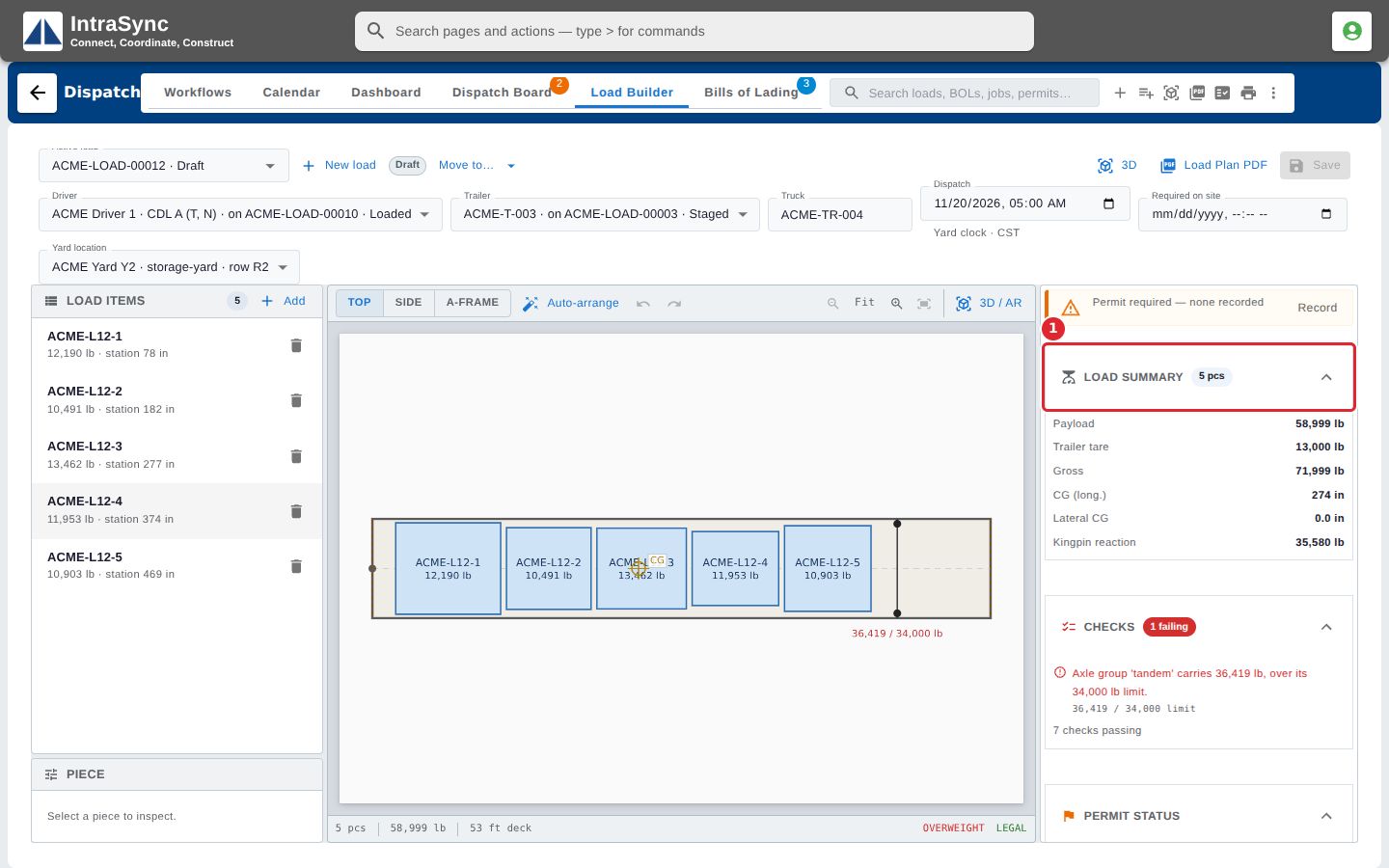
Open the load in the Load Builder. Load Summary, on the right, shows the payload, trailer tare, gross weight, centre of gravity and kingpin reaction.
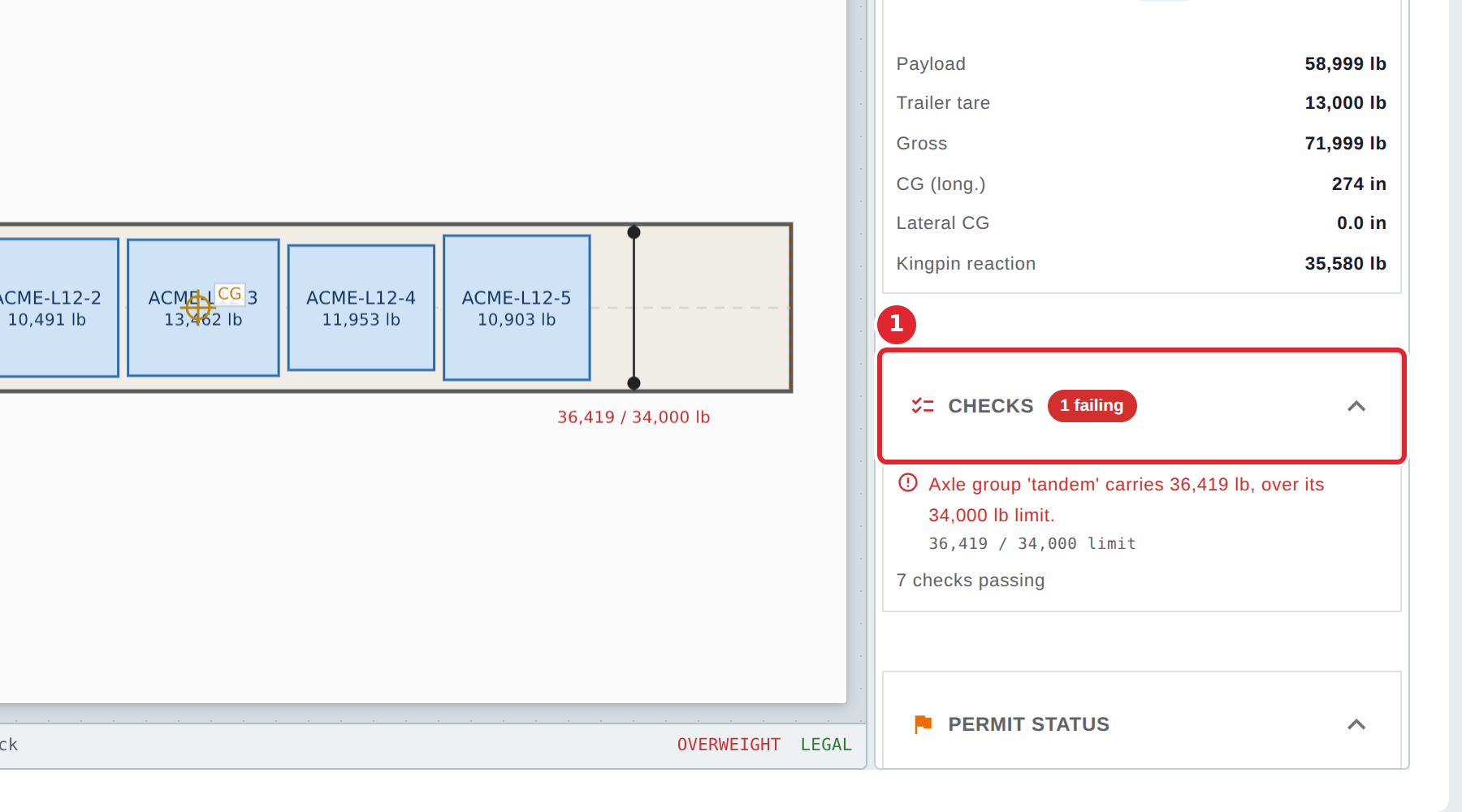
Checks lists each check the load fails, with the limit it breaks, and counts the checks that pass.
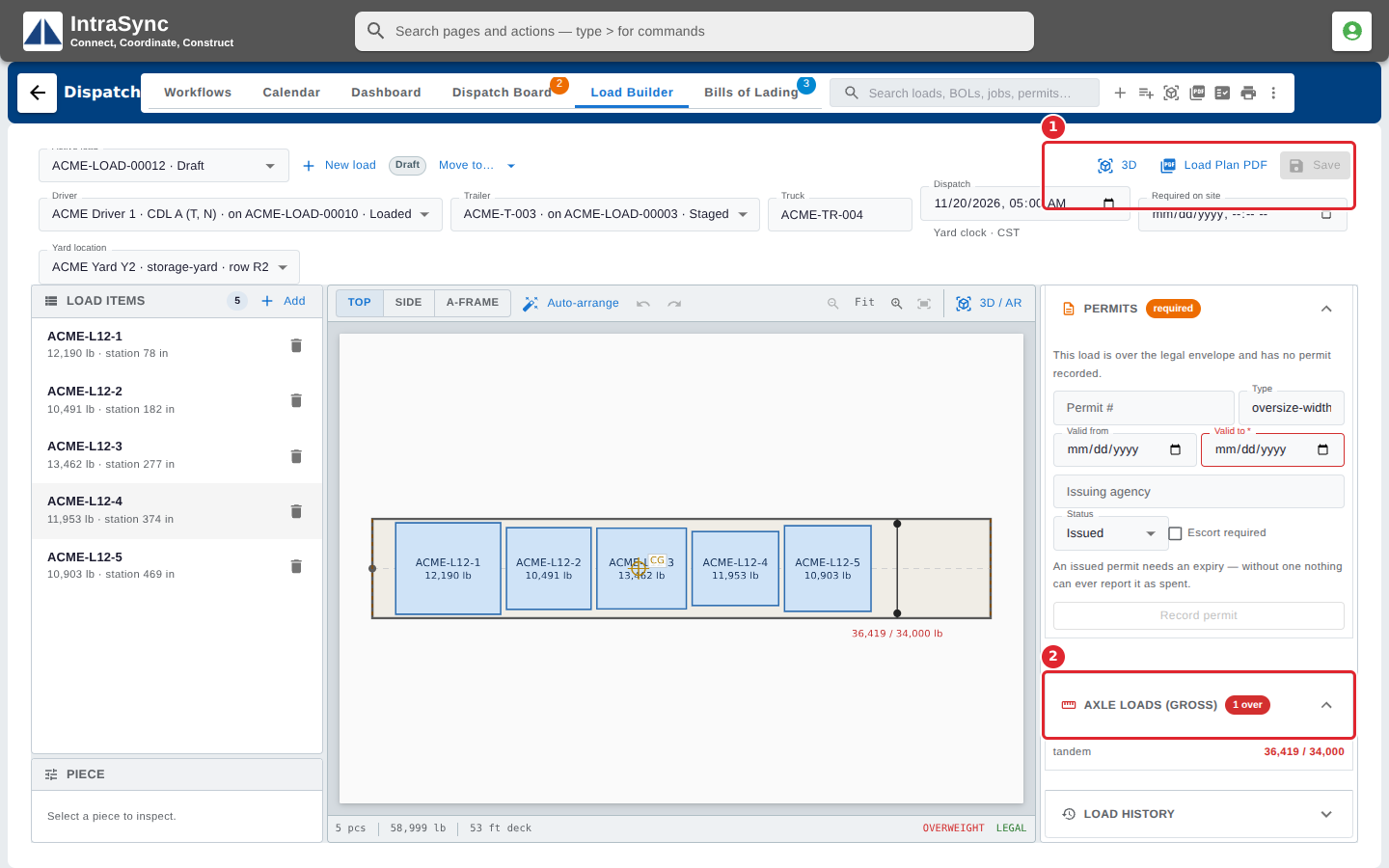
Permit Status shows whether the load is overweight or outside the legal envelope. Axle loads shows the weight on each axle group against its limit.
Tips
- A failing check is shown in red with the limit it breaks. Change the load, or record a permit, before you move it on.
- If you move a load that still has failing checks, Dispatch shows the warnings again and asks you to confirm.