Record a permit for an oversize or overweight load
A load outside the legal envelope needs a permit before it moves. Recording the permit on the load puts it in the permit register with its dates.
Watch this in the video (1:40)
Steps
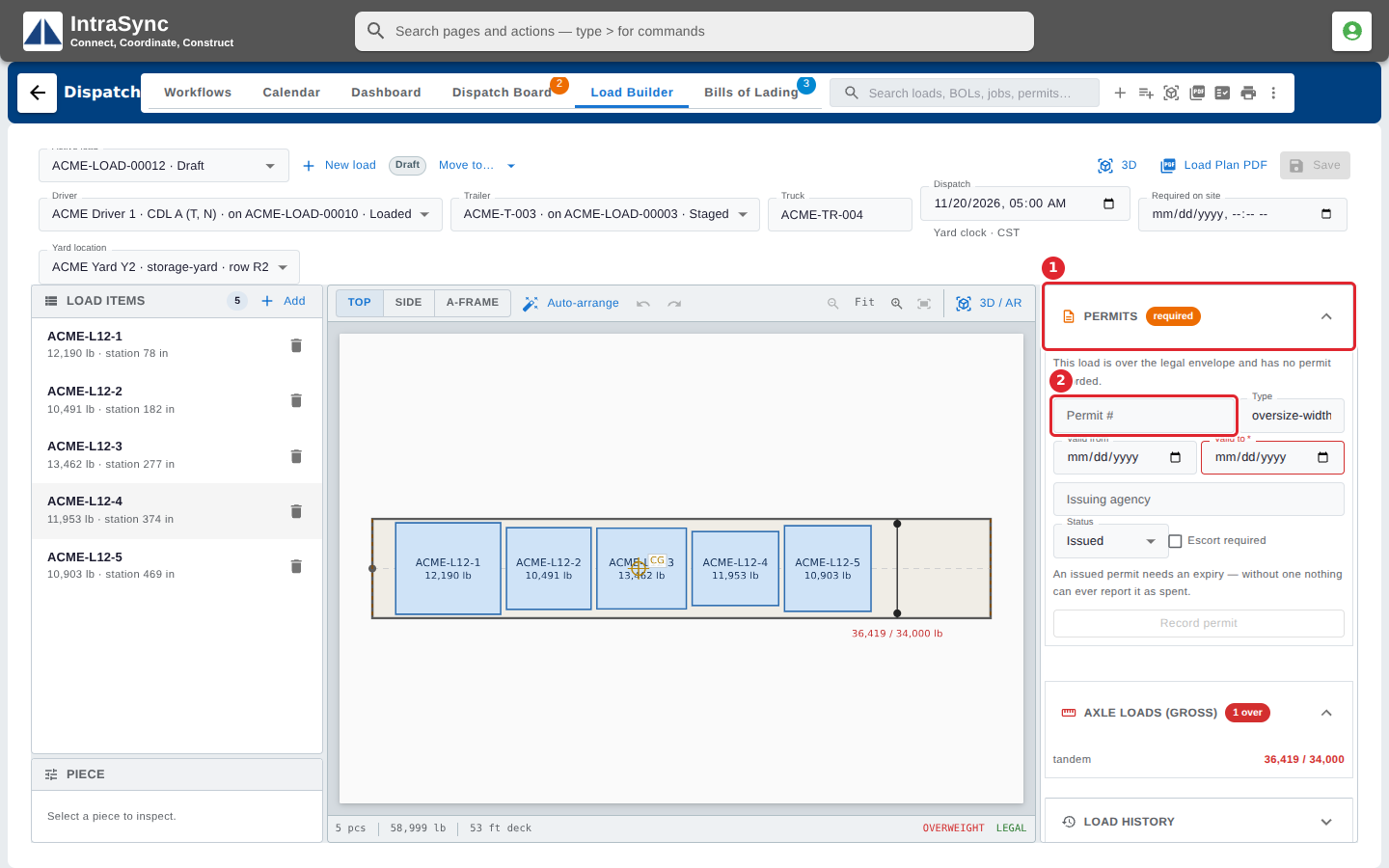
In the pictures, a numbered red box marks where to click or type. Where a picture has more than one box, the numbers give the order.
On a load that needs a permit, open Permits under the load summary. It tells you when the load is over the legal envelope with no permit recorded.
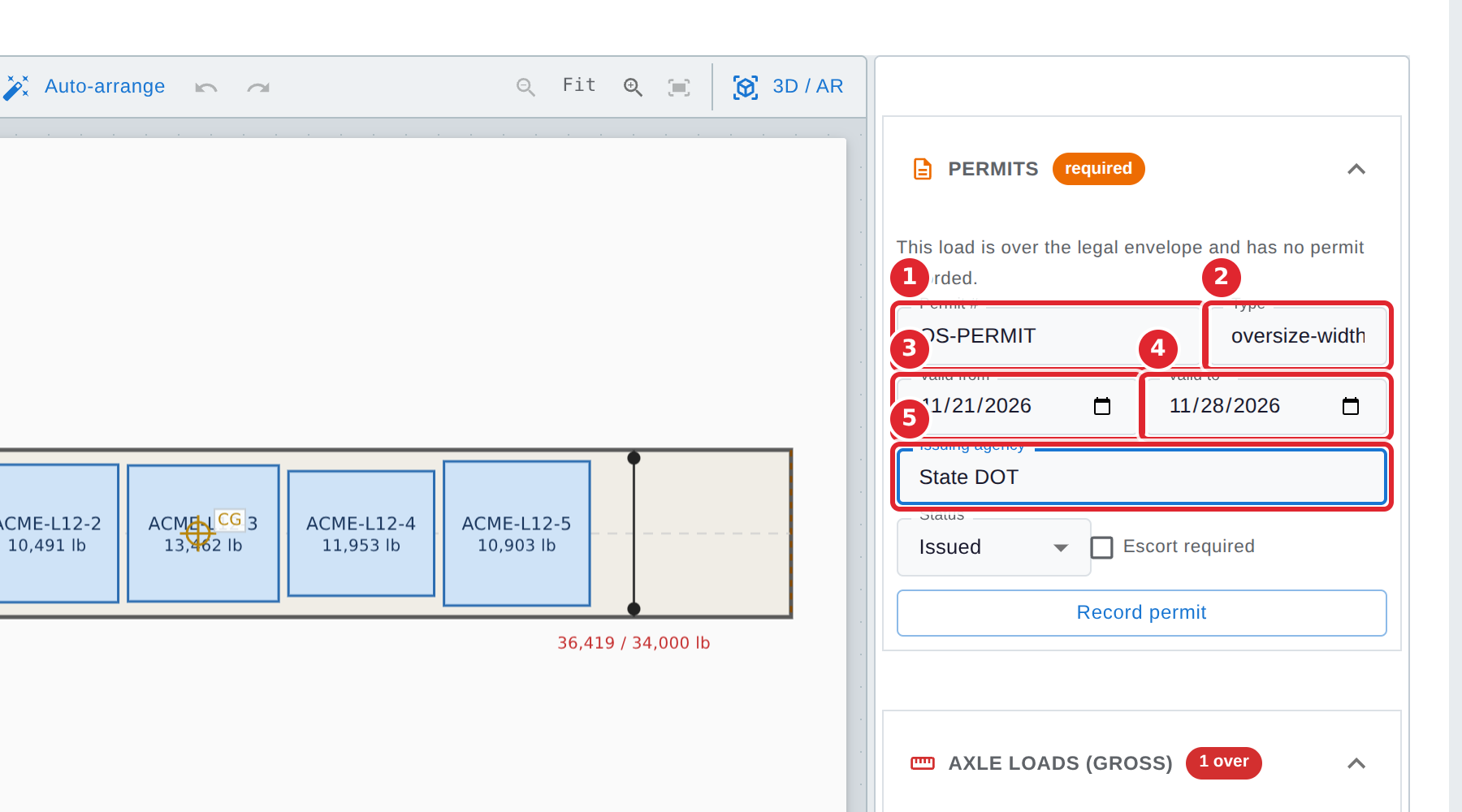
Fill in the Permit #, the Type, the Valid from and Valid to dates, and the Issuing agency.
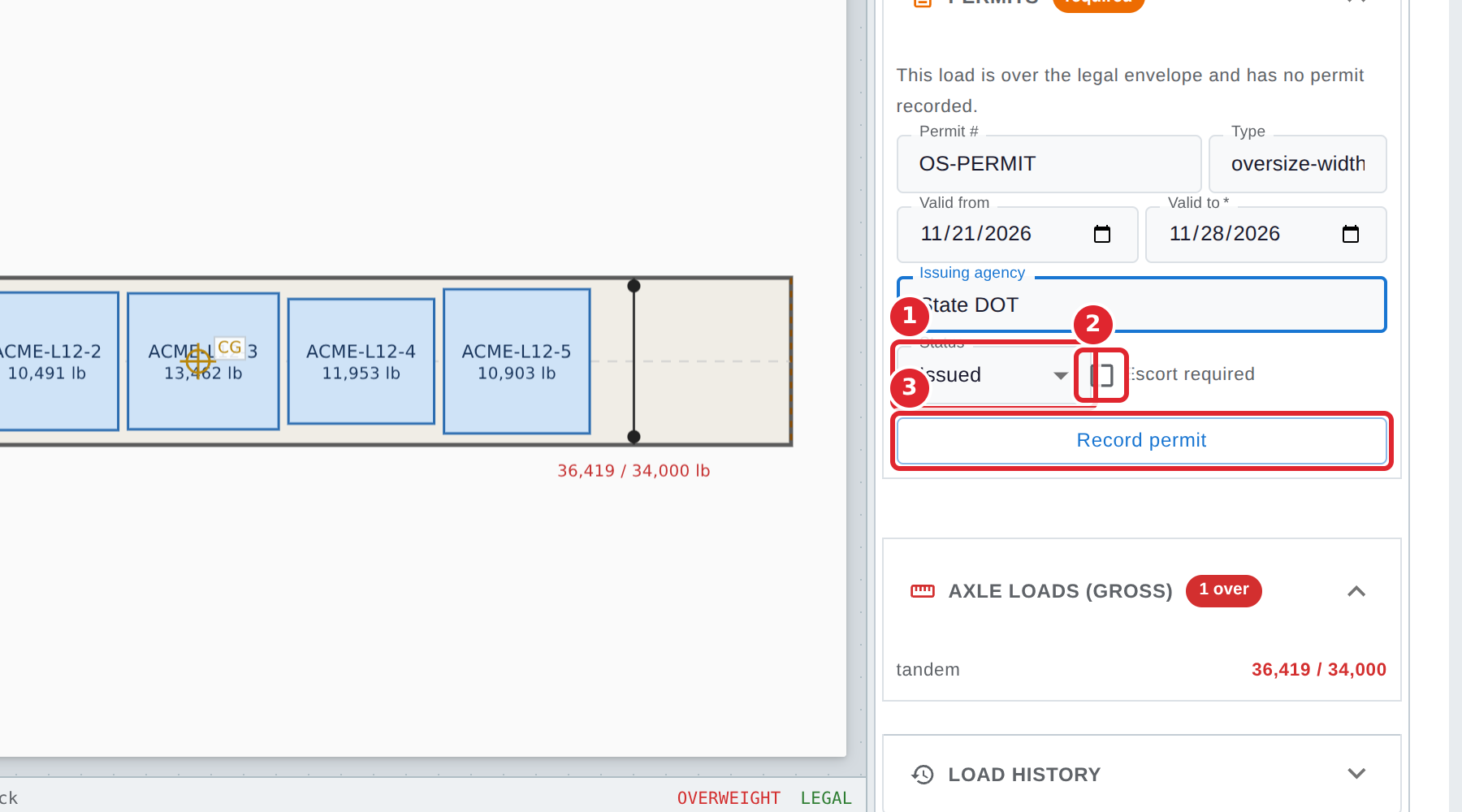
Choose the Status: Issued, or Applied for while you wait for it. Tick Escort required if the permit calls for an escort, then select Record permit.
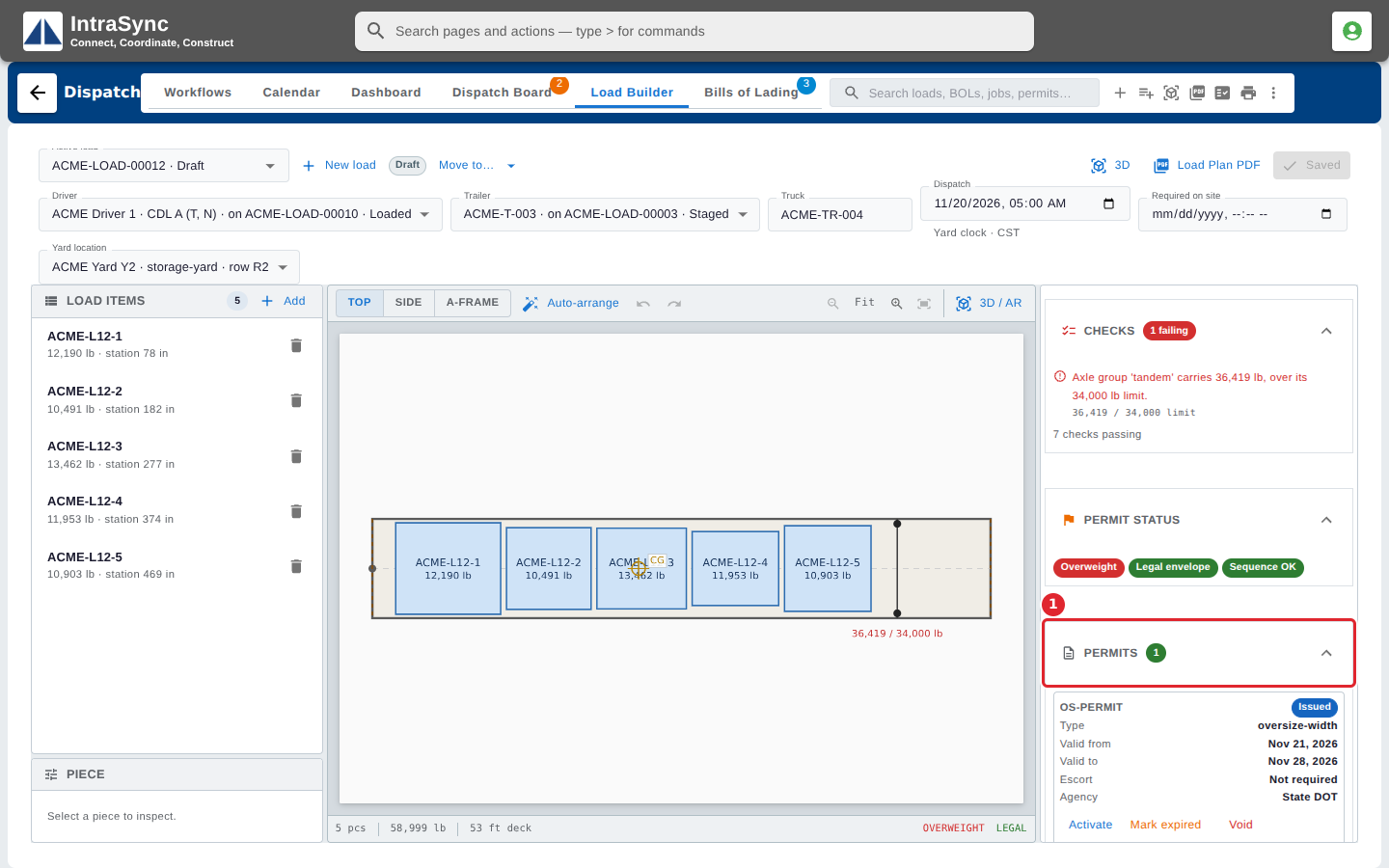
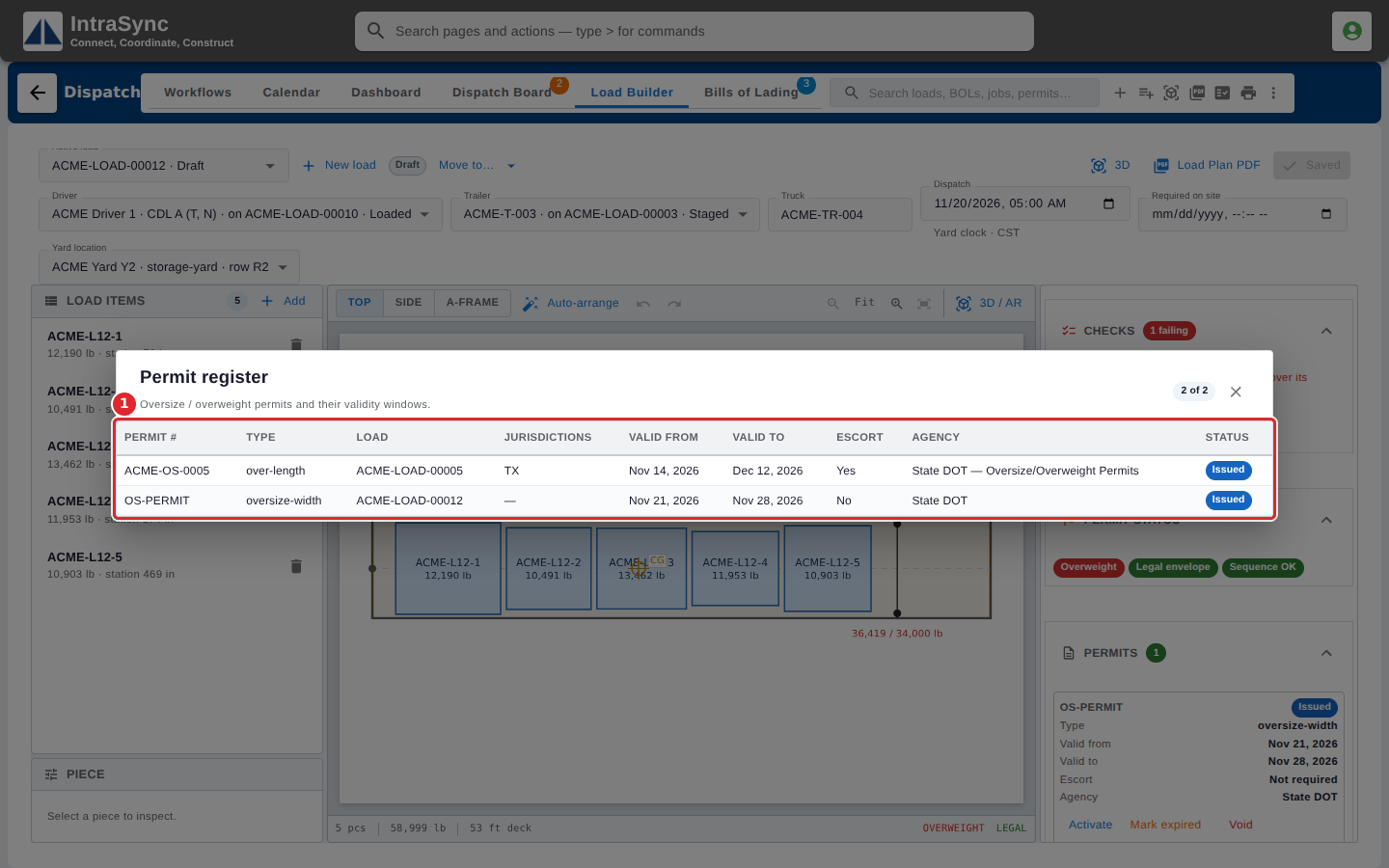
The permit is now listed under Permits on the load, with its type, dates, escort and agency.
To see every permit on every load, select Permit register beside the search.
Tips
- An issued permit needs a Valid to date. Without one, Dispatch warns that nothing can ever report the permit as spent.
- Record a permit you have applied for but not yet received as Applied for.
- A recorded permit carries Activate, Mark expired and Void, to change its status later.