Read the dispatch dashboard
The dashboard sums up every load at once: how many there are, where they are, and which need attention.
Watch this in the video (3:09)
Steps
In the pictures, a numbered red box marks where to click or type. Where a picture has more than one box, the numbers give the order.
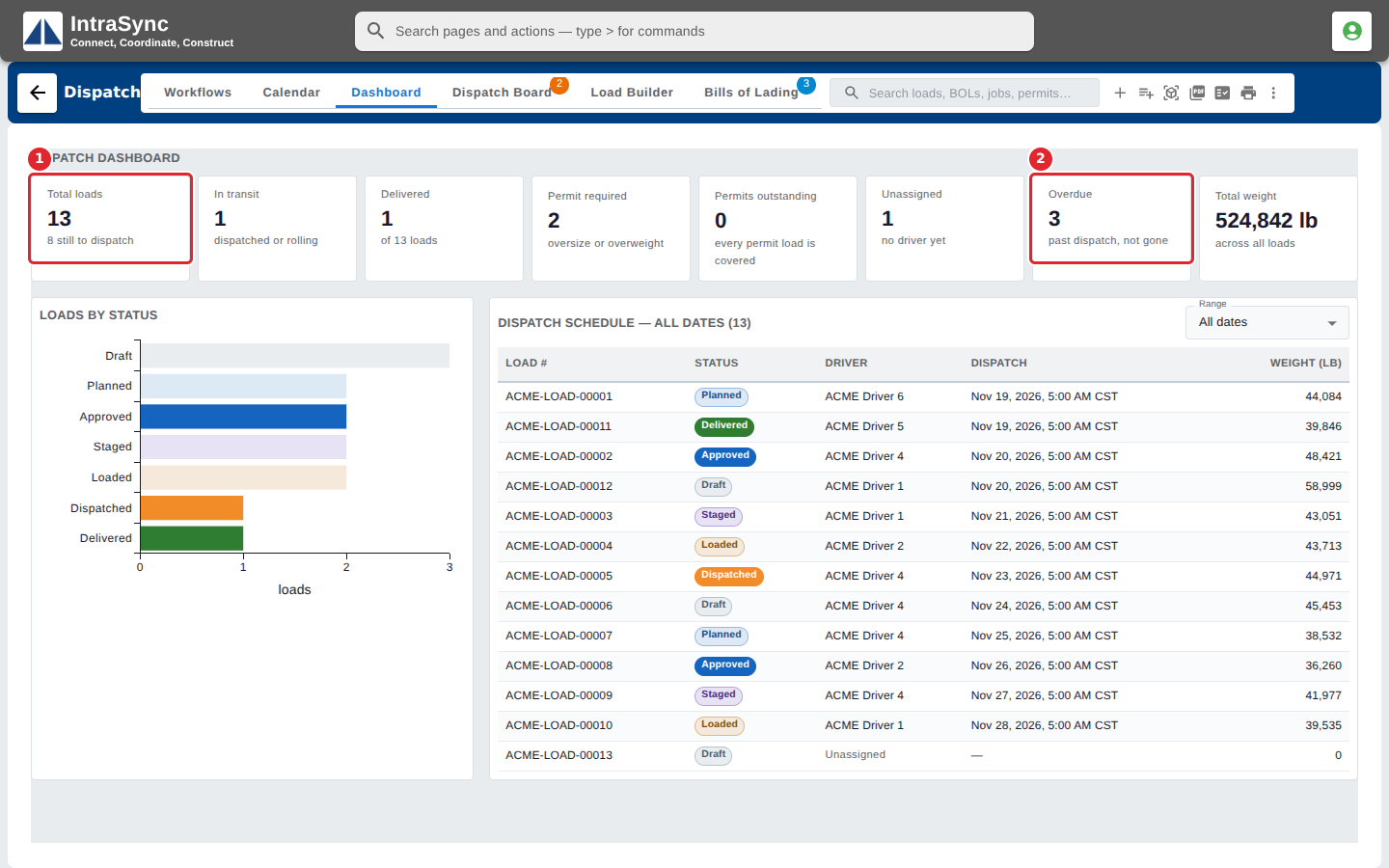
Select the Dashboard tab. The tiles count all loads, loads in transit and delivered, loads that need a permit, permits outstanding, unassigned and overdue loads, and the total weight.
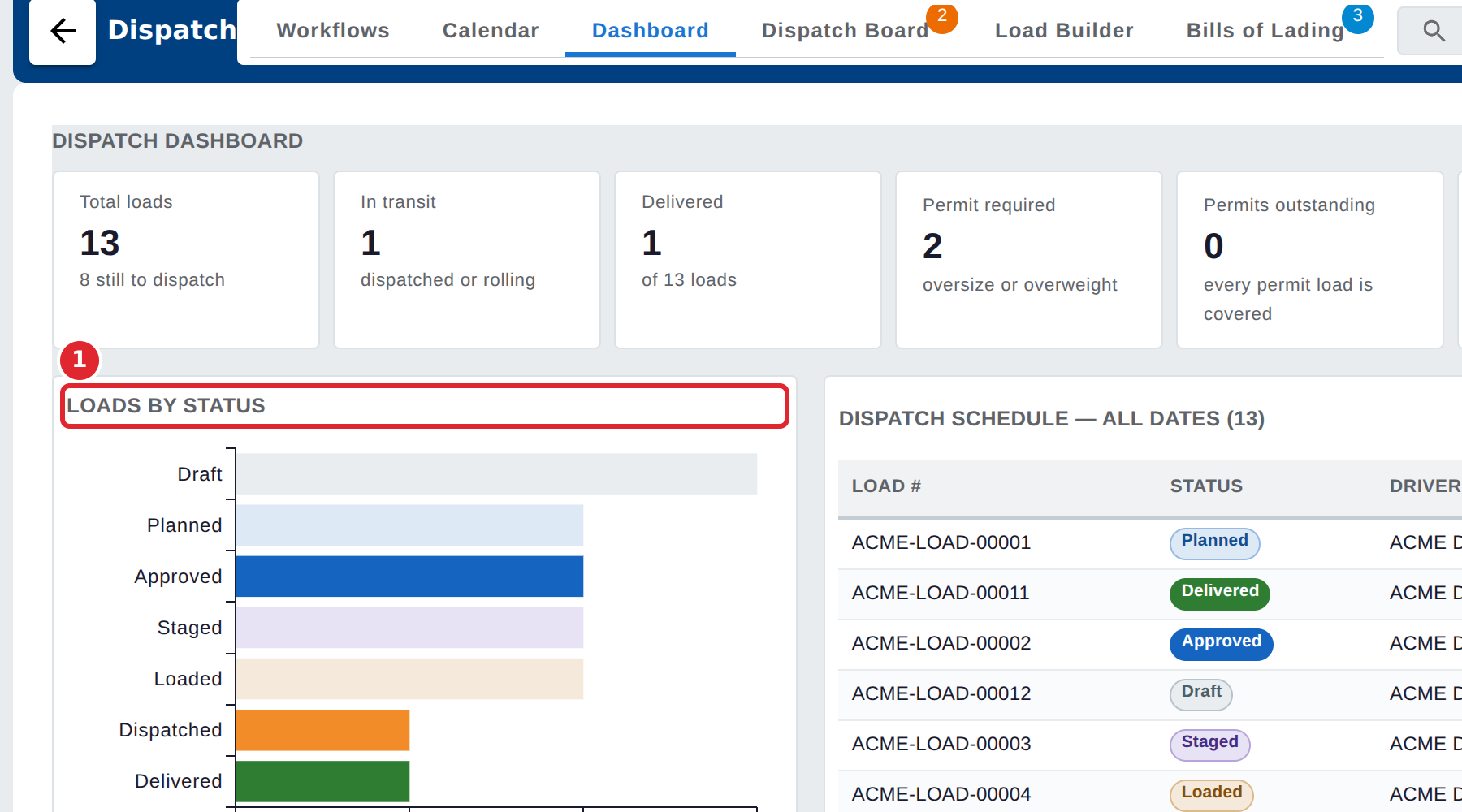
Loads by status shows how many loads are at each stage. Select a bar to open the Dispatch Board at that status.
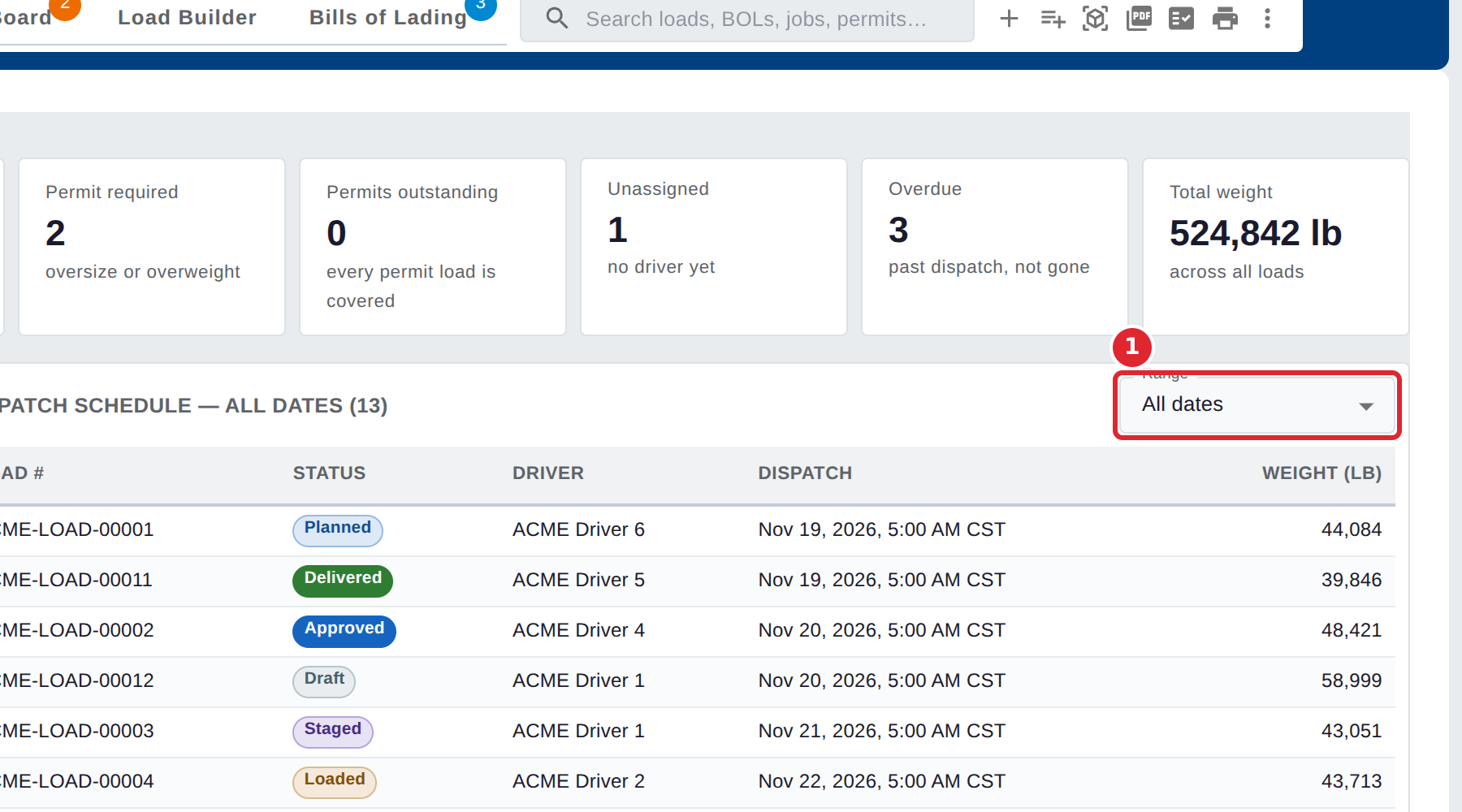
The Dispatch schedule lists the loads by dispatch time. Use Range to choose upcoming loads, the next week, the next month, or all dates.
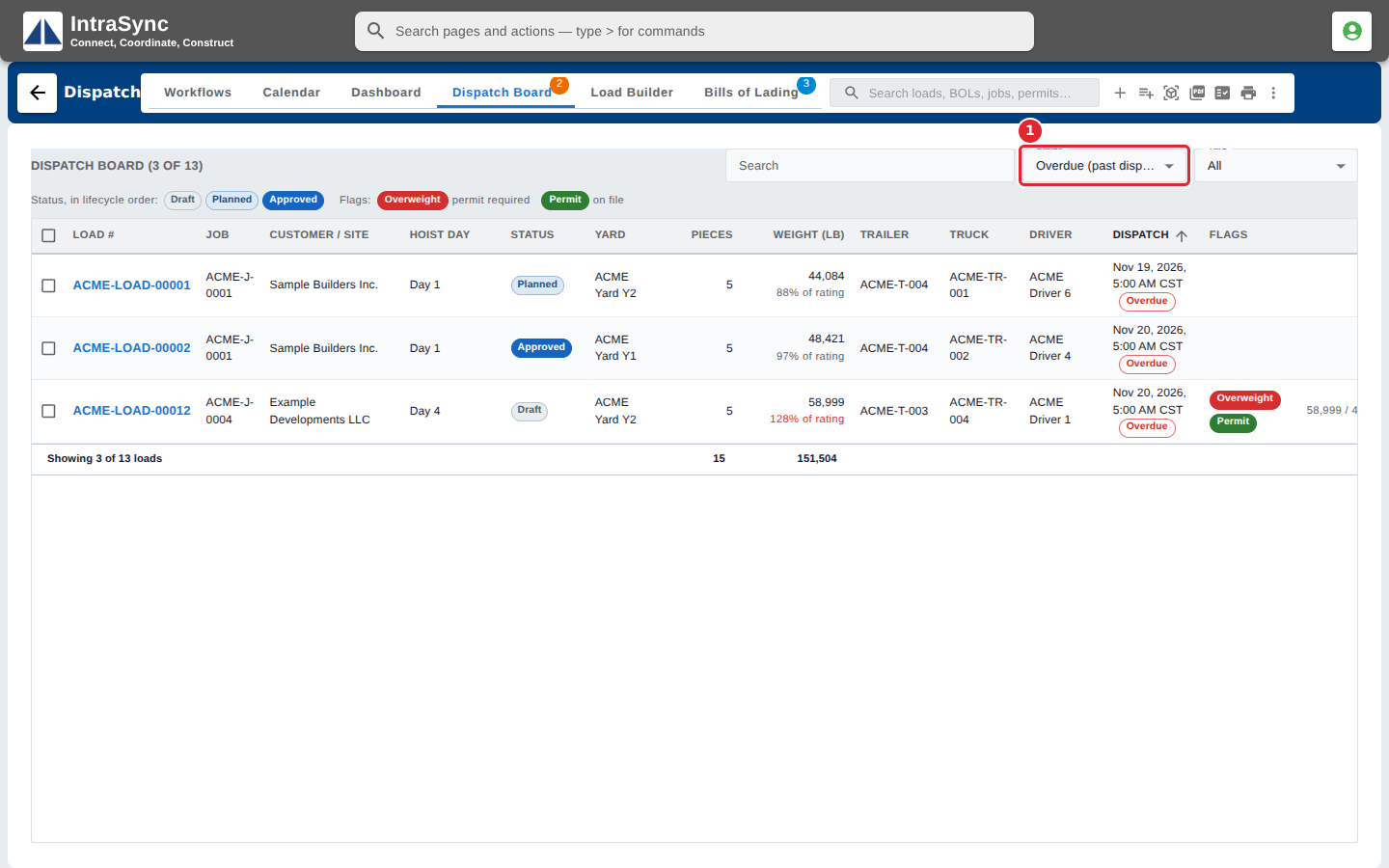
Select a tile, such as Overdue, to open the Dispatch Board showing just those loads.