Dispatch guide · section 14 of 20
Print pick and delivery tickets
Pick tickets list what the yard loads for each load, and delivery tickets go with the load to the site.
Steps
In the pictures, a numbered red box marks where to click or type. Where a picture has more than one box, the numbers give the order.
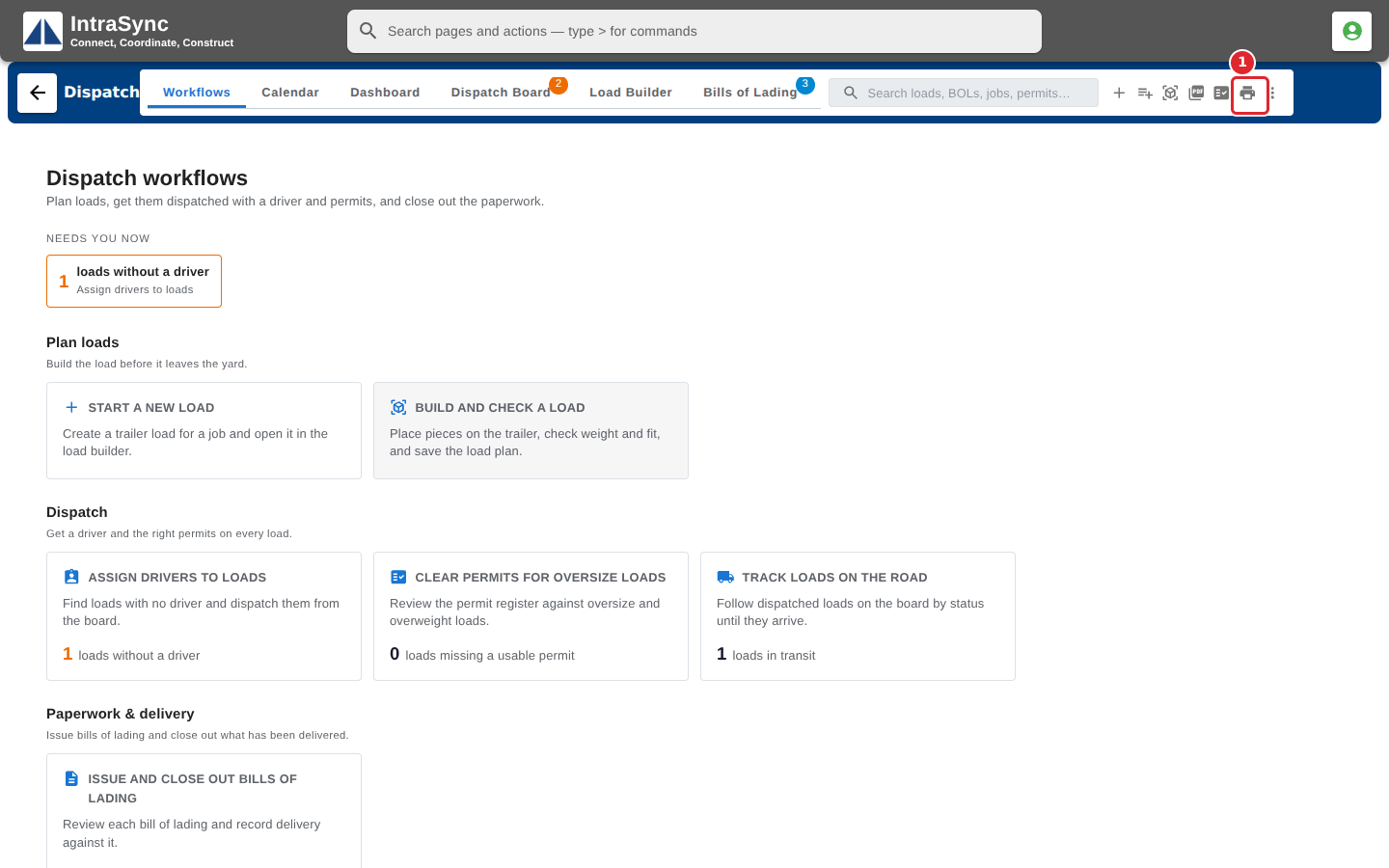
Select Print pick and delivery tickets beside the search.
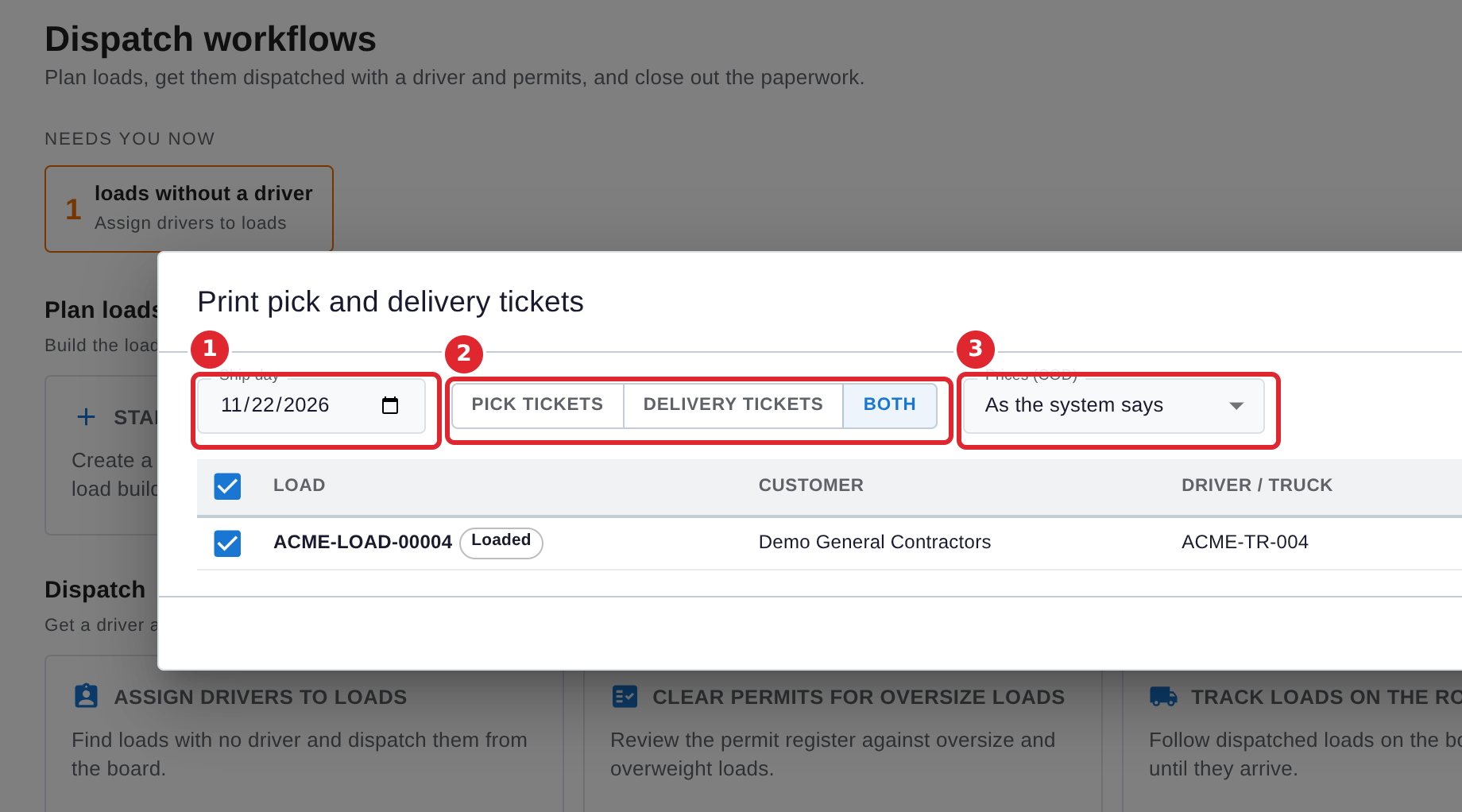
Choose the Ship day, then Pick tickets, Delivery tickets or Both. Under Prices (COD), choose whether the tickets print with prices.
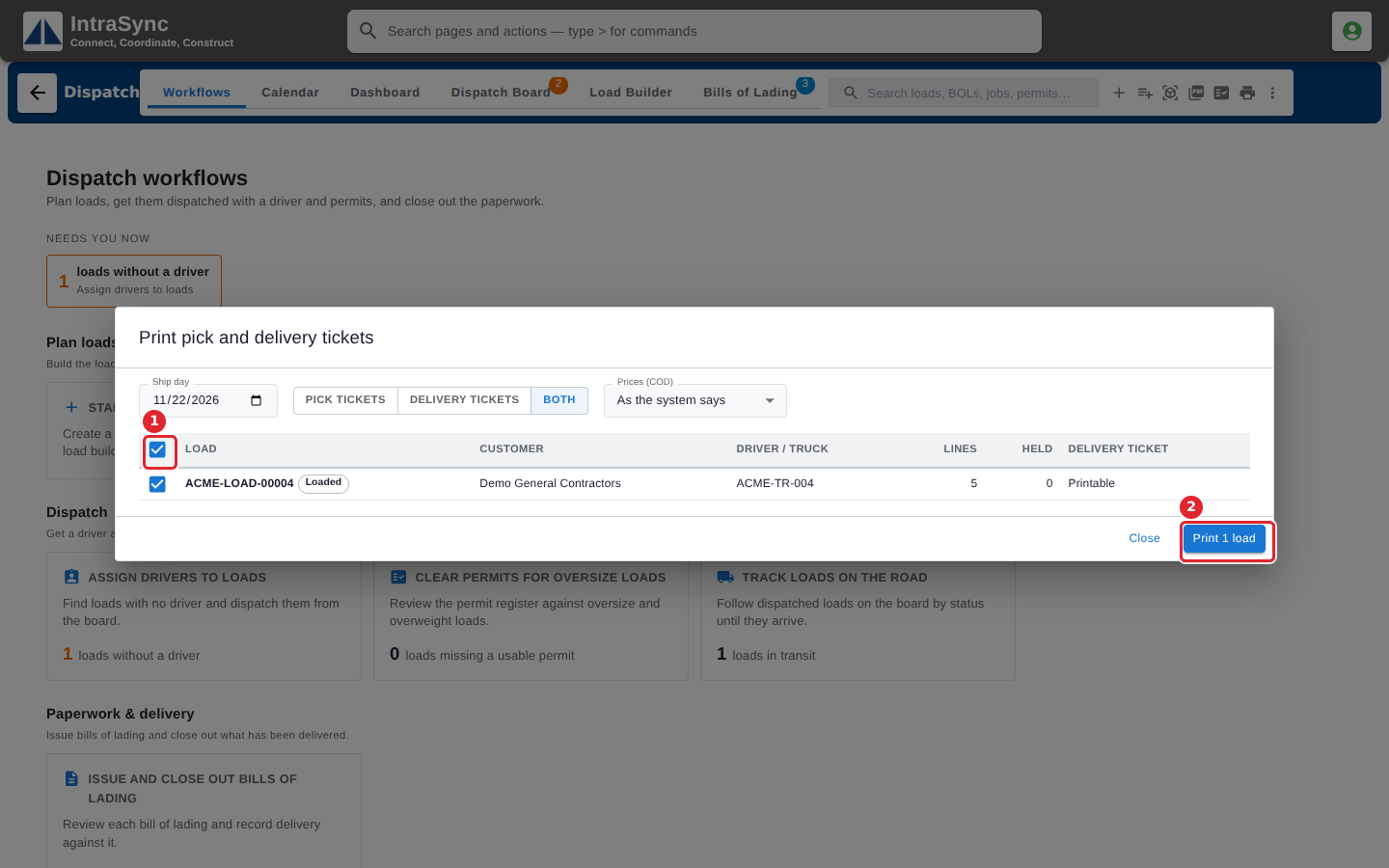
Tick the loads to print; they are listed in pick order. Then select Print.
Tips
- To print one day's tickets, select the printer button on that day in the Calendar.
- Untick a load to leave it out of the print.