Dispatch guide · section 10 of 20
Move a load to its next status
A load moves through its stages from Draft to Delivered. Each move is recorded, so everyone can see where a load is.
Watch this in the video (1:53)
Steps
In the pictures, a numbered red box marks where to click or type. Where a picture has more than one box, the numbers give the order.
Select Move to… beside the load's status.
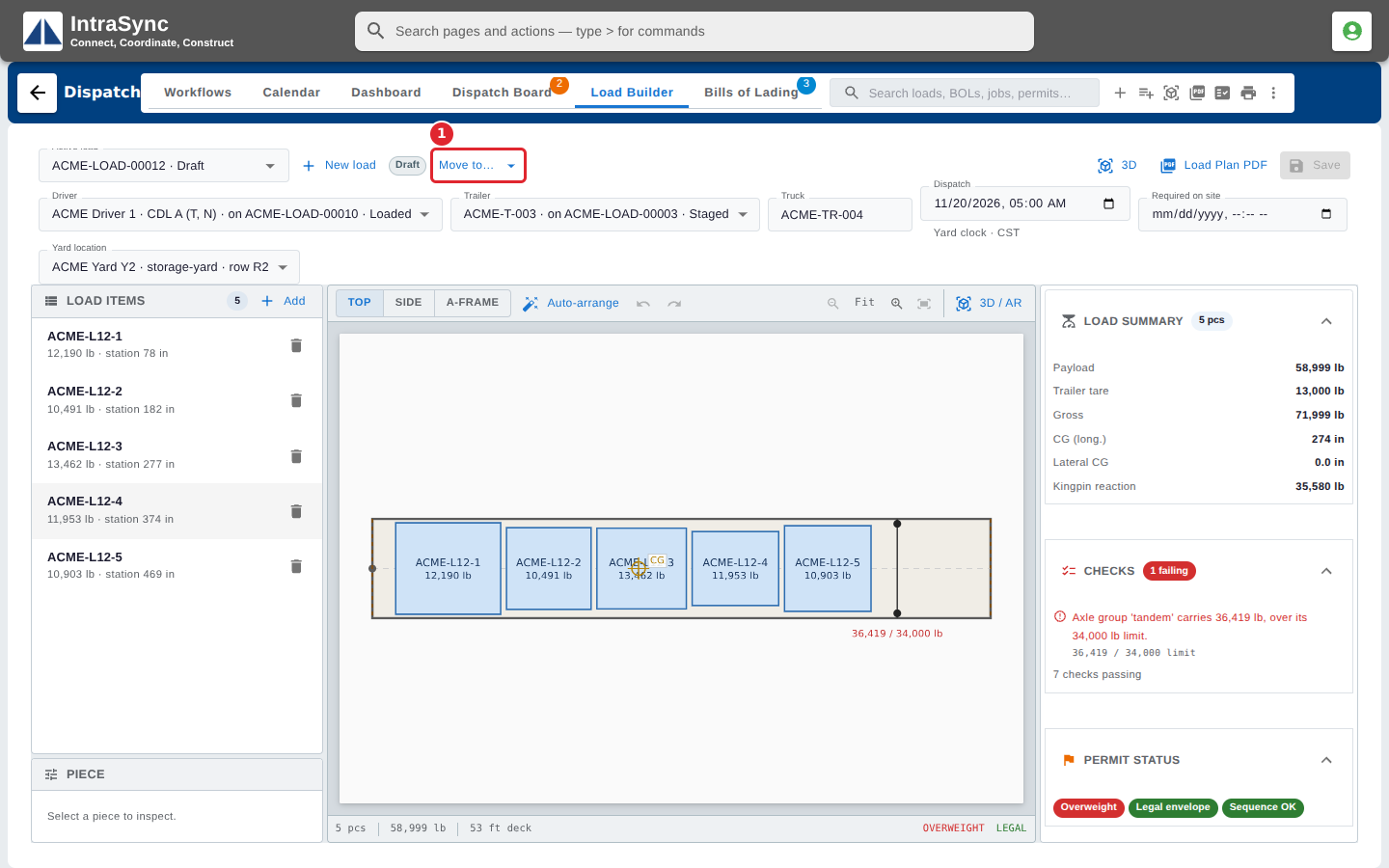
Choose the next status. A choice marked with warnings, or with confirm required, asks you to confirm before it moves the load.
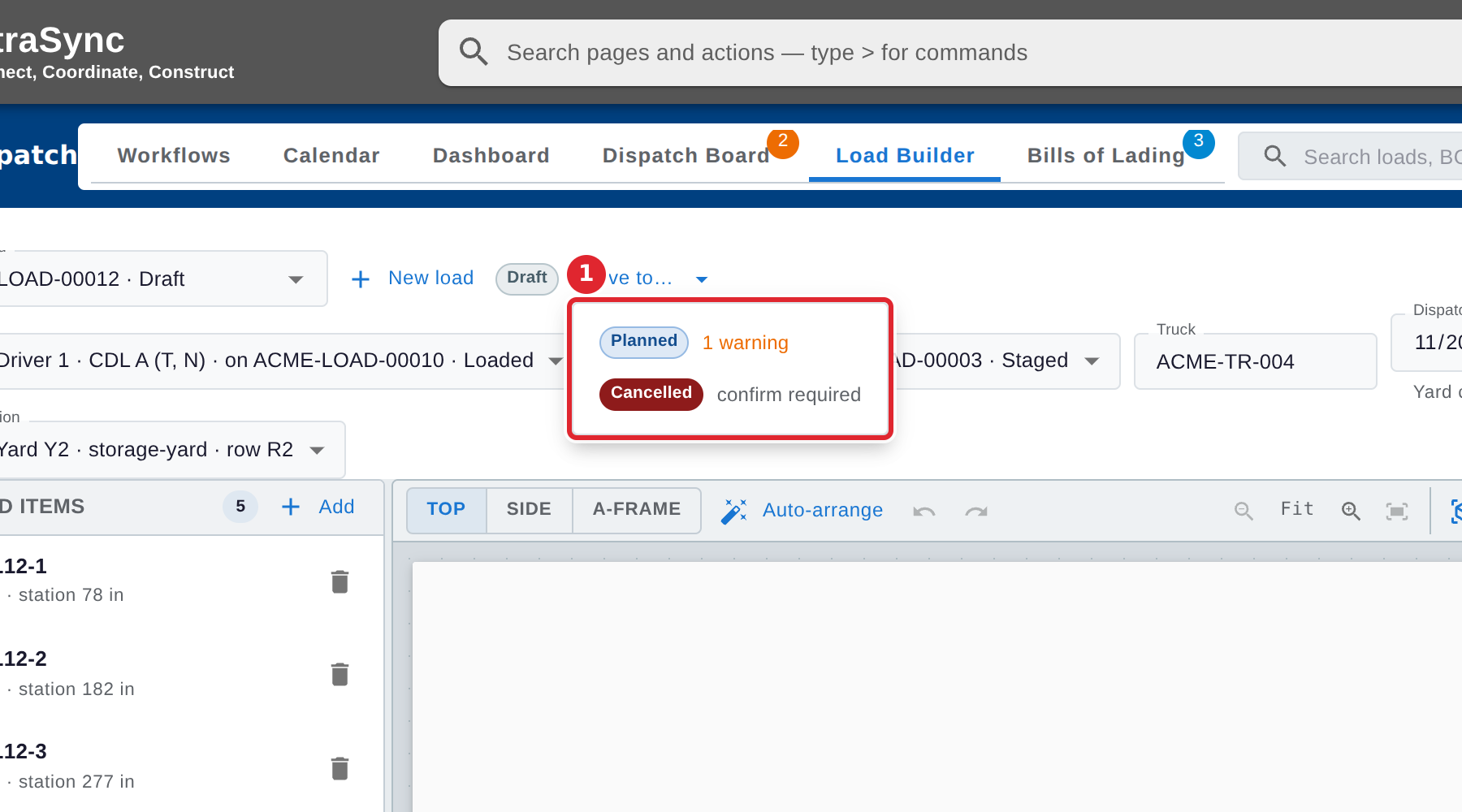
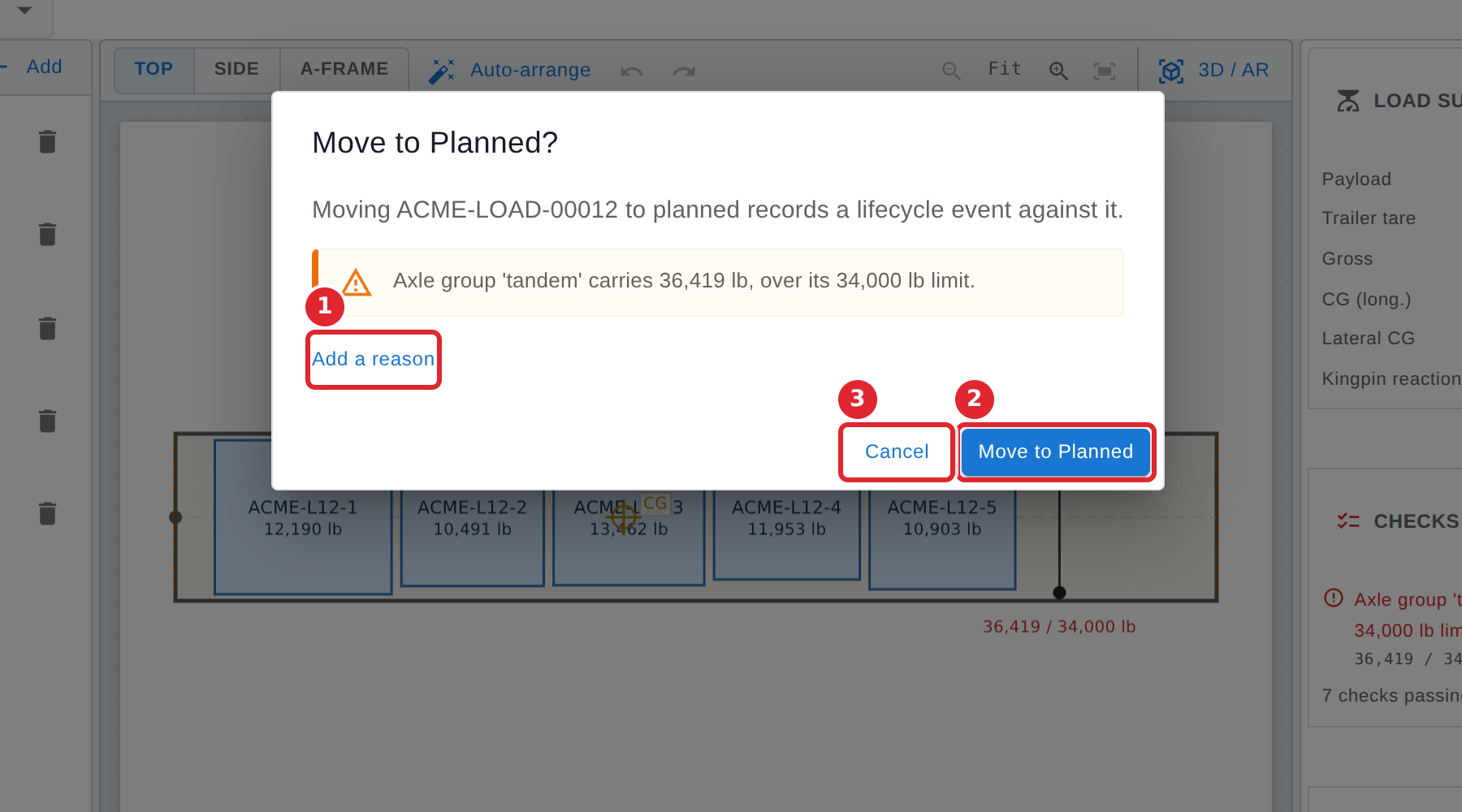
Read what the move records and any warnings. Select Add a reason to note why, then confirm the move, or select Cancel to leave the load where it is.
Tips
- The stages, in order: Draft, Planned, Approved, Staged, Loaded, Dispatched, In transit, Delivered and Returned. A load can also be Cancelled.
- Moving a load to Approved locks where its pieces are placed.
- From Staged onward, every move asks you to confirm, and so does cancelling a load. The confirmation says what the move records.
- Move to… is not available while the load has unsaved changes. Save or discard them first.