Engineering guide · section 9 of 25
Put a submittal on hold, and clear the hold
Stop a submittal from being released while something outside engineering is unresolved, and say why.
Before you start
- Access to the Engineering hub (its page permission).
Steps
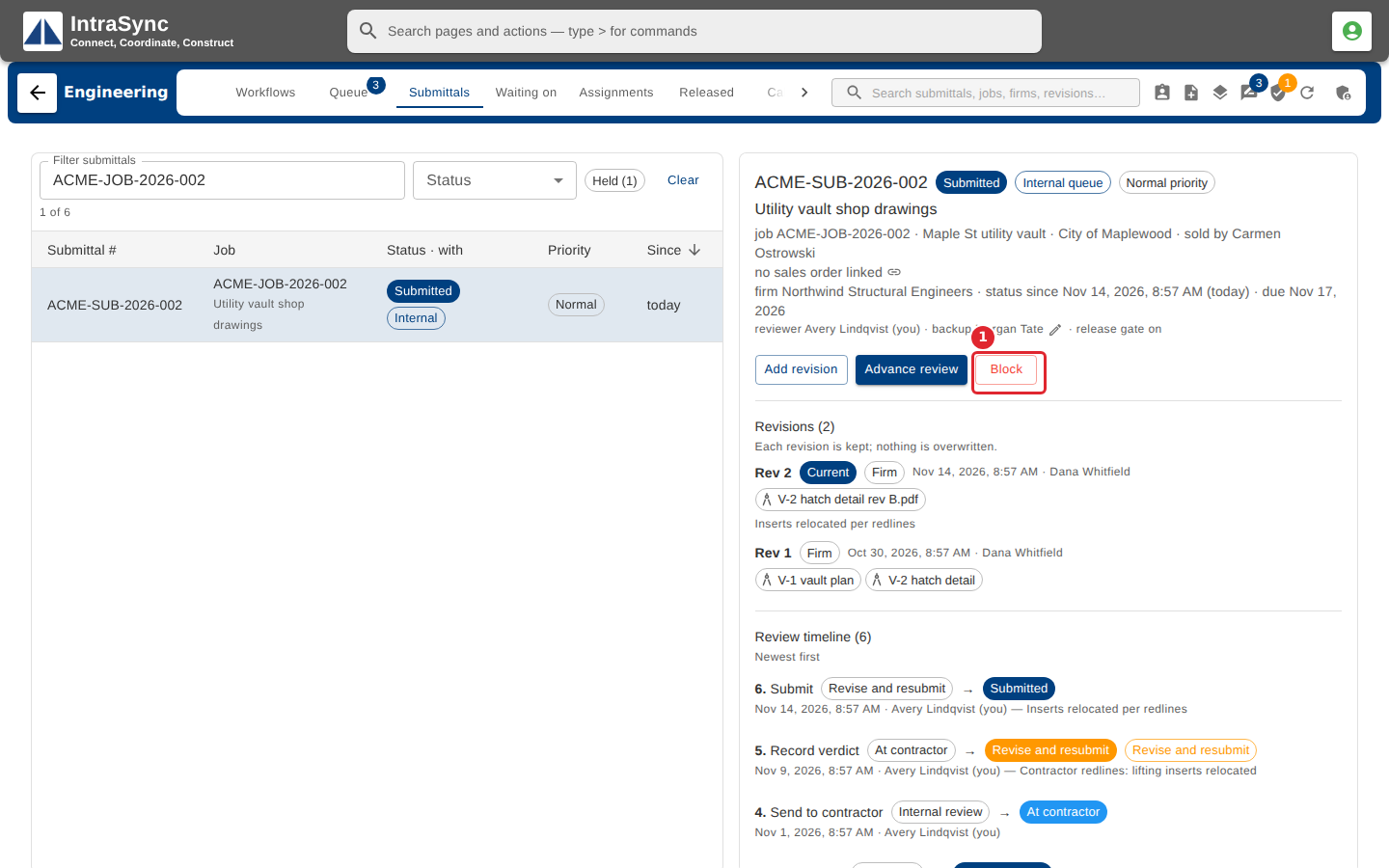
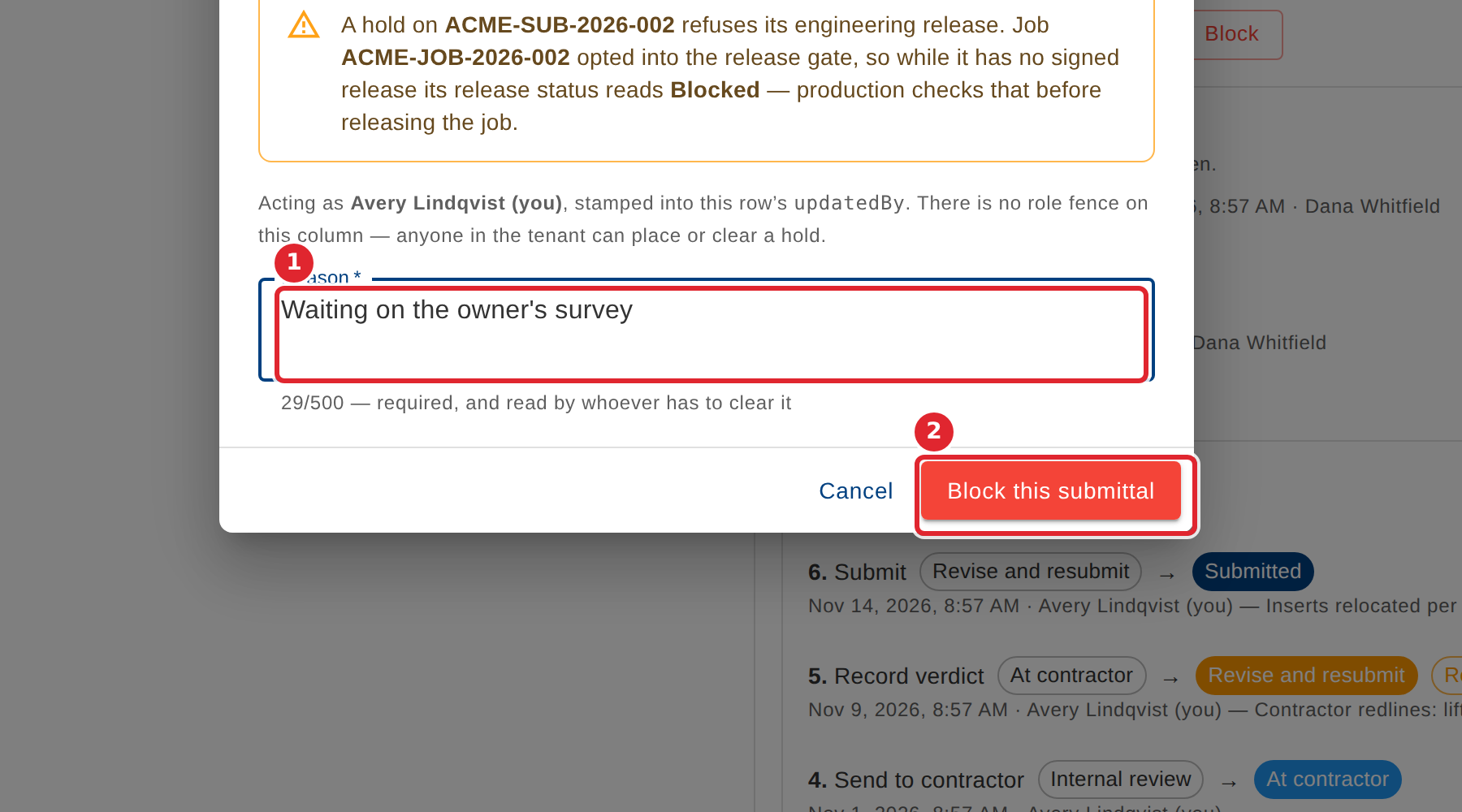
In the pictures, a numbered red box marks where to click or type. Where a picture has more than one box, the numbers give the order.
Open the submittal and select Block.
Say why it is on hold; the reason is required. Then select Block this submittal.
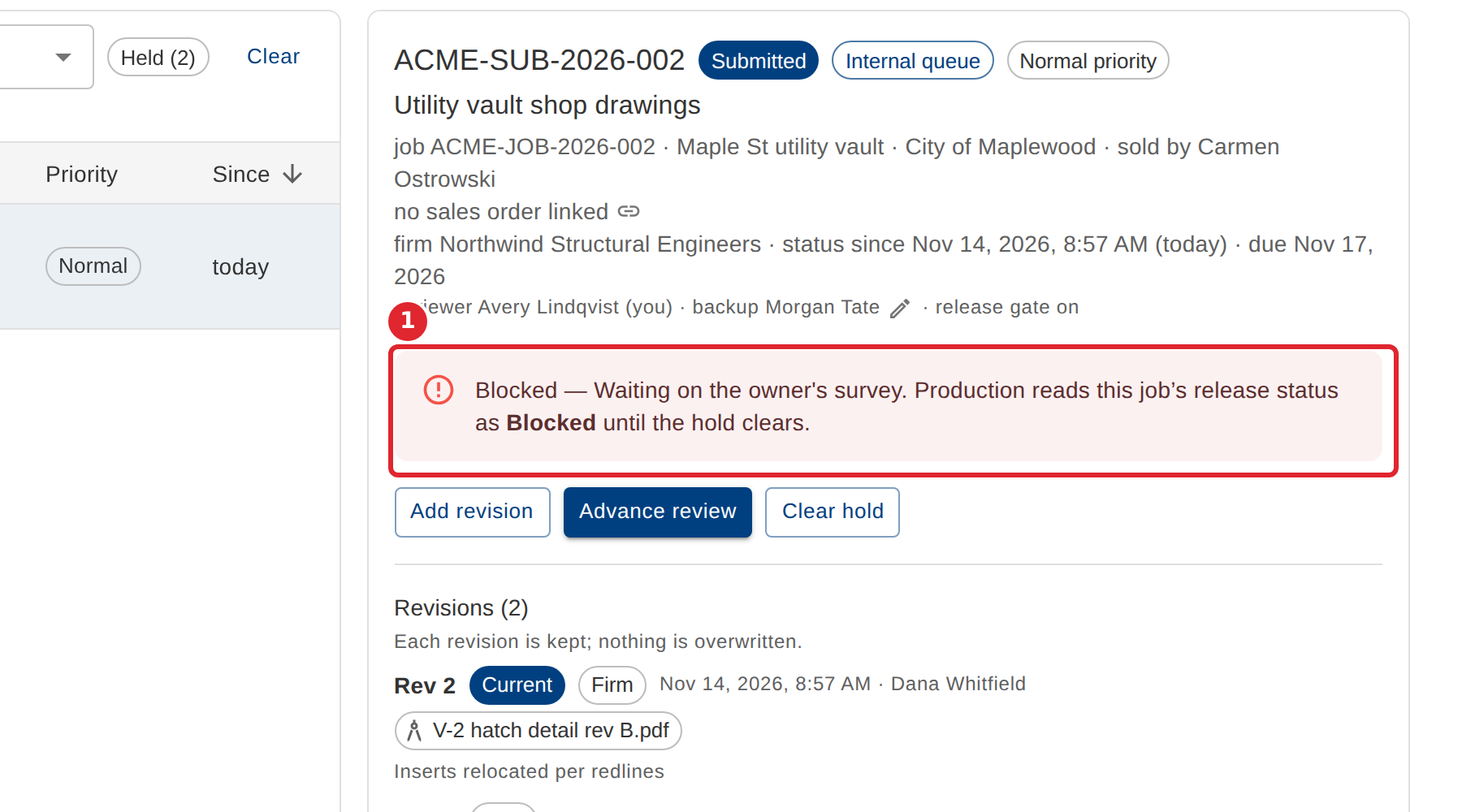
The submittal shows the hold and its reason. Production reads the job's release status as Blocked until the hold clears.
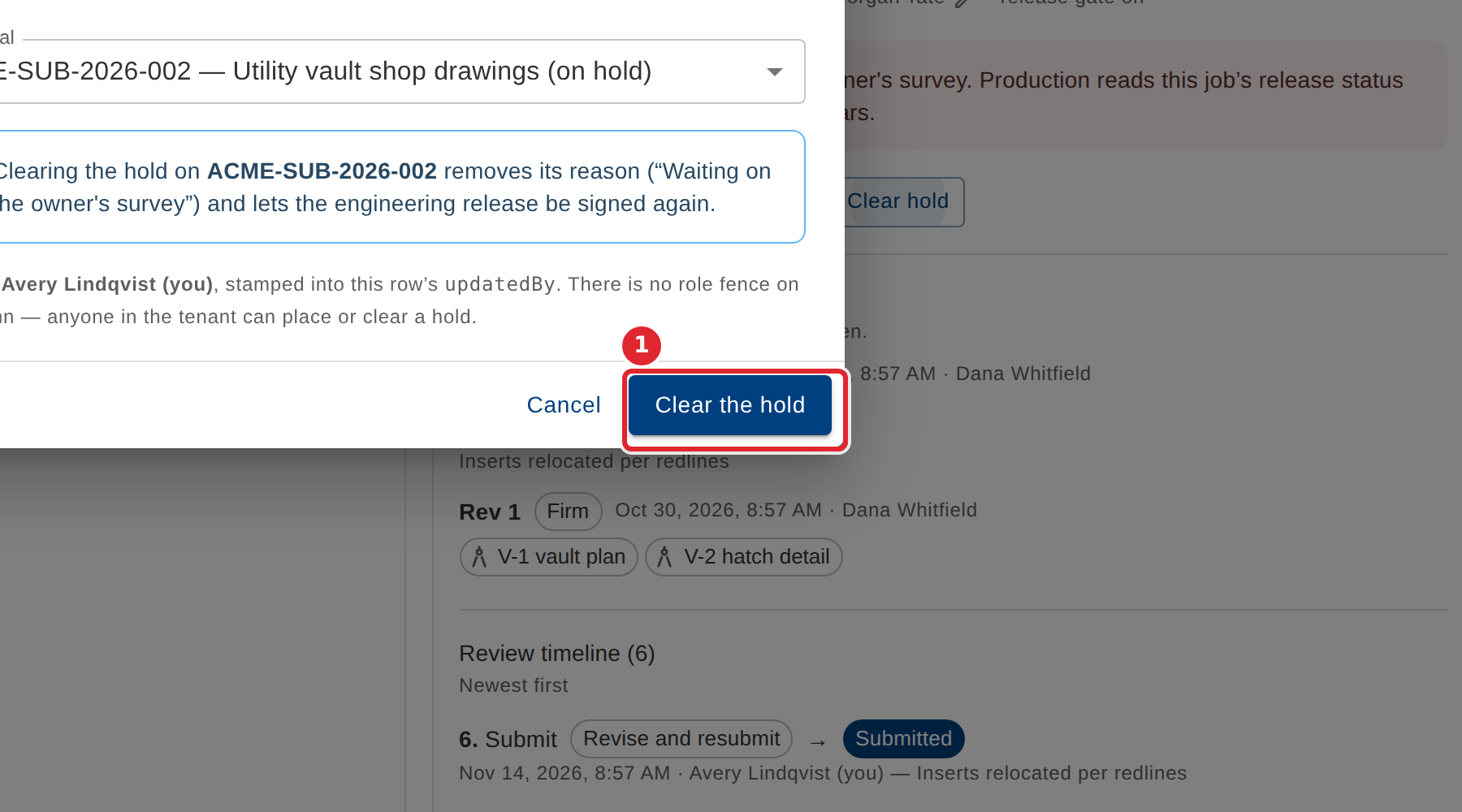
To clear it, select Clear hold, then Clear the hold.
Tips
- The reason is shown wherever the hold is read, so write it for someone outside engineering.
- Held submittals are counted on the Submittals tab's Held filter and on the Workflows dashboard.