Engineering guide · section 8 of 25
Move a submittal through review
Record each review step, including the contractor's verdict, so the timeline always shows where the submittal stands.
Watch this in the video (1:12)
Before you start
- Access to the Engineering hub (its page permission).
Steps
In the pictures, a numbered red box marks where to click or type. Where a picture has more than one box, the numbers give the order.
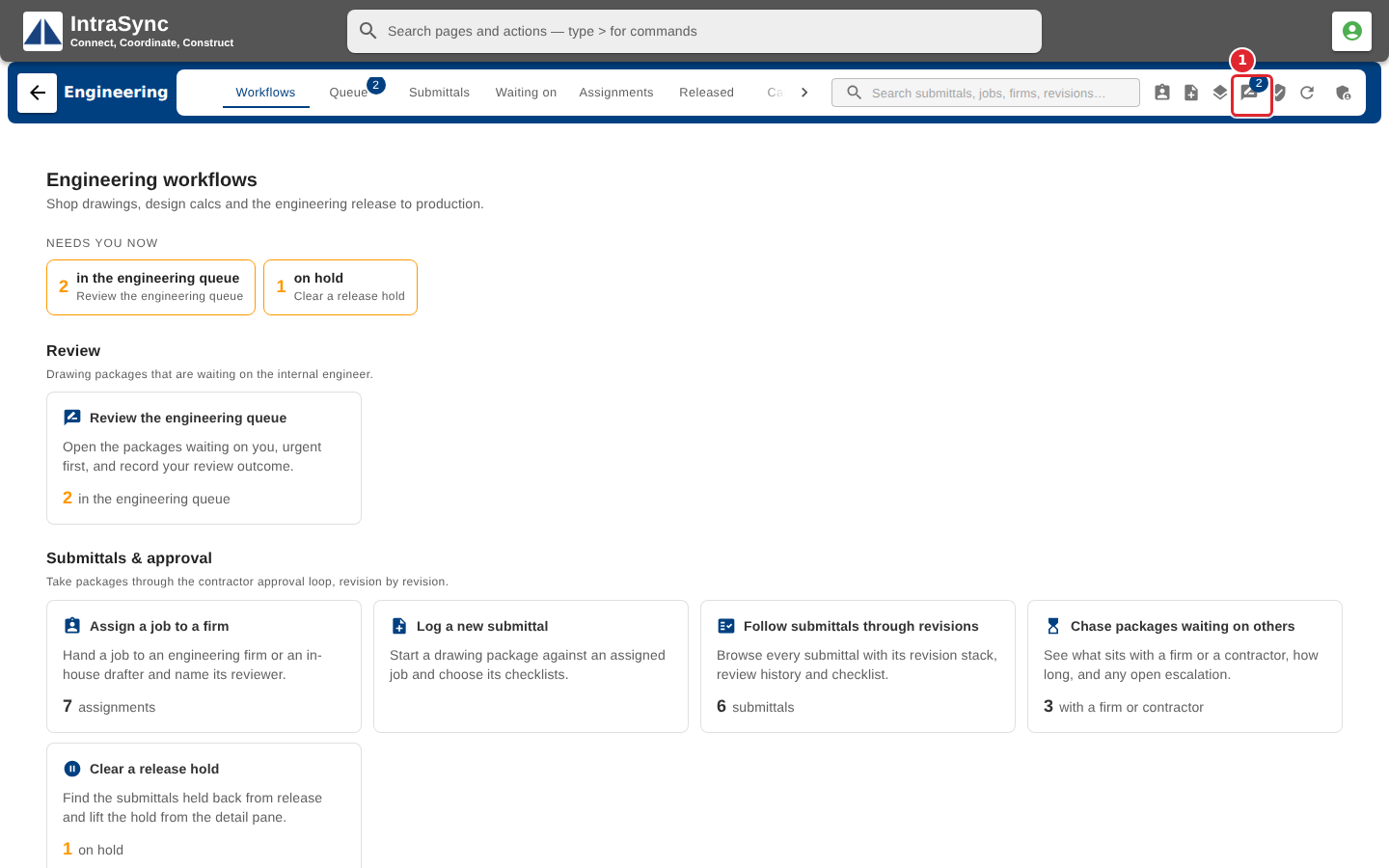
Select Advance review.
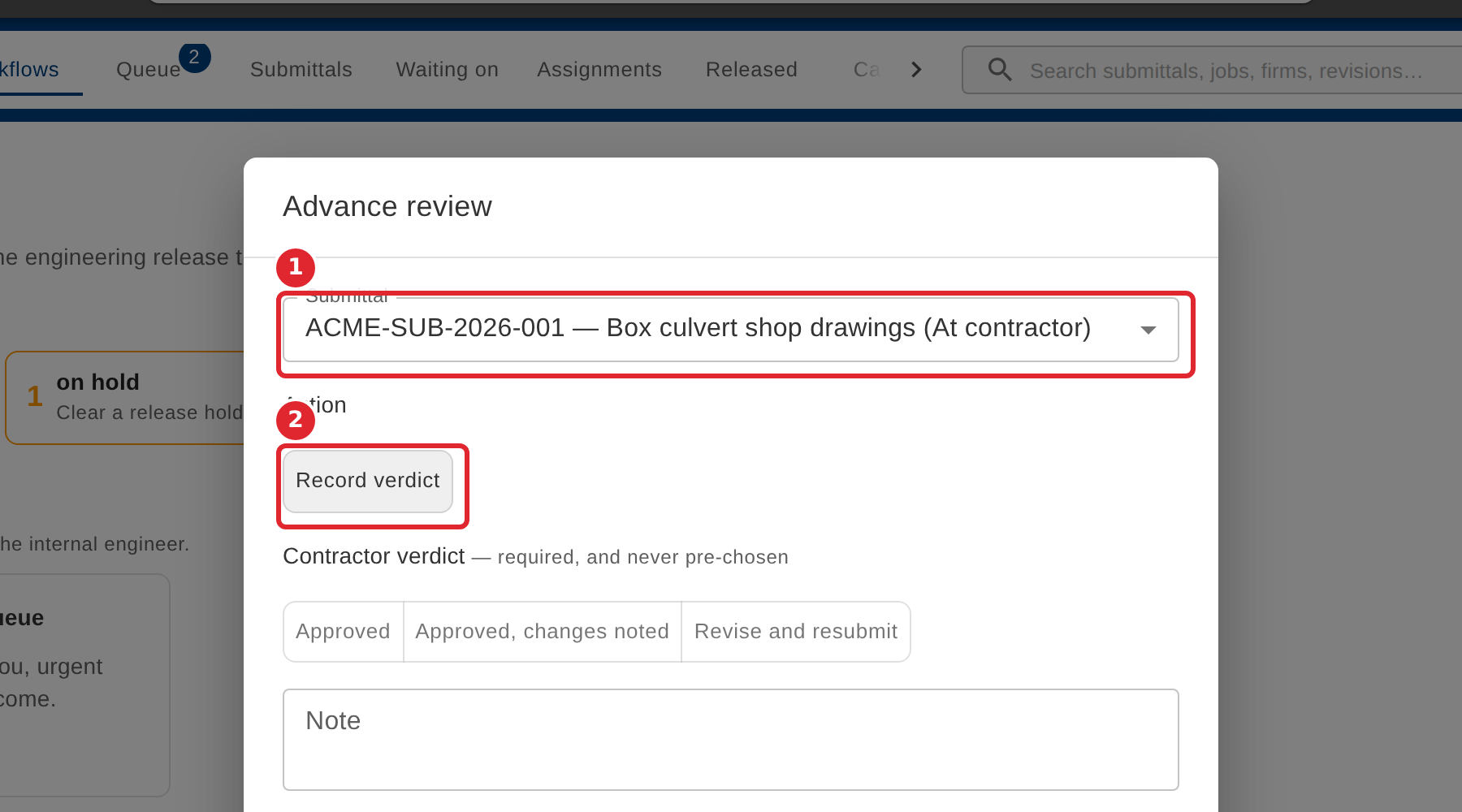
Choose the submittal, then the action. The actions offered depend on where the submittal is: for example Start review, Send to contractor, Record verdict or Proceed to final.
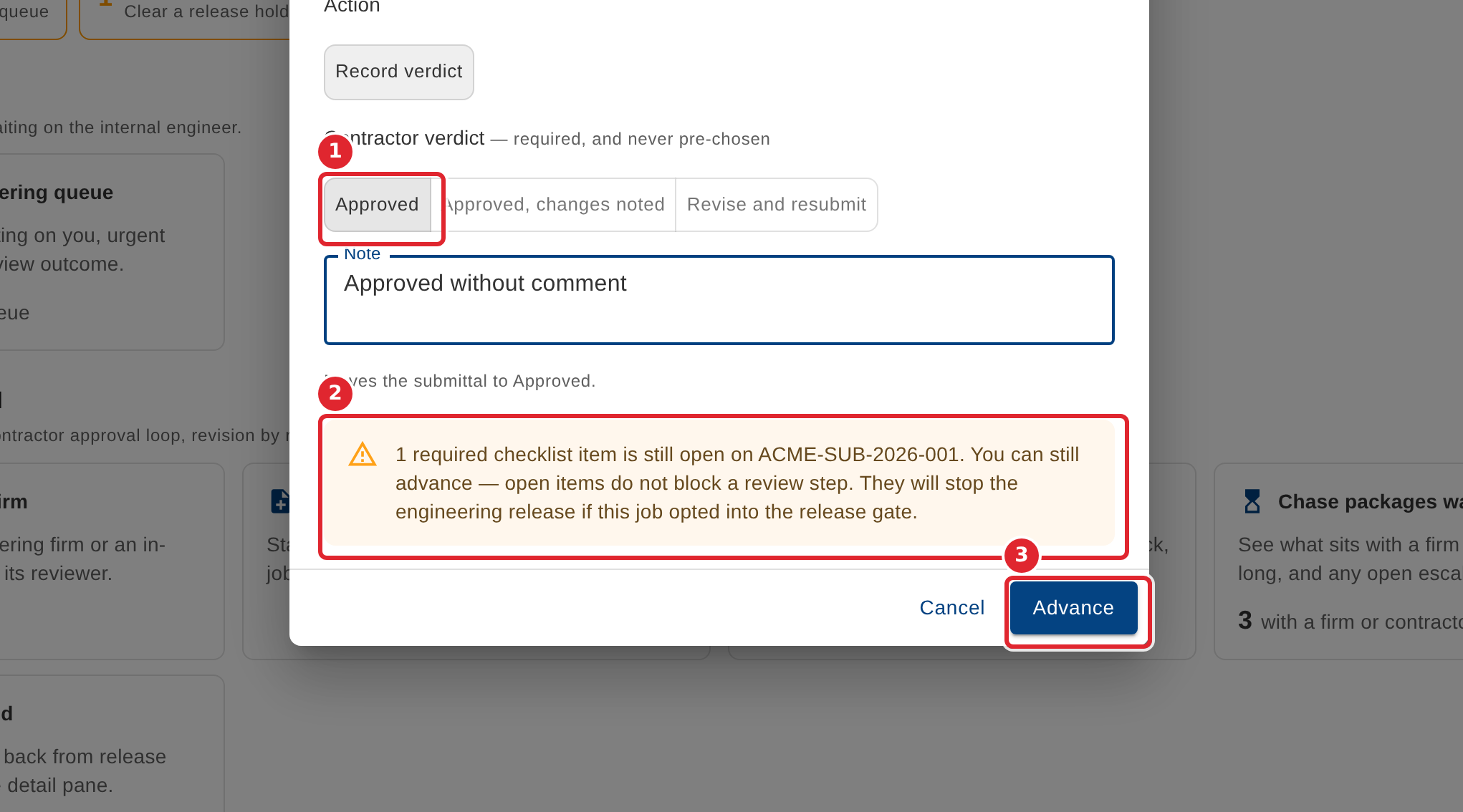
To record the contractor's answer, choose the verdict (Approved, Approved with changes noted, or Revise and resubmit) and add a note. Read any warning about open checklist items, then select Advance.
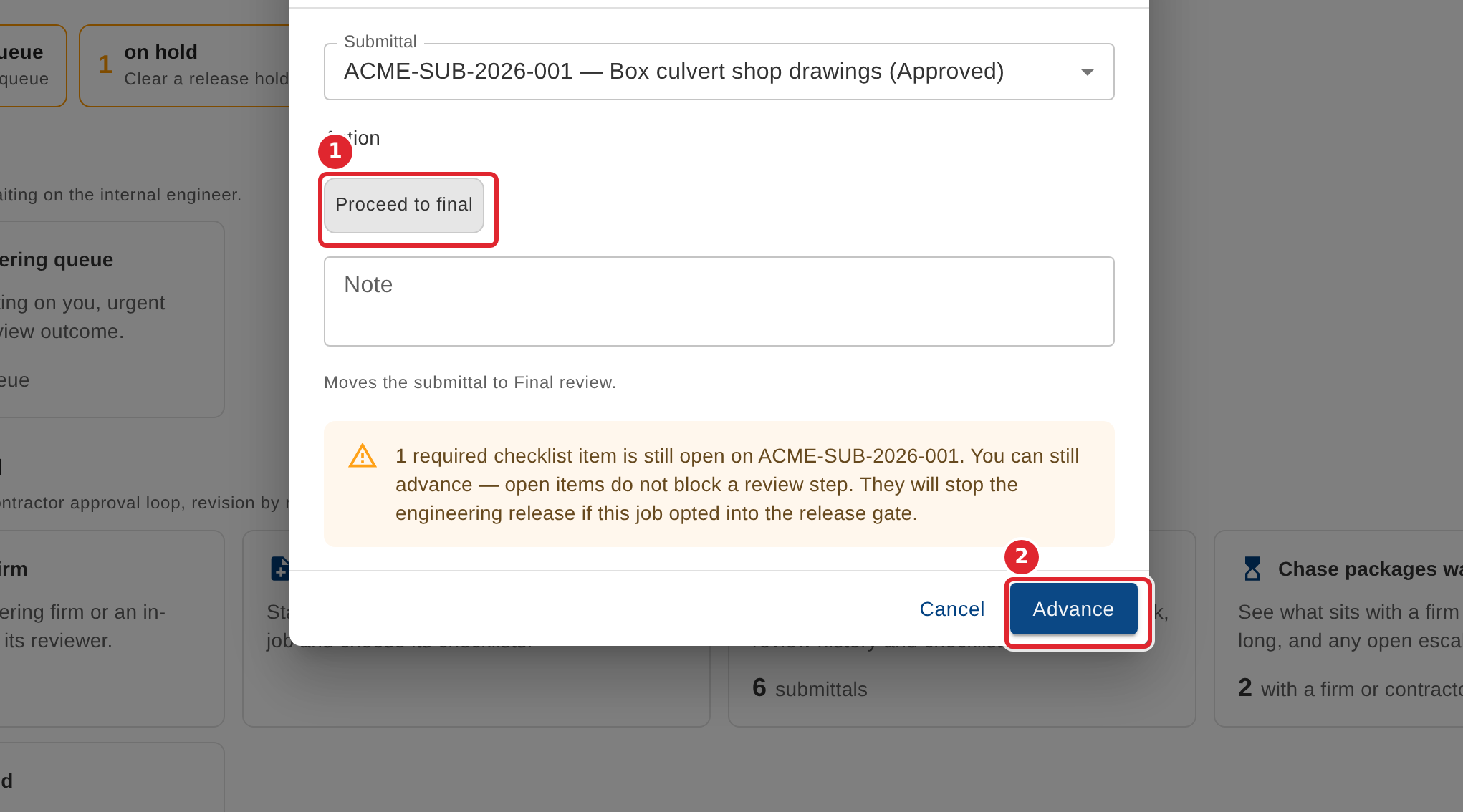
For an approved submittal, choose Proceed to final, then select Advance.
Tips
- The verdict is required and is never pre-chosen.
- Open checklist items do not block a review step, but on a job that uses the release gate they stop the engineering release.
- A message after each step names the submittal and where it went.