Engineering guide · section 25 of 25
Set up BOM rules
Add the components every matching product needs to new BOM drafts.
Before you start
- An administrator account: the Engineering admin menu is shown to administrators only.
- BOM drafts are switched on for your system.
Steps
In the pictures, a numbered red box marks where to click or type. Where a picture has more than one box, the numbers give the order.
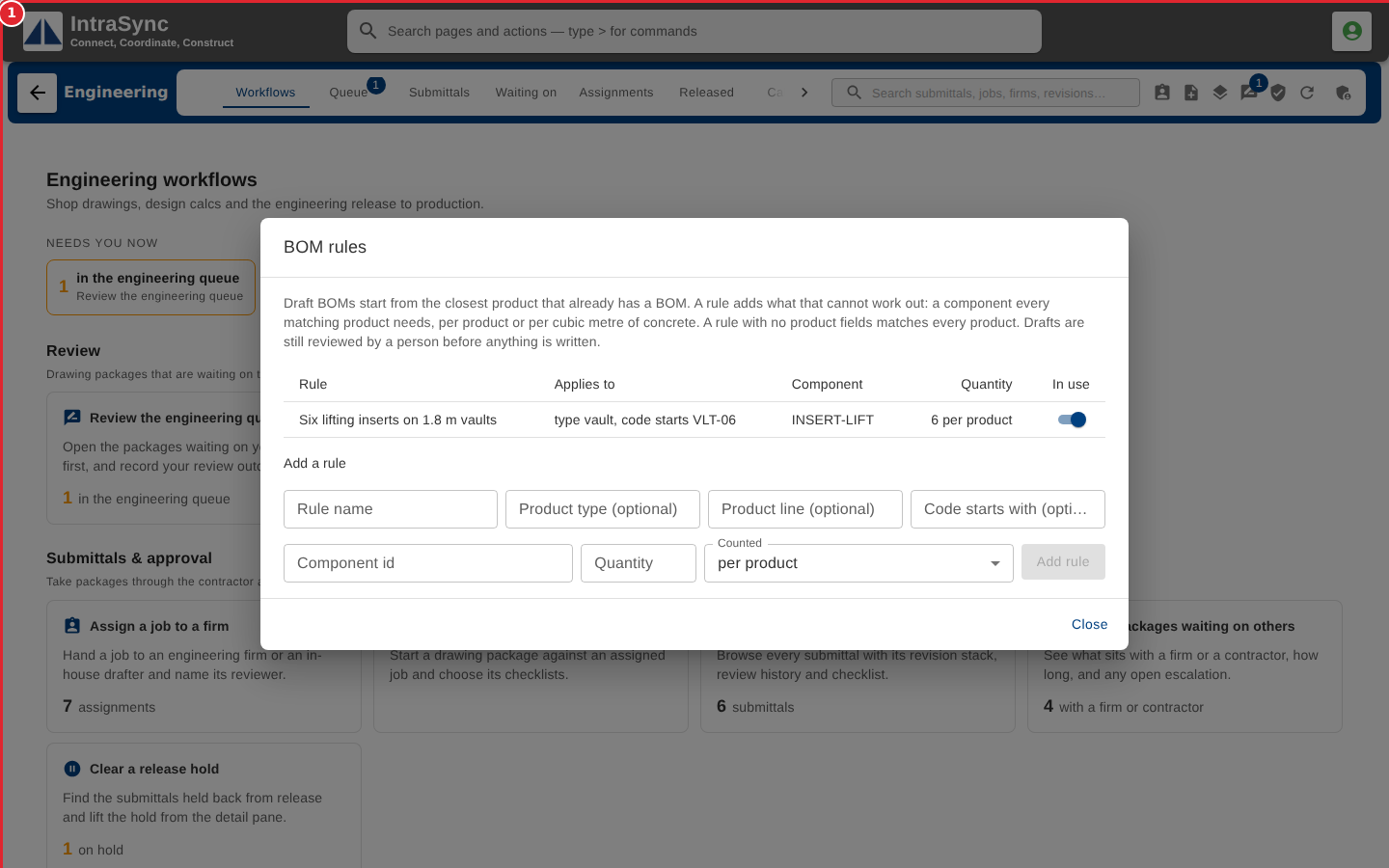
Select Engineering admin > BOM rules. Give the rule a name, say which products it applies to (product type, product line, or the start of a code), and the component and quantity it adds. Then add the rule.
Tips
- The quantity must be above zero.
- With no rule, drafts copy the closest product only.