Engineering guide · section 24 of 25
Check the release gate
See each job's release status as production reads it, and what is holding a job back.
Before you start
- An administrator account: the Engineering admin menu is shown to administrators only.
Steps
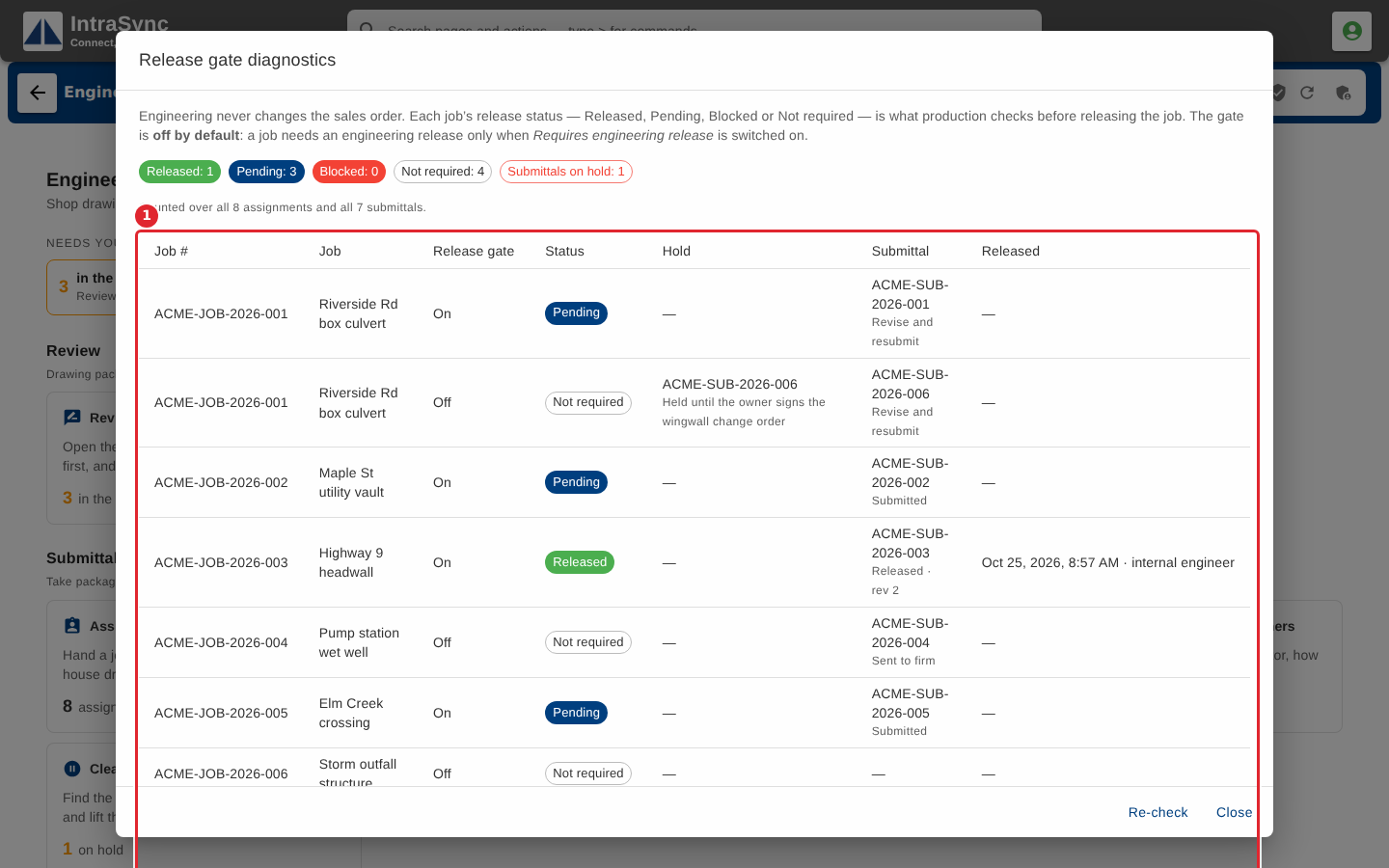
In the pictures, a numbered red box marks where to click or type. Where a picture has more than one box, the numbers give the order.
Select Engineering admin > Release gate diagnostics. Each job shows whether it uses the release gate, its status, any hold, its submittal and its last release. Select Re-check to read it again.
Tips
- Engineering never changes the sales order. Production reads the release status before releasing a job.