Engineering guide · section 11 of 25
Sign the engineering release
Sign off a submittal's final revision so production knows the job is released by engineering.
Watch this in the video (1:35)
Before you start
- Access to the Engineering hub (its page permission).
- The submittal is in final review.
- You are its reviewer or backup.
- On a job that uses the release gate, every required checklist item is complete and no hold is on the job.
Steps
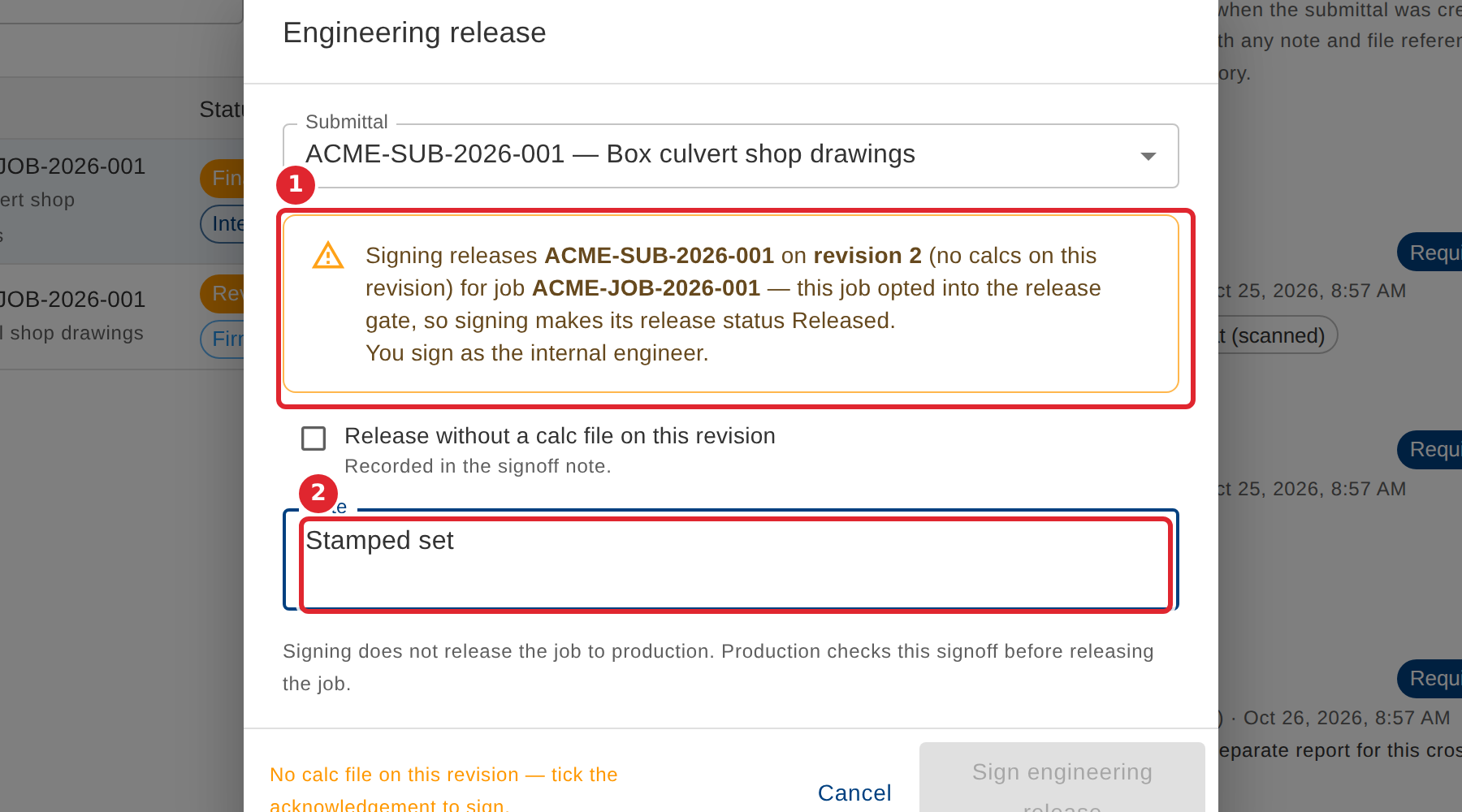
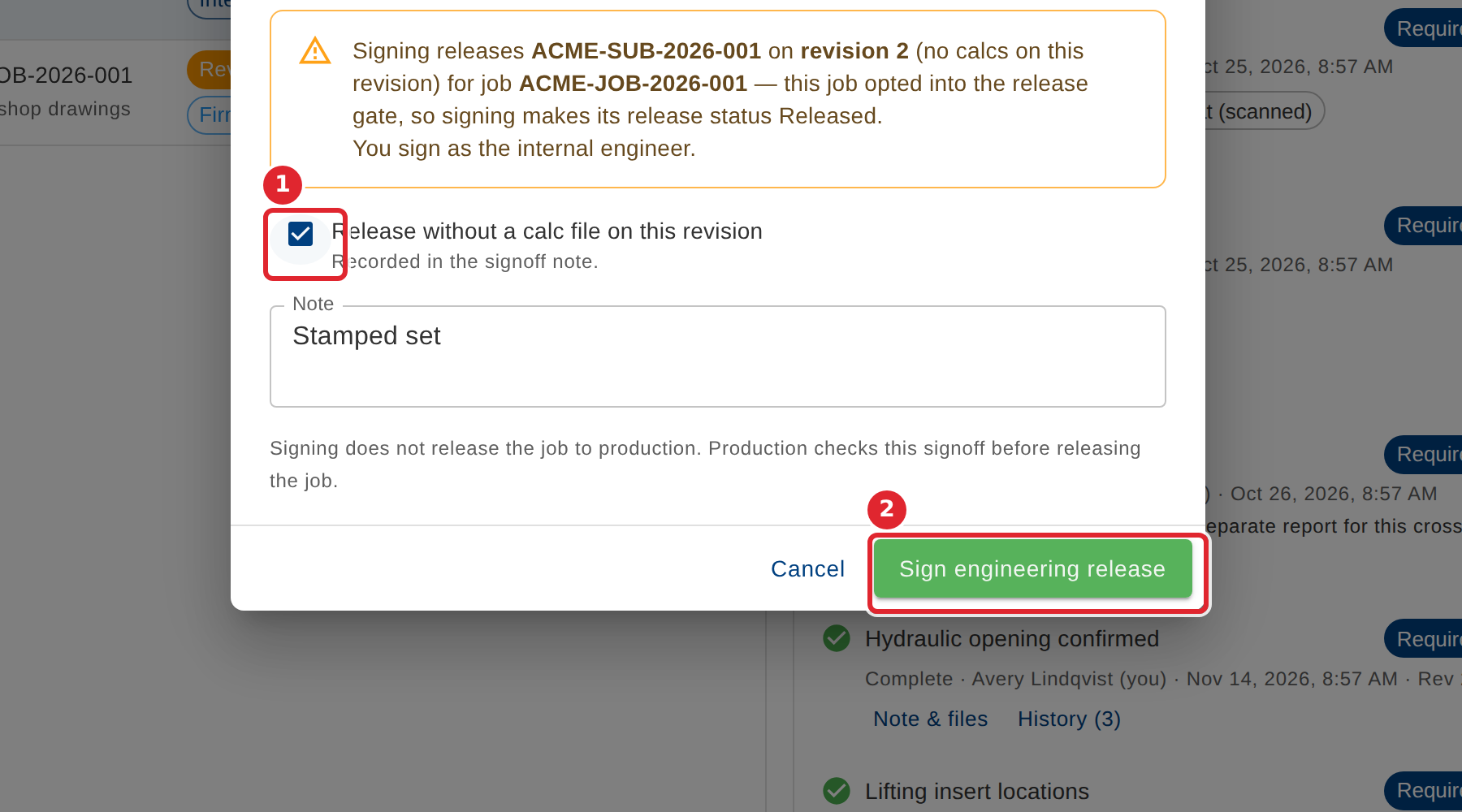
In the pictures, a numbered red box marks where to click or type. Where a picture has more than one box, the numbers give the order.
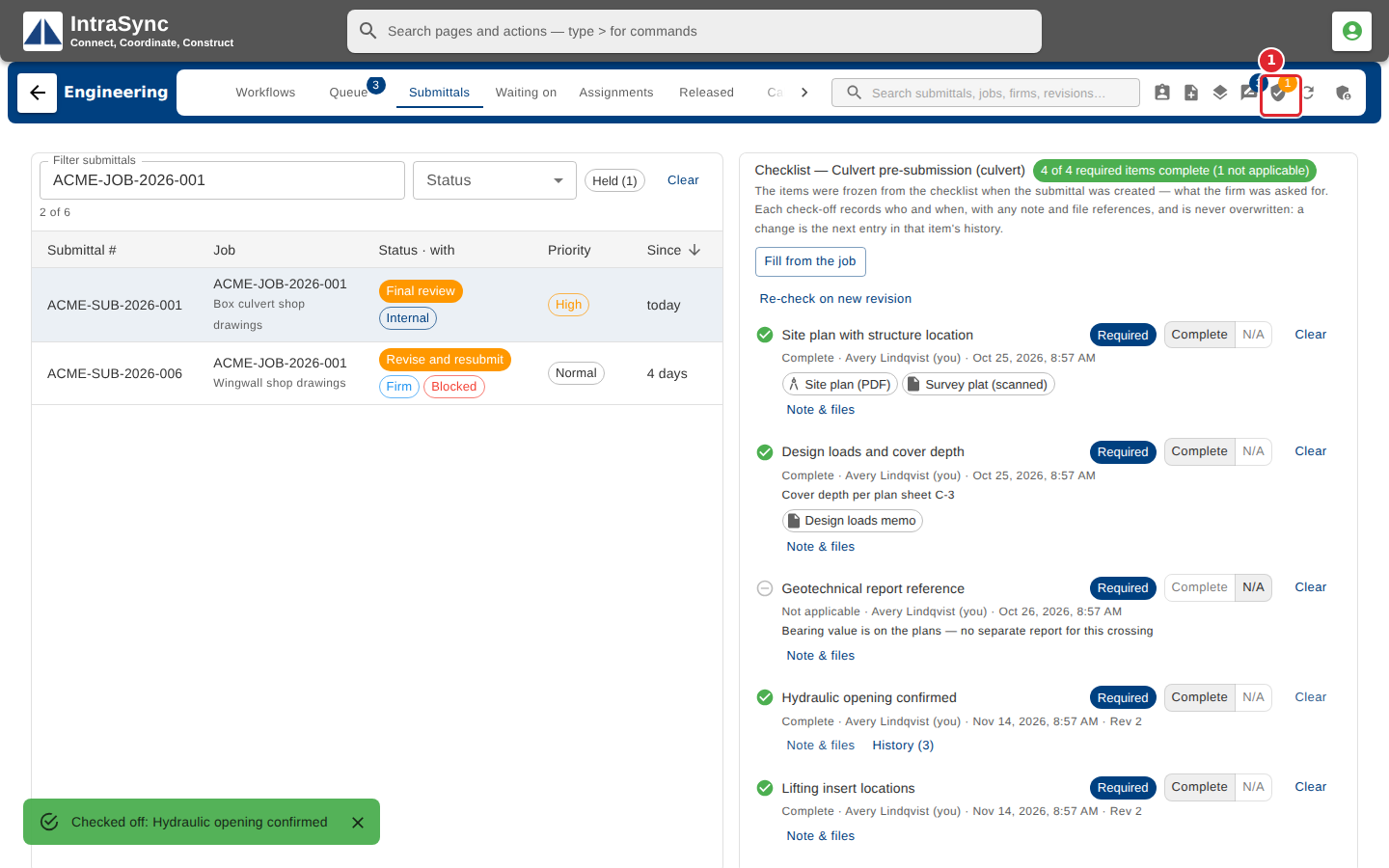
Select Engineering release.
Choose the submittal. Read what you are signing: the submittal, the revision and the role you sign as. Add a note.
If the revision carries no calc file, tick Release without a calc file on this revision. Then select Sign engineering release.
Tips
- Signing is refused while the revision has no calc file, unless you tick that box. The choice is recorded in the signoff note.
- Signing does not release the job to production. Production checks this signoff before it releases the job.