Engineering guide · section 12 of 25
Review the release log and reopen a released submittal
See every signoff, and send a released design back for revision when something changes.
Watch this in the video (1:42)
Before you start
- Access to the Engineering hub (its page permission).
- Reopening is switched on for your system.
Steps
In the pictures, a numbered red box marks where to click or type. Where a picture has more than one box, the numbers give the order.
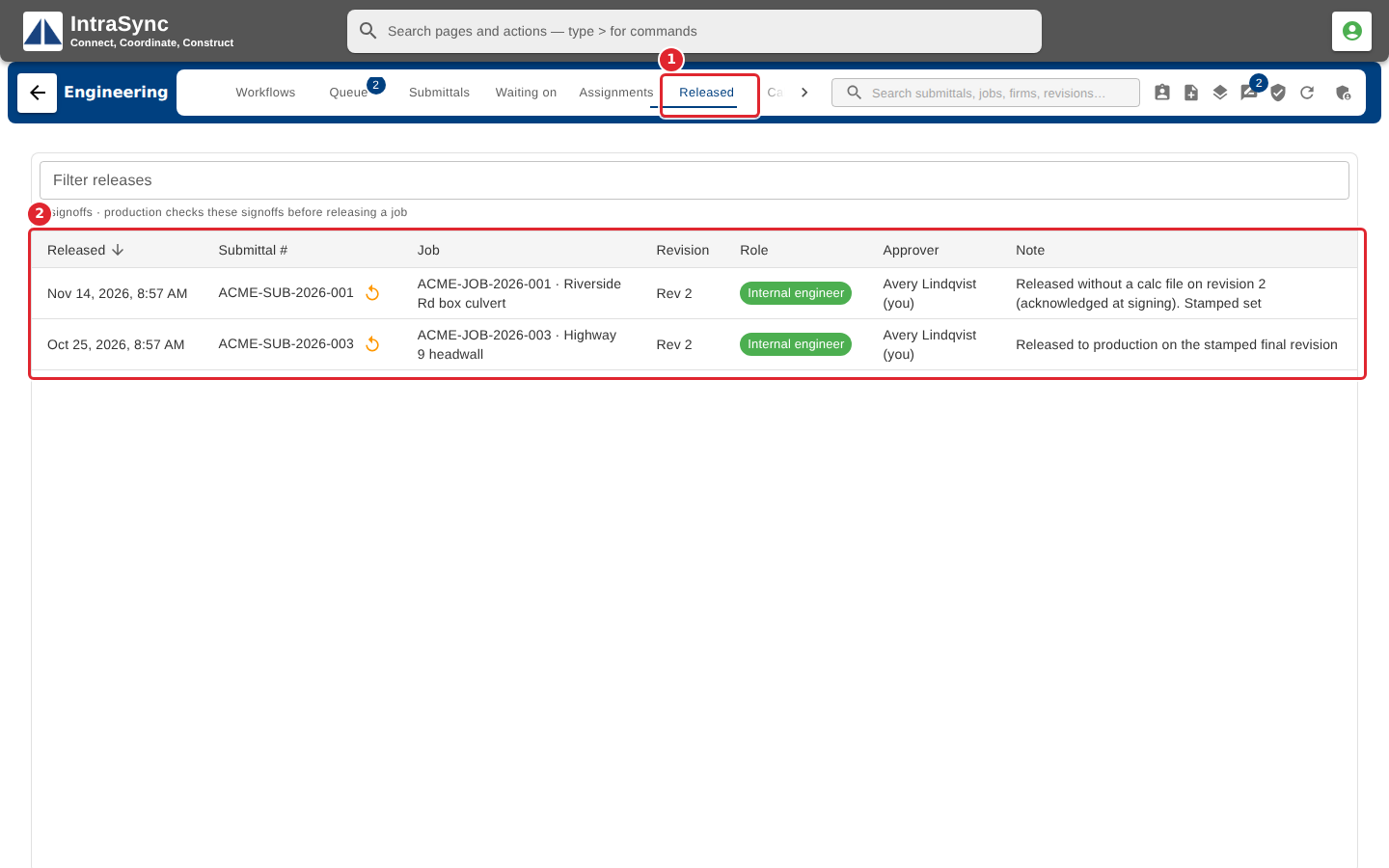
Select the Released tab. The log lists every signoff: when, the submittal and job, the revision, the role and who signed.
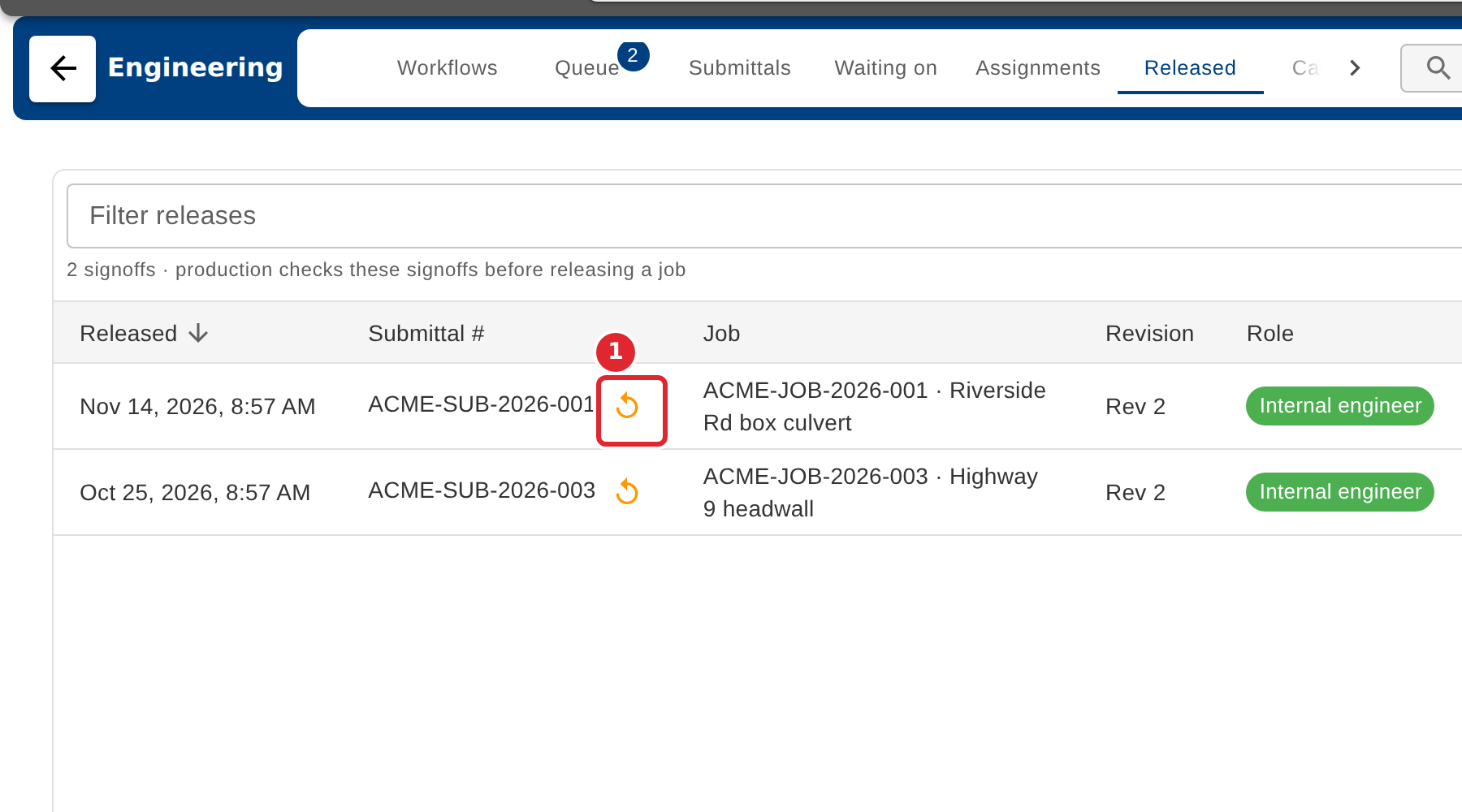
To change a released design, select the reopen button on its row.
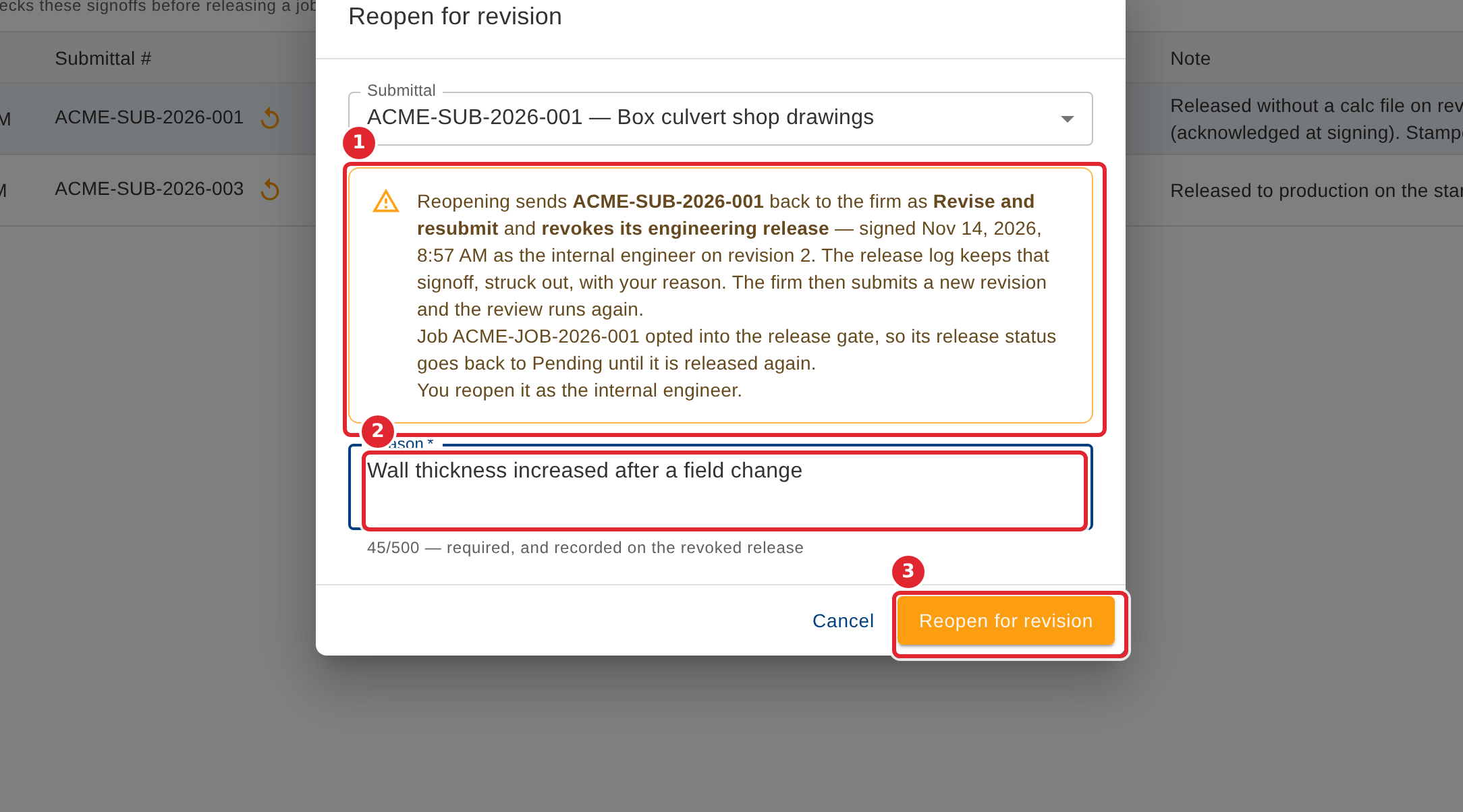
Read what reopening does, enter the reason, then select Reopen for revision.
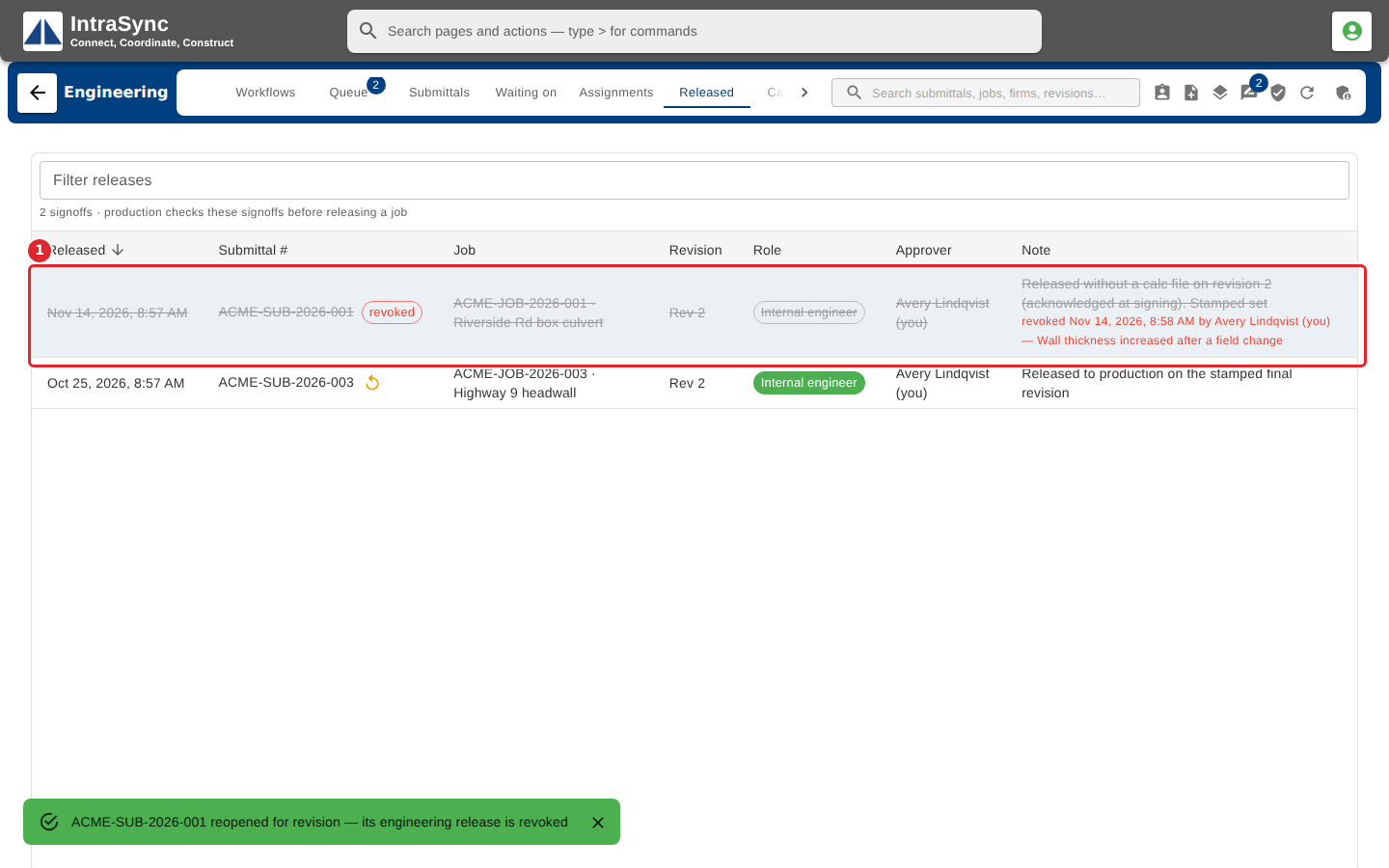
The signoff stays in the log, struck out, with your reason. The submittal goes back to the firm as revise and resubmit, and the job's release status returns to Pending.
Tips
- The reason is required, and is kept with the revoked signoff.
- When the new revision is approved, sign the release again. Both signoffs stay in the log.