Estimating guide · section 18 of 29
Correct a recorded outcome
Fix an outcome that was recorded wrongly, such as the wrong reason or date.
Steps
In the pictures, a numbered red box marks where to click or type. Where a picture has more than one box, the numbers give the order.
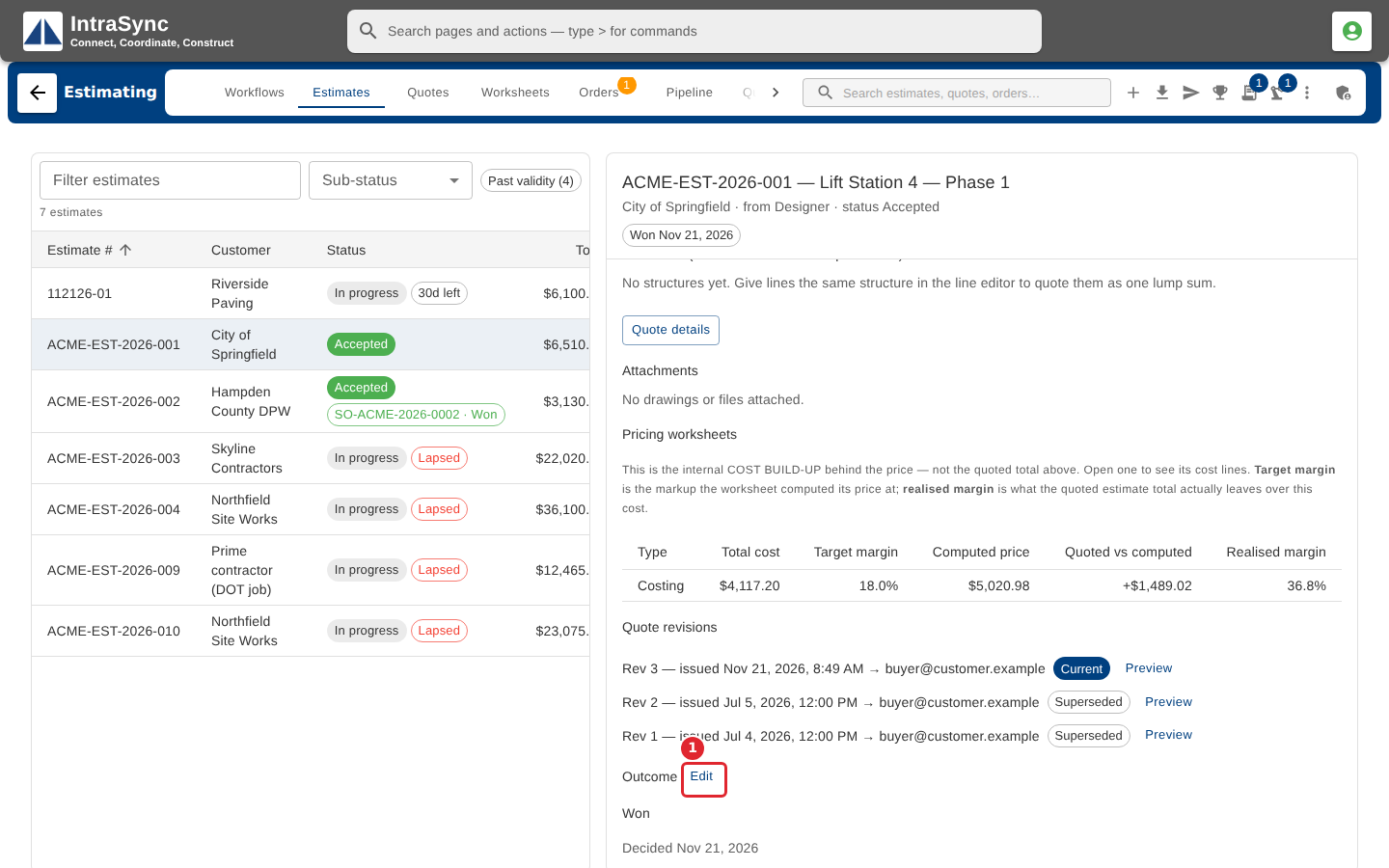
To correct a recorded outcome, select Edit in the estimate's Outcome section.
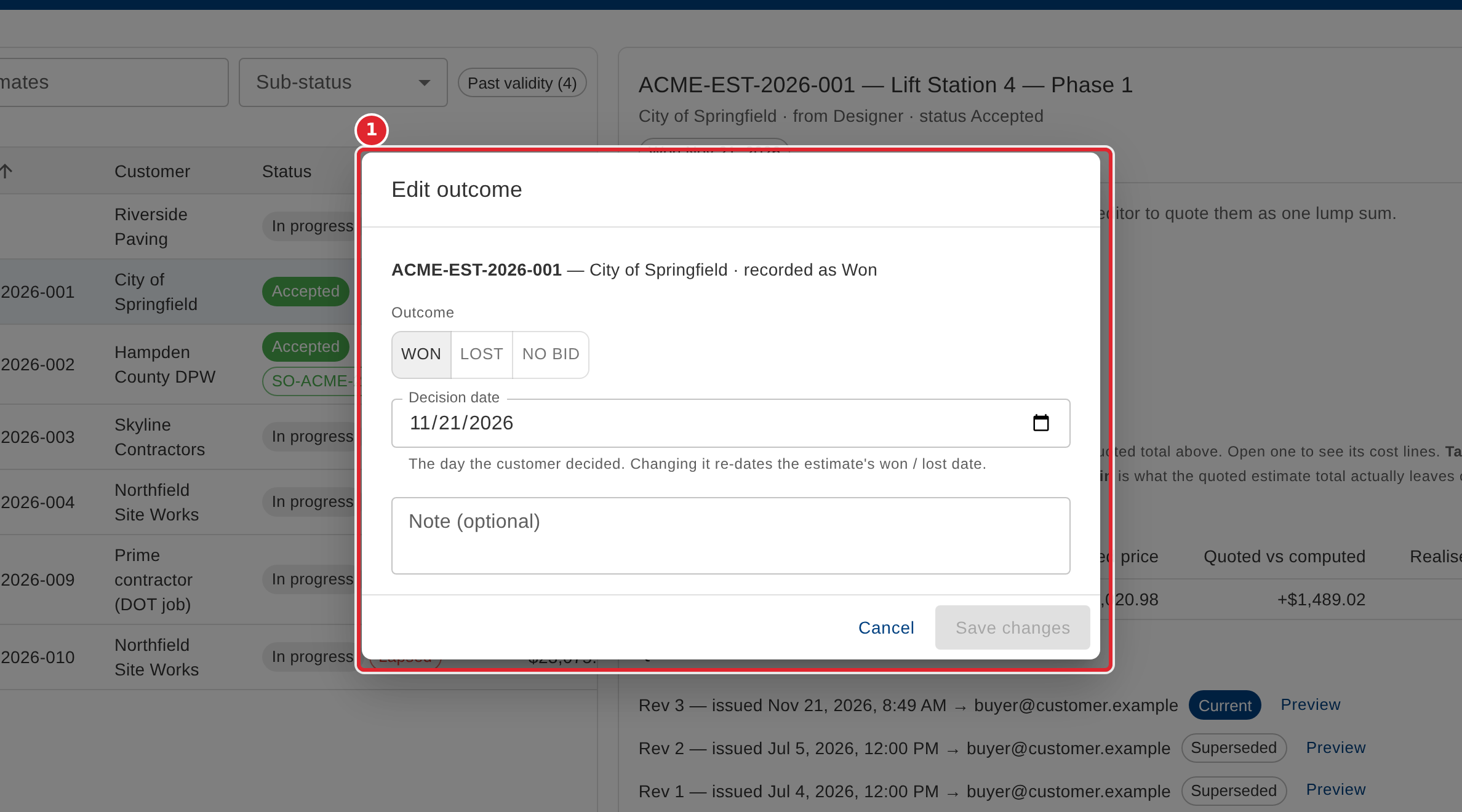
Change the outcome, the reason, the competitor, the decision date or the note, then select Save changes. Once the estimate has a sales order, its outcome can no longer be changed here.
Tips
- Save changes stays unavailable until you change something.
- When the estimate's sales order has been closed, its outcome can only be corrected to Lost.