Estimating guide · section 16 of 29
Follow up on lapsed quotes
Find the open estimates whose quote validity has passed, so they can be re-issued or closed out.
Steps
In the pictures, a numbered red box marks where to click or type. Where a picture has more than one box, the numbers give the order.
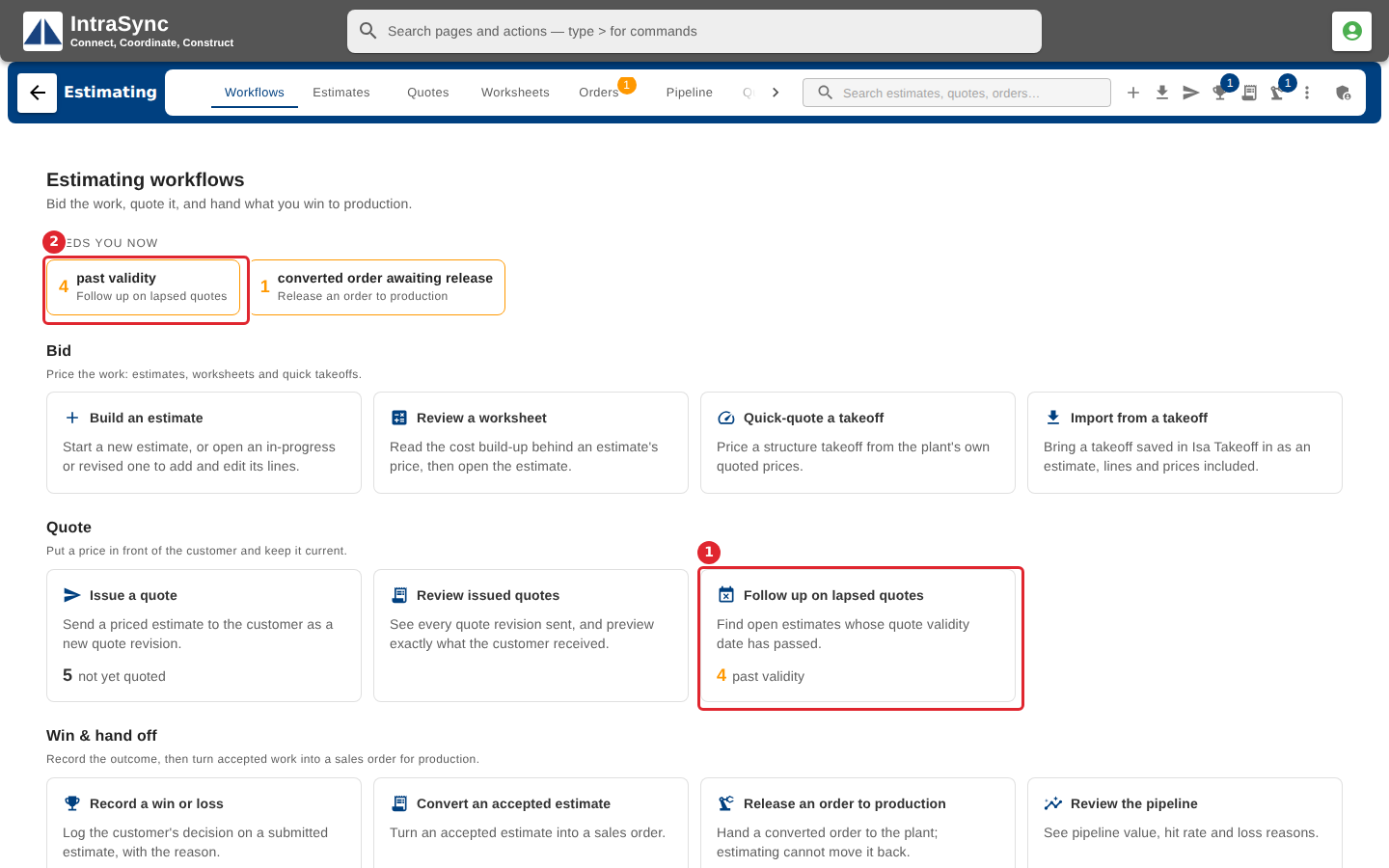
On the Workflows tab, select Follow up on lapsed quotes, or its chip under Needs you now.
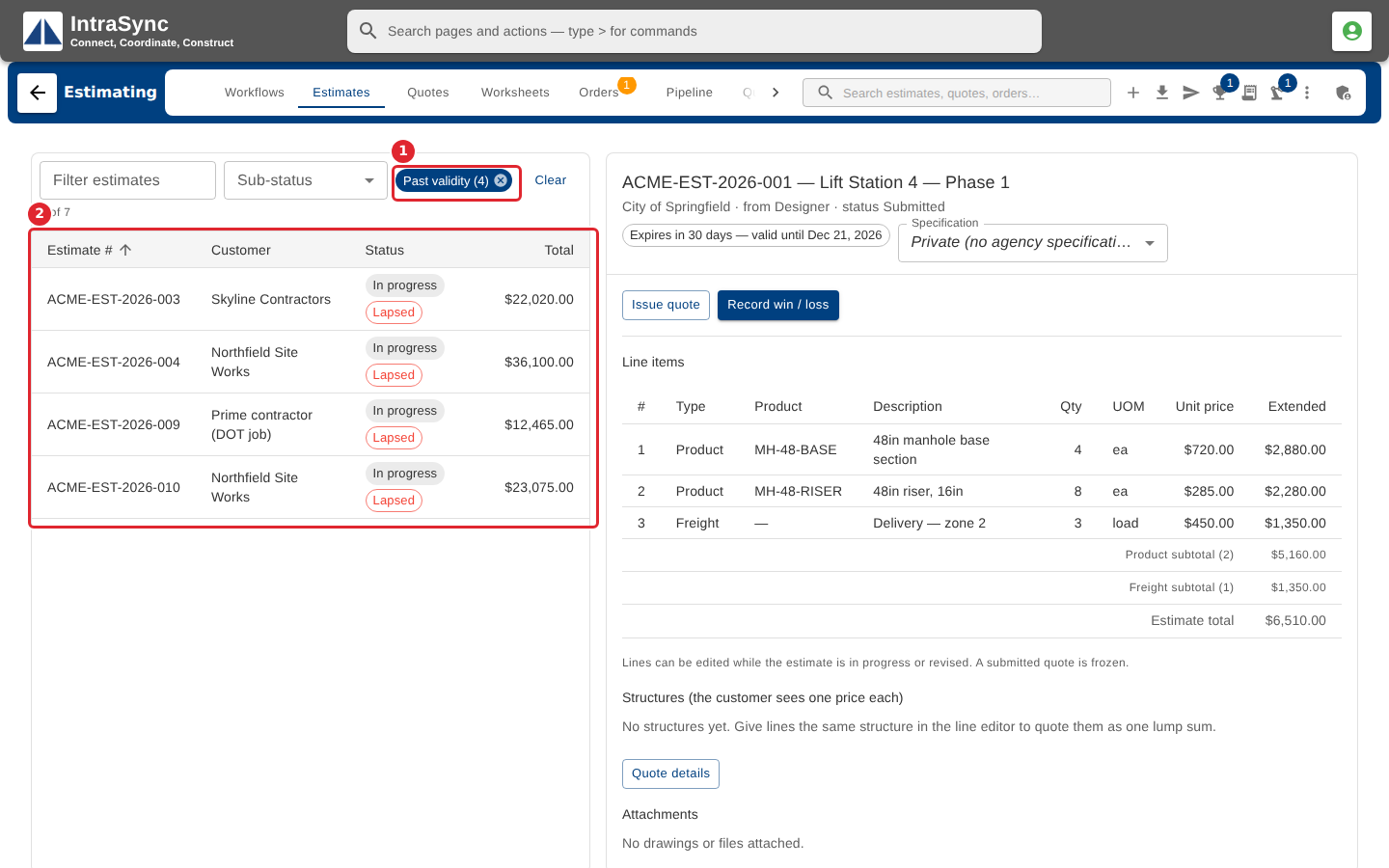
The Estimates tab opens with only Past validity on. Open each estimate, then issue a fresh quote with a new date or record the customer's decision.
Tips
- Re-issuing a lapsed estimate asks you to choose a new date, keep the lapsed date, or issue with no expiry.