Estimating guide · section 21 of 29
Mark a won order lost
Close a converted order that will not go ahead, and record the loss on its estimate.
Before you start
- Only a converted order still at Won can be marked lost, while sales orders are answering.
Steps
In the pictures, a numbered red box marks where to click or type. Where a picture has more than one box, the numbers give the order.
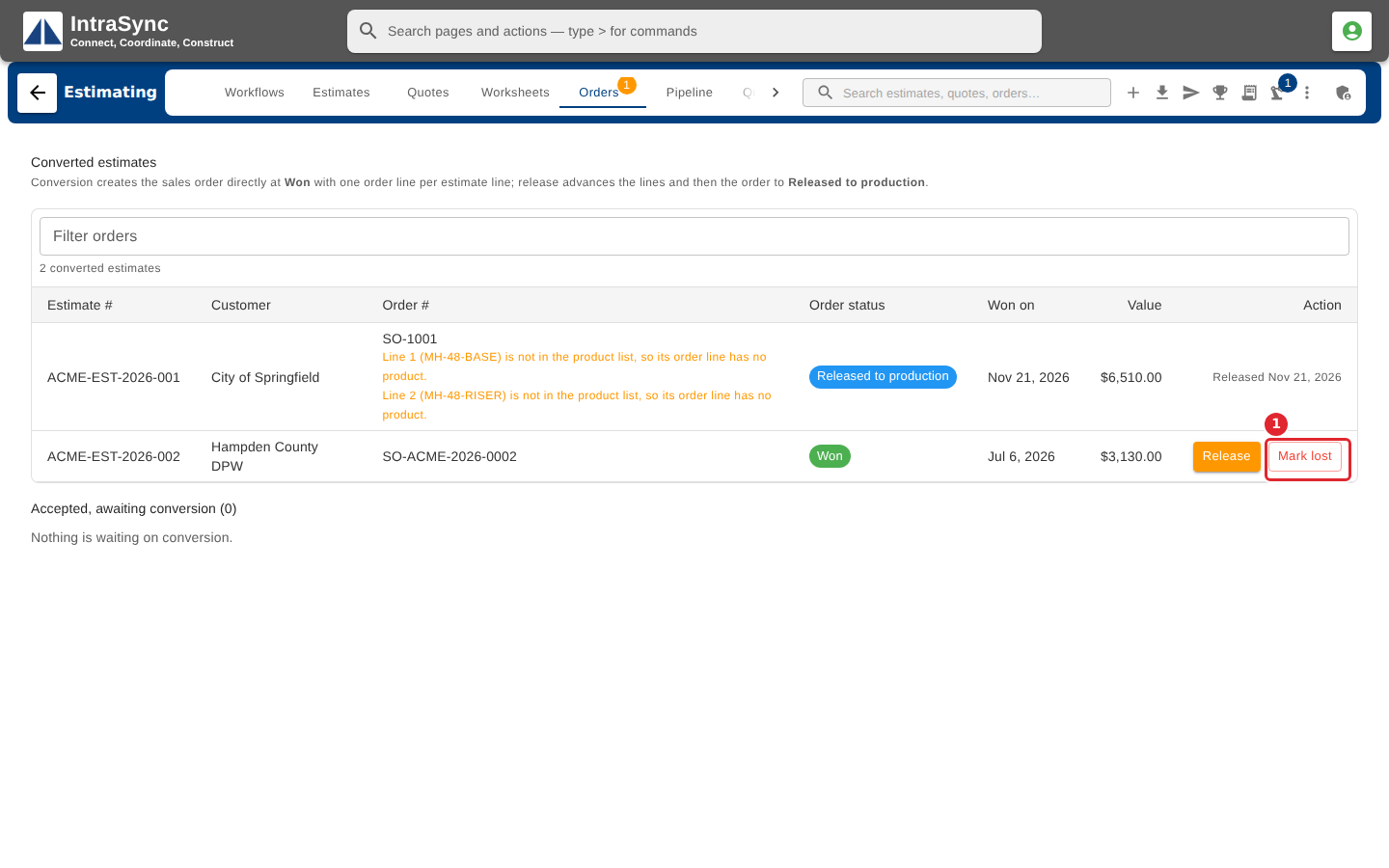
If a converted order still at Won will not go ahead, select Mark lost on its row in the Orders tab.
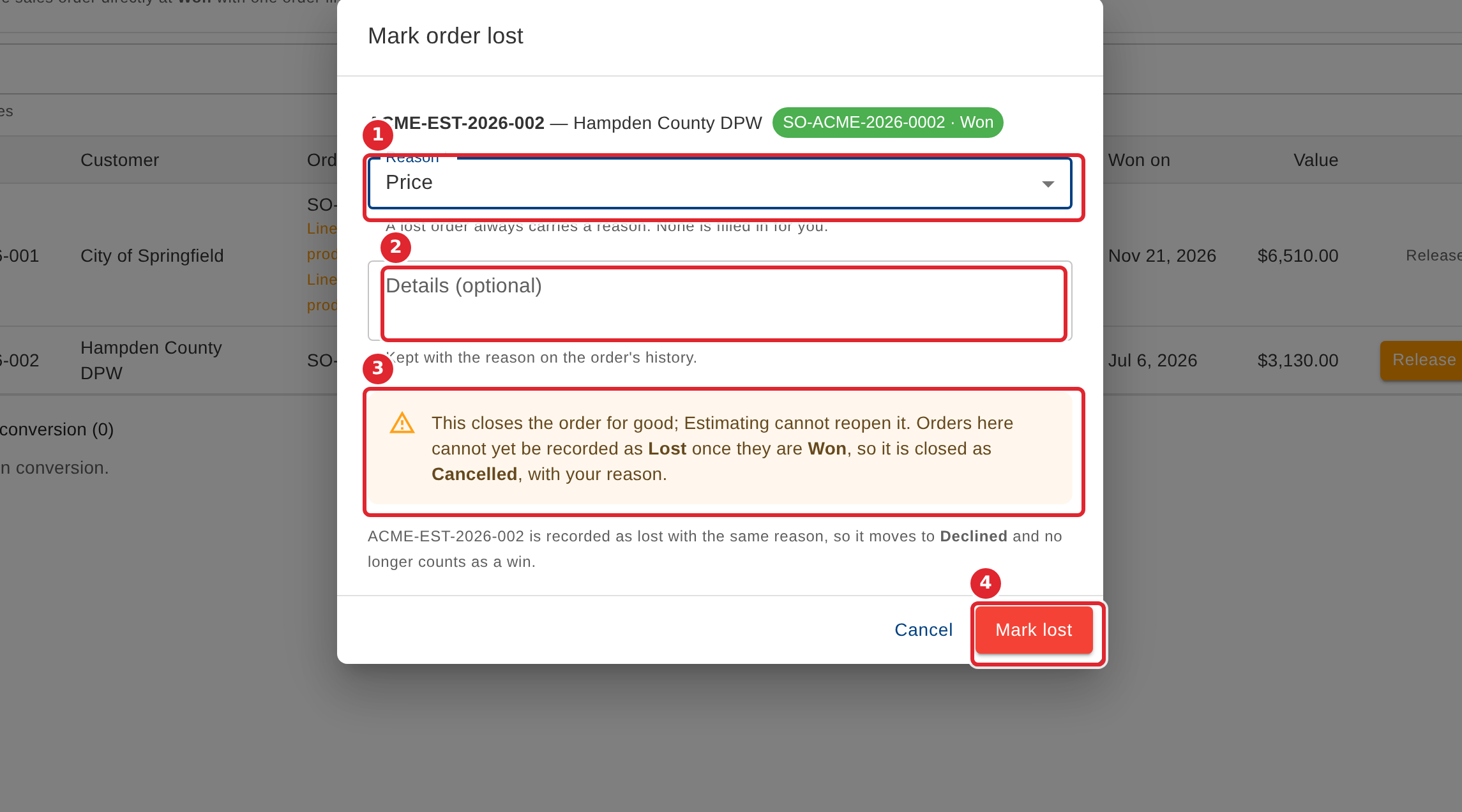
Choose the reason and add details if you like. The order is closed for good, and the estimate is recorded as a loss with the same reason. Select Mark lost to confirm, or Cancel.
Tips
- The order is closed as Cancelled with your reason, and cannot be reopened from Estimating. The estimate moves to Declined and no longer counts as a win.
- A reason is always needed; none is filled in for you.