Order the rest of an estimate's lines later
When the customer orders some lines now and the rest later, add the later lines to the same sales order, and record the lines they will never order.
Watch this in the video (2:17)
Before you start
- Your company must have later lines joining the same order turned on.
Steps
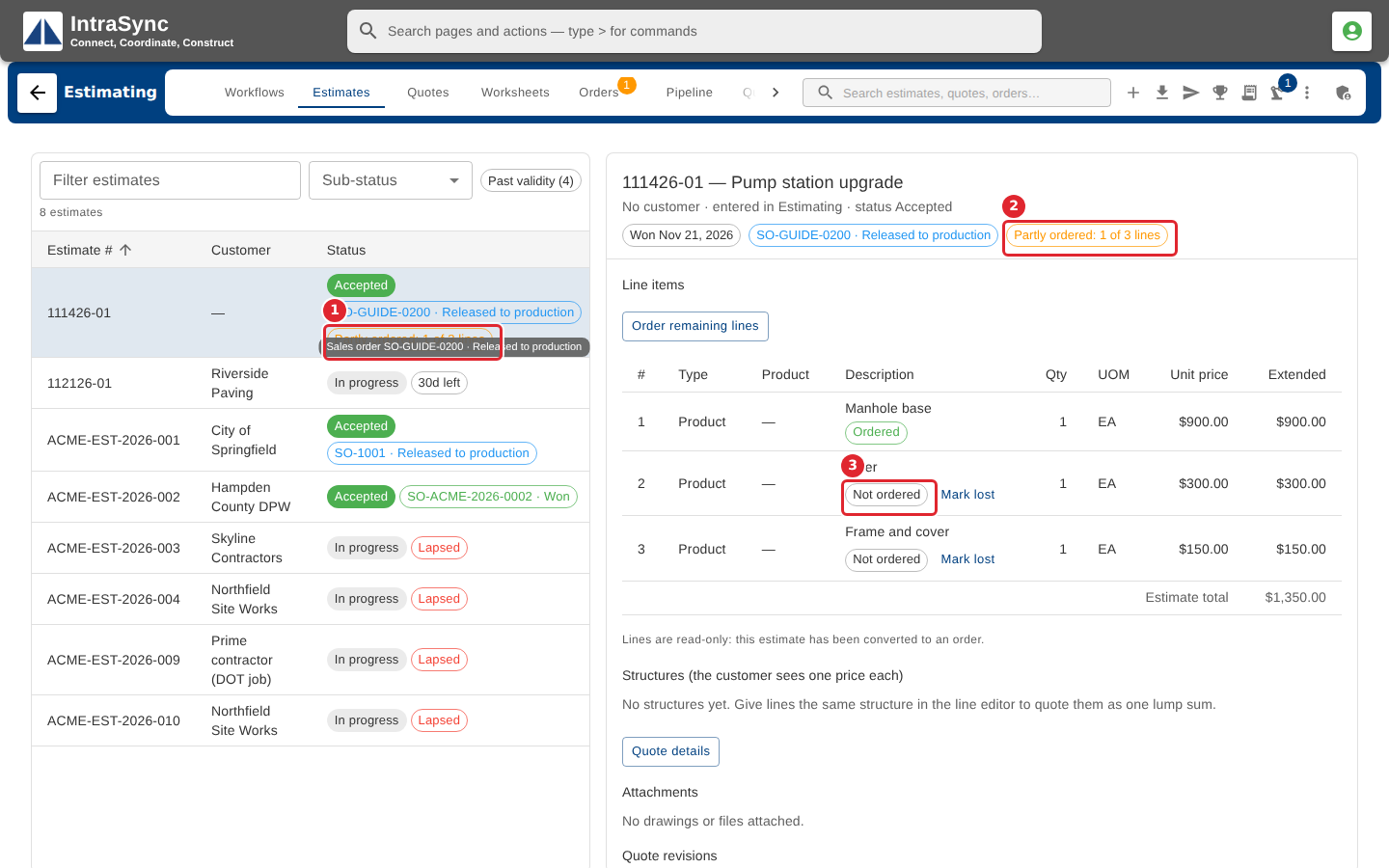
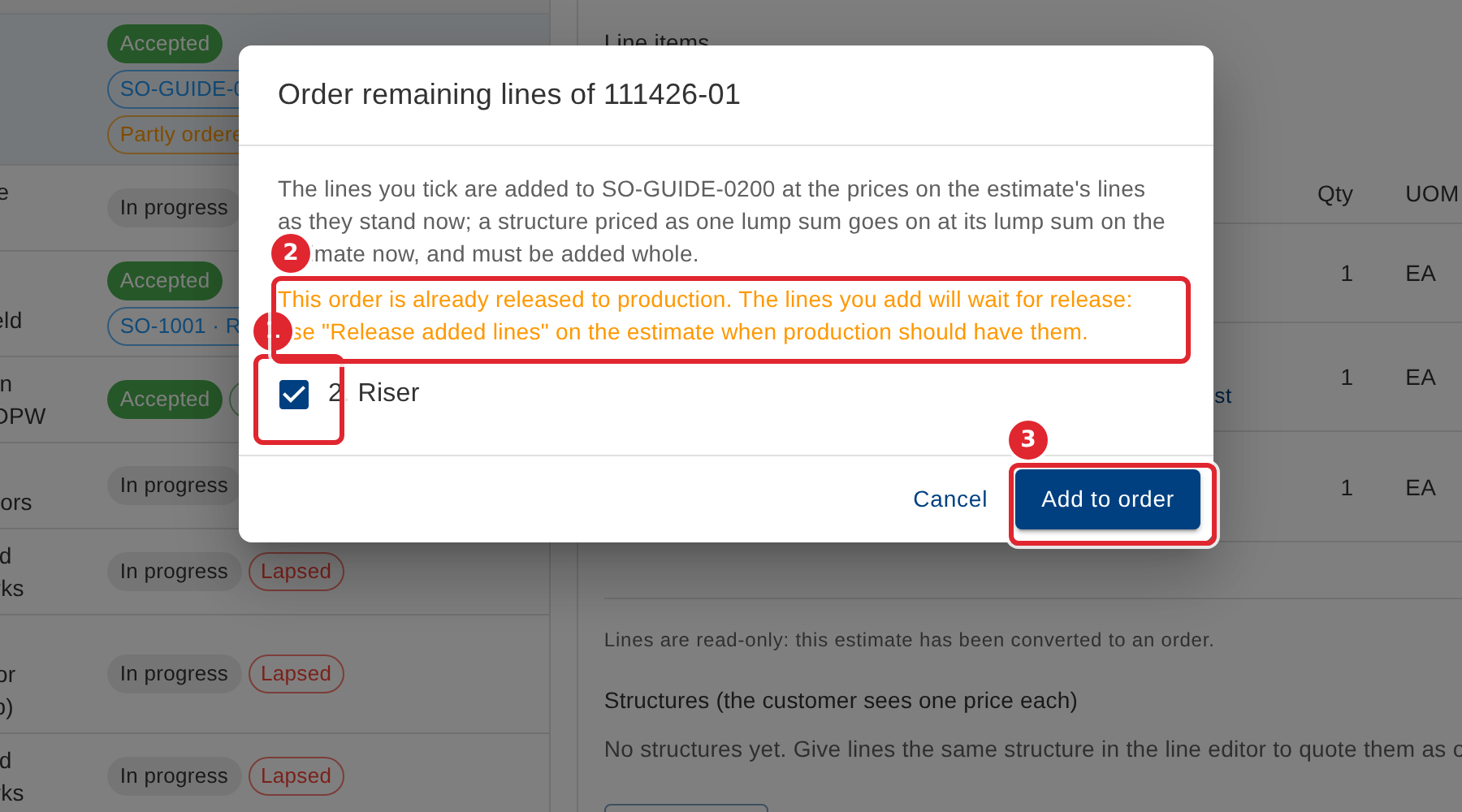
In the pictures, a numbered red box marks where to click or type. Where a picture has more than one box, the numbers give the order.
When an order took only some of an estimate's lines, the estimate and its row in the list say Partly ordered, and each line says Ordered or Not ordered.
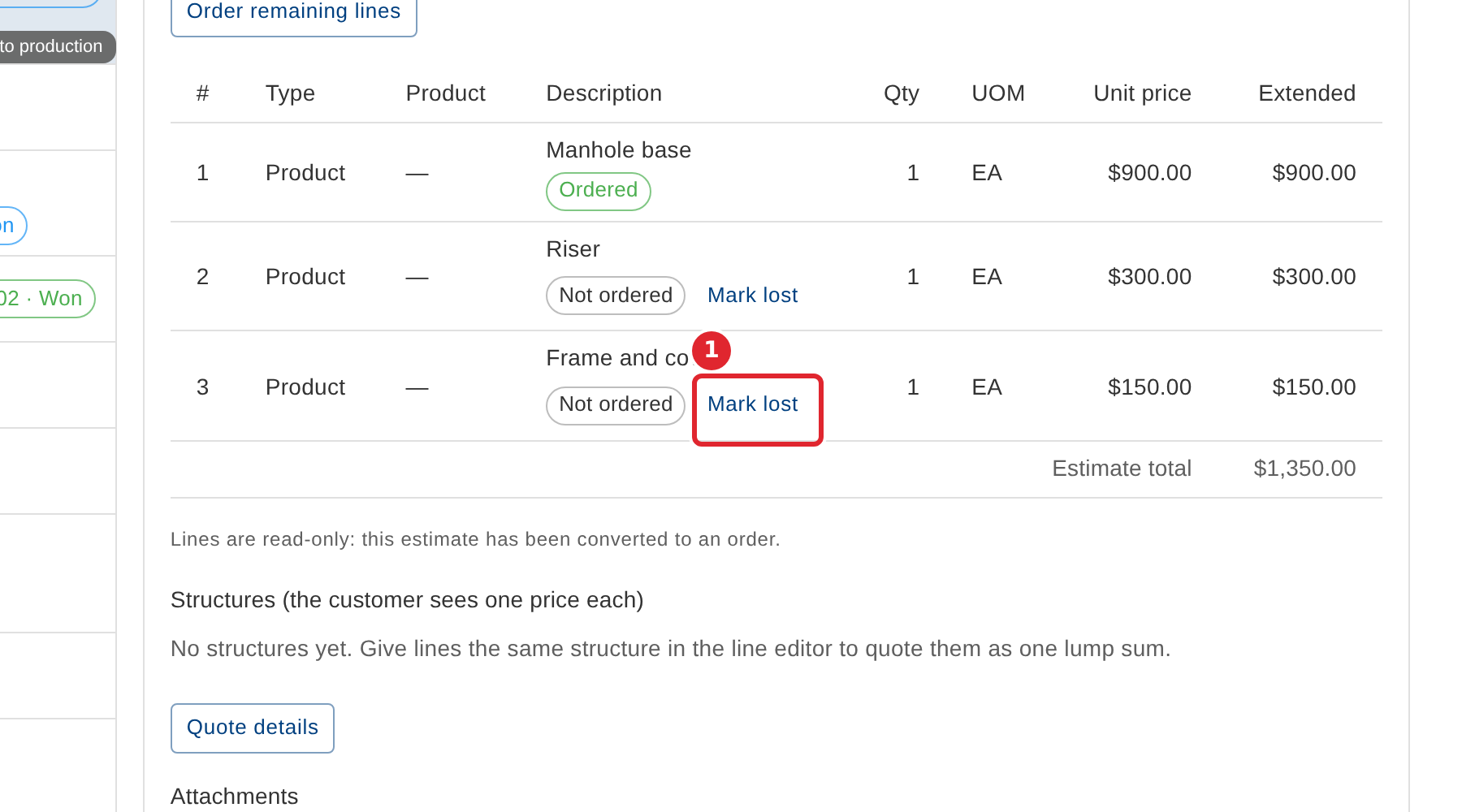
If the customer will not order a line, select Mark lost on it.
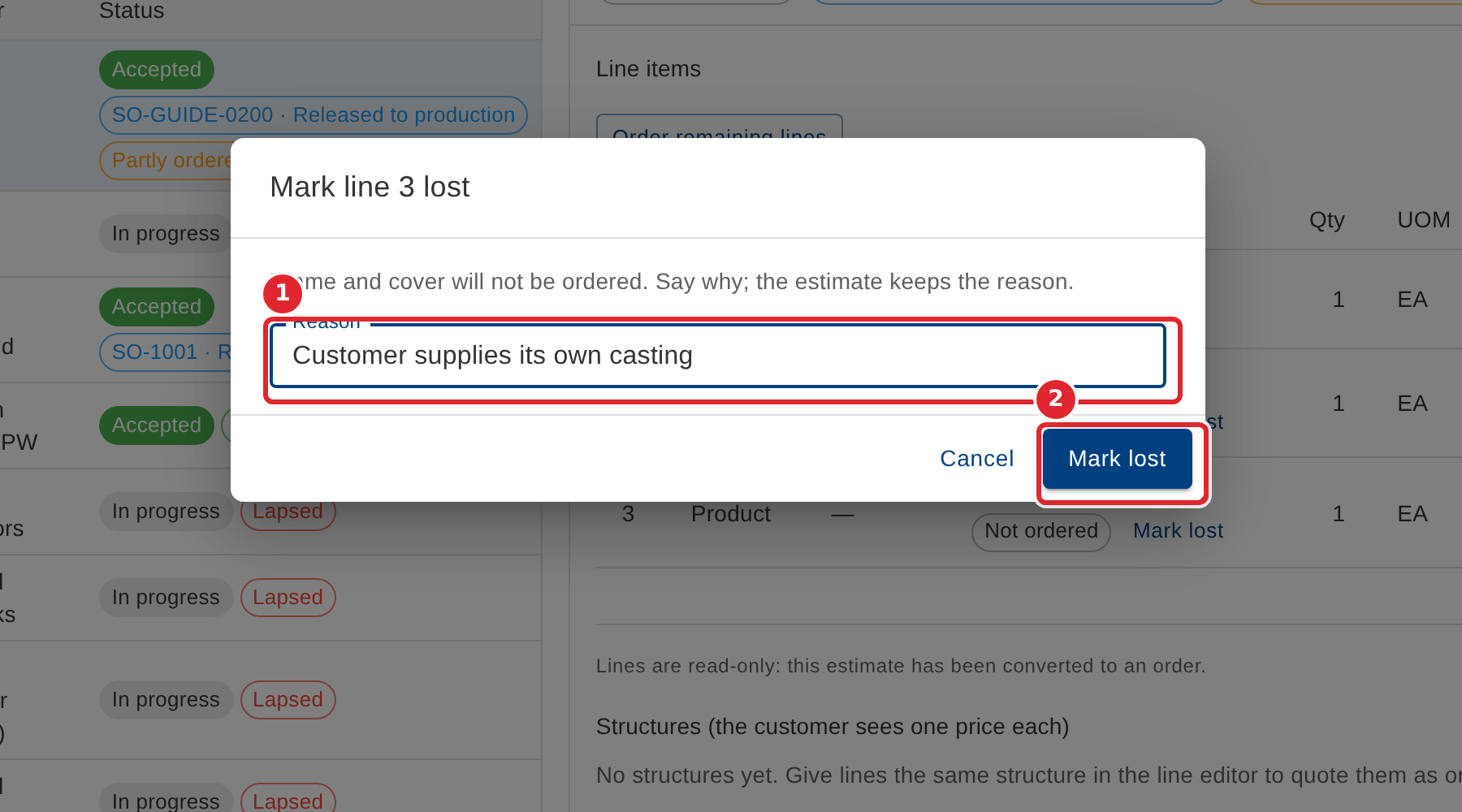
Say why in Reason (the estimate keeps it), then select Mark lost. Not lost on the line undoes it.
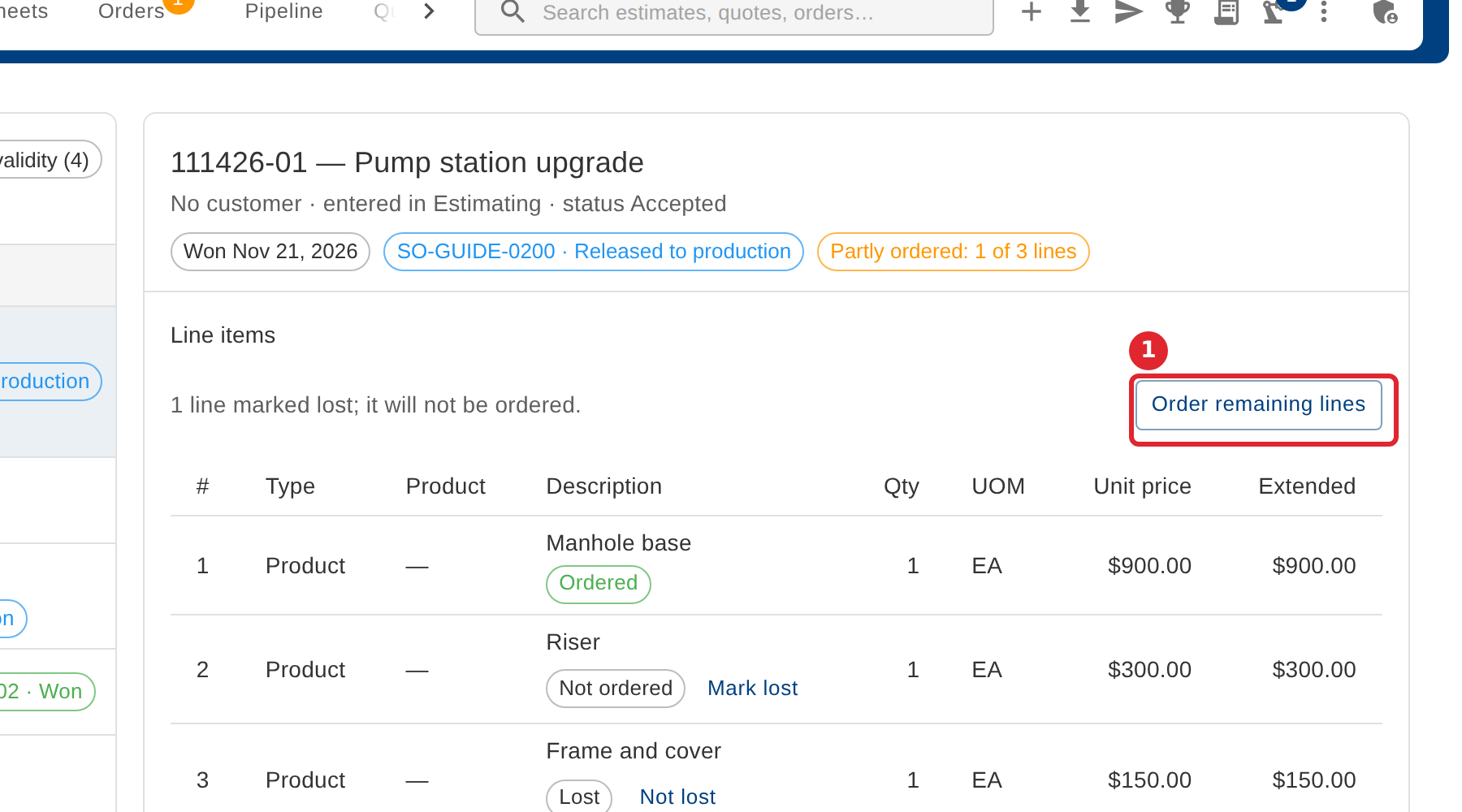
When the customer orders the rest, select Order remaining lines.
Tick the lines to add. They join the same sales order at the prices on the estimate as they stand now. If the order is already released, the dialog says the lines will wait for release. Select Add to order.
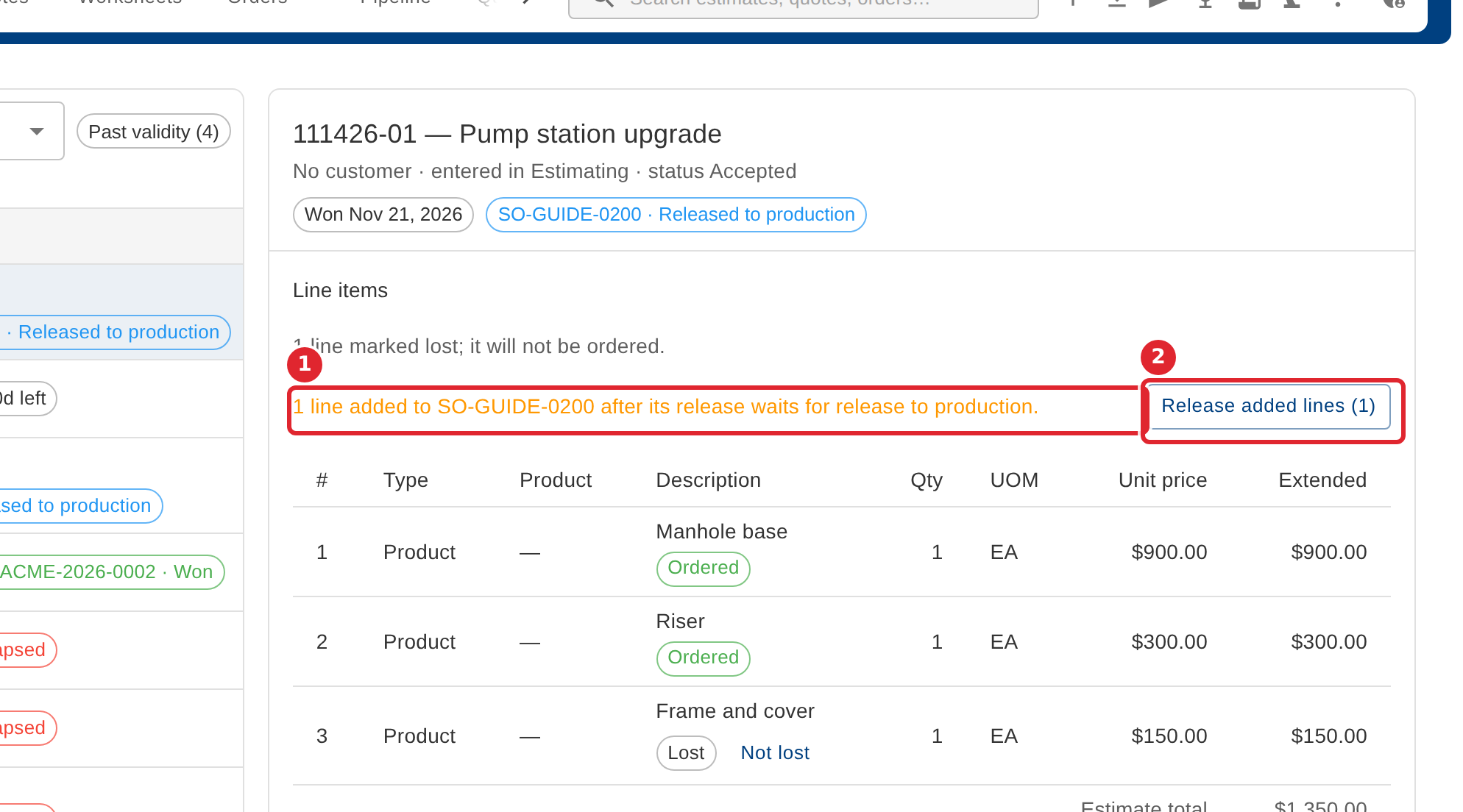
Lines added after the order was released wait until someone releases them. When production should have them, select Release added lines.
Tips
- Lines join the order at the prices on the estimate as they stand now. A structure quoted as one lump sum must be added whole.
- When every line is ordered or marked lost, the Partly ordered note goes and the estimate says how many lines were lost.