Estimating guide · section 20 of 29
Release an order to production
Hand a converted order to the plant.
Watch this in the video (1:08)
Before you start
- The order must be at Won, and sales orders must be answering.
Steps
In the pictures, a numbered red box marks where to click or type. Where a picture has more than one box, the numbers give the order.
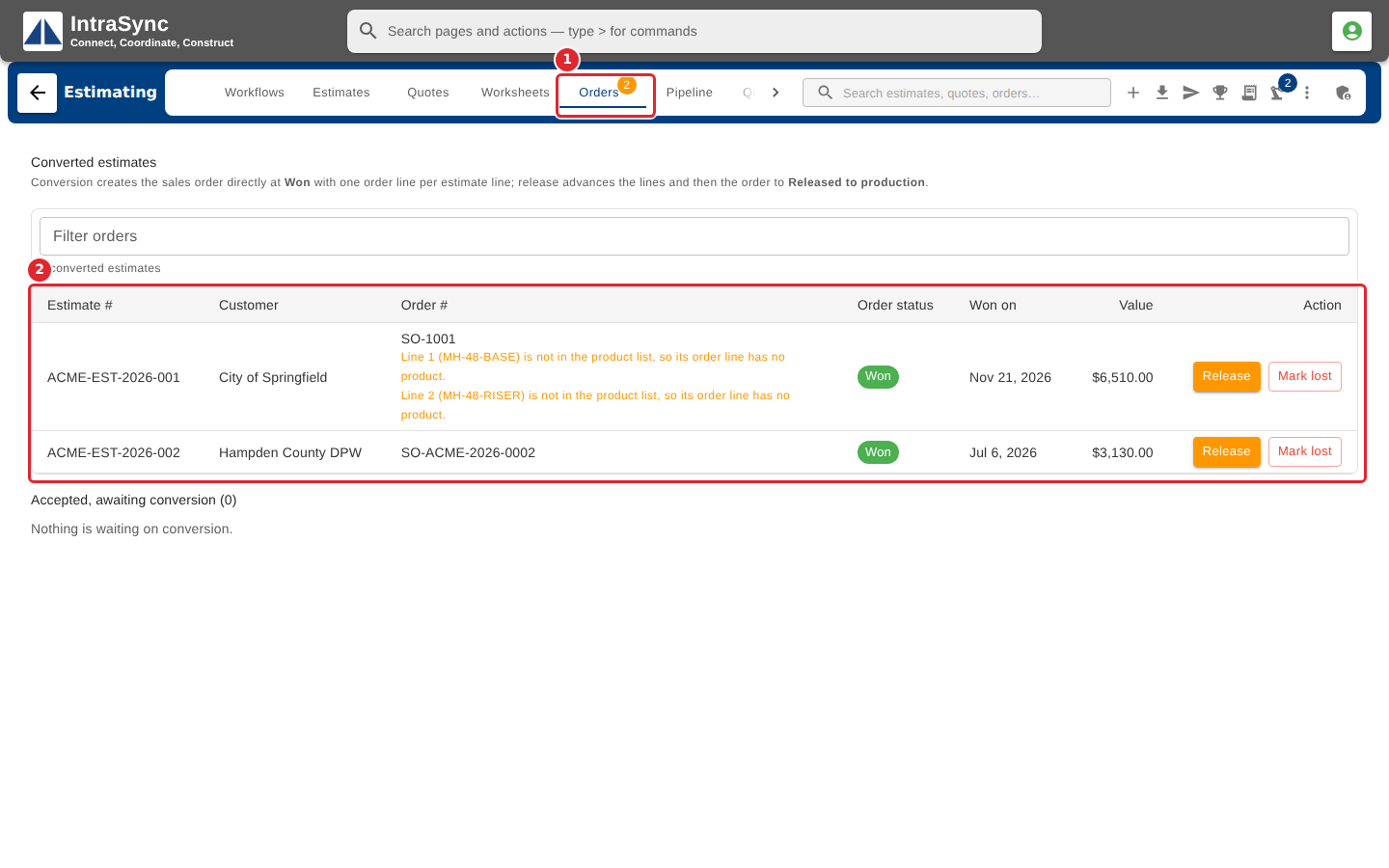
Select the Orders tab. Each converted estimate is listed with its order number, the order's status and the date it was won.
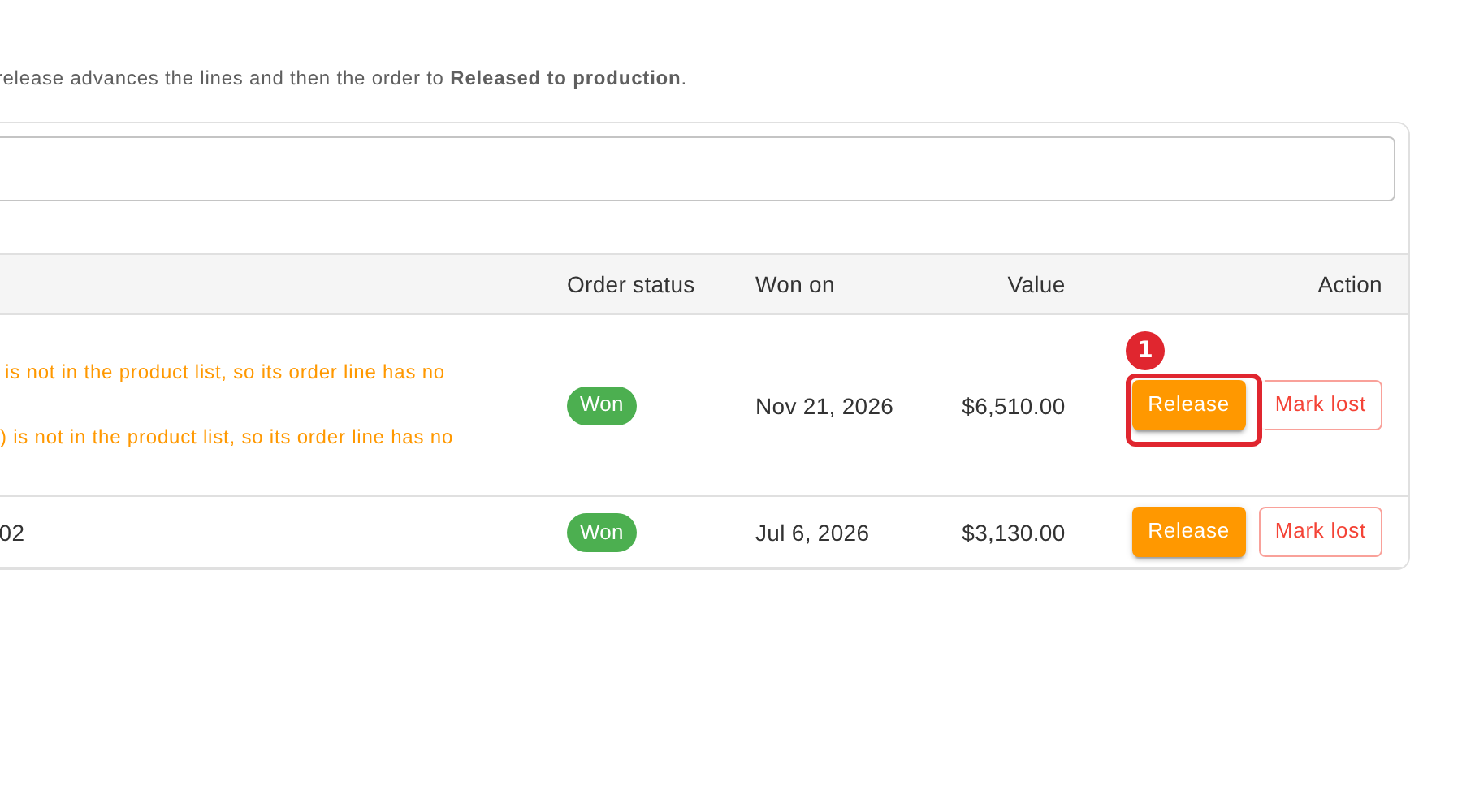
When the plant should have the order, select Release on its row.
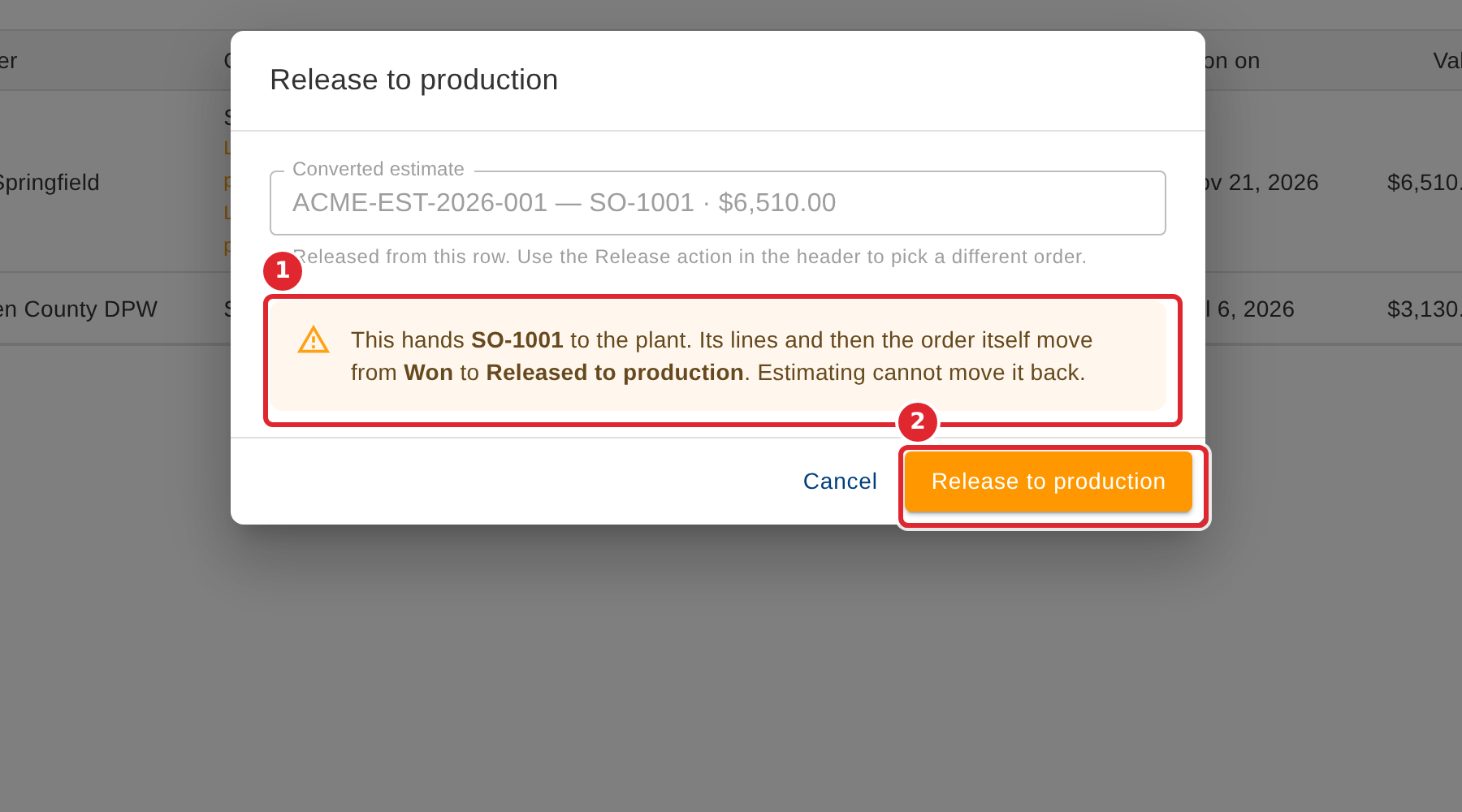
Read the confirmation: it names the order, and release cannot be undone from Estimating. Select Release to production to hand it to the plant.
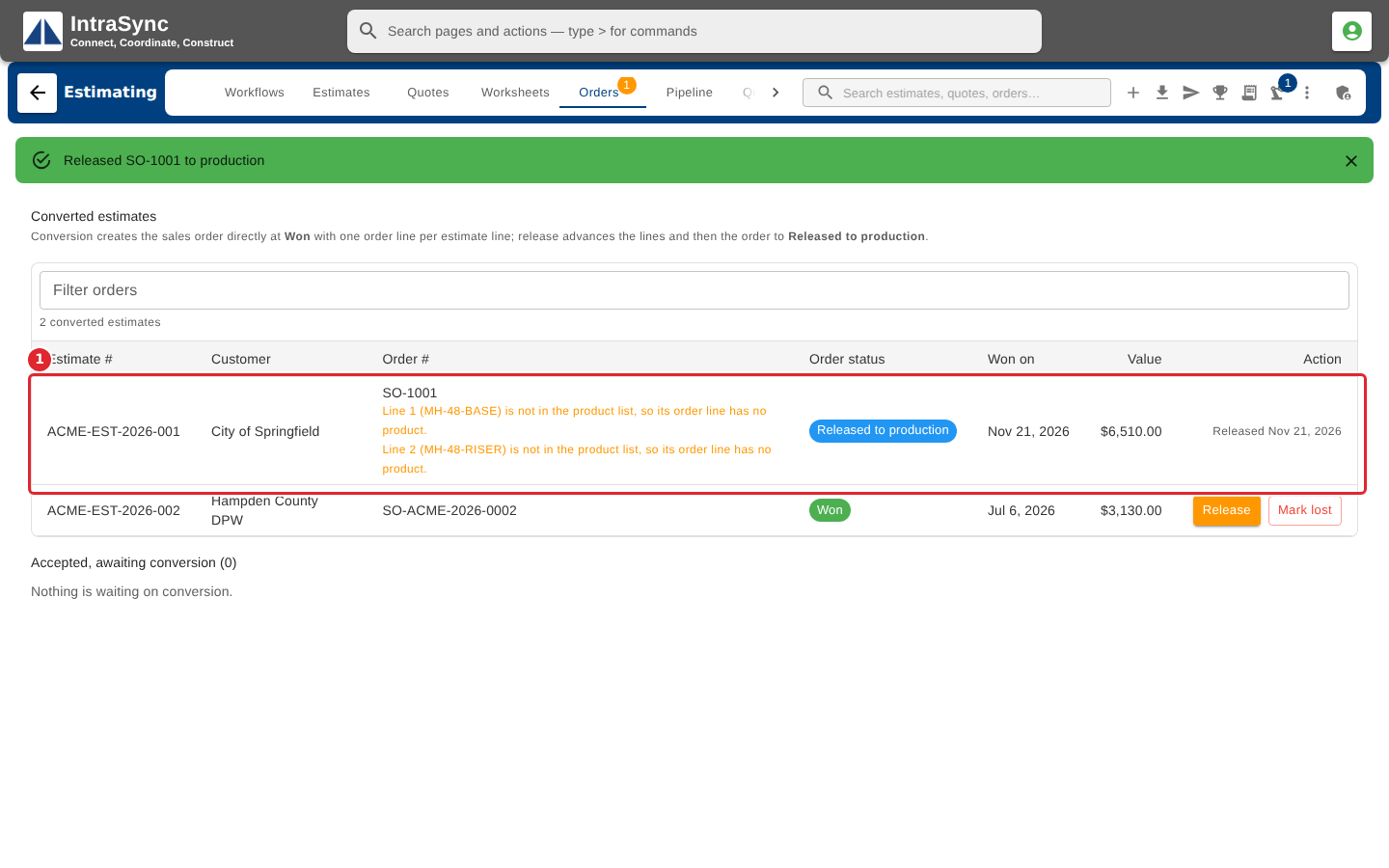
The order's status changes to Released to production, and the row says when it was released.
Tips
- Release cannot be undone from Estimating.
- You can also release from Release to production in the hub header, and choose the order there.
- When your company's orders are written by another system, they are released from the order itself, not from Estimating.