Quote a structure as one lump sum
Show the customer one price for a structure made of several pieces, while each piece keeps an internal share for the sales order.
Watch this in the video (1:20)
Before you start
- Your company must quote at structure level. Give lines the same Structure in the line editor to group them.
Steps
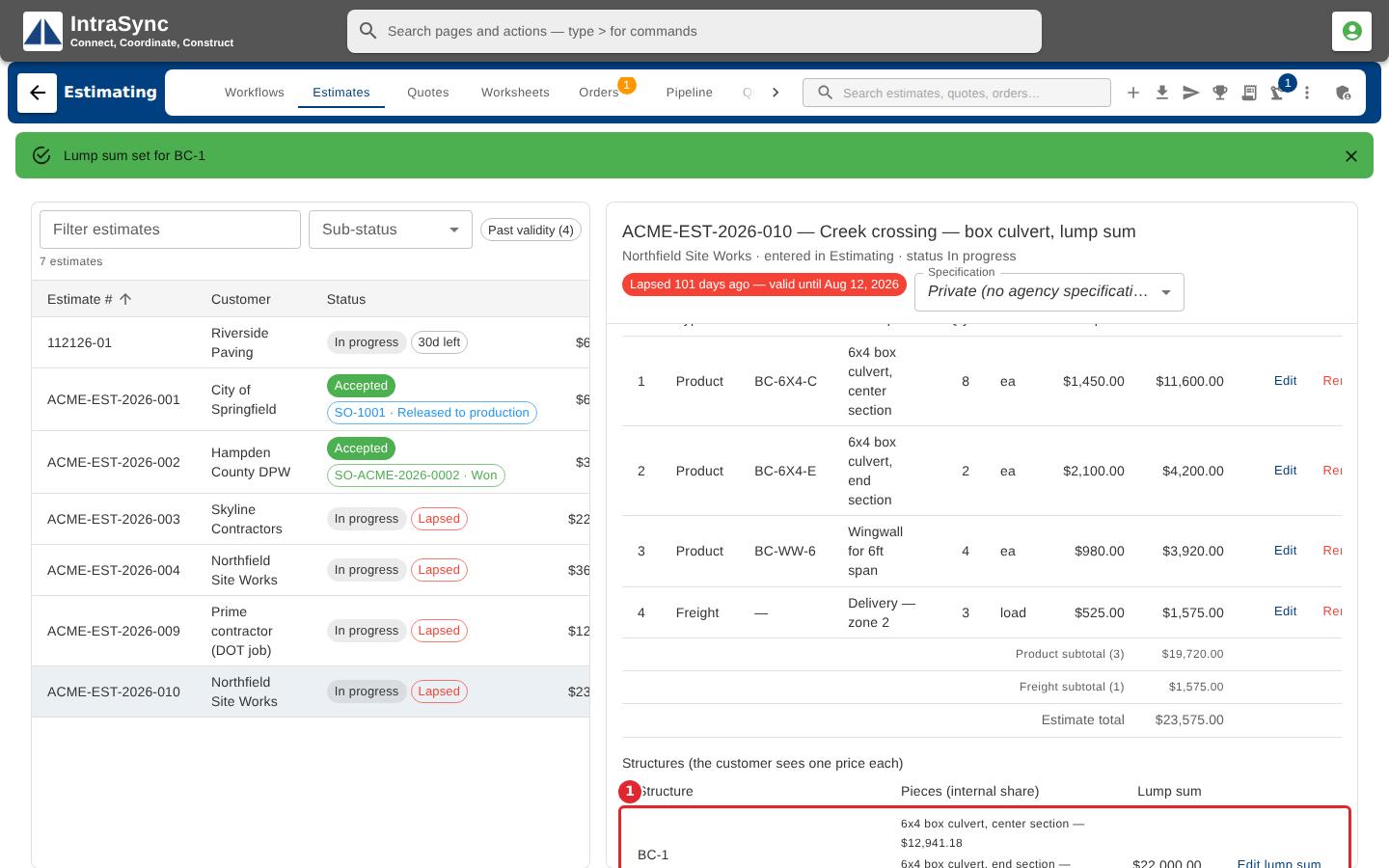
In the pictures, a numbered red box marks where to click or type. Where a picture has more than one box, the numbers give the order.
Lines given the same Structure are grouped under Structures. The customer sees each structure as one price; the pieces and their internal shares stay on your side.
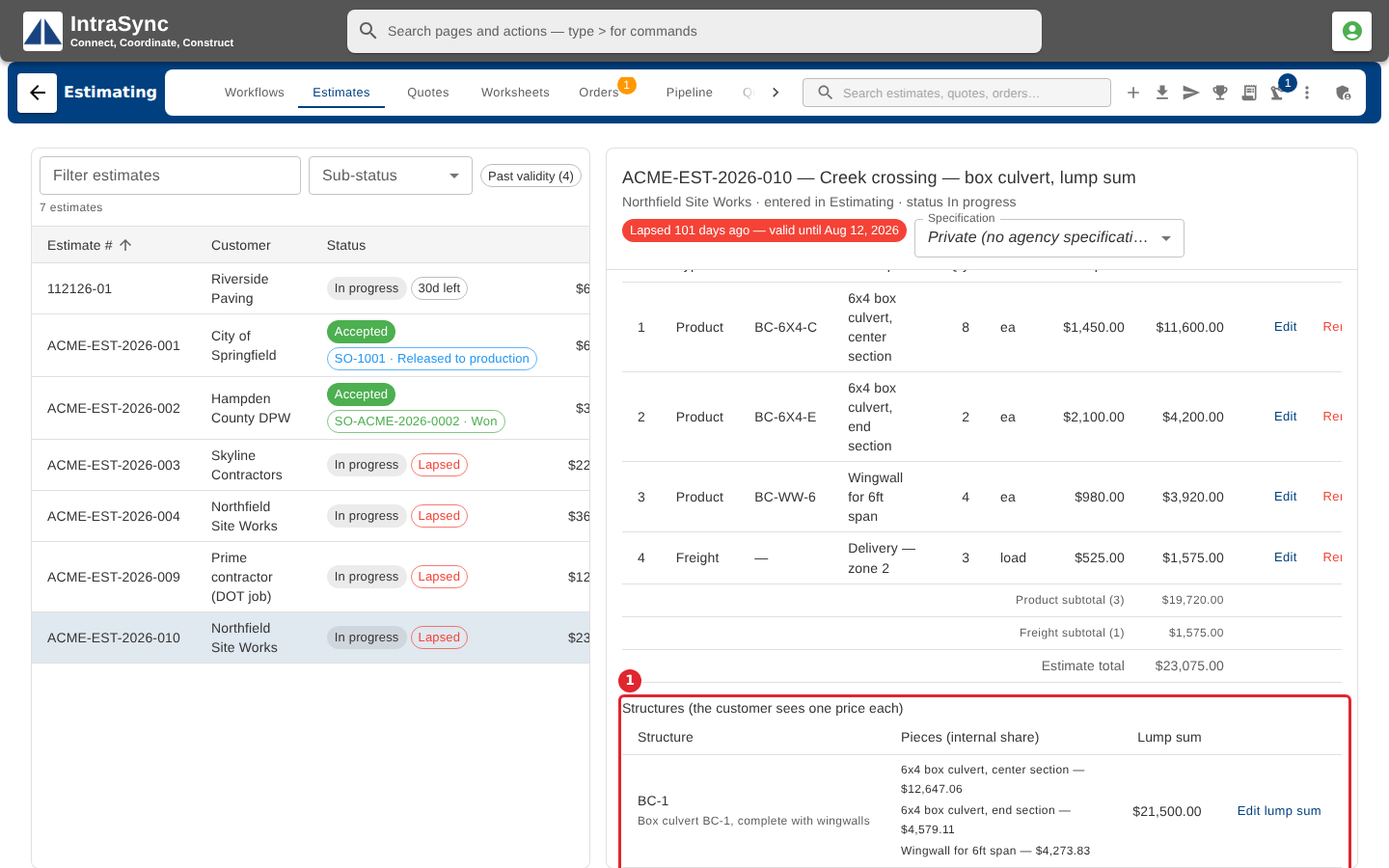
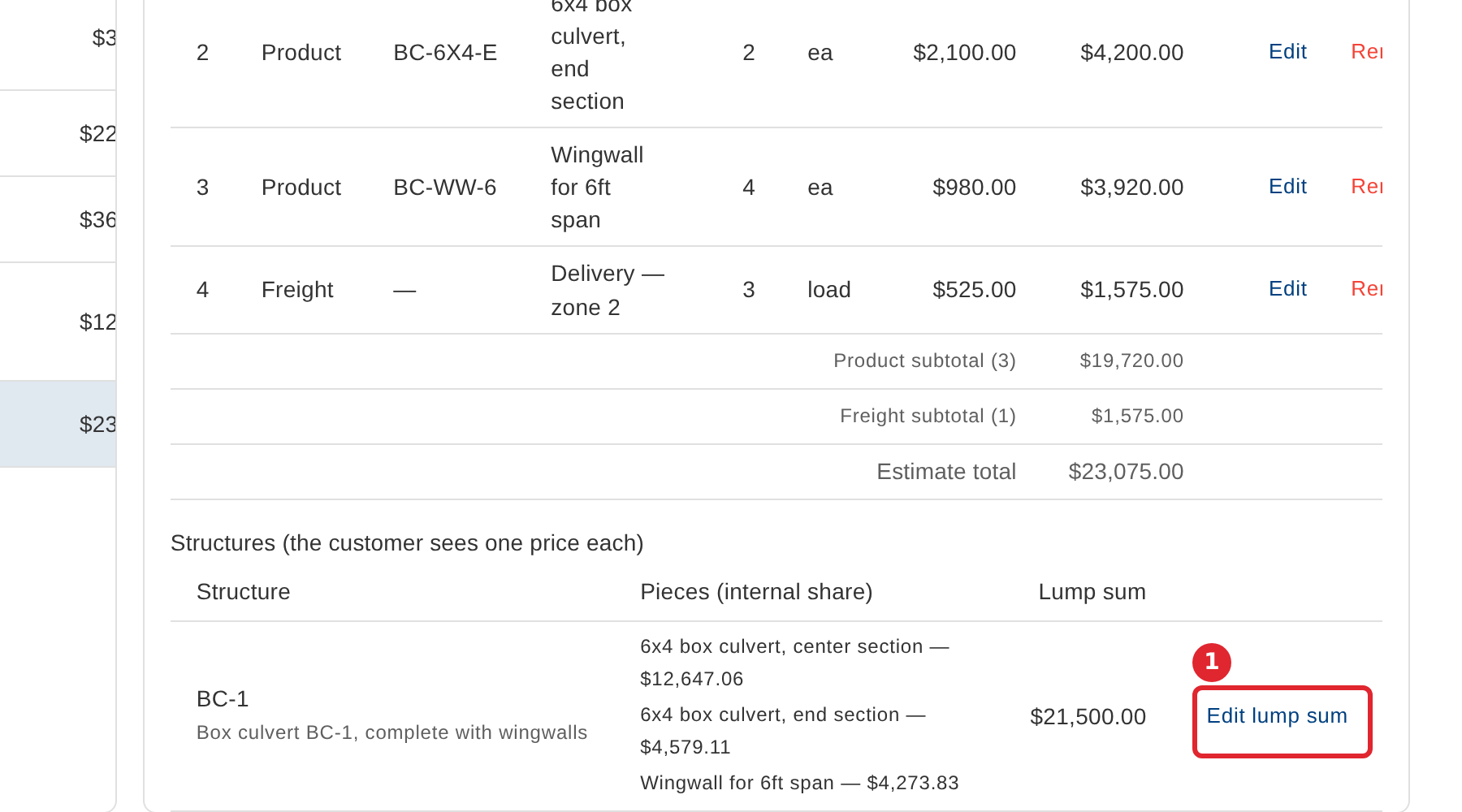
Select Set lump sum, or Edit lump sum when one is already set.
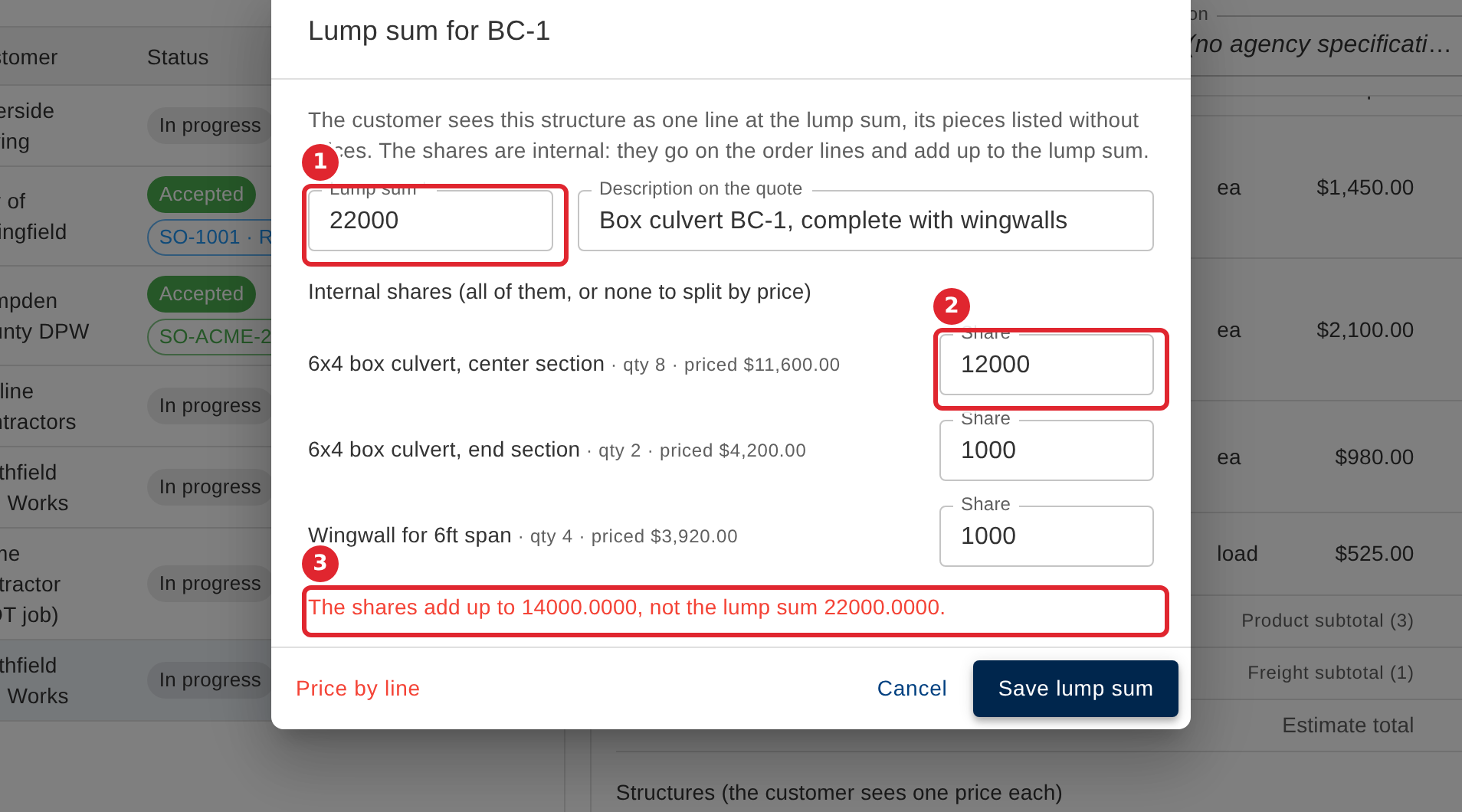
Enter the Lump sum and the description the quote shows. Type a share for every piece, or leave every share blank to split the lump sum by the pieces' prices. Shares that do not add up to the lump sum are refused, and the dialog says by how much.
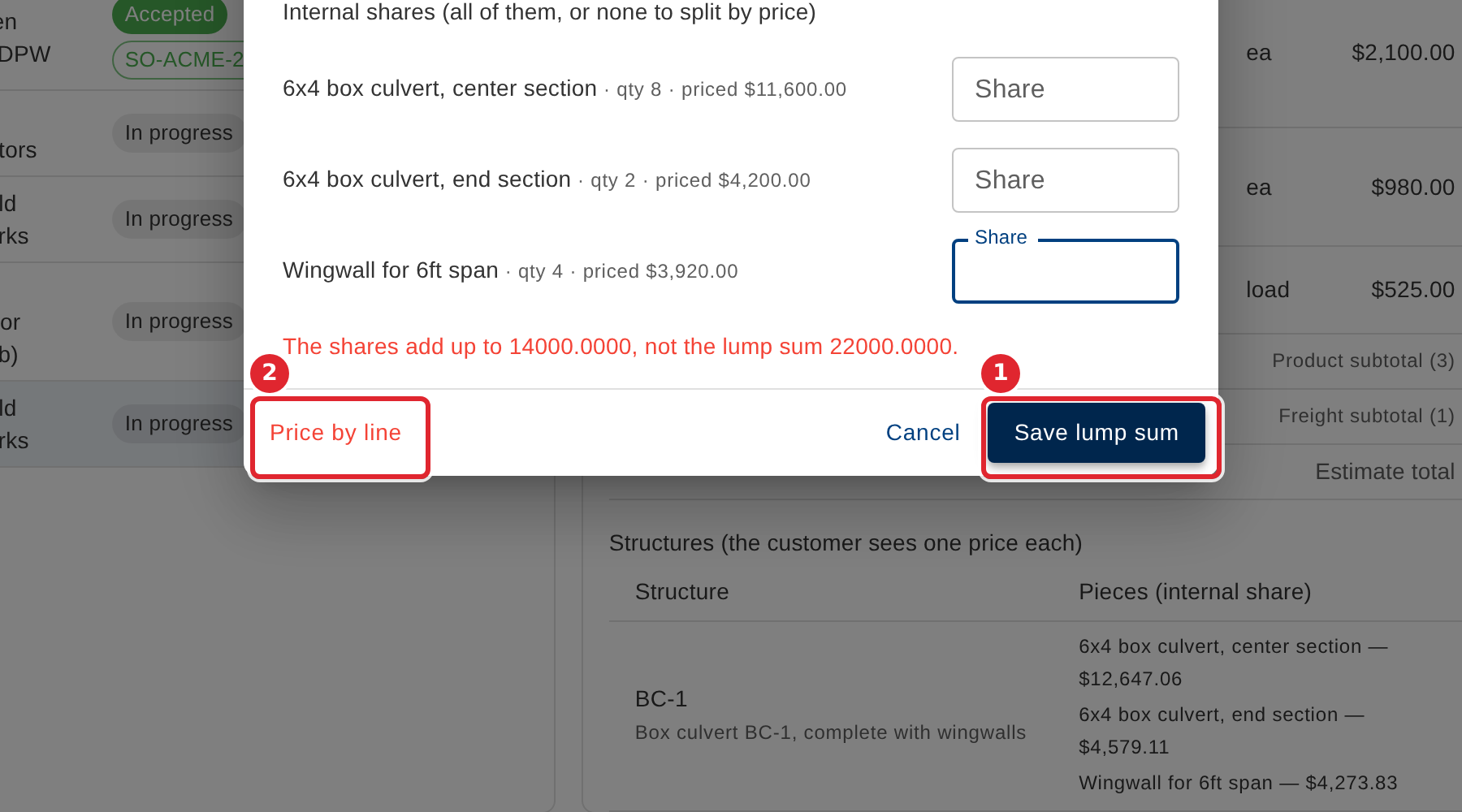
Select Save lump sum. Price by line removes the lump sum and goes back to pricing each piece.
The structure's row shows the new lump sum and each piece's share, and the estimate total is worked out again.
Tips
- The lump sum must be an amount in whole cents.
- Type a share for every piece, or leave every share blank to split the lump sum by the pieces' prices.
- Shares that do not add up to the lump sum are refused, never rescaled.
- When your company keeps each piece's price to the cent, the structure's row also says when a lump sum cannot be split into whole cents for each piece, and names the nearest lump sums that can. The quote cannot be issued until the lump sum or a quantity changes.
- A line whose Structure differs only in capital letters or spaces is not part of that structure. The structure's row names the line and tells you how to correct it.