Read an estimate
See everything about one estimate in one place: its lines and total, the cost behind the price, every quote issued, the customer's decision and its sales order.
Watch this in the video (0:17)
Steps
In the pictures, a numbered red box marks where to click or type. Where a picture has more than one box, the numbers give the order.
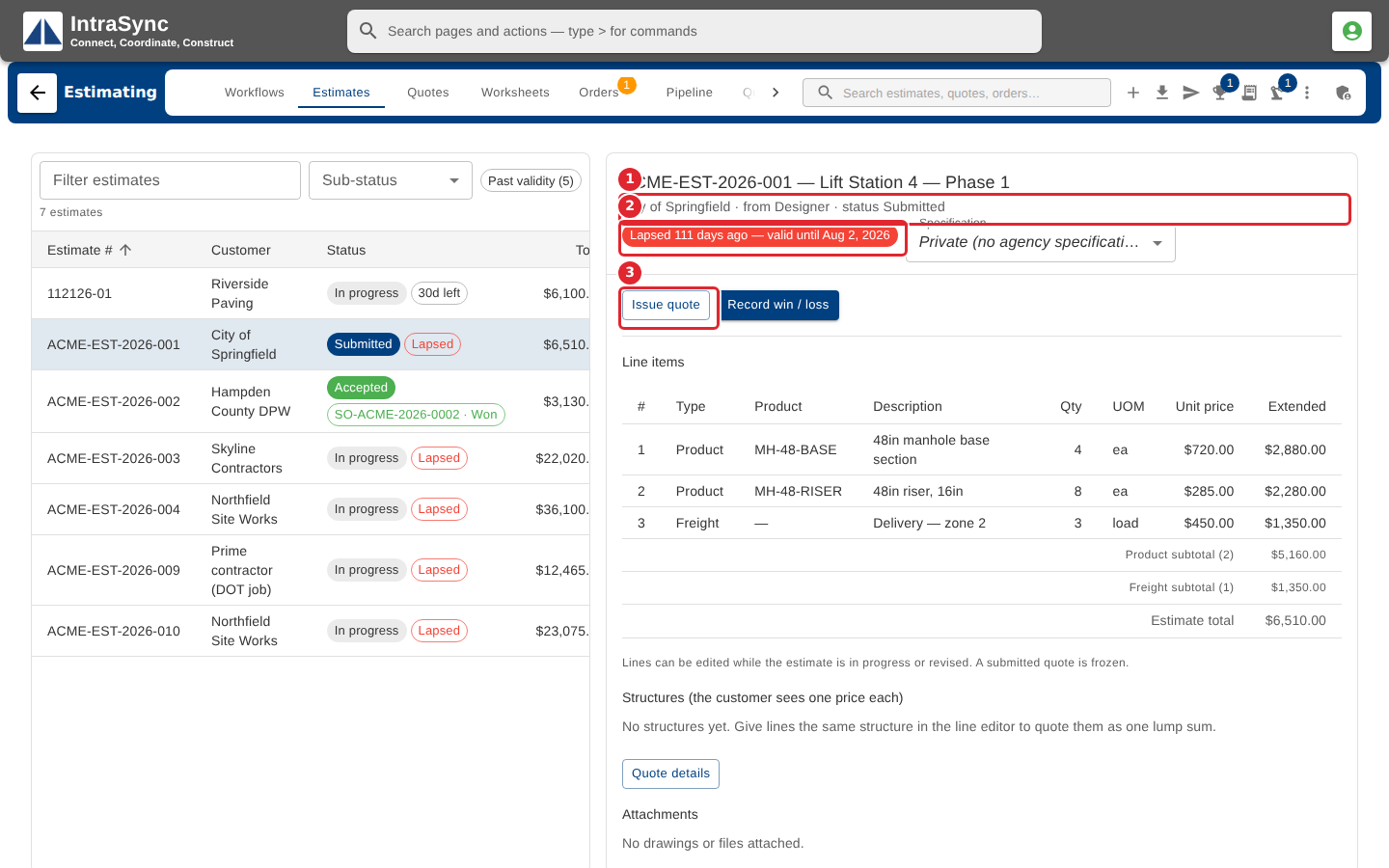
Select an estimate in the list. The top of the pane names it, the customer, where it came from and its status (1), and how long its quote is valid (2). The buttons below offer the next step for that status (3).
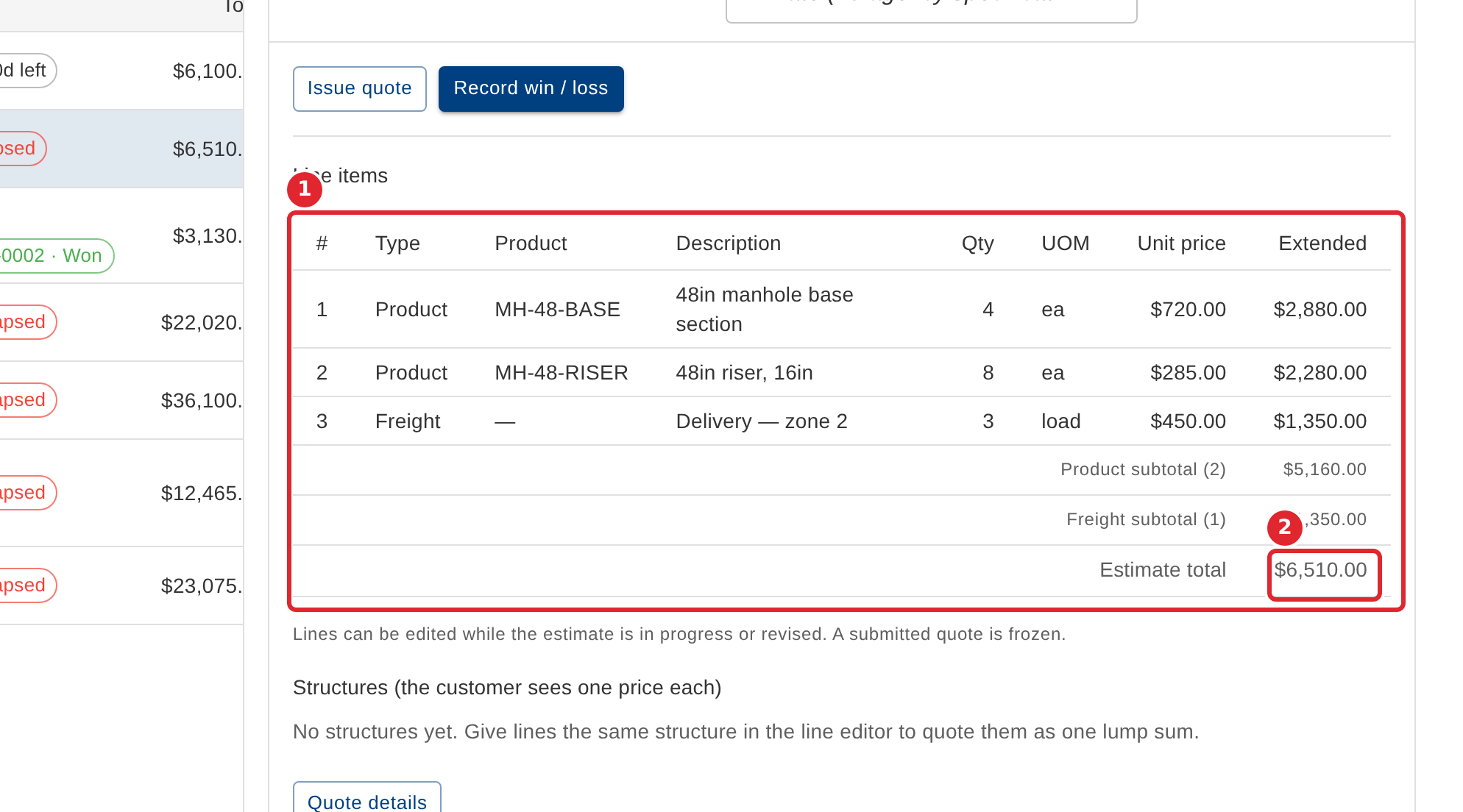
Line items list what is quoted, with a subtotal for each line type and the estimate total at the foot.
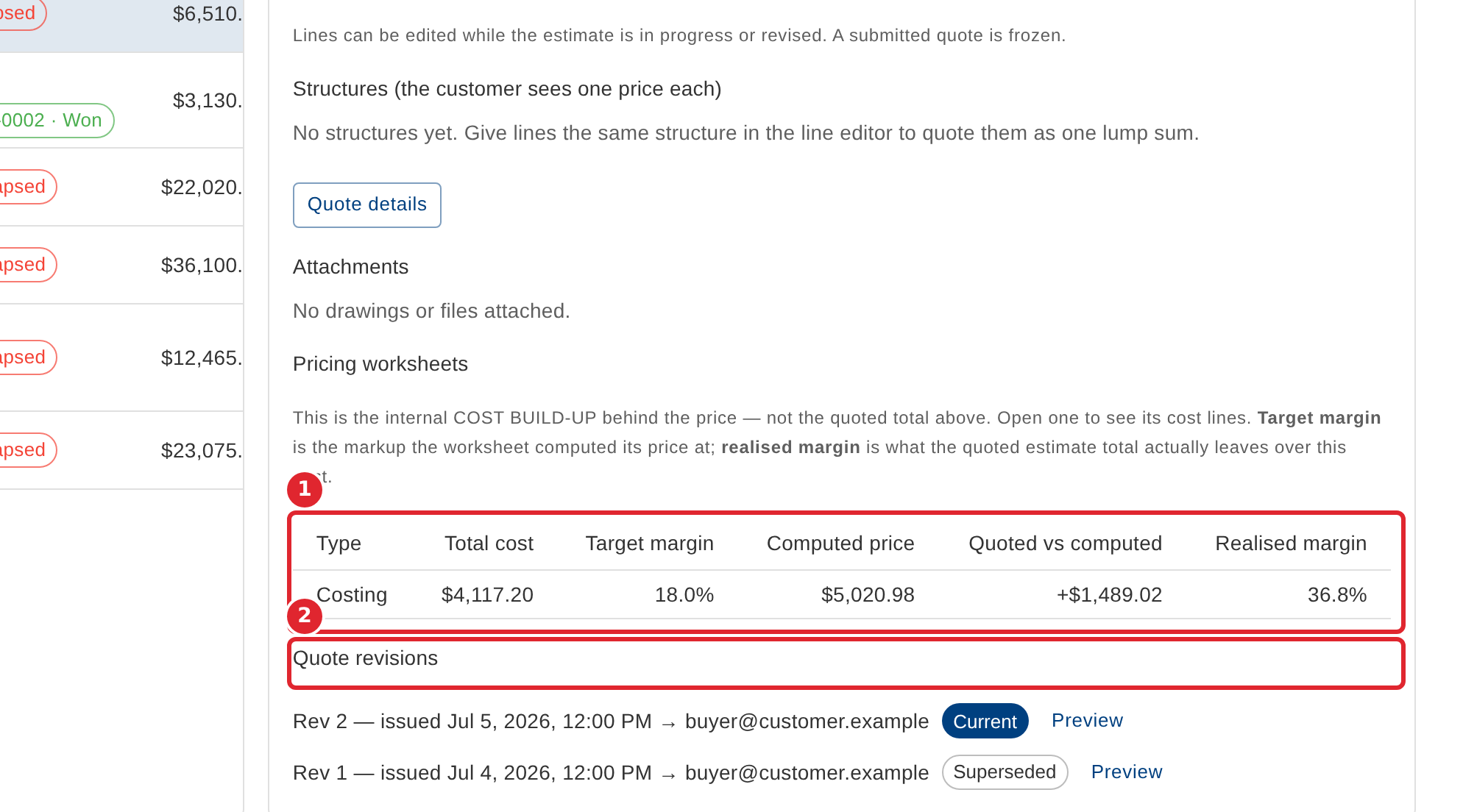
Further down, Pricing worksheets shows the cost build-up behind the price and the margin it leaves, and Quote revisions lists every quote issued, each with Preview.
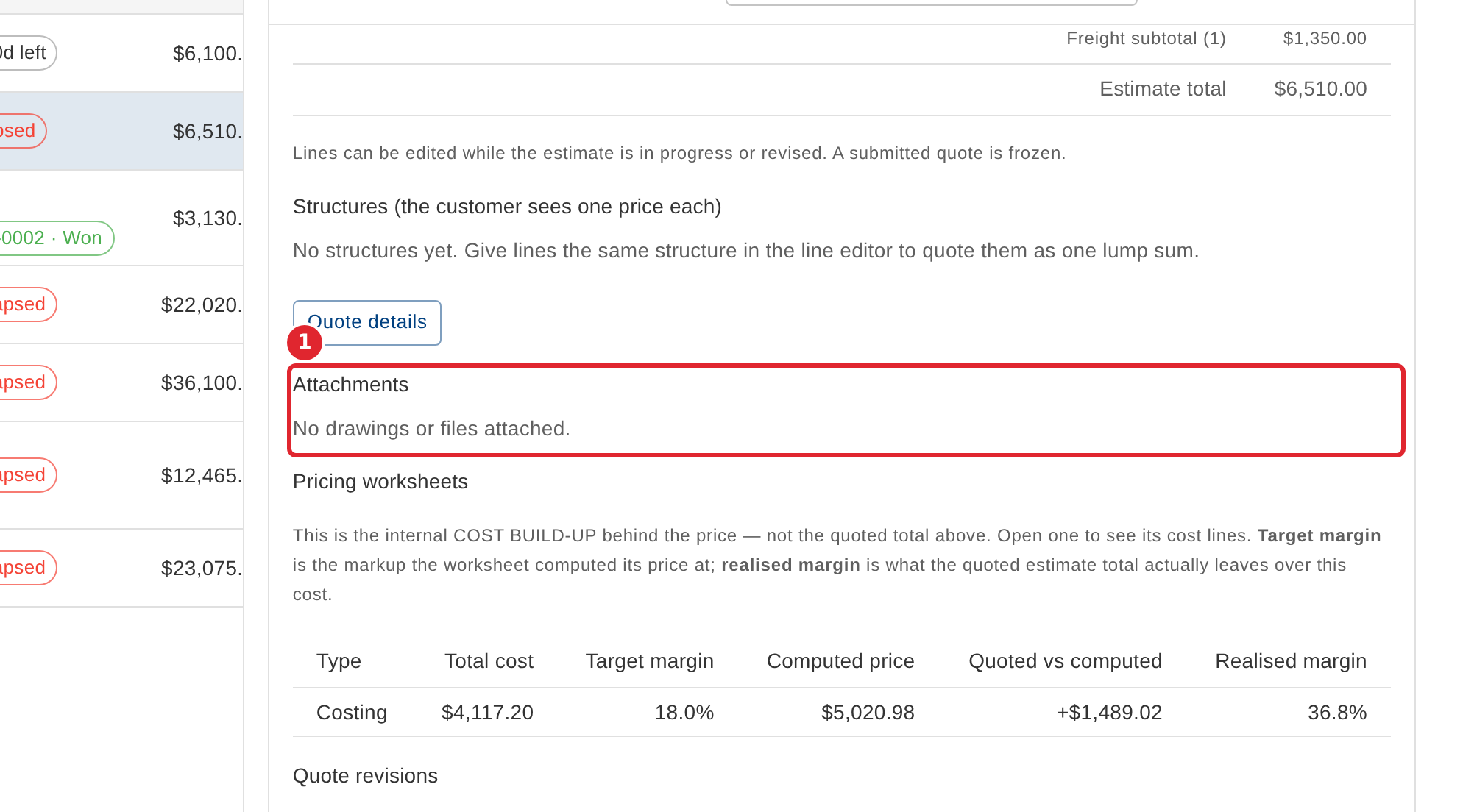
Attachments lists the drawings and files kept with the estimate. Use Kind and Belongs to on each file to say what it is and which line it belongs to.
Tips
- The validity chip turns red once the quote has lapsed.
- When the stored total does not equal the sum of the lines, the estimate says so under the lines.
- Once an estimate is converted, its header names the sales order and the order's status.