Estimating guide · section 2 of 29
Search across estimates, quotes and orders
Jump straight to an estimate, a line, a quote revision, a worksheet or a sales order without paging through lists.
Steps
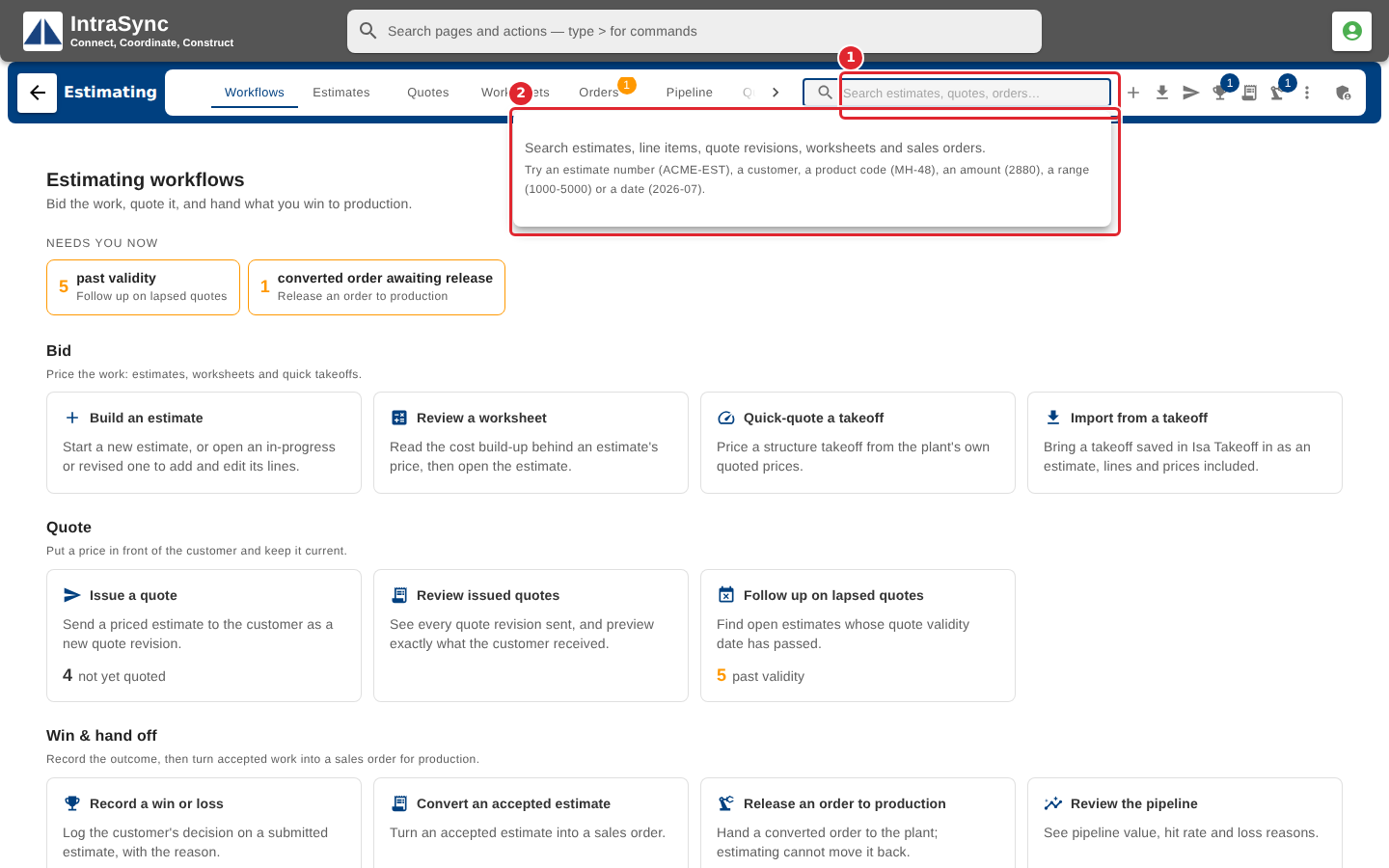
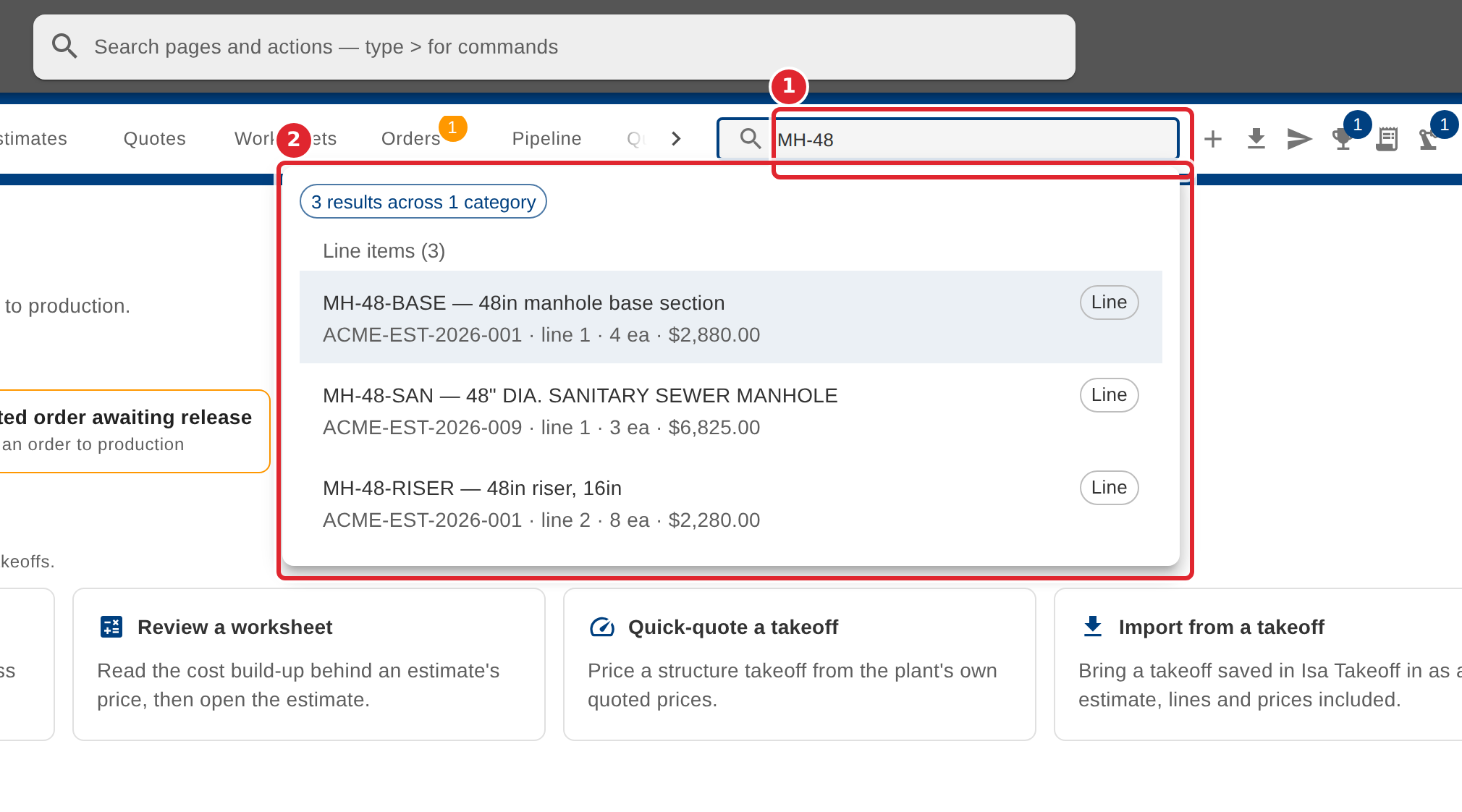
In the pictures, a numbered red box marks where to click or type. Where a picture has more than one box, the numbers give the order.
Select the search box in the hub header. Its help lists what you can search for.
Type a product code, an estimate number, a customer, an amount, a range of amounts or a date. Results are grouped by kind: estimates, line items, quote revisions, worksheets and sales orders.
Tips
- Search looks only through what the hub has already loaded for your company.
- A plain number is matched as an amount; a range is two amounts with a dash between them; a date is a year and month, or a full date.
- Use the arrow keys to move through the results, Enter to open one and Escape to close the search.
- Selecting an estimate or a line opens the estimate; a quote revision opens the Quotes tab; a worksheet opens the Worksheets tab; a sales order opens the Orders tab.