Field Tracking guide · section 12 of 22
Attach a photo or document to a record
Keep the photos, signatures and documents for a delivery, piece, observation, report or jobsite with the record itself.
Watch this in the video (2:47)
Steps
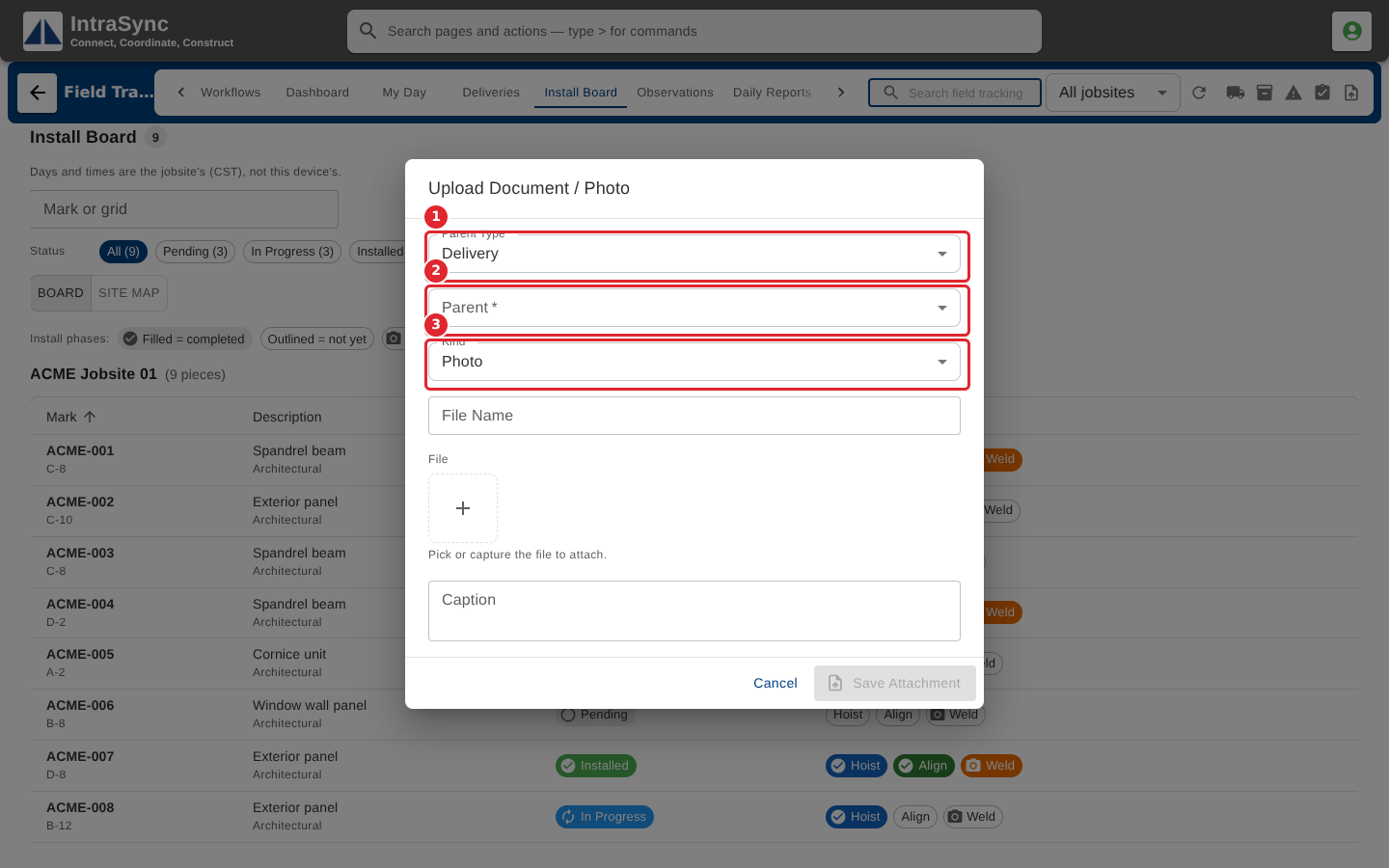
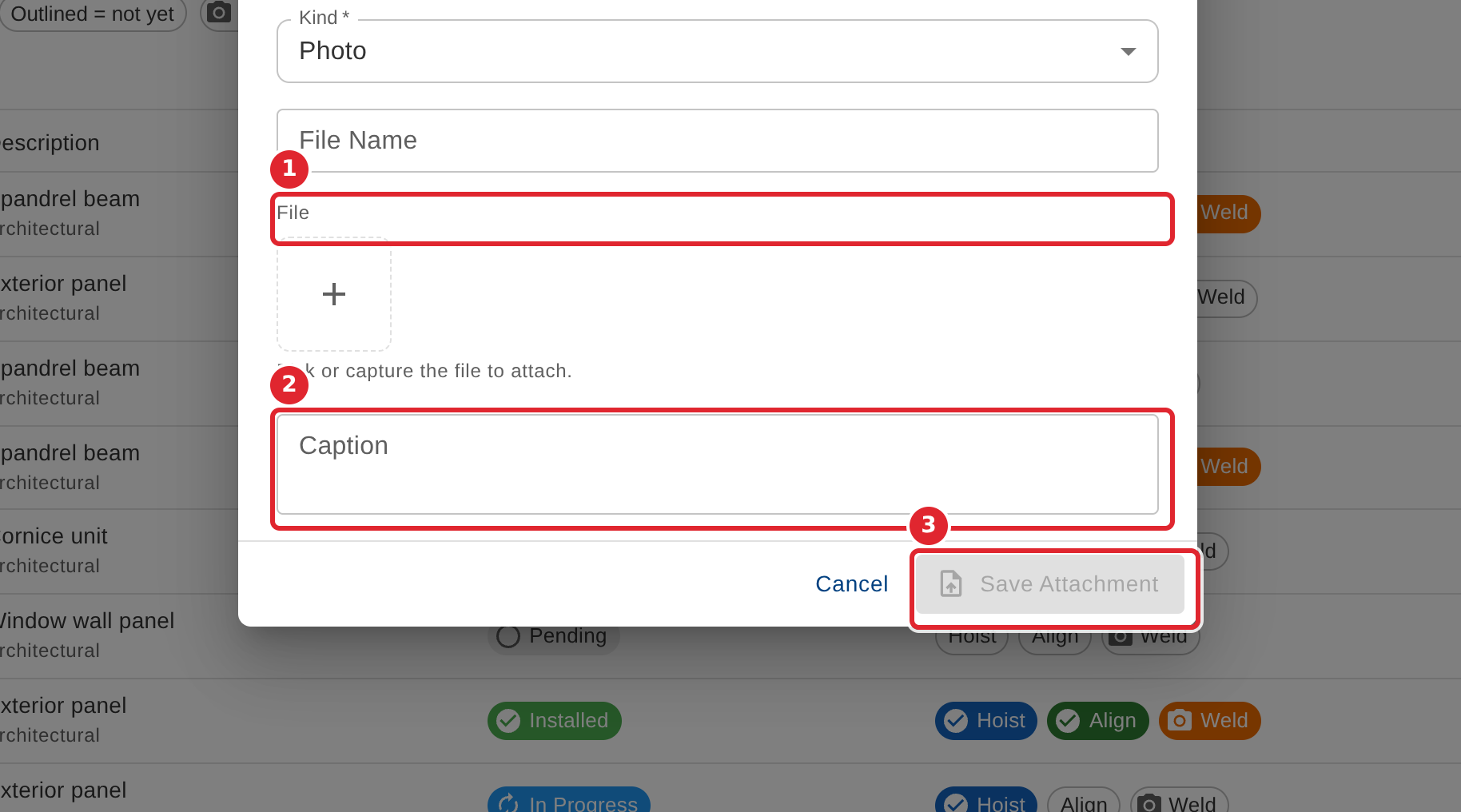
In the pictures, a numbered red box marks where to click or type. Where a picture has more than one box, the numbers give the order.
Select Upload Document / Photo in the header. Choose what the file belongs to (a delivery, piece, observation, daily report or jobsite) and which record, then the kind of file.
Pick or capture the file, add a caption if it helps, and select Save Attachment.
Tips
- Parent type, parent and kind are required, and a file must be picked or captured.
- An attachment shows in the record's details under Attachments.