Field Tracking guide · section 20 of 22
Choose units and field rules
Set how measurements are shown and which checks apply in the field.
Watch this in the video (2:10)
Before you start
- Manager or administrator access.
Steps
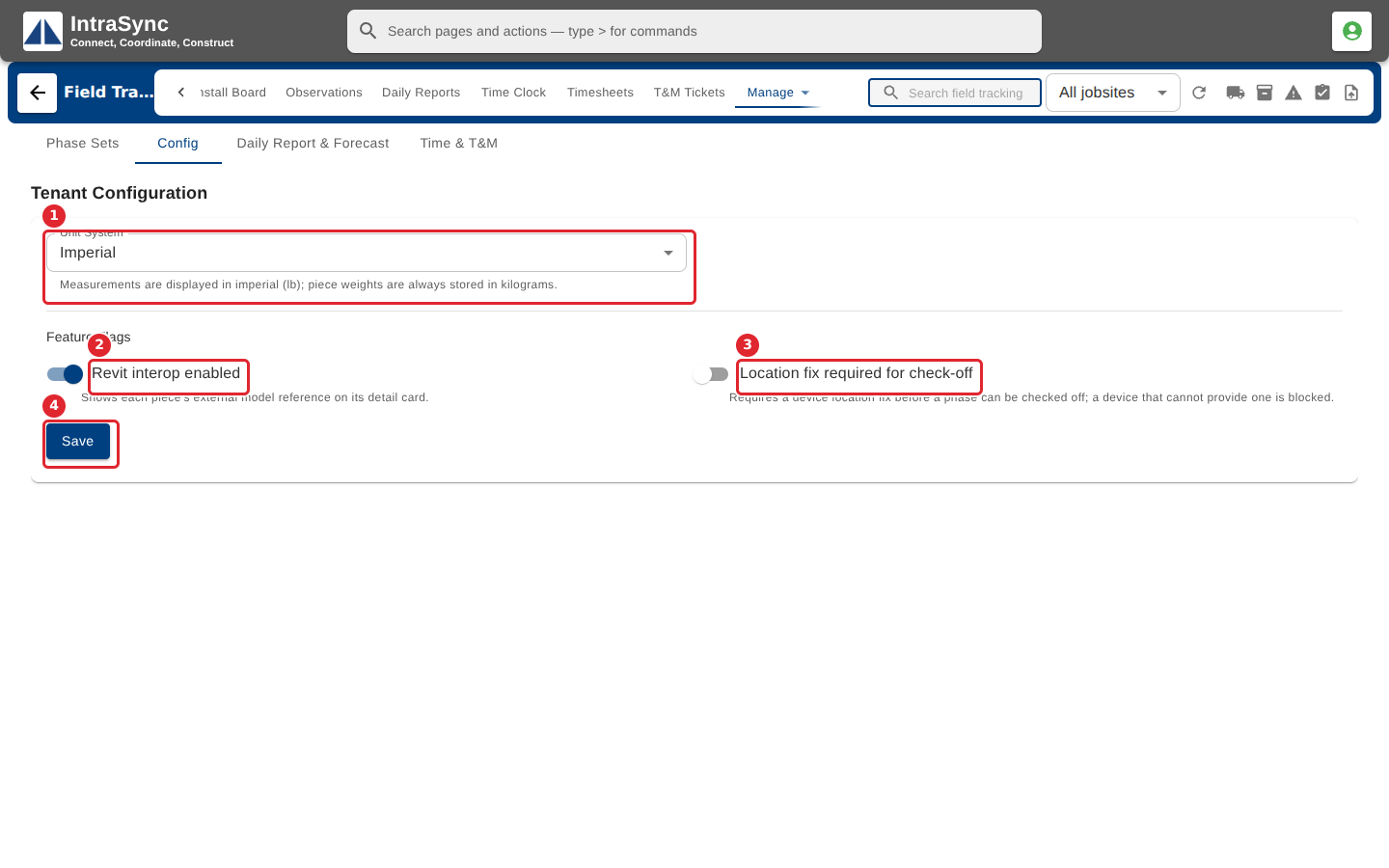
In the pictures, a numbered red box marks where to click or type. Where a picture has more than one box, the numbers give the order.
Select Config. Choose the unit system, and switch Revit interop or the location fix for check-off on or off. Each setting says what it does. Select Save.
Tips
- Piece weights are always stored in kilograms. The unit system changes only how they are shown.
- If someone else changed the settings while you had them open, a warning offers Reload.