Field Tracking guide · section 7 of 22
Open a delivery's full record
See everything recorded about one load, and correct it when something was entered wrong.
Watch this in the video (1:17)
Steps
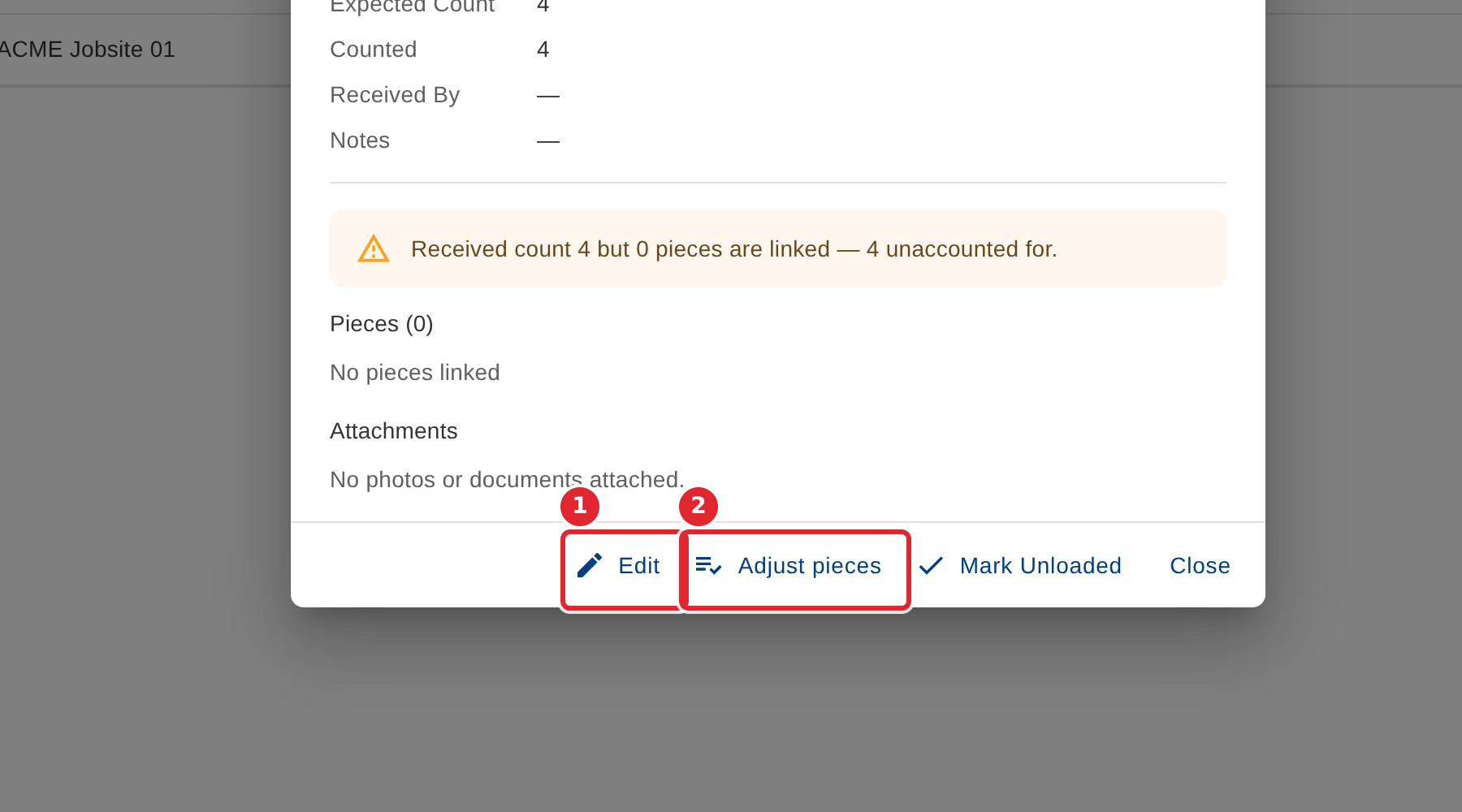
In the pictures, a numbered red box marks where to click or type. Where a picture has more than one box, the numbers give the order.
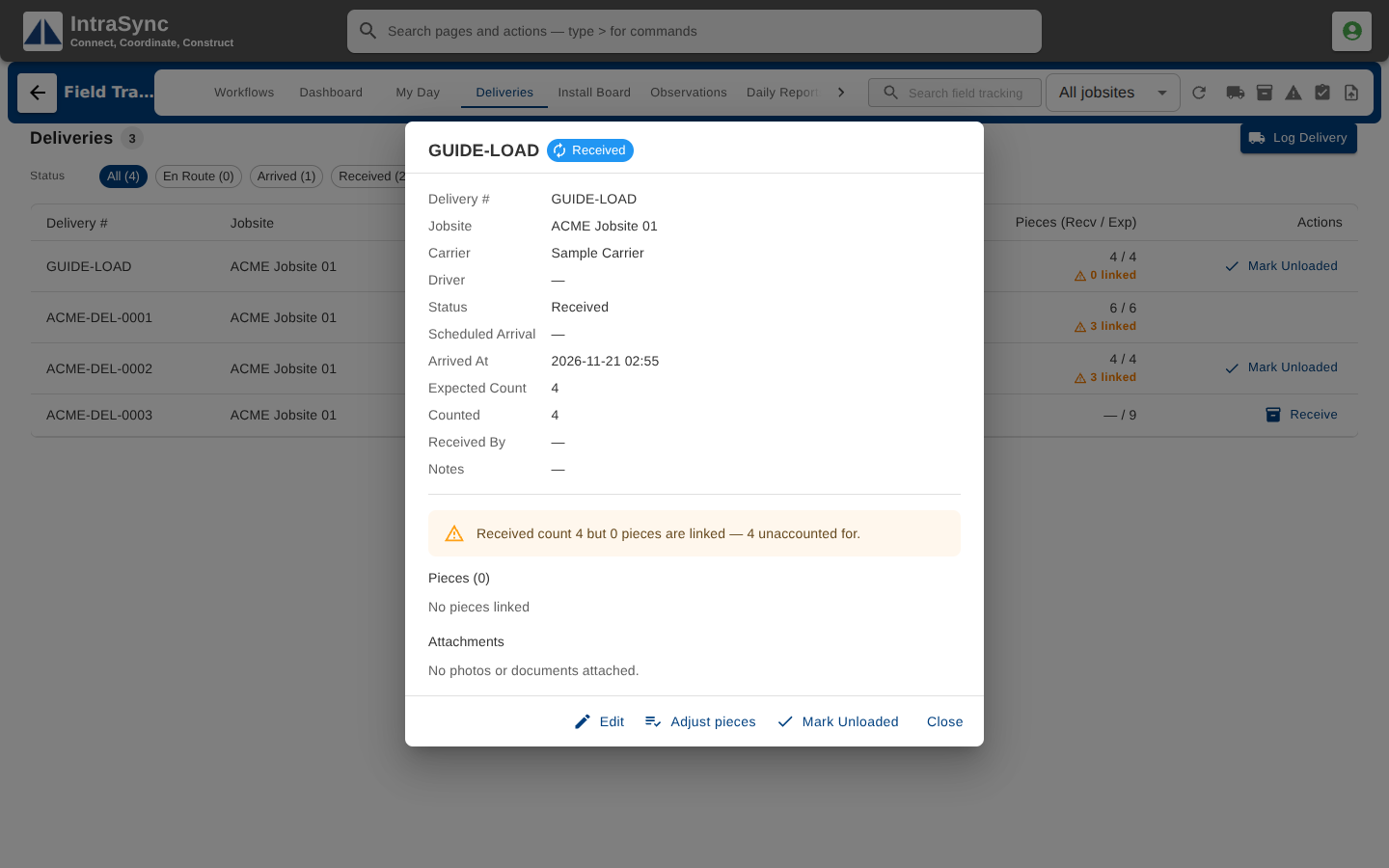
Select a delivery's row to open its full record: carrier, driver, arrival, counts, the linked pieces and any attachments.
Select Edit to correct the load's details, or Adjust pieces to change the count or the linked pieces after it was received.
Tips
- Once a load is received, its carrier, driver, scheduled arrival and expected count are locked. Notes can still be edited.
- Only a delivery still en route, with no linked pieces or attachments, can be deleted.