Field Tracking guide · section 3 of 22
Check off today's install steps from My Day
Give the crew one list of what to install today and a quick way to record each step as it is done.
Watch this in the video (0:16)
Before you start
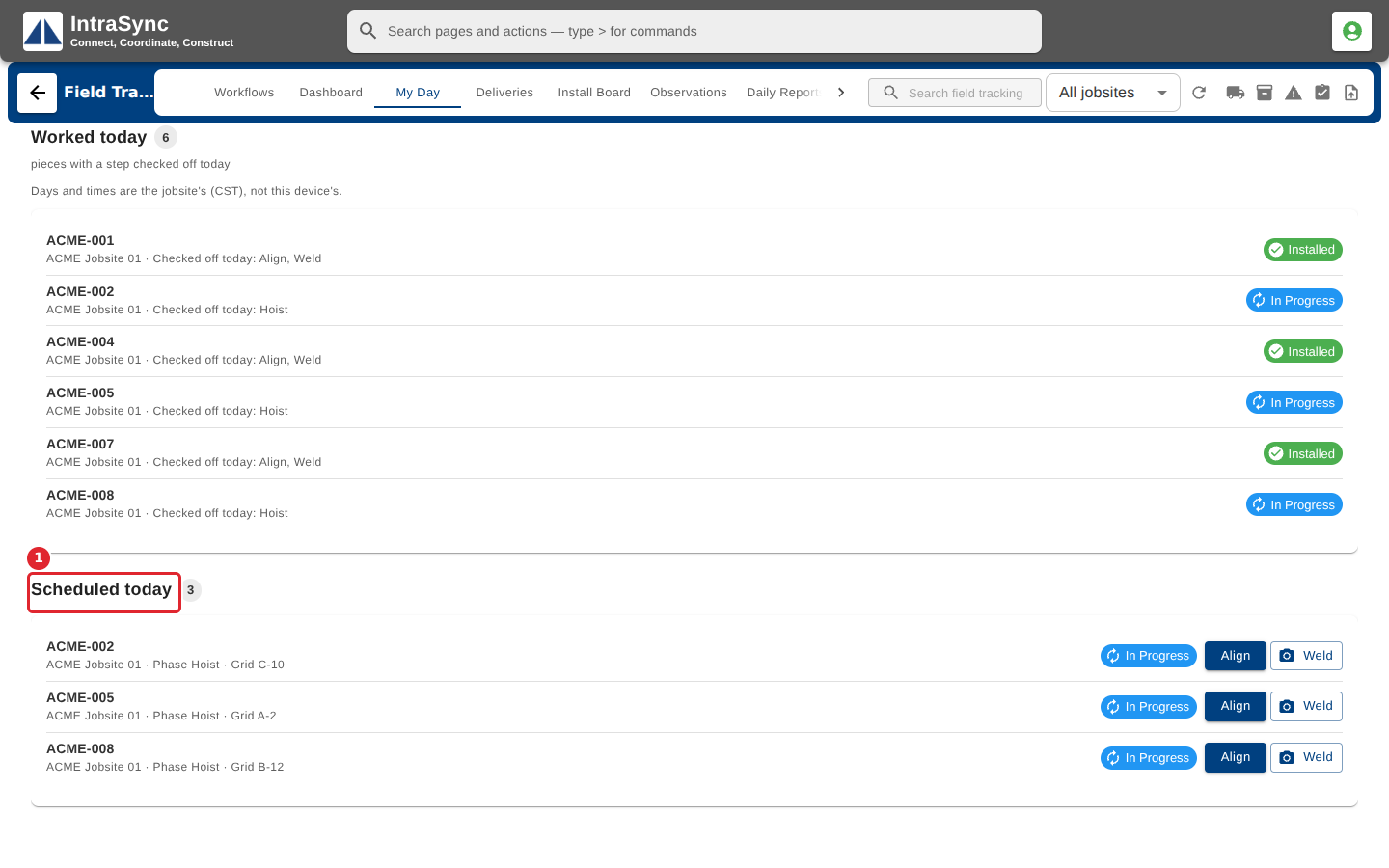
- A piece appears under Scheduled today when its projected install date is today.
Steps
In the pictures, a numbered red box marks where to click or type. Where a picture has more than one box, the numbers give the order.
Select My Day to see the pieces scheduled to install today. Each piece shows its jobsite, current phase and status.
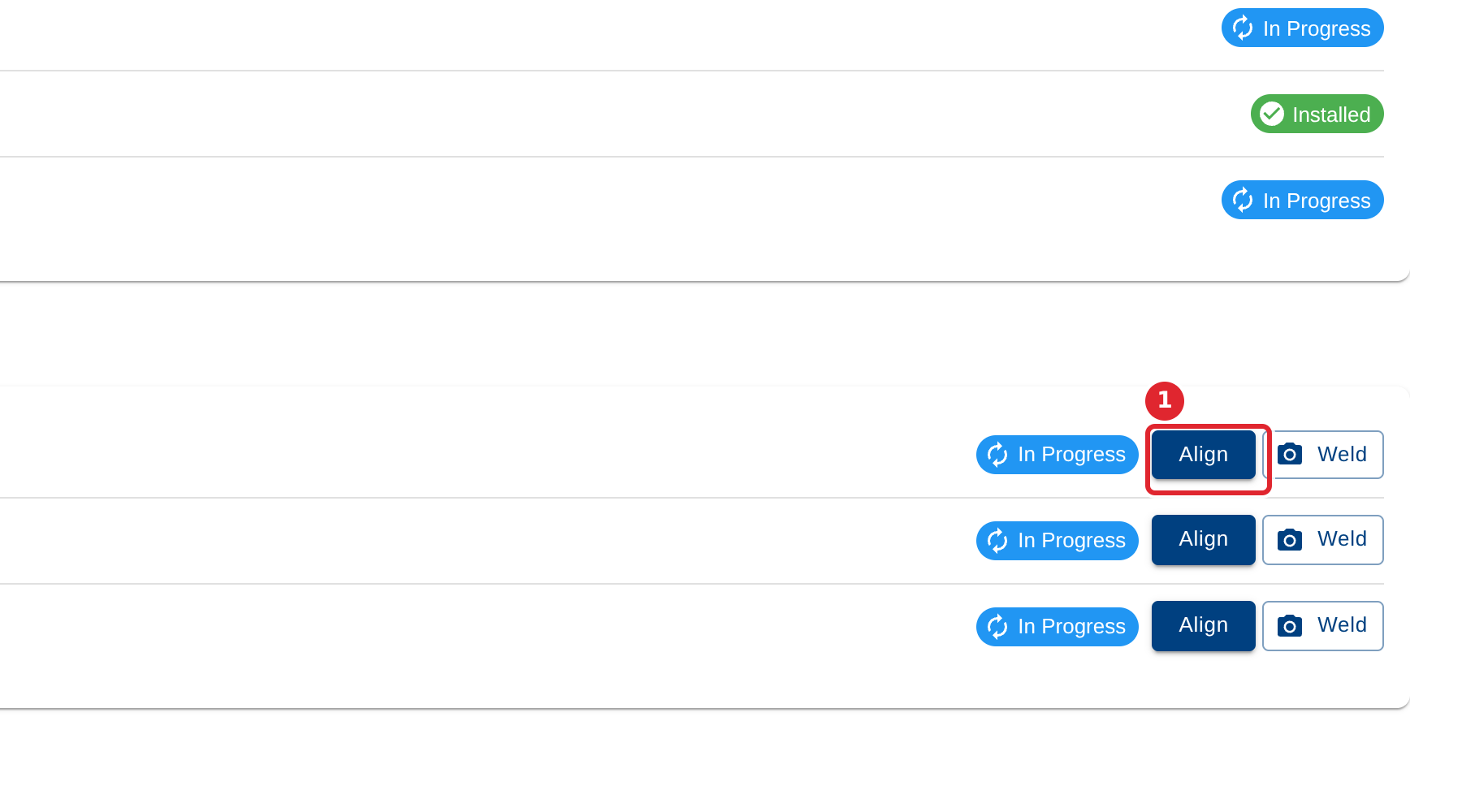
Select the next phase on a piece to check it off as the crew completes it.
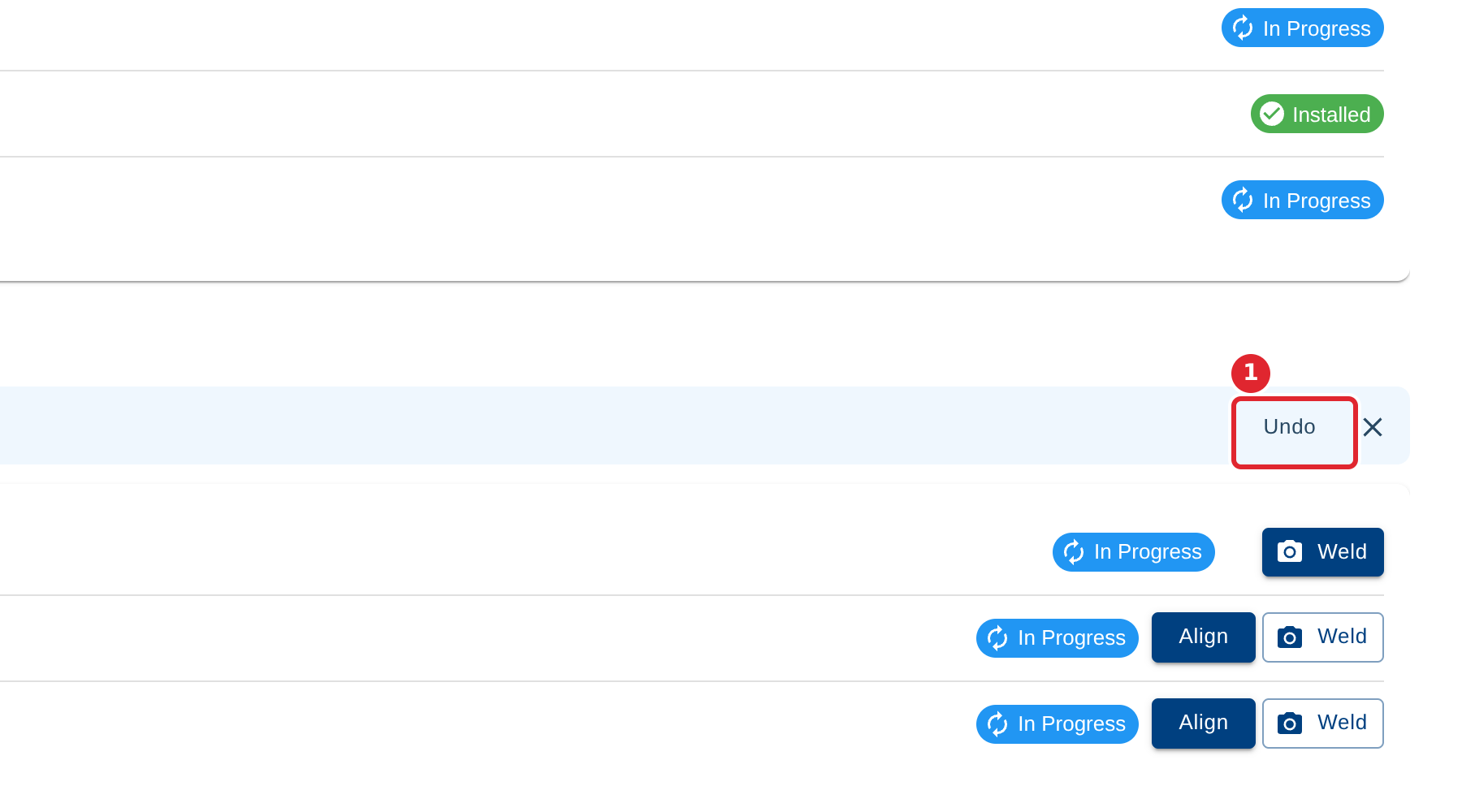
A banner confirms the check-off. Select Undo straight away if it was the wrong piece or phase.
Tips
- A phase marked with a camera asks for a photo: attach one with Upload Document / Photo.
- If your company requires a location fix for check-off, the device must share its location, or the check-off is refused with a message saying so.