Production Schedule guide · section 13 of 23
Schedule a custom item
Make a work order for an item that has no catalog product and is on no sales-order line.
Before you start
- Your company needs at least one generic routing. Without one, this button is not shown.
- For an item on a released sales-order line, use Convert sales-order lines instead.
Steps
In the pictures, a numbered red box marks where to click or type. Where a picture has more than one box, the numbers give the order.
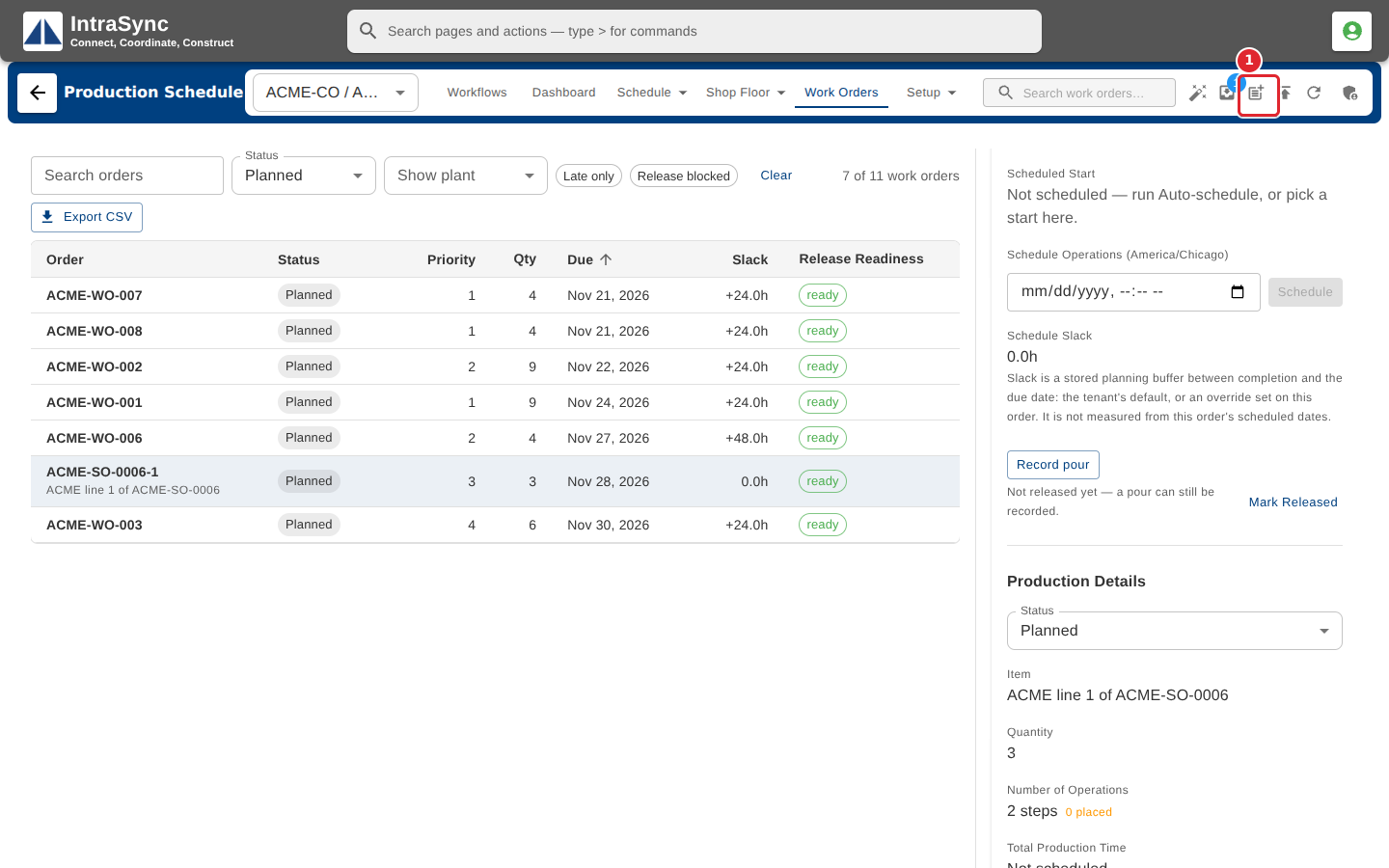
Select Schedule a custom item.
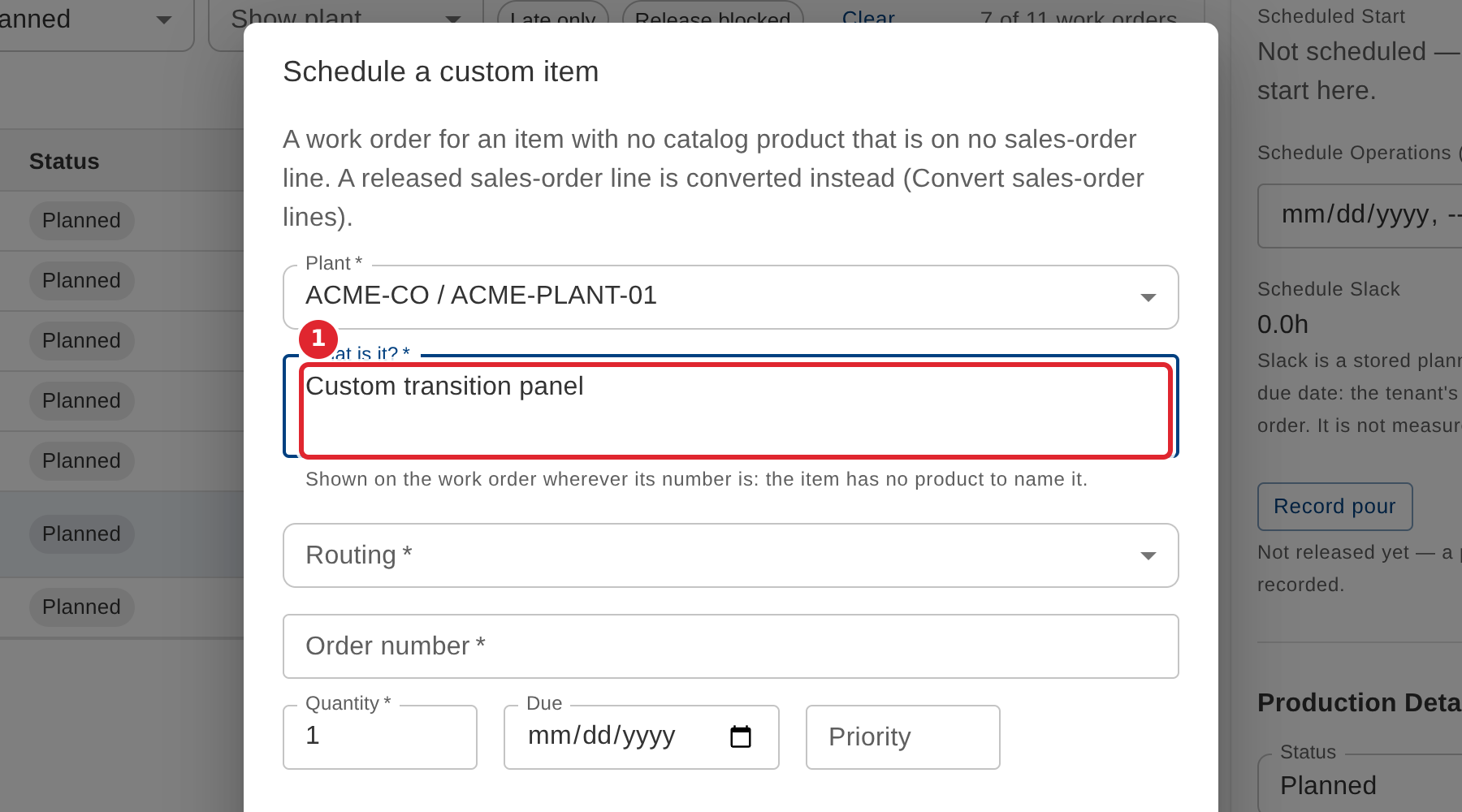
In What is it?, describe the item. The description names the item wherever its order number is shown.
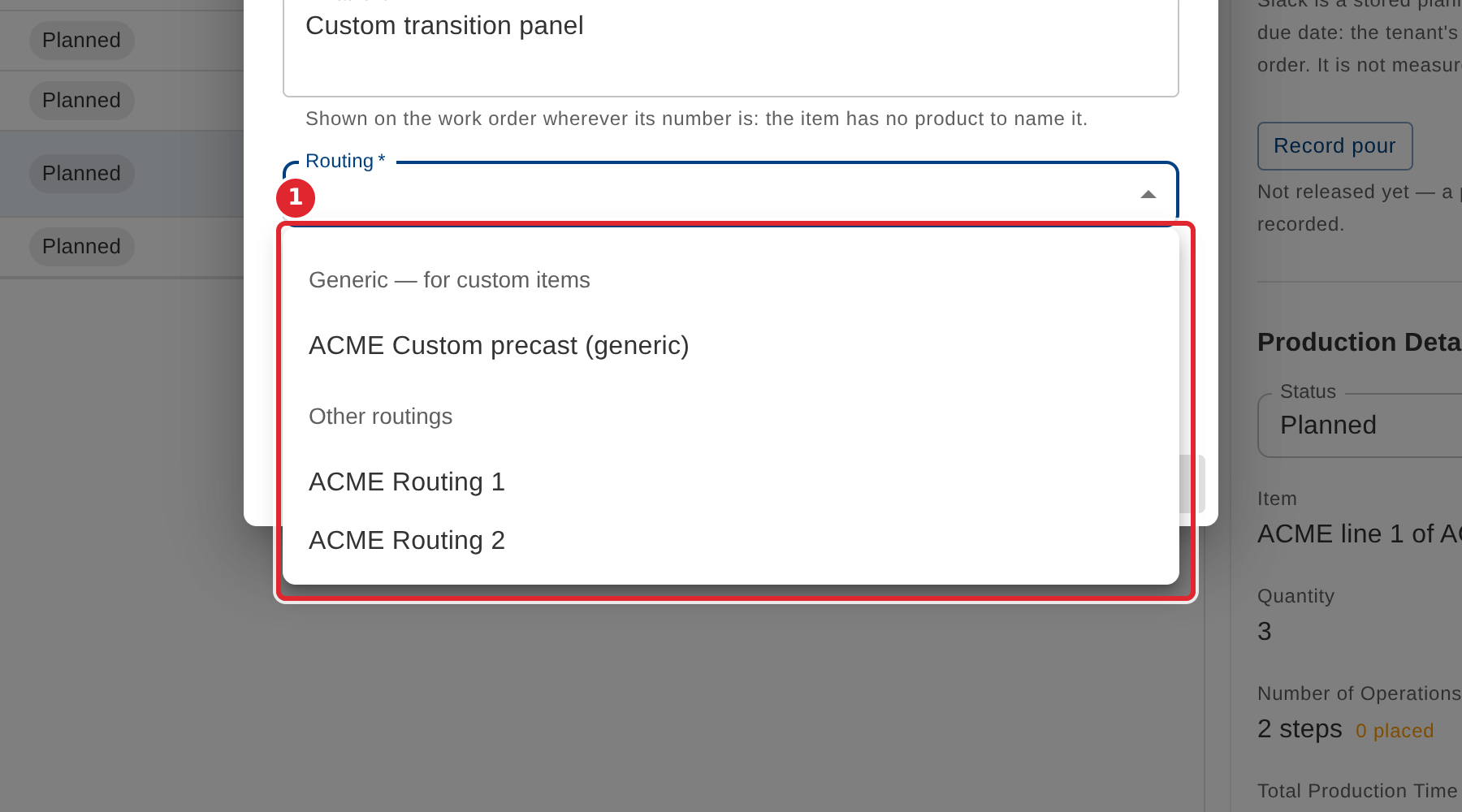
Choose a routing. Generic routings, made for custom items, are listed first.
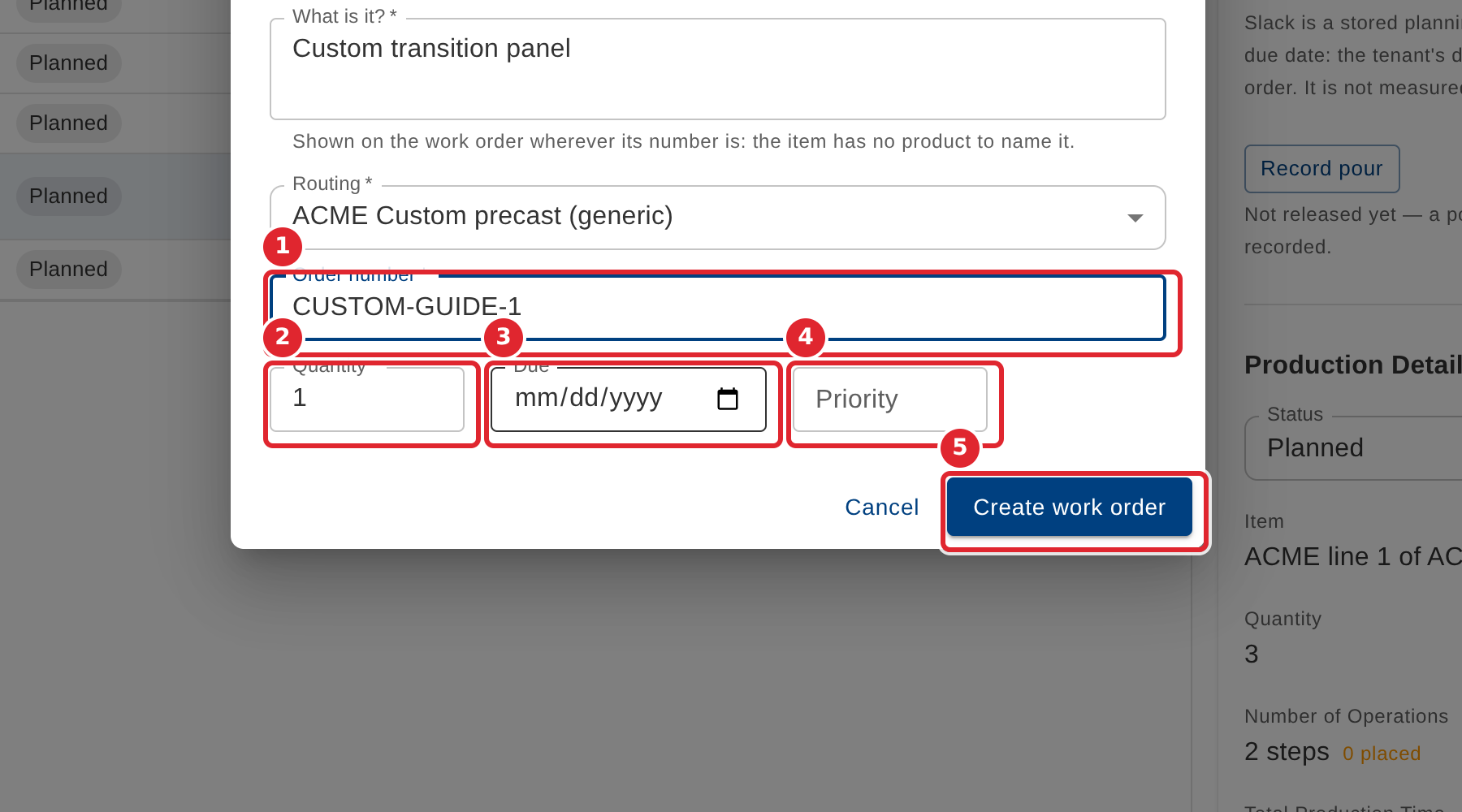
Enter the order number, quantity, due date and priority, then select Create work order.
Tips
- Plant, item description, routing, order number and quantity are required. Create work order stays unavailable until they are filled.
- Due date and priority are optional.