Production Schedule guide · section 14 of 23
Publish a schedule version
Save one plant's plan for the floor to work from, and record it as a version.
Watch this in the video (1:40)
Before you start
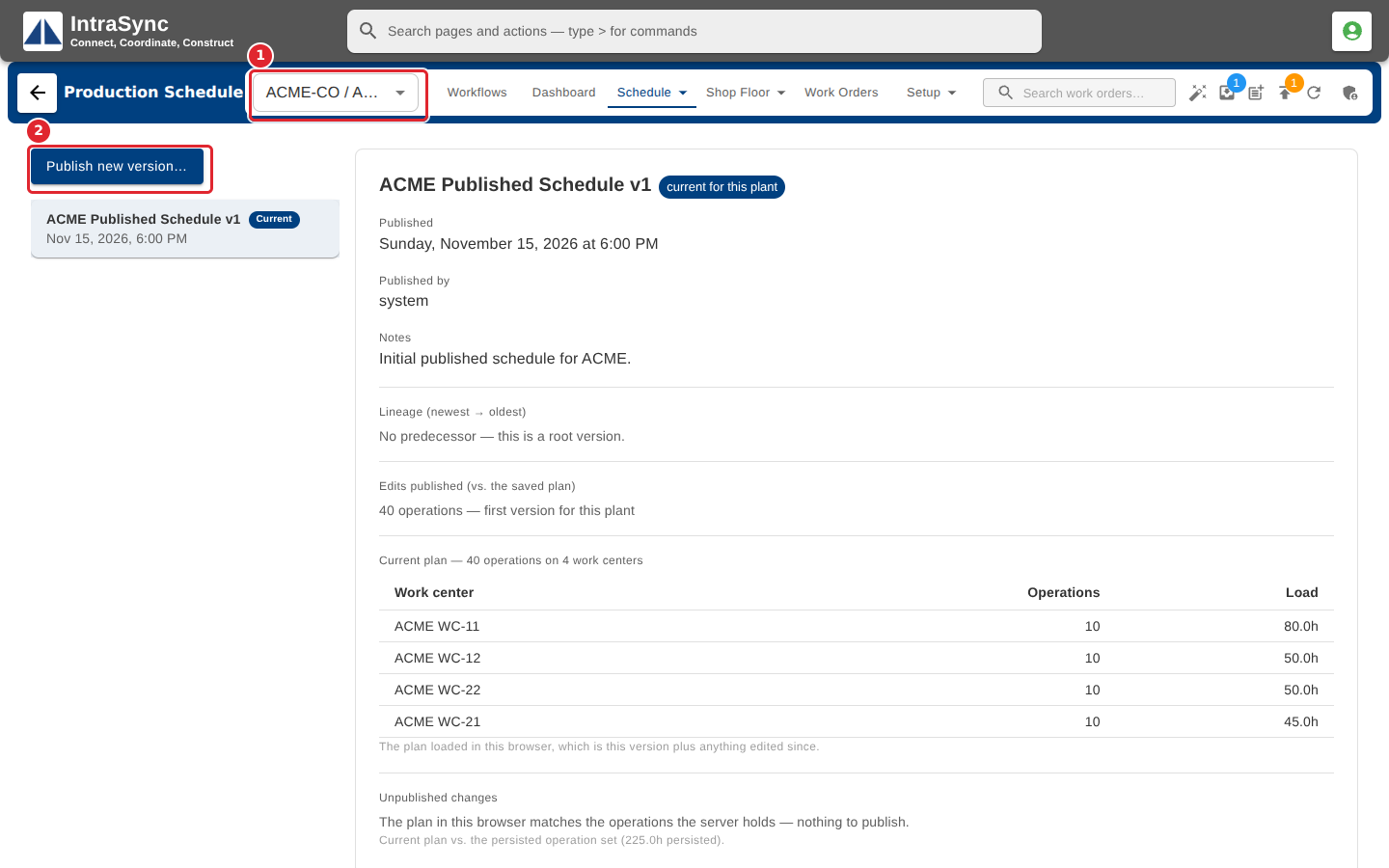
- Choose one plant in the plant selector. With all plants showing, Publish asks you to pick a plant first.
Steps
In the pictures, a numbered red box marks where to click or type. Where a picture has more than one box, the numbers give the order.
With one plant chosen, select Schedule > Versions, then Publish new version.
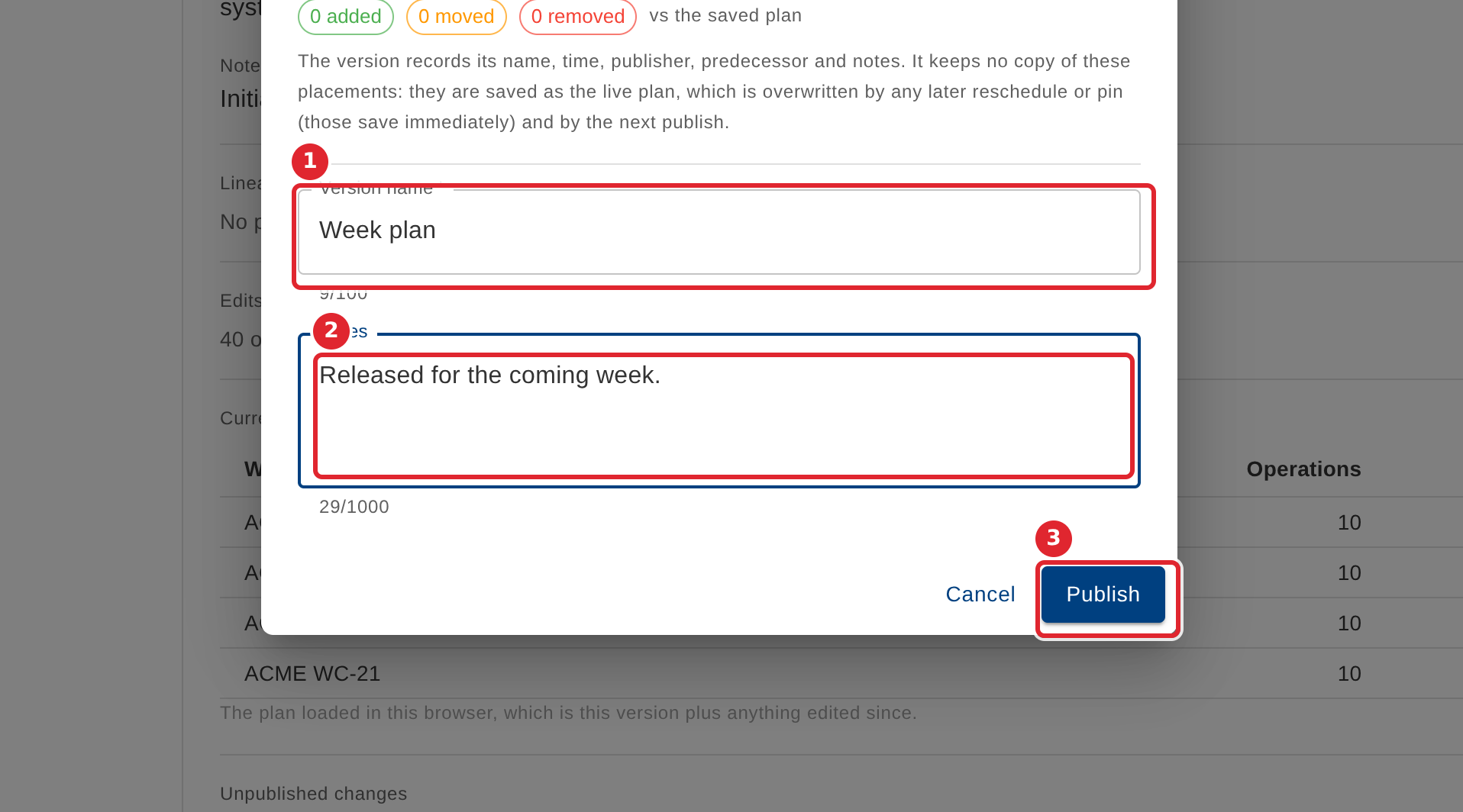
Read what will be published, enter a version name and notes, then select Publish.
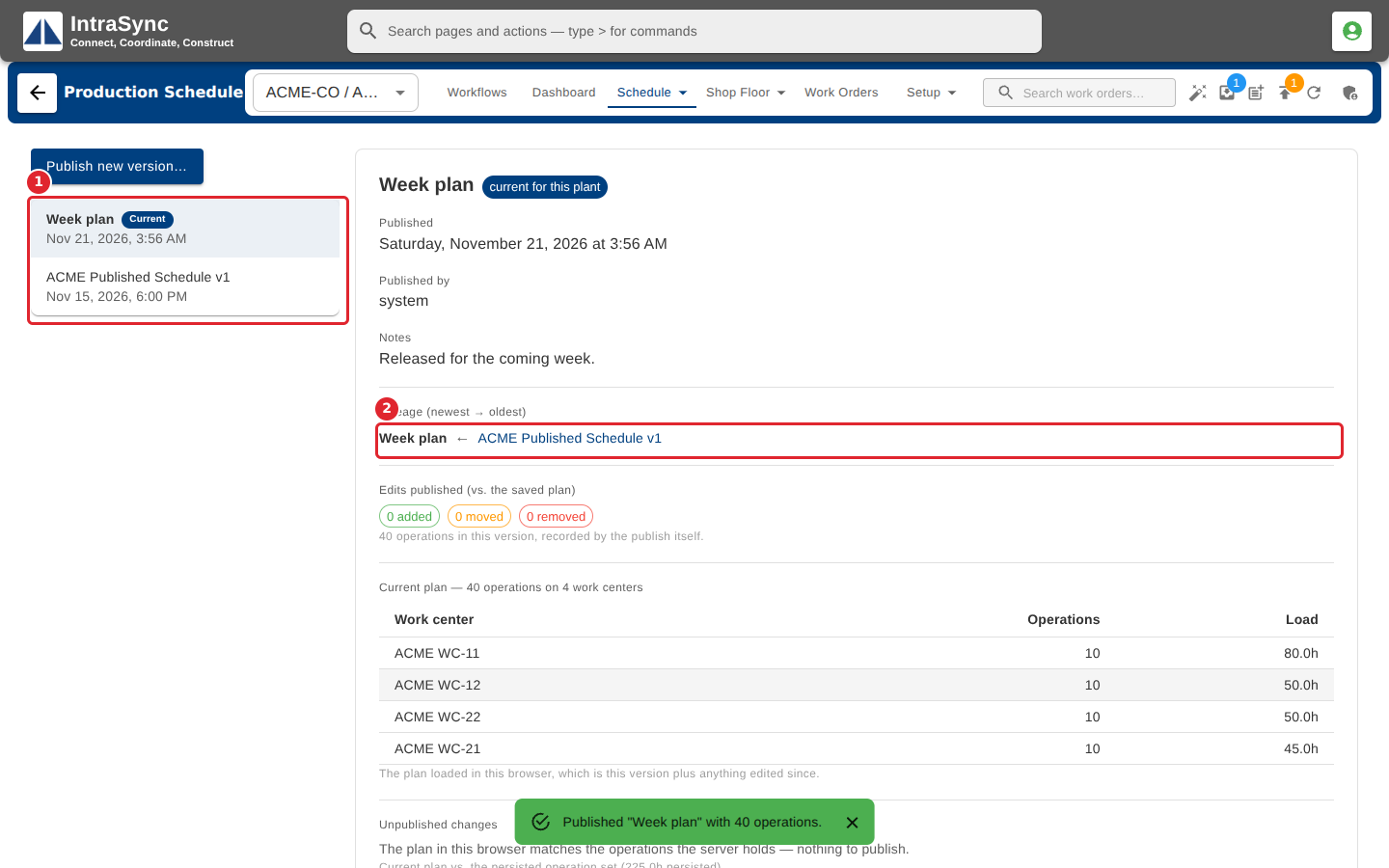
The new version is now current, and its lineage shows the version it follows.
You can also publish from the Publish button in the header.
Tips
- A version records its name, time, publisher, predecessor and notes. The placements themselves are saved as the live plan.
- The dialog shows how many operations were added, moved or removed compared with the saved plan.
- The Publish button's badge counts work orders blocked by the release gate.