Production Schedule guide · section 4 of 23
Find a work order, work center, routing or version
Jump straight to the record you need from any screen.
Watch this in the video (1:15)
Steps
In the pictures, a numbered red box marks where to click or type. Where a picture has more than one box, the numbers give the order.
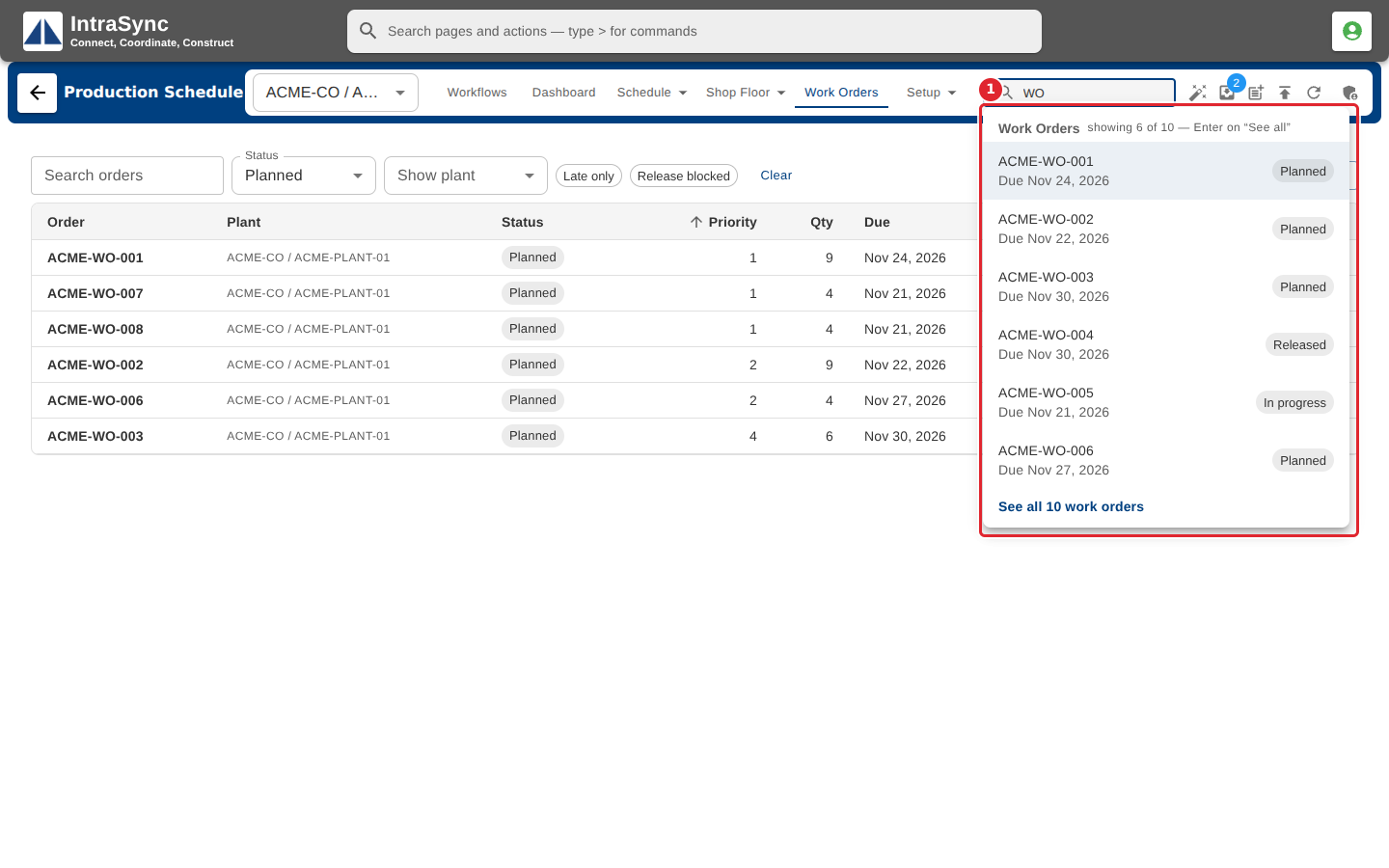
Type part of a work order number, work center, routing or version name in the search box.
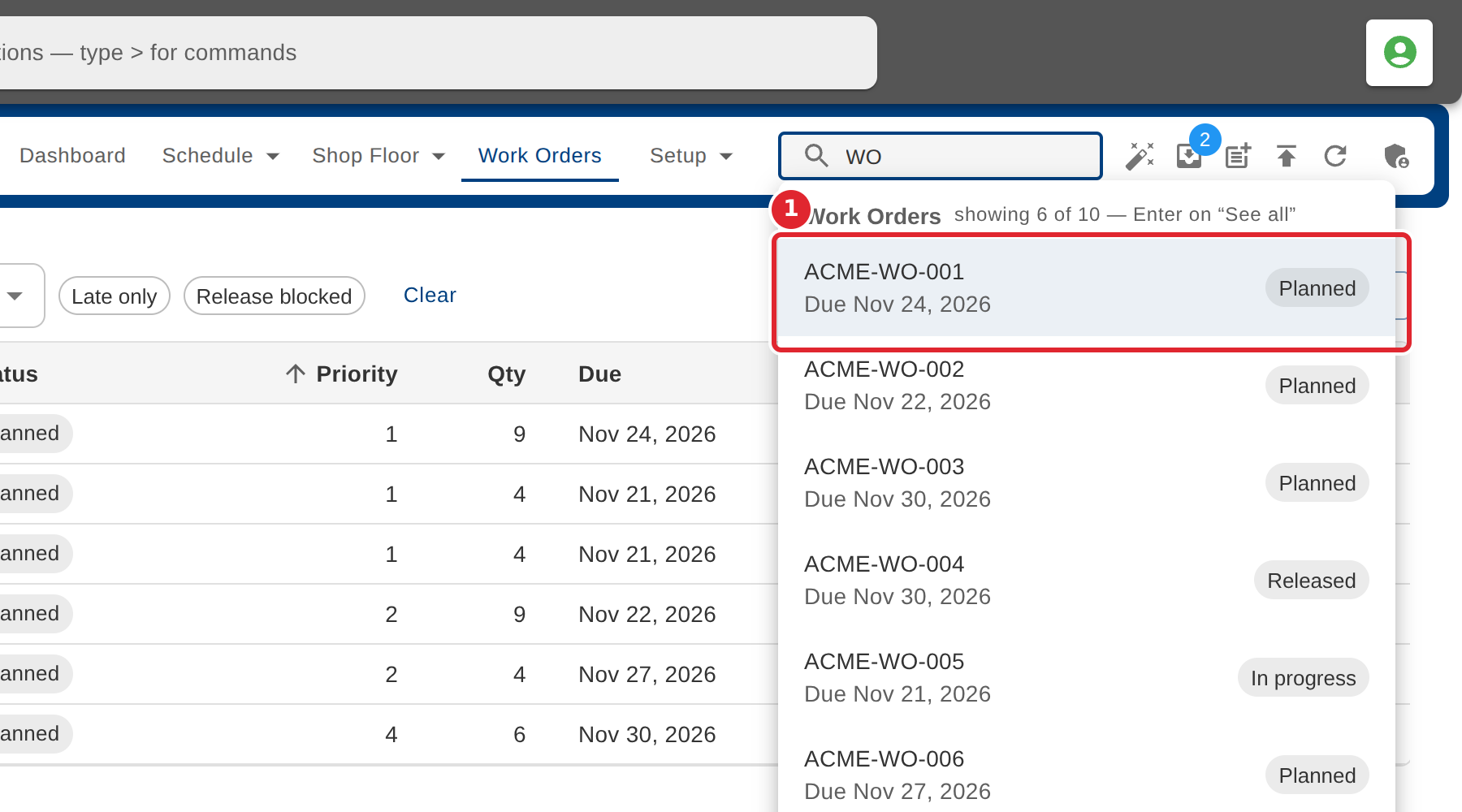
Select a result to open it.
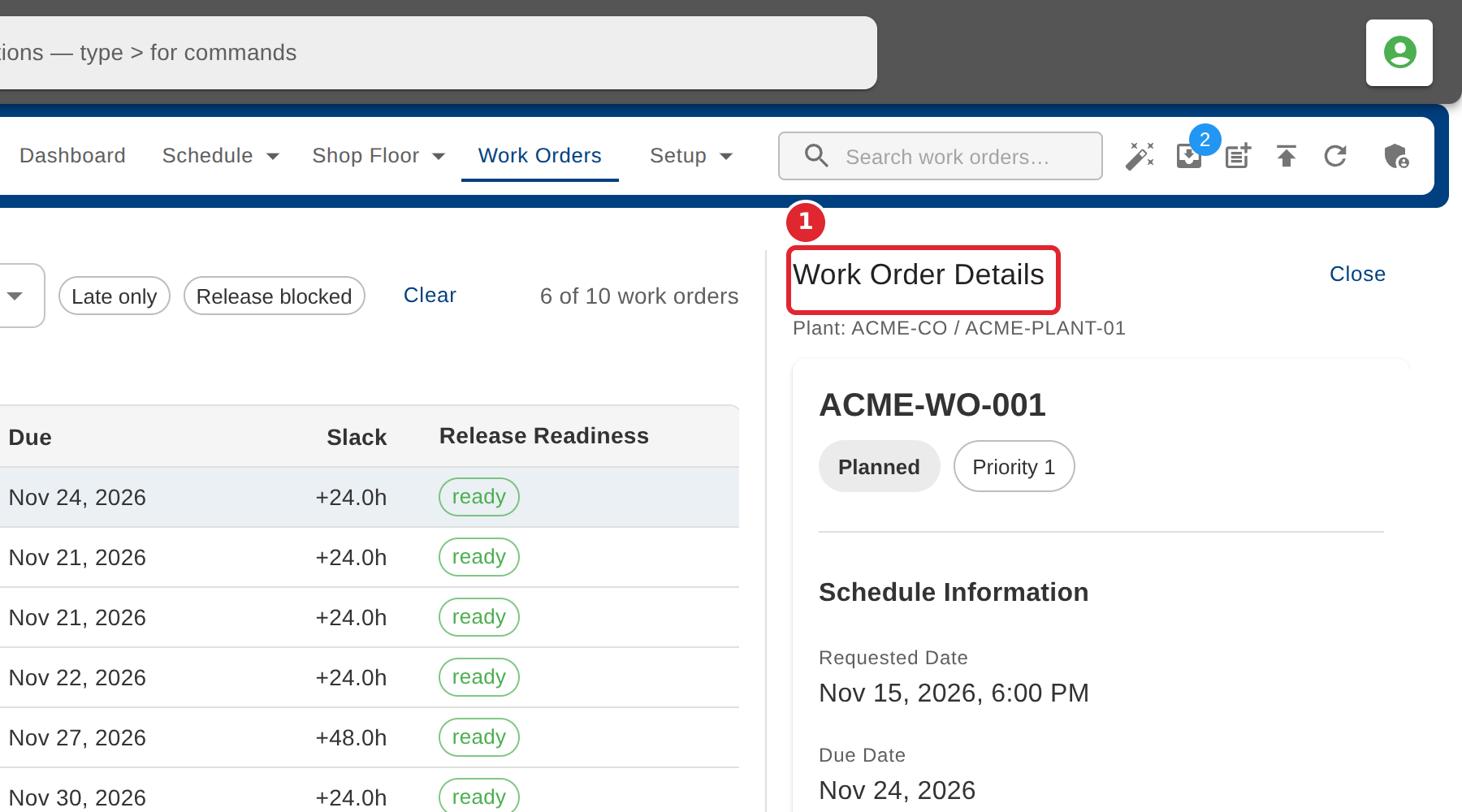
A work order opens on Work Orders with its details at the right.
Tips
- The list shows the first matches. Press Enter or select See all to see every matching work order.