Project Management guide · section 12 of 20
Raise an RFI and record its answer
Track each request for information from question to answer, and see who owes the next move.
Watch this in the video (0:59)
Before you start
- A project is in scope, or choose the project in the form.
Steps
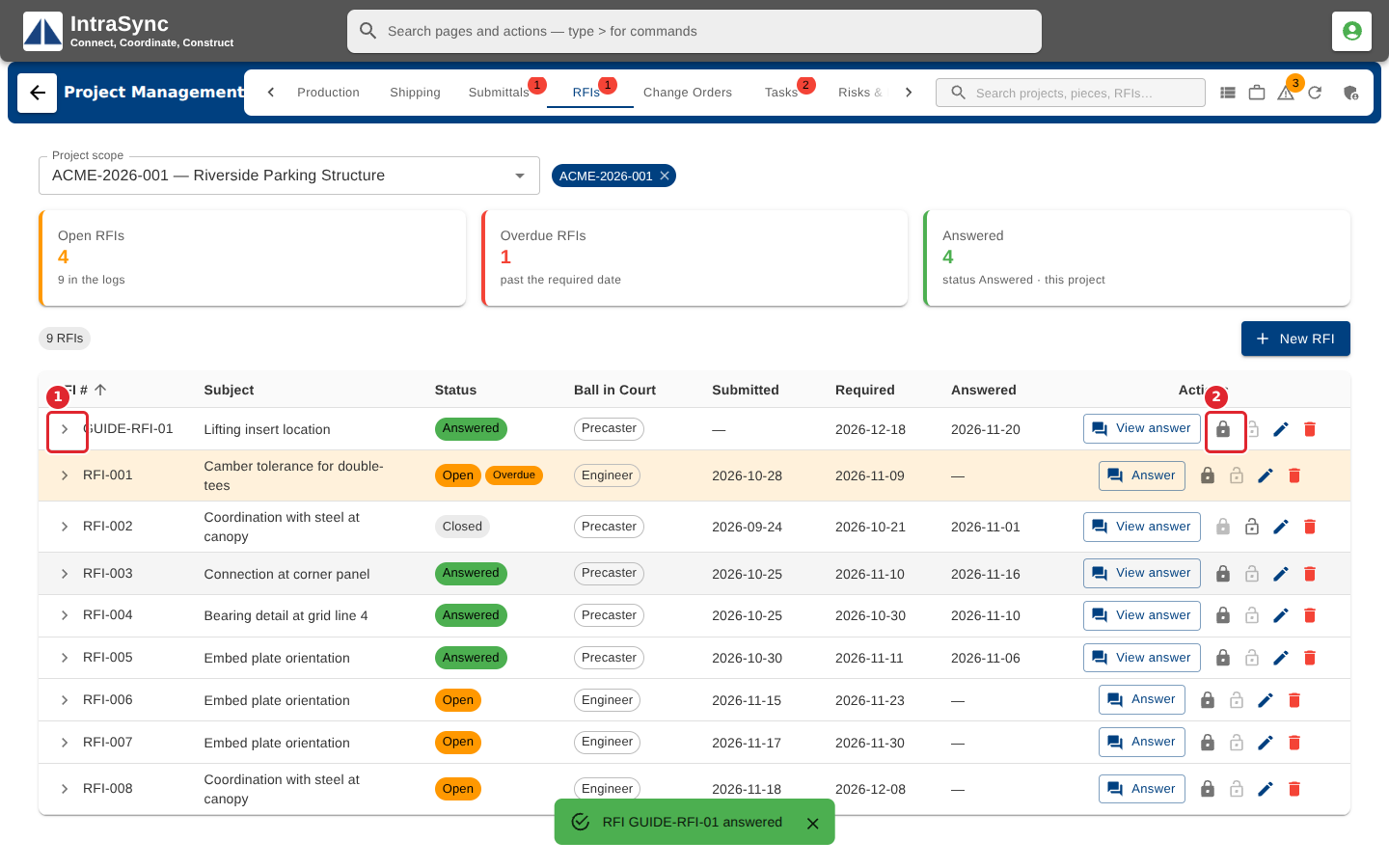
In the pictures, a numbered red box marks where to click or type. Where a picture has more than one box, the numbers give the order.
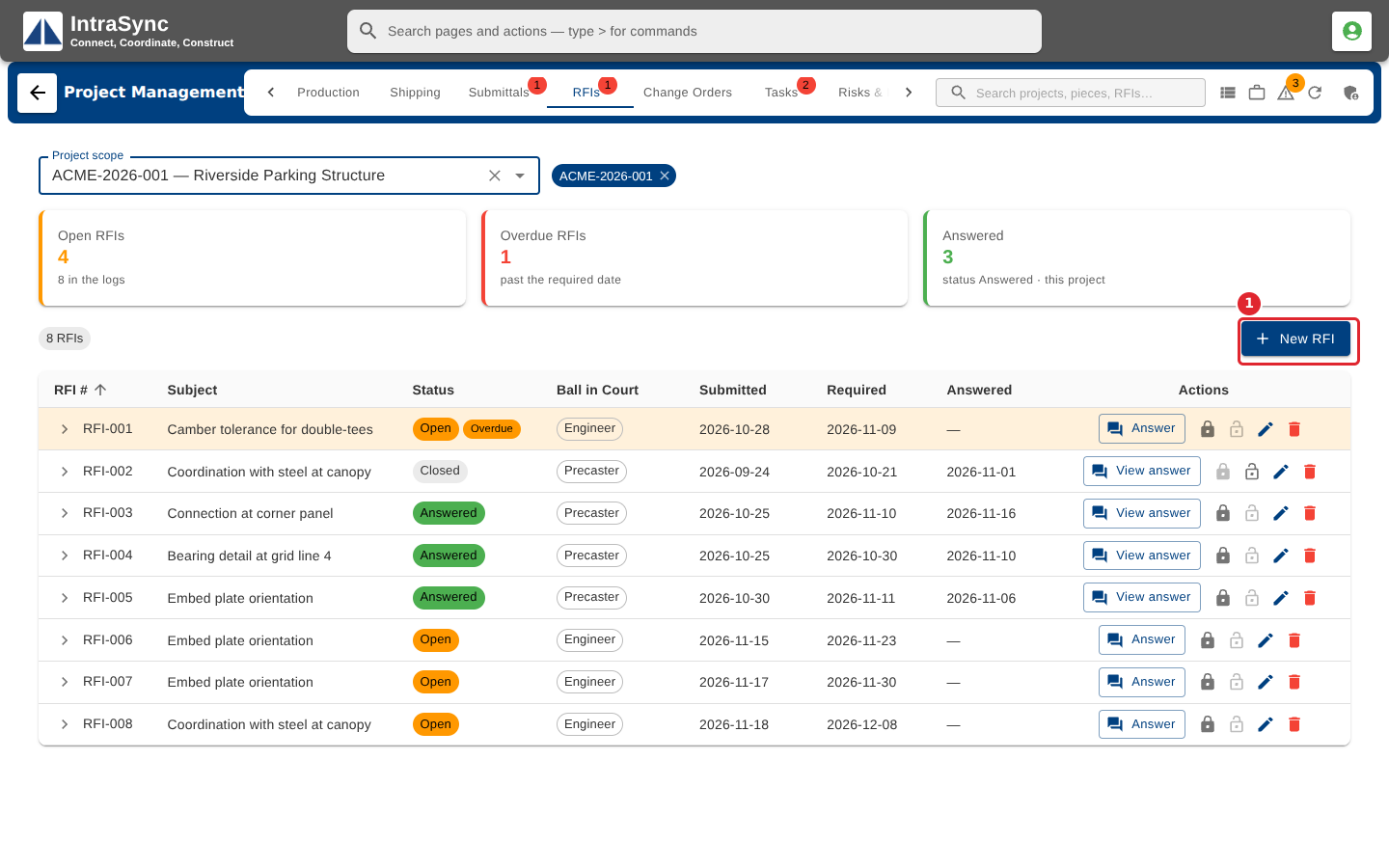
Open the RFIs tab. The cards count open, overdue and answered RFIs. Select New RFI to raise one.
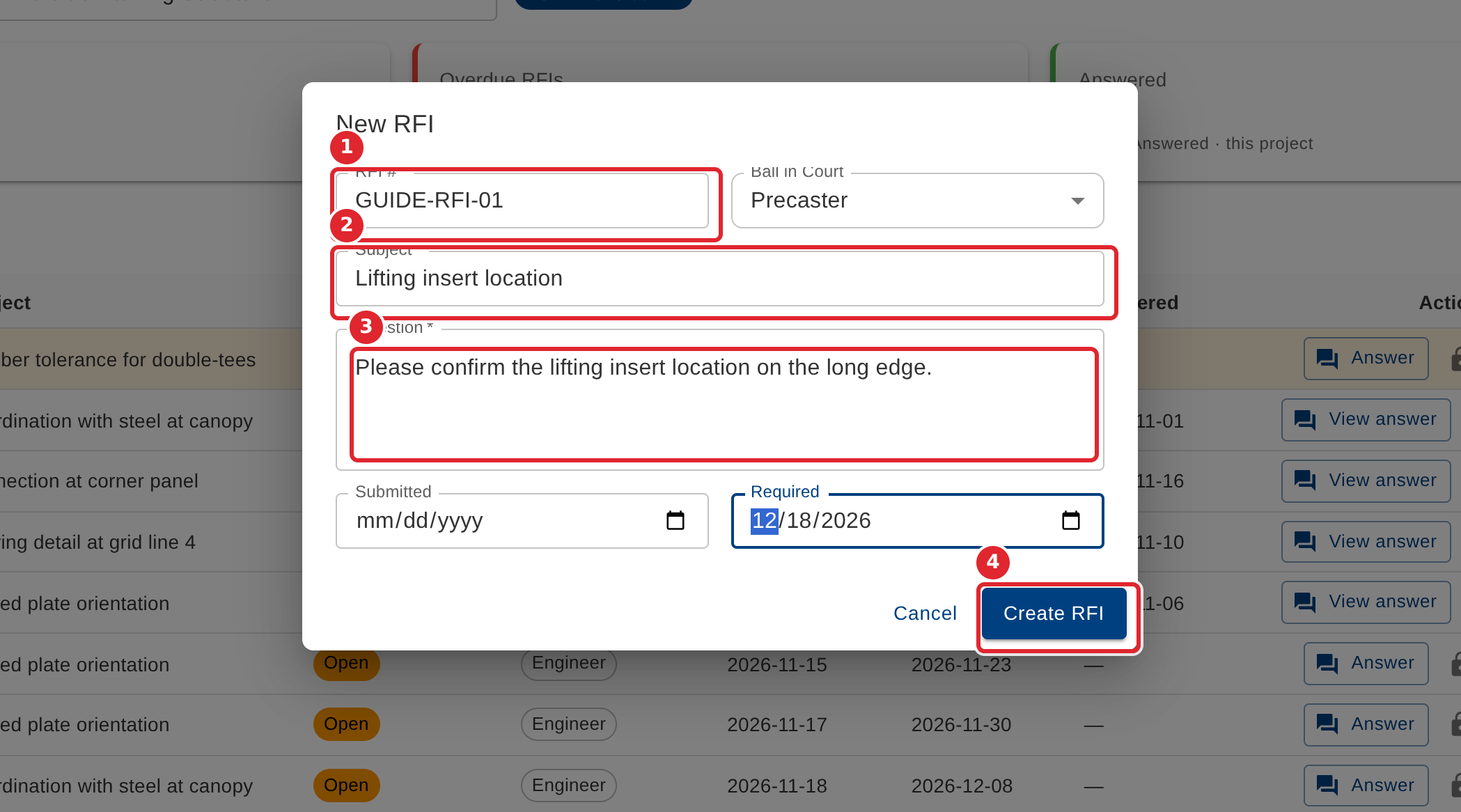
Enter the RFI #, the Subject and the Question (all required), who has the Ball in Court, and the Required date. Select Create RFI.
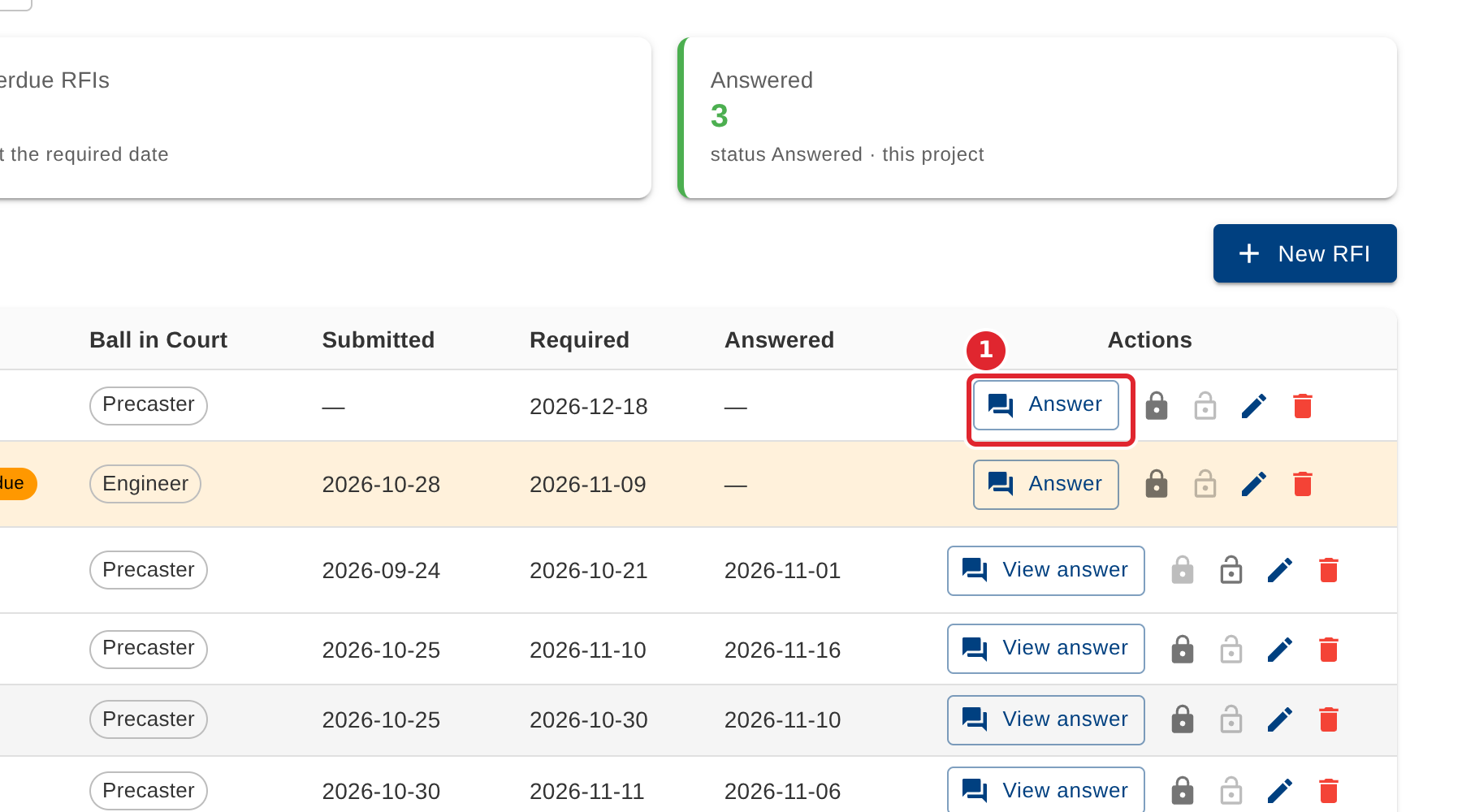
When the answer comes in, select Answer on the RFI's row.
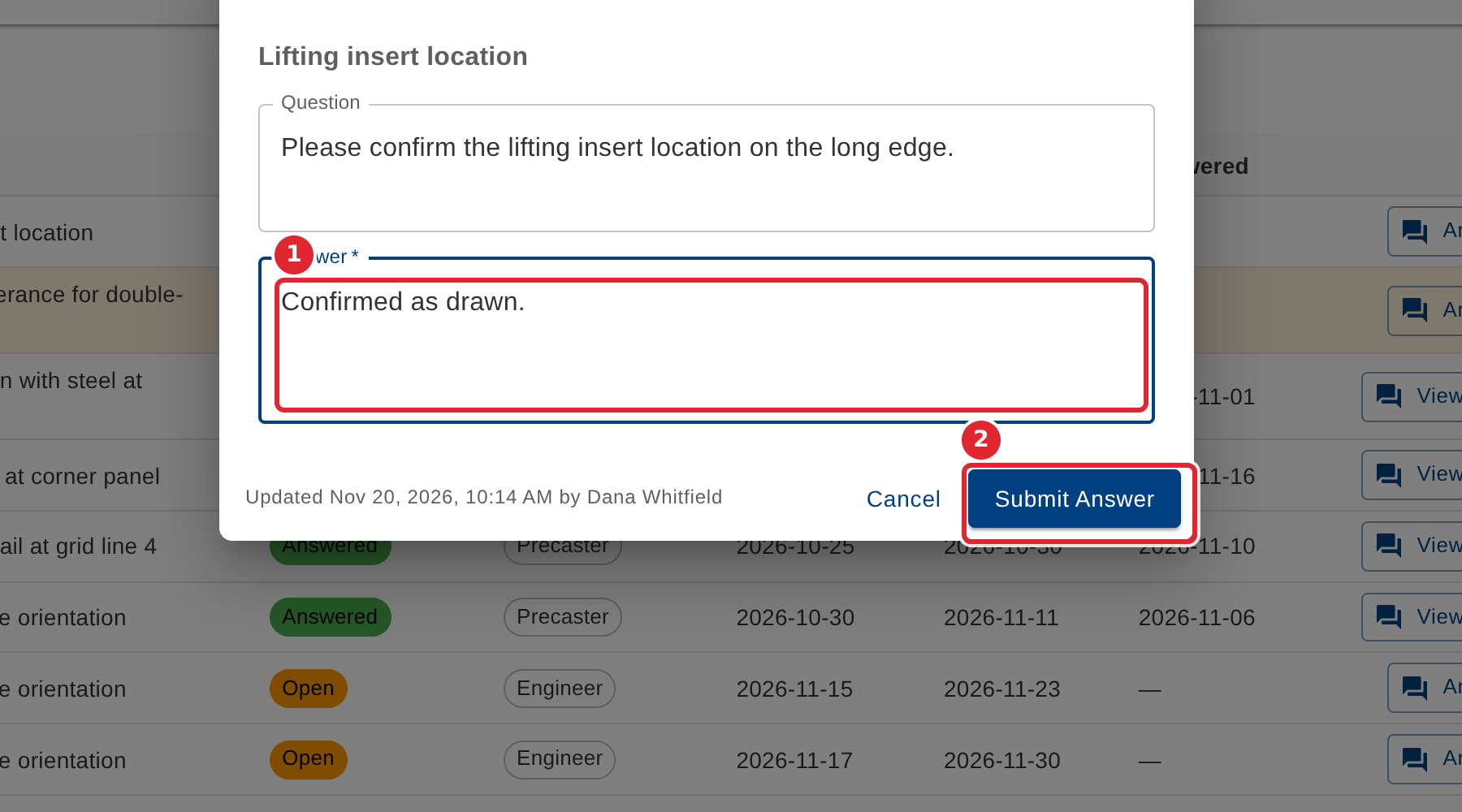
Type the Answer under the question and select Submit Answer.
Open the row's arrow to read the question and answer. Select Close RFI (the padlock) when nothing more is needed; you can reopen it later.
Tips
- RFI #, Subject and Question are required.
- An answered RFI shows View answer instead of Answer, where the answer can be read or corrected.