Project Management guide · section 11 of 20
Log a submittal and record its return
Keep a log of what has gone out for approval, who has it, and what came back.
Watch this in the video (0:55)
Before you start
- A project is in scope, or choose the project in the form.
Steps
In the pictures, a numbered red box marks where to click or type. Where a picture has more than one box, the numbers give the order.
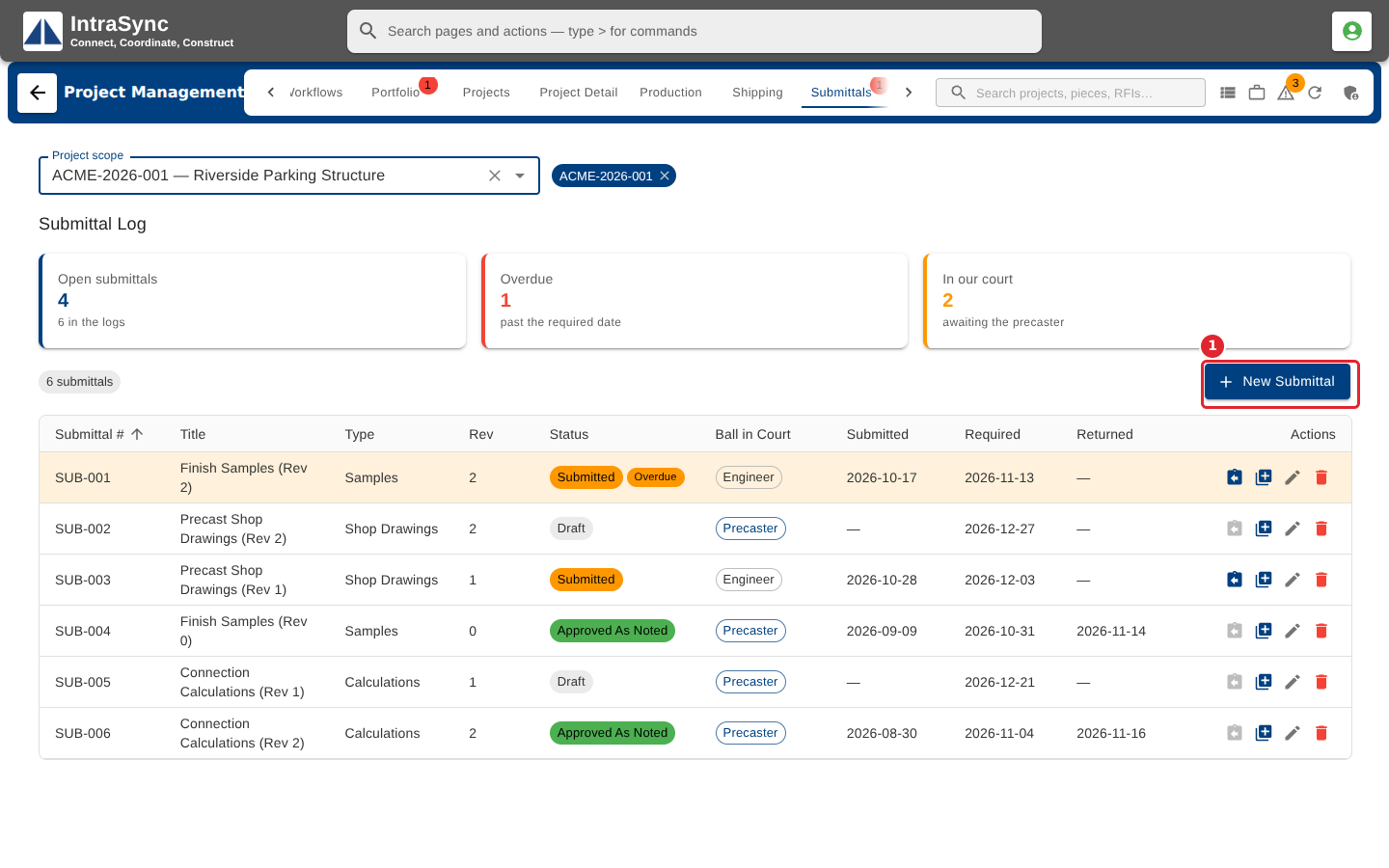
Open the Submittals tab. The cards count open submittals, the overdue ones and the ones in your court. Select New Submittal.
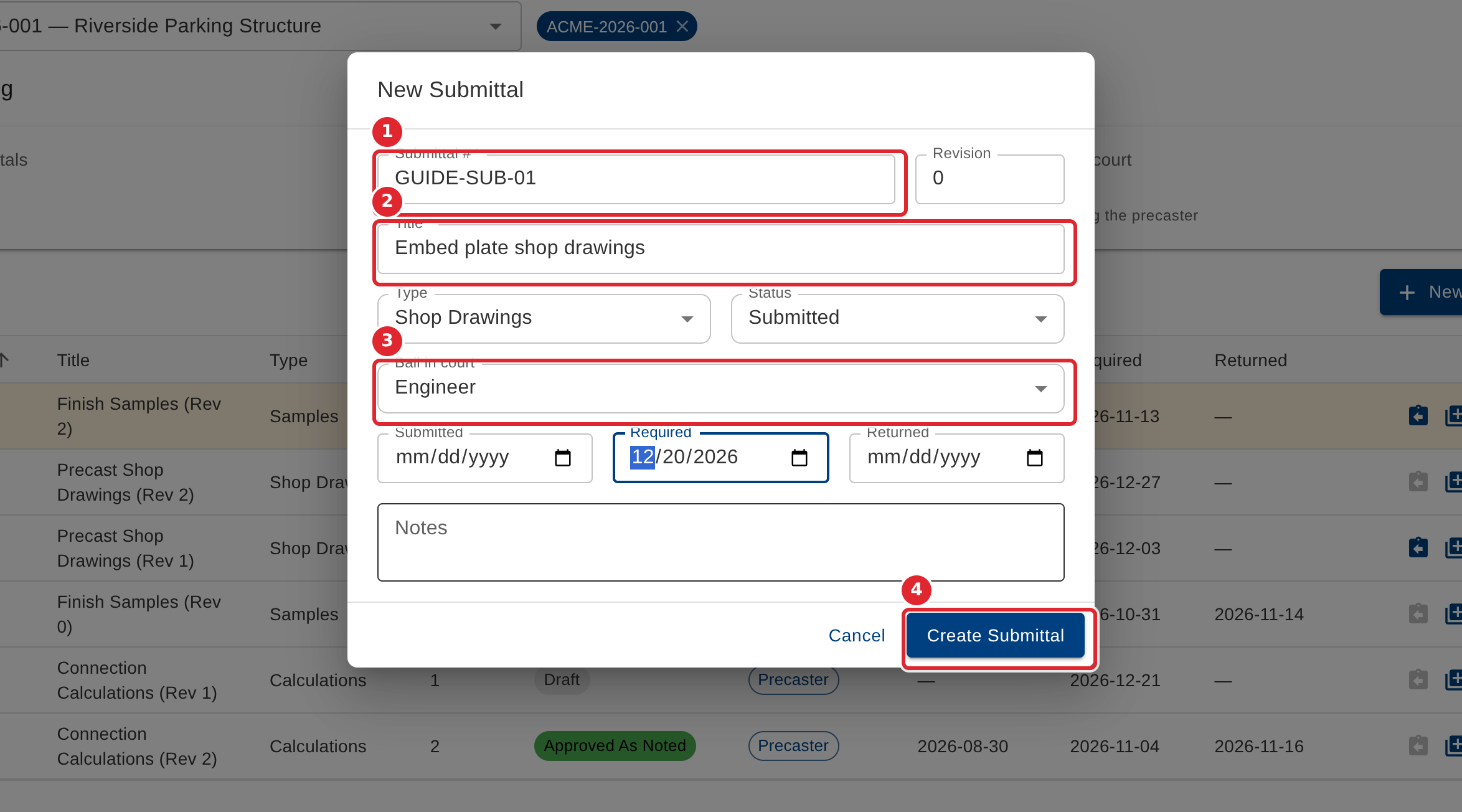
Enter the Submittal # and Title (both required), the Type and Status, who has the Ball in court, and the Required date. Select Create Submittal.
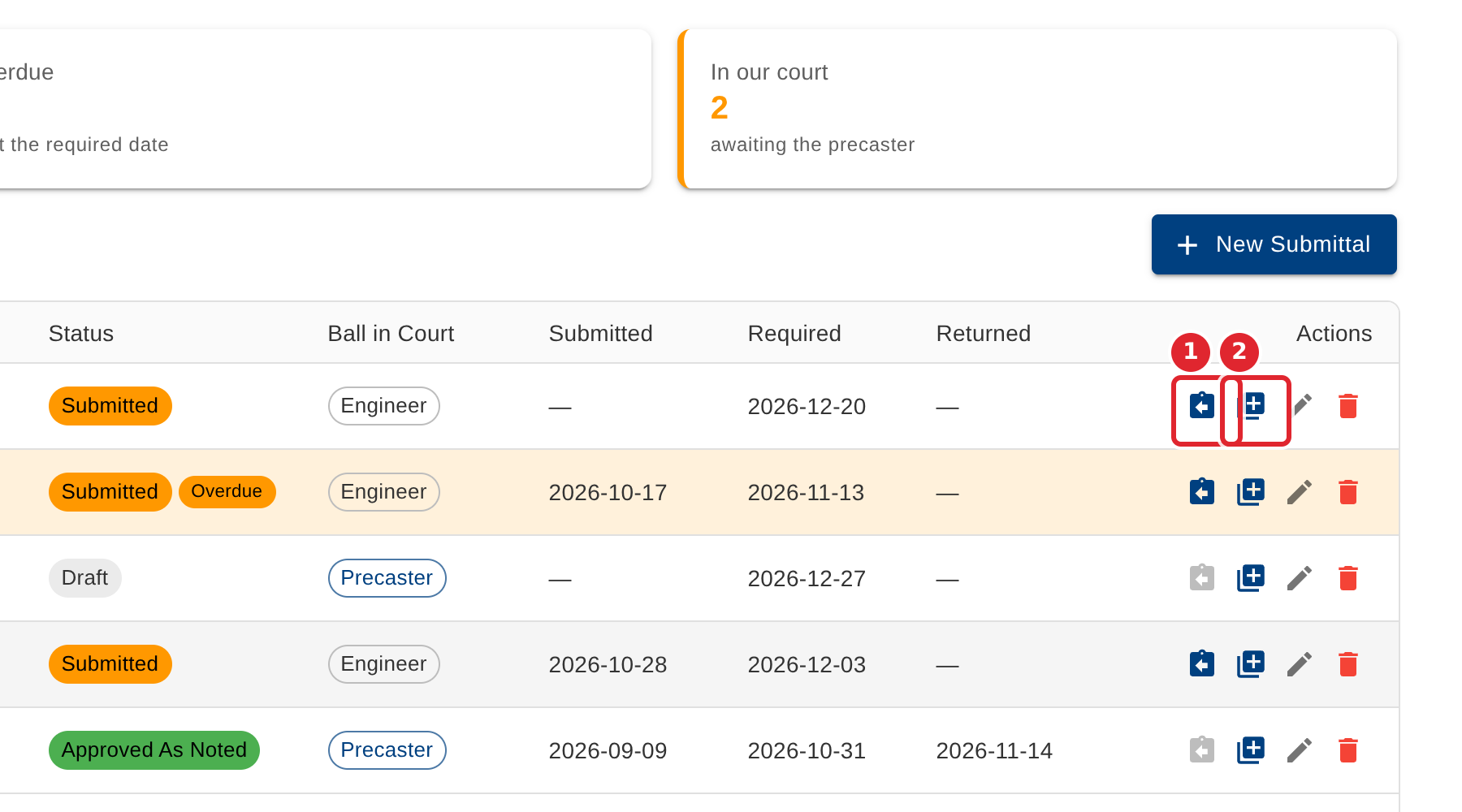
When the reviewer sends it back, select Record the reviewer's return on its row. Use New revision to resubmit it as the next revision.
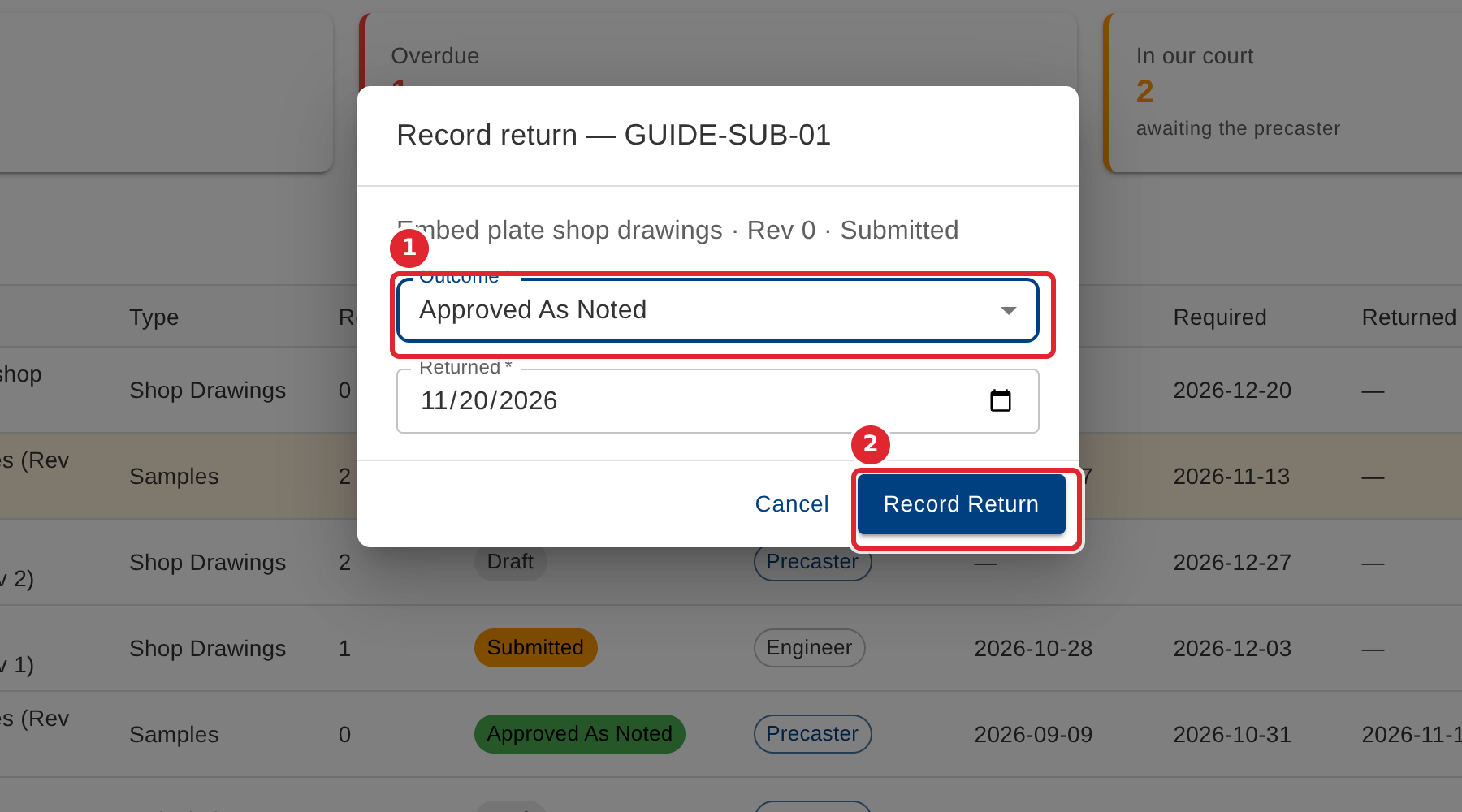
Choose the Outcome, check the Returned date, and select Record Return.
Tips
- Submittal #, Title and, when no project is in scope, Project are required.
- The outcome of a return can be Approved, Approved As Noted, Revise Resubmit or Rejected.
- A submittal past its Required date shows an Overdue chip and is counted in the Overdue card.