Project Management guide · section 17 of 20
File a project document
Keep contracts, drawings, submittal packages, reports and photos in one register so the whole team works from the same version.
Watch this in the video (1:16)
Before you start
- A project is in scope, or choose the project in the form.
Steps
In the pictures, a numbered red box marks where to click or type. Where a picture has more than one box, the numbers give the order.
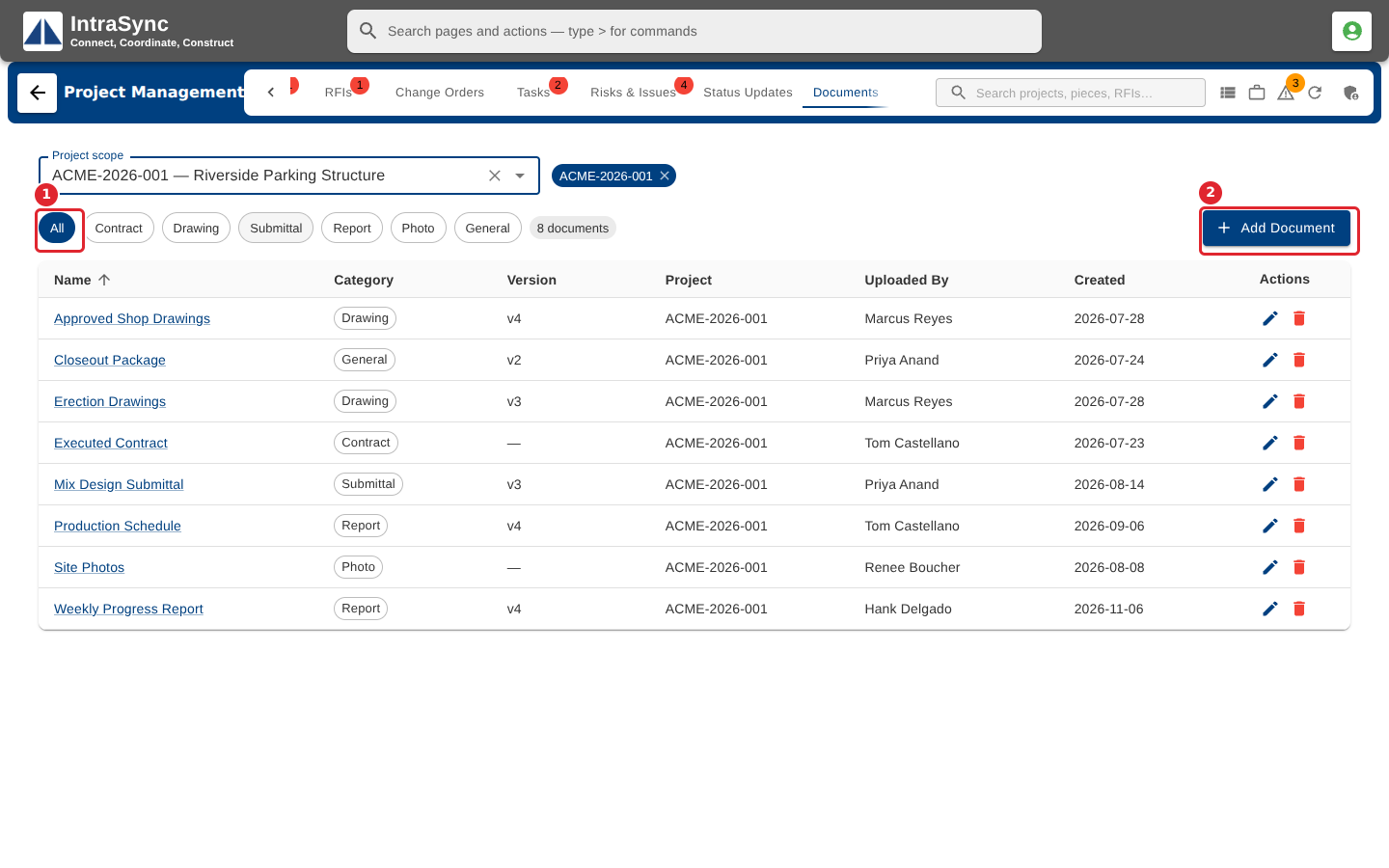
Open the Documents tab. Use the category chips to show one kind of document. Select Add Document.
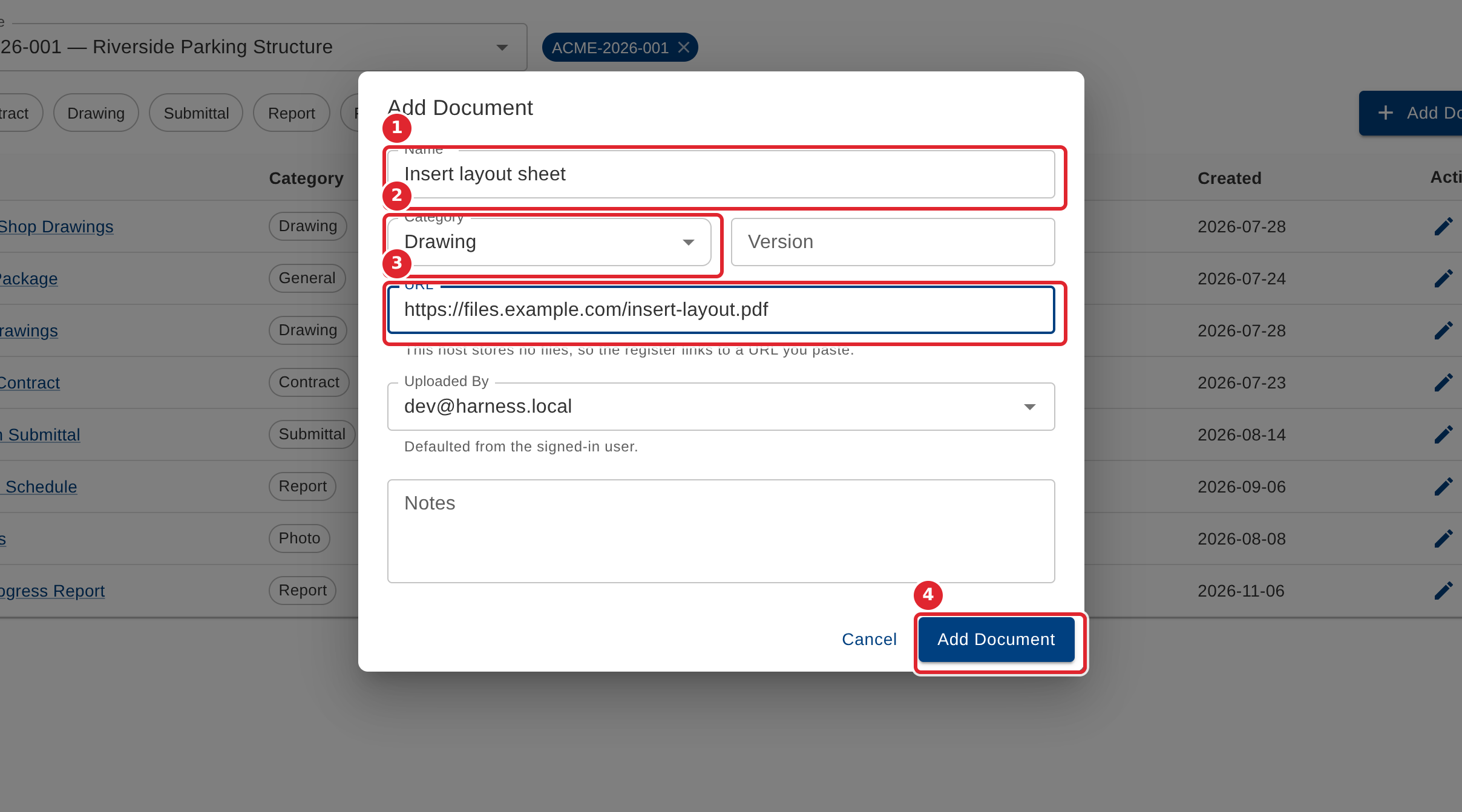
Enter the Name (required), the Category and the Version. Where your system has no file store, paste the document's web address. Select Add Document.
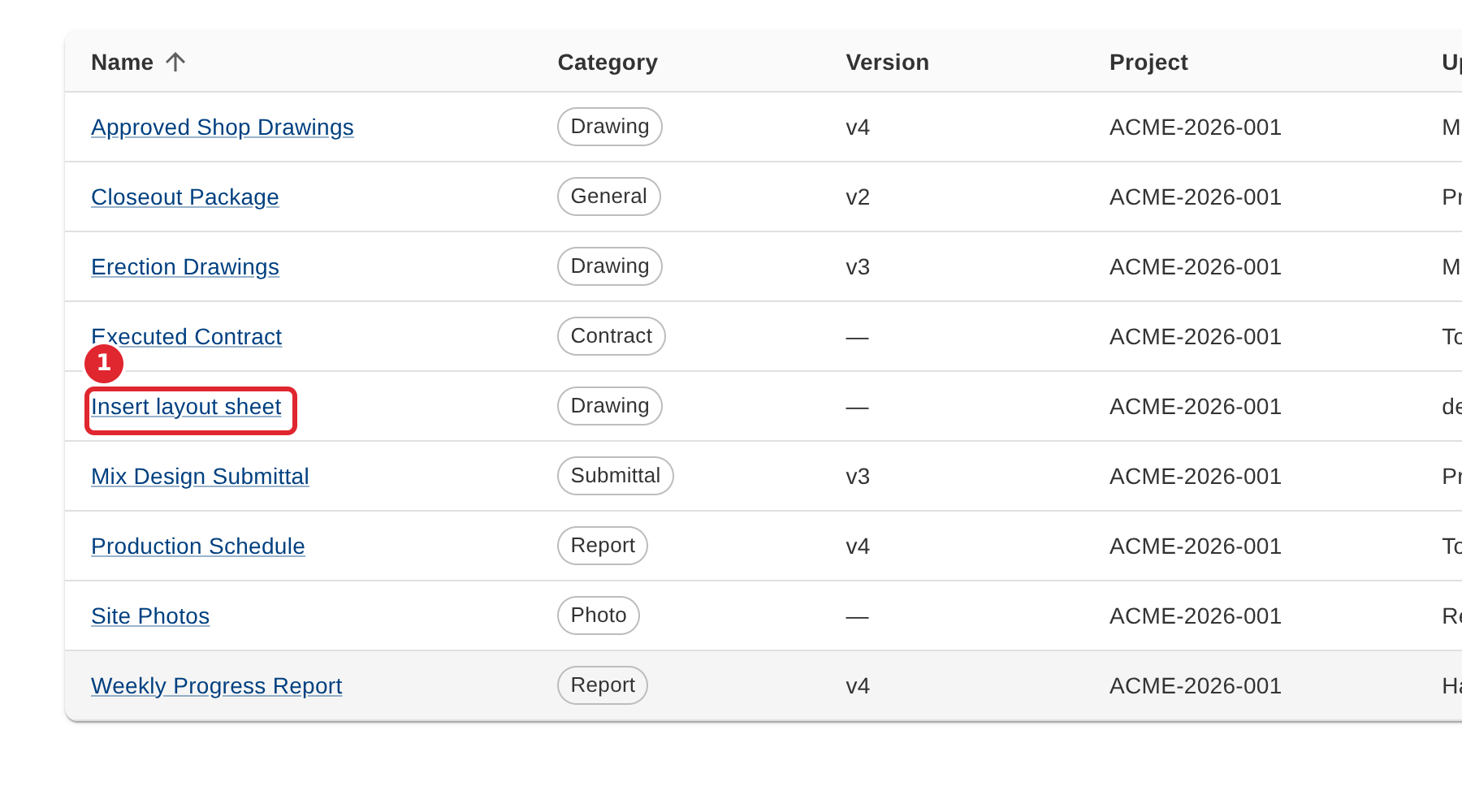
The document's name in the register opens it.
Tips
- The Name is required ("Name is required").
- A web address must start with http: or https:, or be a relative path; anything else is refused with a message saying so.
- Deleting a document removes it from the register only.