Project Management guide · section 16 of 20
Post a status update
Report each project's overall status with a summary and any schedule, budget or production notes worth flagging.
Watch this in the video (1:13)
Before you start
- A project is in scope, or choose the project in the form.
Steps
In the pictures, a numbered red box marks where to click or type. Where a picture has more than one box, the numbers give the order.
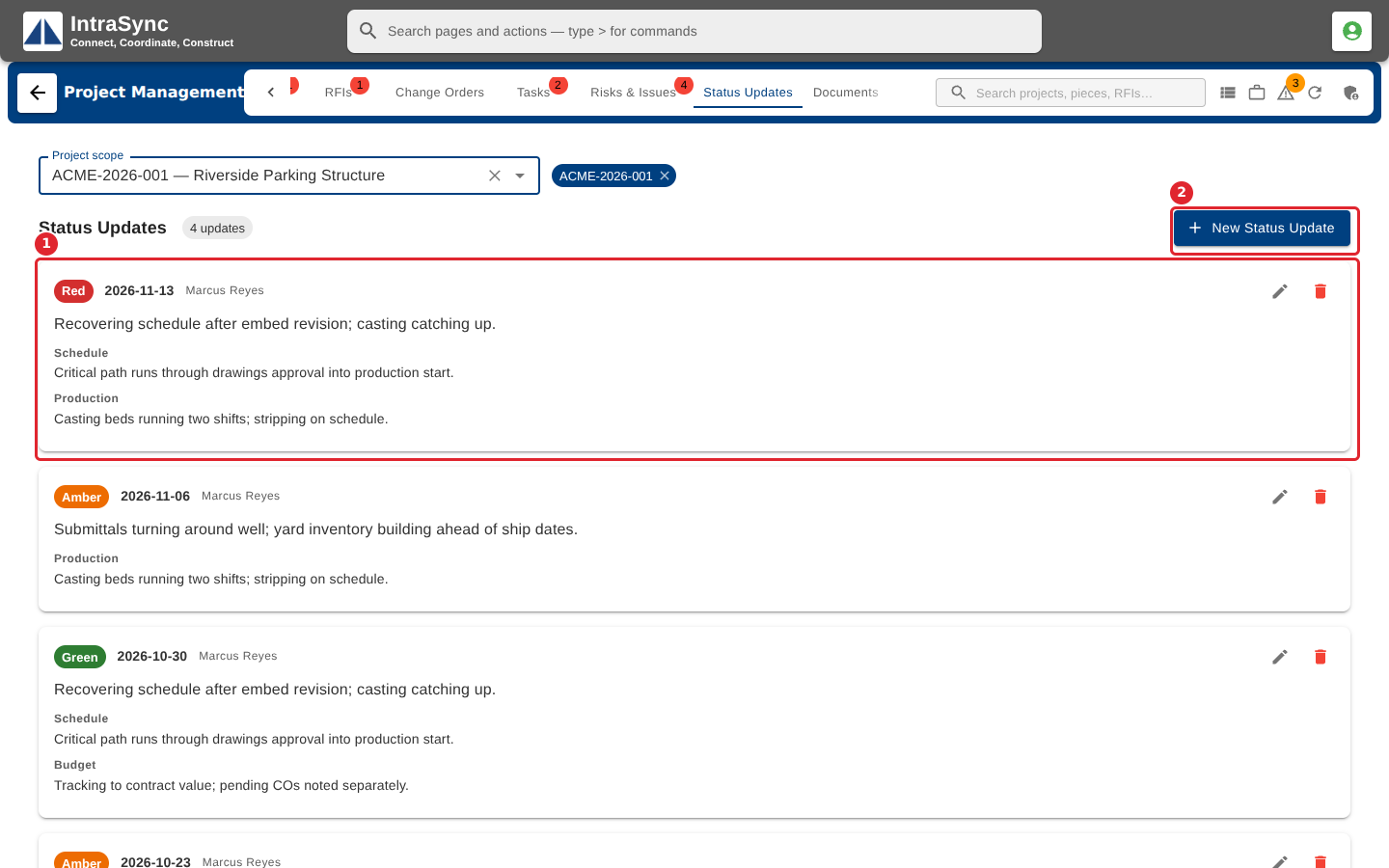
Open the Status Updates tab with a project in scope. The feed shows each update, newest first. Select New Status Update.
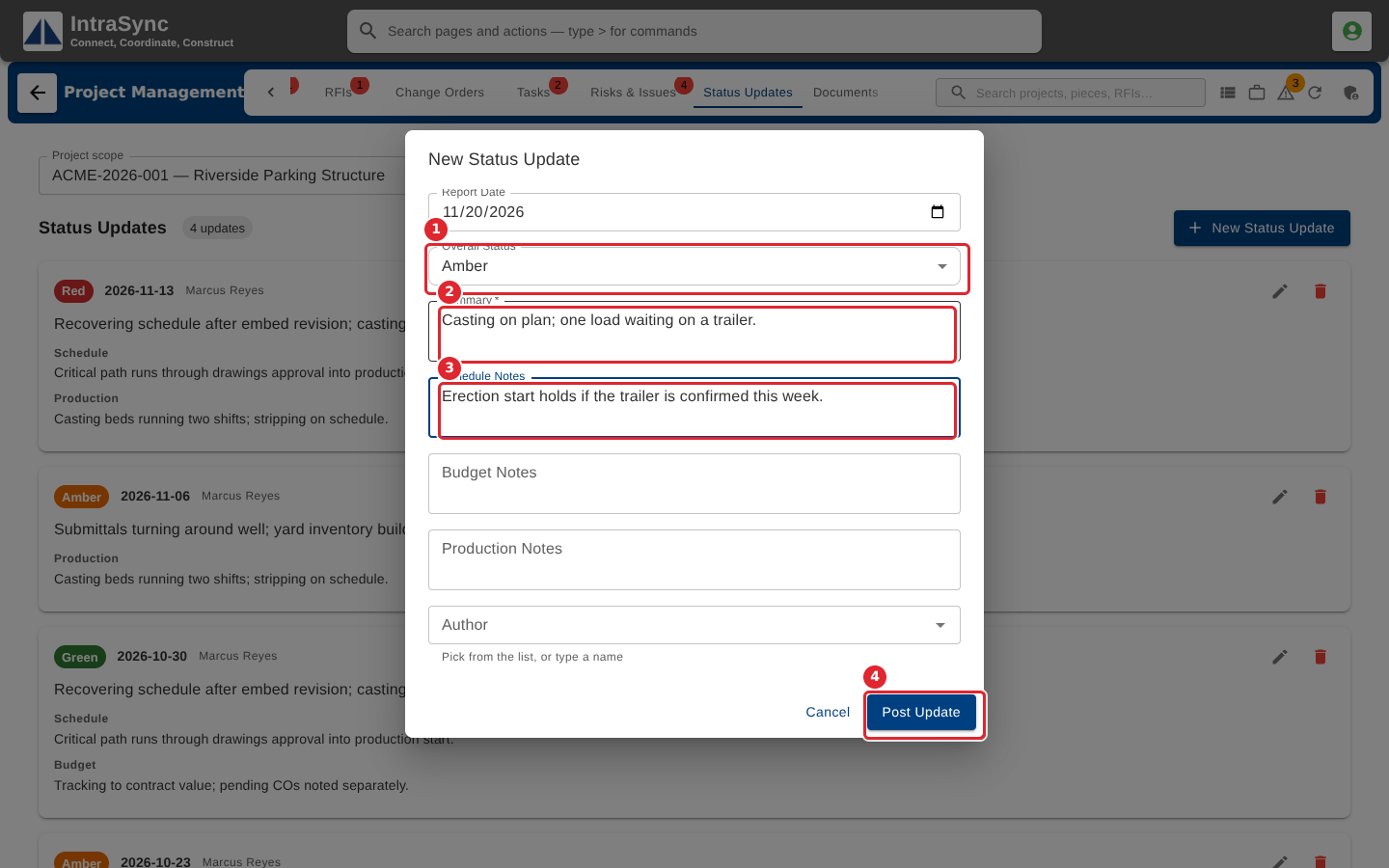
Check the Report Date, choose the Overall Status (green, amber or red), write the Summary (required) and any Schedule, Budget or Production notes, then select Post Update.
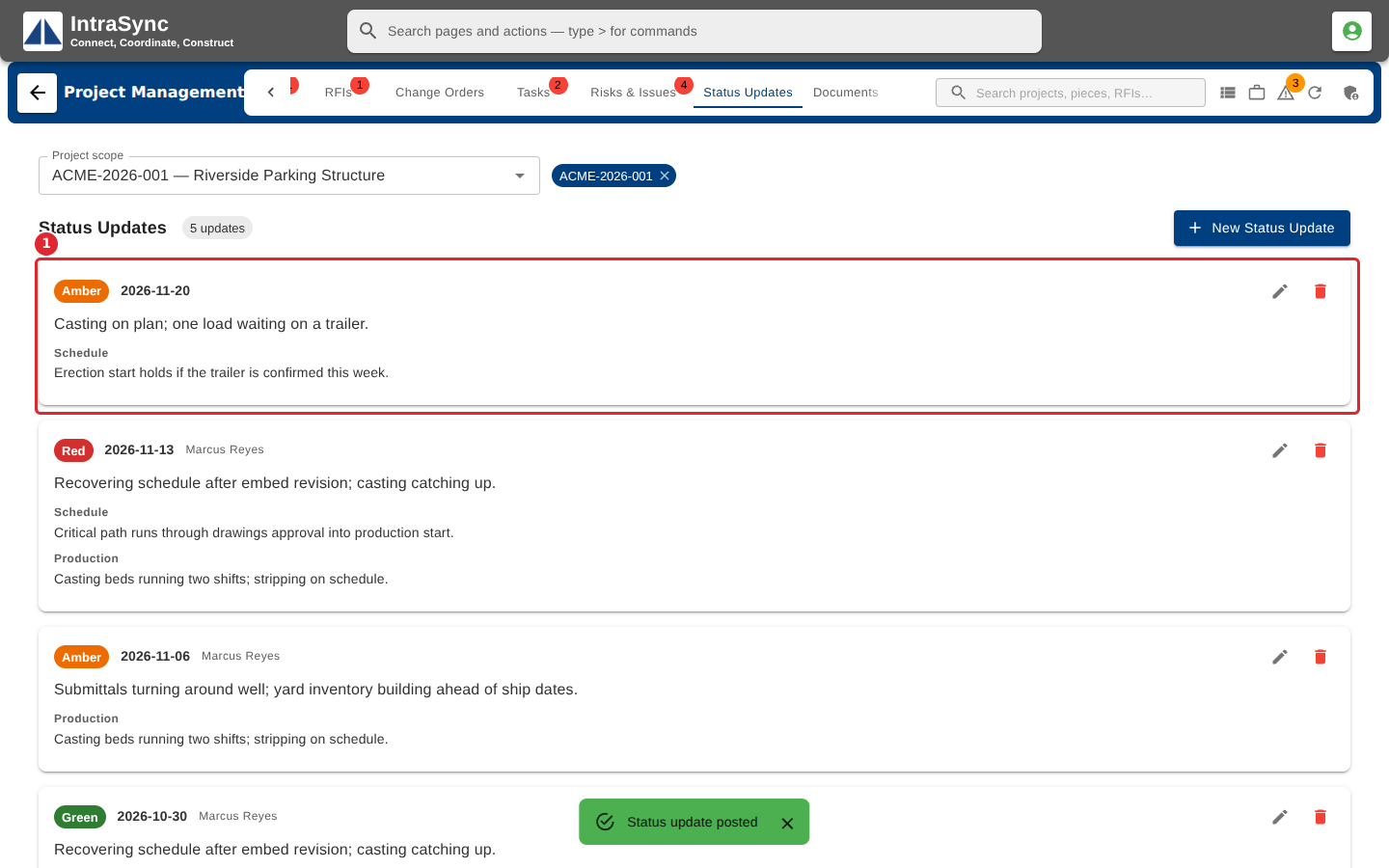
The update leads the feed, and Project Detail shows it as the latest status.
Tips
- The Summary is required, and Project when no project is in scope.
- The Report Date starts as today. Change it when you write up an earlier week.