Project Management guide · section 14 of 20
Work the task board
Assign the project's tasks, set their priority and due date, and move them across the board as work progresses.
Watch this in the video (1:06)
Before you start
- A project is in scope to see its tasks.
Steps
In the pictures, a numbered red box marks where to click or type. Where a picture has more than one box, the numbers give the order.
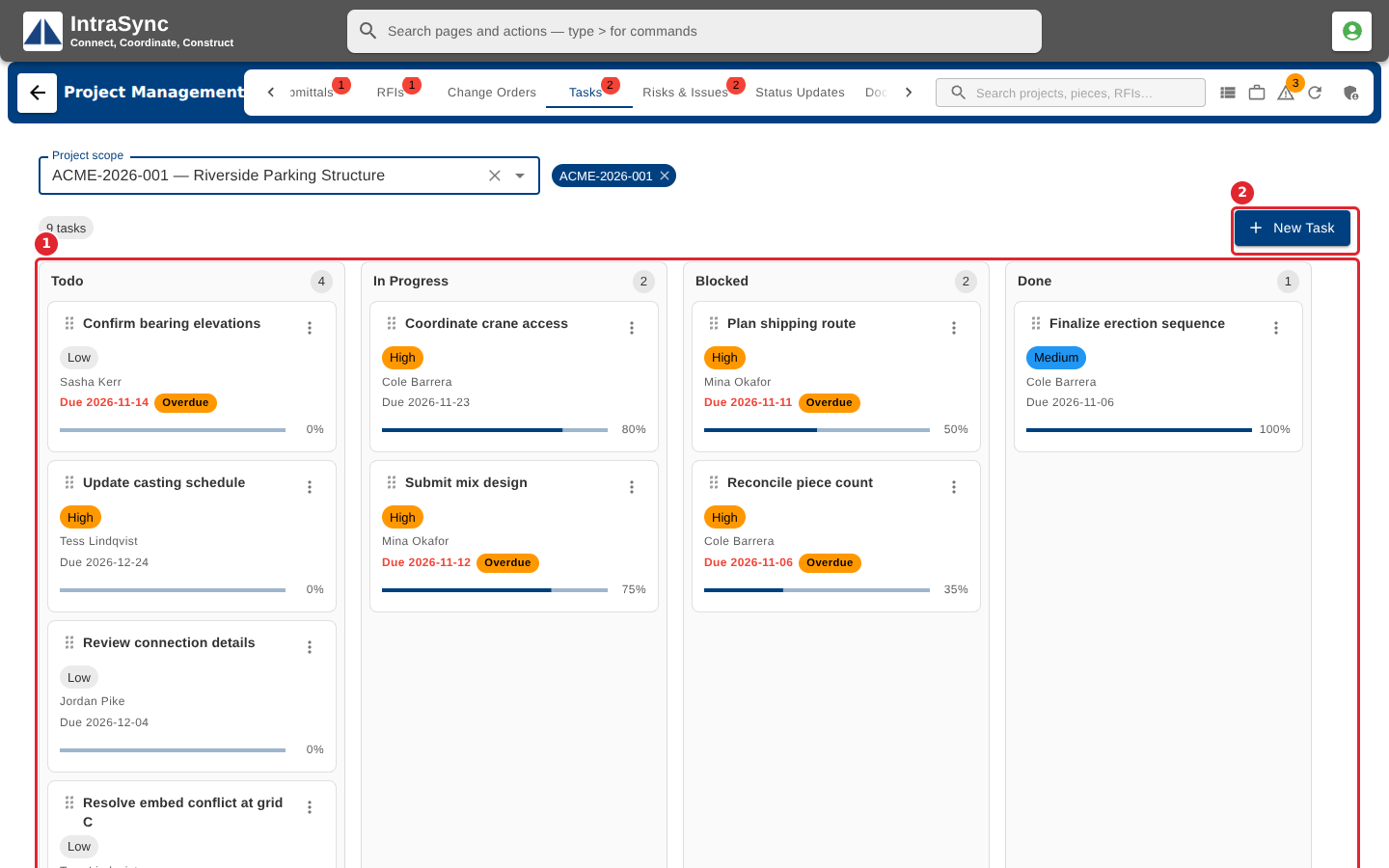
Open the Tasks tab. Tasks sit in four columns: Todo, In Progress, Blocked and Done. Select New Task.
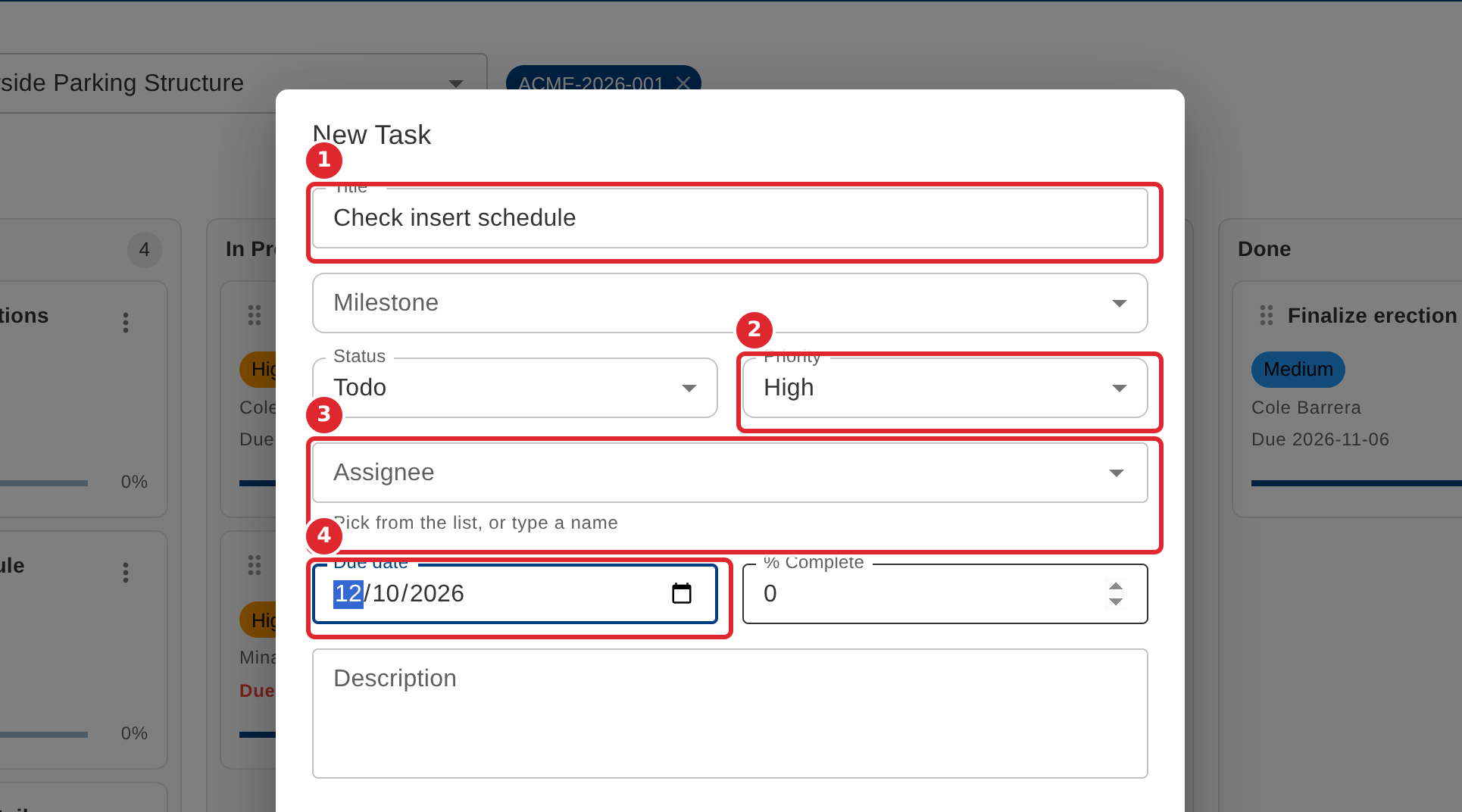
Enter the Title (required), then the Priority, the Assignee (pick from the list, or type a name), the Due date and the % Complete. Select Create.
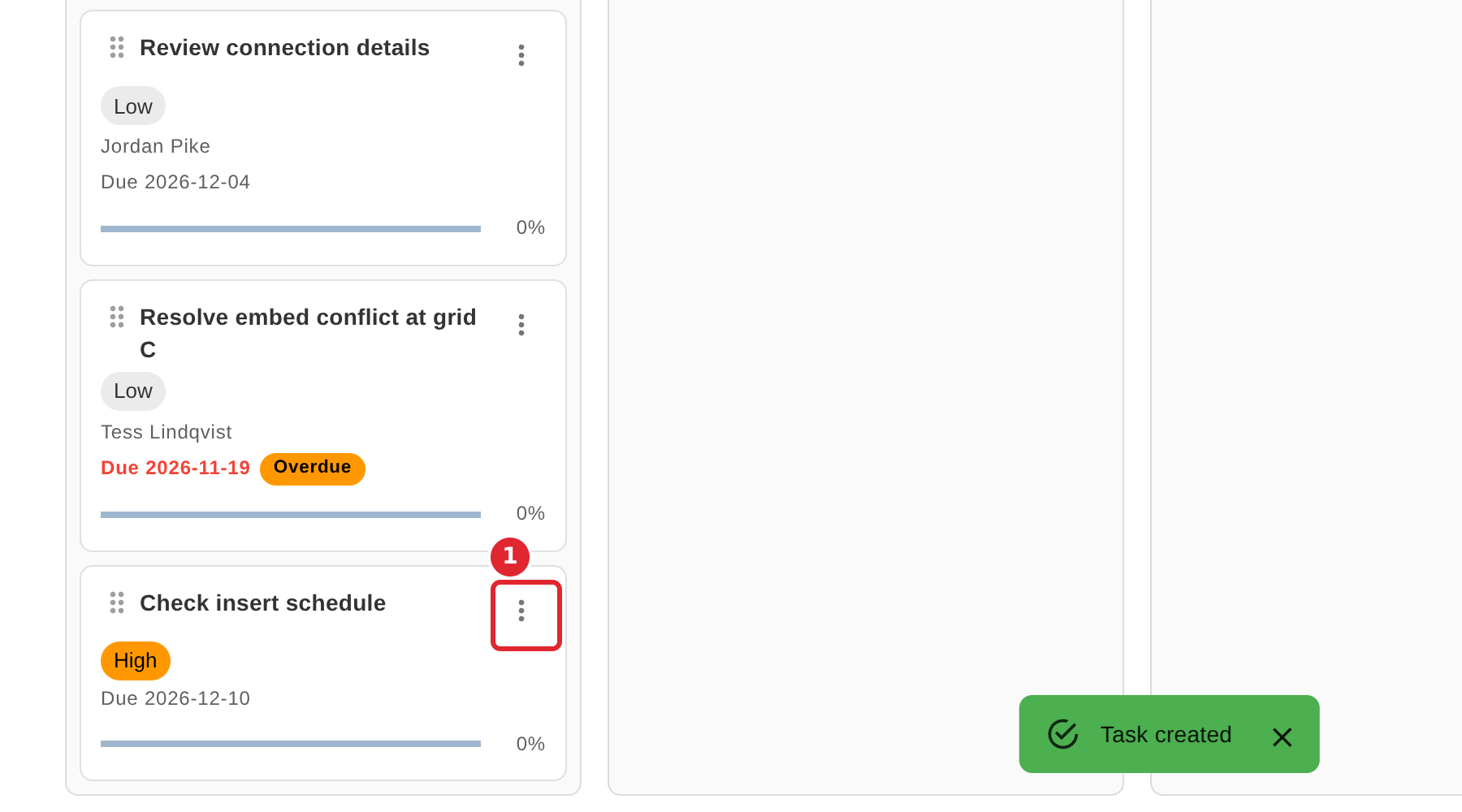
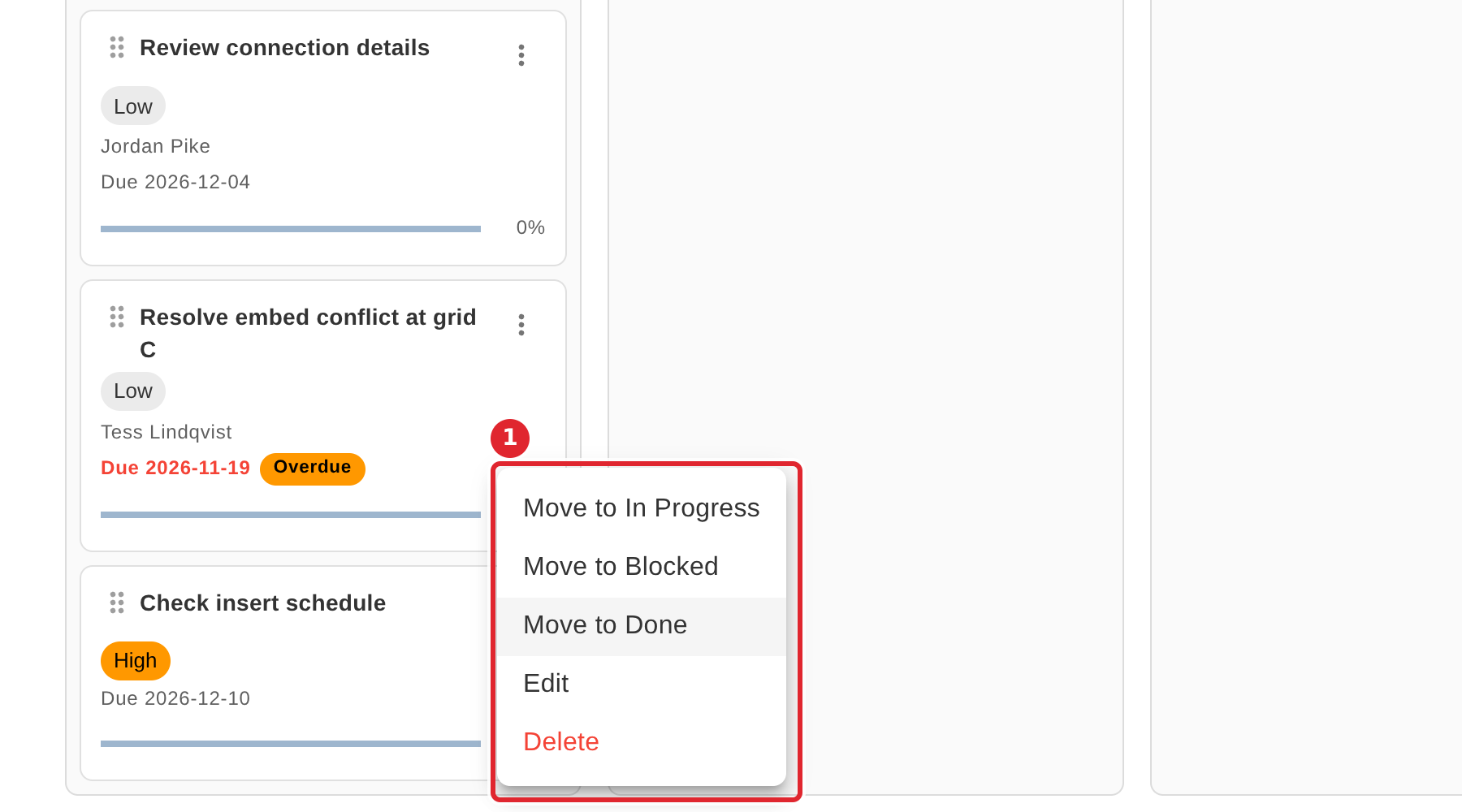
To move a task, drag its card to another column, or open the card's menu.
Choose Move to and the column, or Edit or Delete.
Tips
- The Title is required.
- When editing a task you can add several assignees with a role and an allocation; those changes save at once.
- A task past its due date shows as overdue on its card.