Sales guide · section 6 of 18
Add make instructions to a line
List the materials, embeds, hardware and labour a piece needs, so the plant has them in front of them.
Watch this in the video (0:31)
Before you start
- The line has a prep record.
Steps
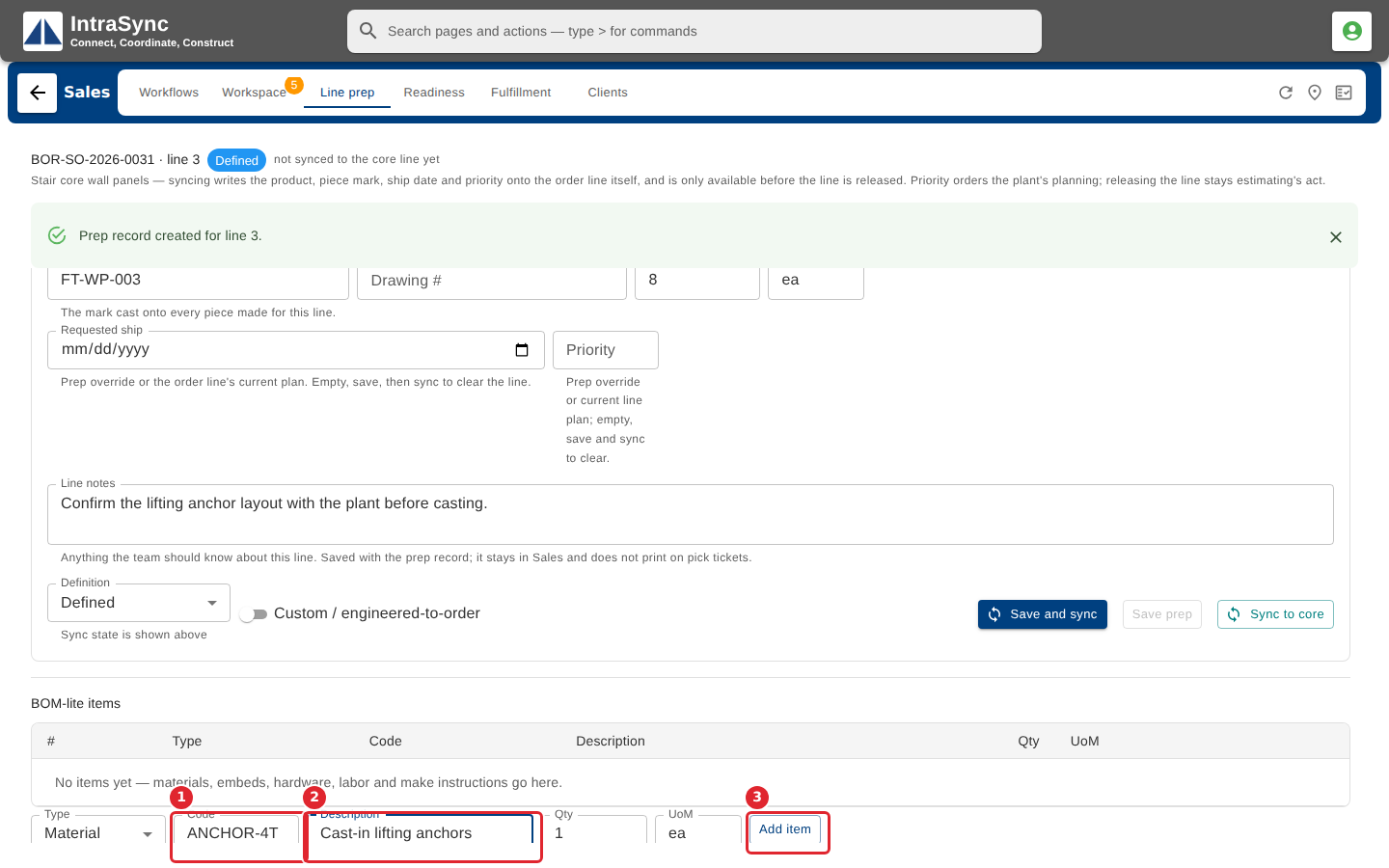
In the pictures, a numbered red box marks where to click or type. Where a picture has more than one box, the numbers give the order.
Under make instructions, enter a code and a description, then select Add item.
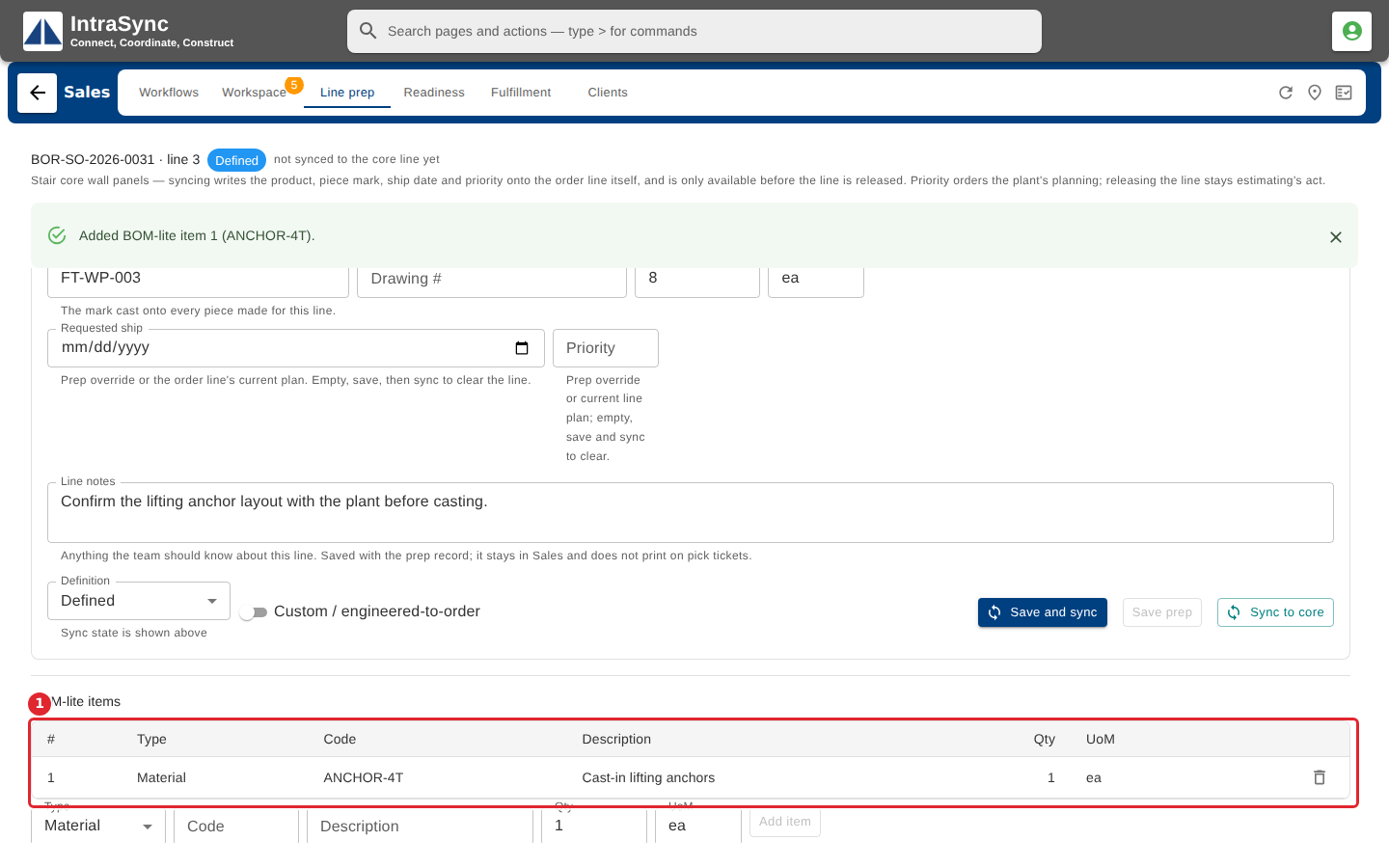
The item is added to the line's list.
Tips
- Add item stays unavailable until the item has a code or a description, so a blank row cannot be saved.