Sales guide · section 11 of 18
Add your own readiness check
Track something your plant needs before release that the standard checklist does not cover.
Watch this in the video (1:11)
Before you start
- The order is open on the Readiness tab.
Steps
In the pictures, a numbered red box marks where to click or type. Where a picture has more than one box, the numbers give the order.
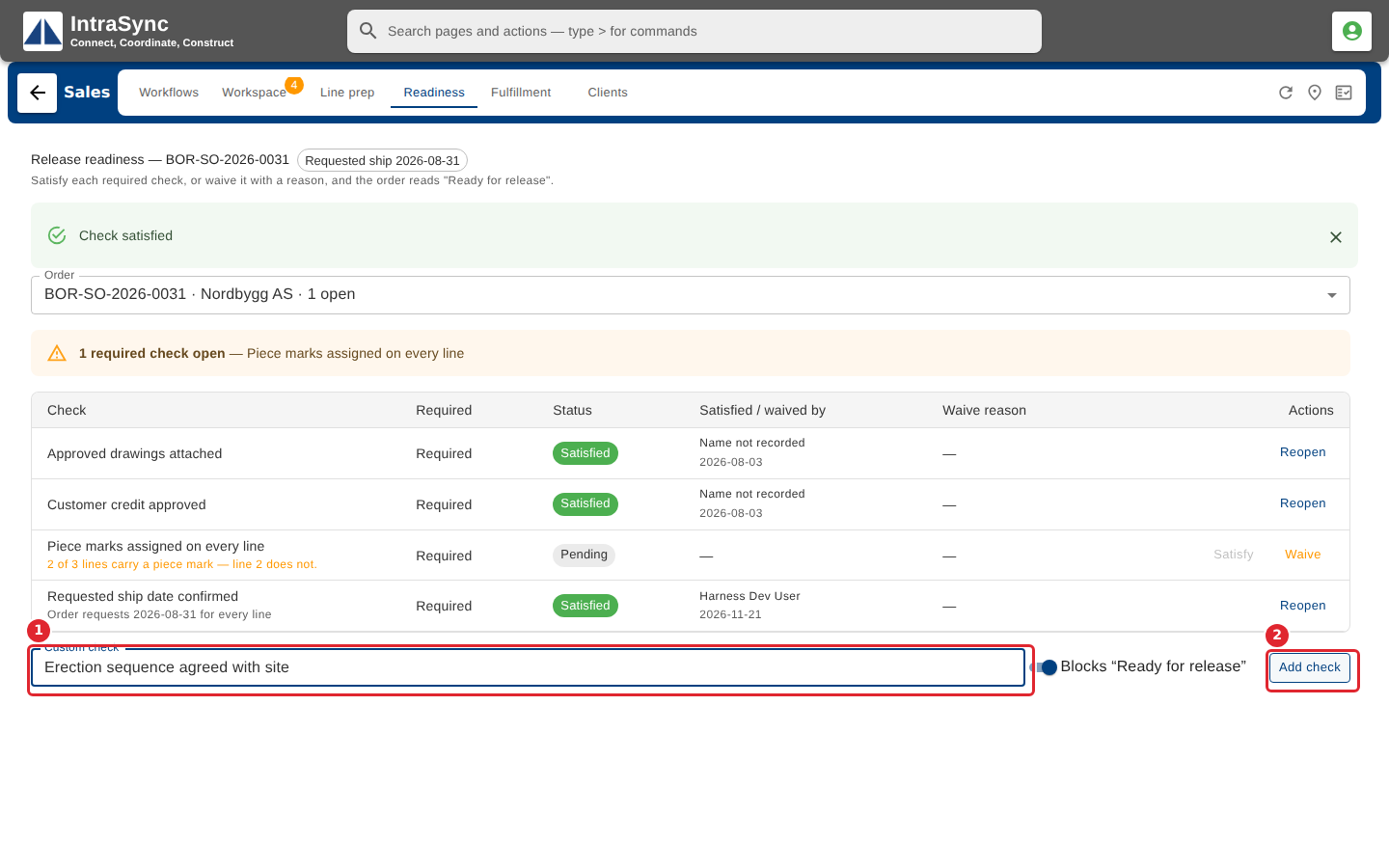
To add a check of your own, type it under the list and select Add check.
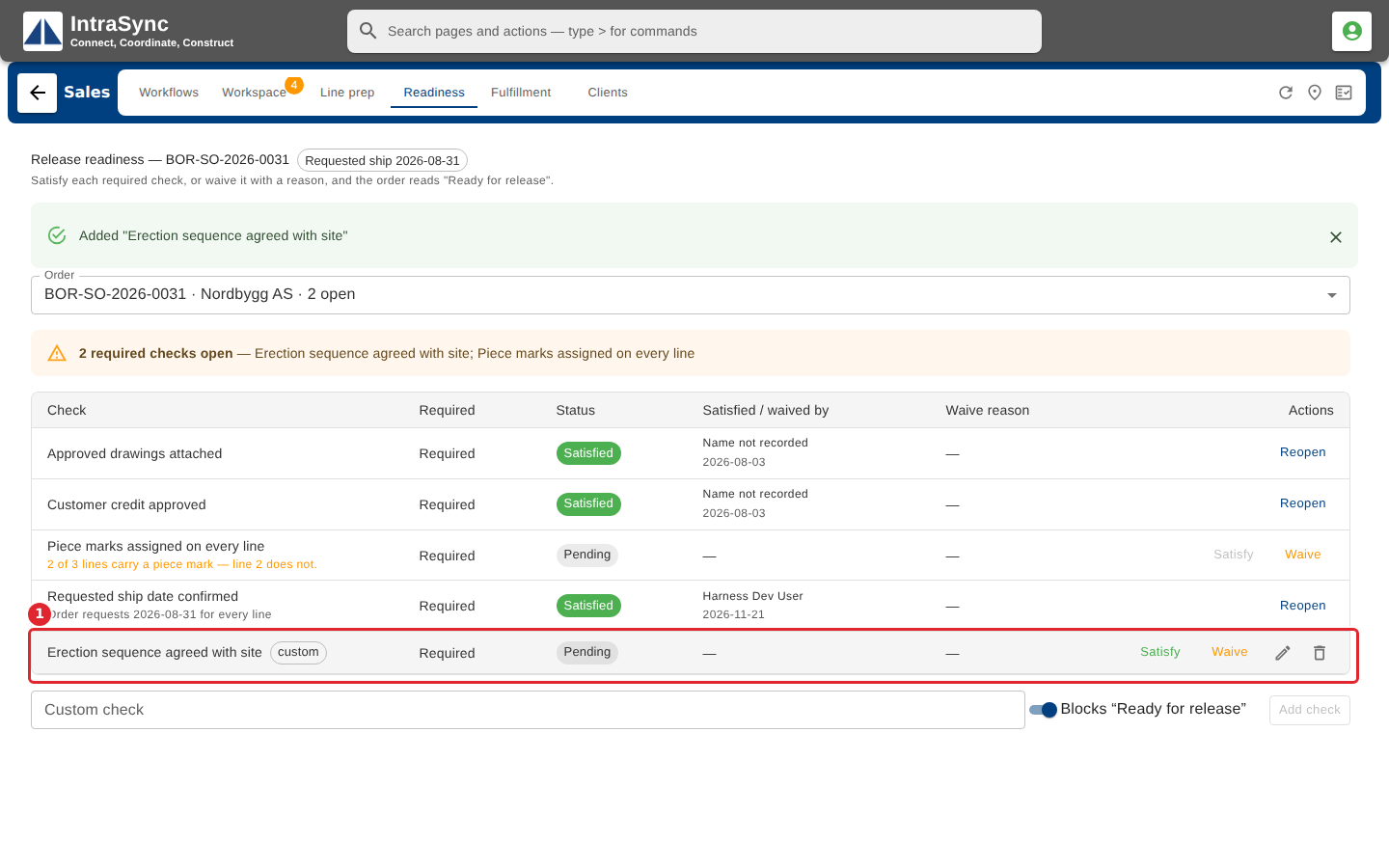
Your check is added at the end, marked custom. Use its edit and remove buttons to change or delete it.
Tips
- Turn off Blocks "Ready for release" before adding a check that should be tracked but should not hold the order back.
- Only your own checks can be removed. The standard checks are the same for every order.